HelloGrowthCRM software
Built for real small-business sales teams
HelloGrowthCRM helps reps qualify faster, follow up on time, and close more deals—with practical automation in one place.
- AI lead scoring and pipeline visibility
- Built-in dialer, WhatsApp, and email automation
- Sales forecasting and RevOps-ready reporting
Managing your sales pipeline in Excel involves creating a structured table to track leads from first contact to close, ensuring you never lose sight of opportunities. This guide shows you how to set up your Excel pipeline, maintain it accurately, and avoid common pitfalls.
Why this comes up / what goes wrong
Small-business owners in the US often start tracking sales leads with simple tools like Excel because it is accessible and familiar. However, without a clear structure, leads get lost, follow-ups are missed, and revenue opportunities slip away. Excel’s flexibility can be a double-edged sword: without a standard process, the pipeline becomes cluttered or outdated quickly. Owners also struggle with calculating expected revenue and prioritizing leads, which slows decision-making.
Step-by-step
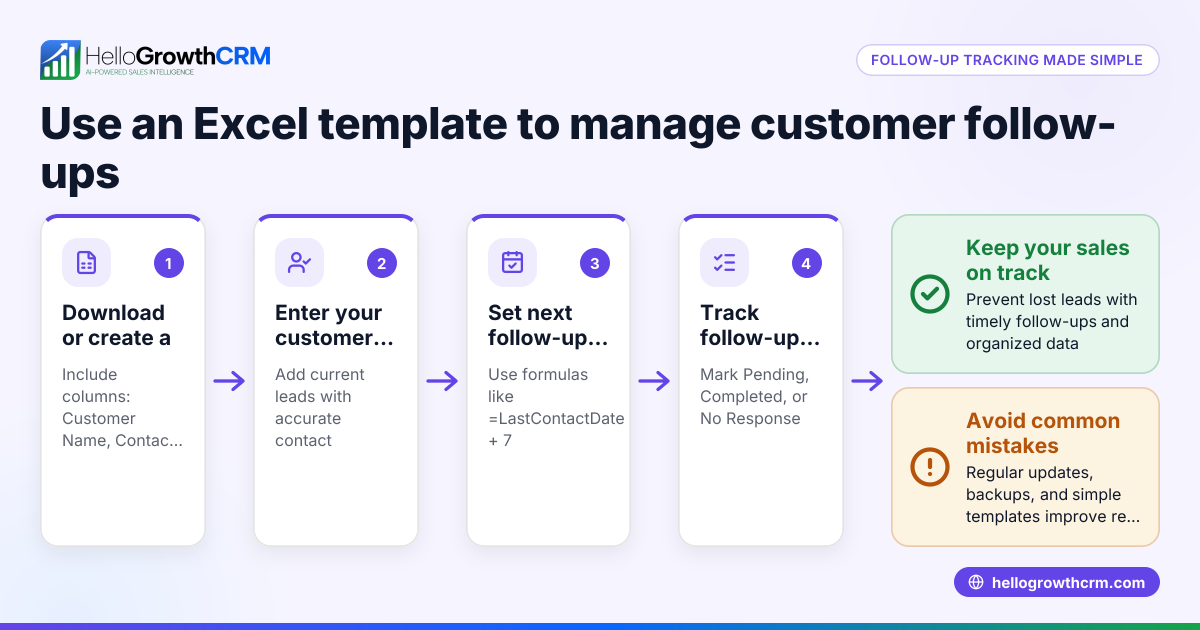
- Open a new Excel workbook and create a sheet named "Sales Pipeline".
- Set up columns with these headers:
- Lead Name
- Contact Info
- Lead Source
- Deal Stage (e.g., Prospect, Qualified, Quote Sent, Negotiation, Closed Won/Lost)
- Deal Value ($)
- Probability (%)
- Expected Value ($) — calculated as Deal Value × Probability ÷ 100
- Next Follow-up Date
- Notes
- Enter your current leads into the rows, filling all columns except Expected Value, which you will calculate.
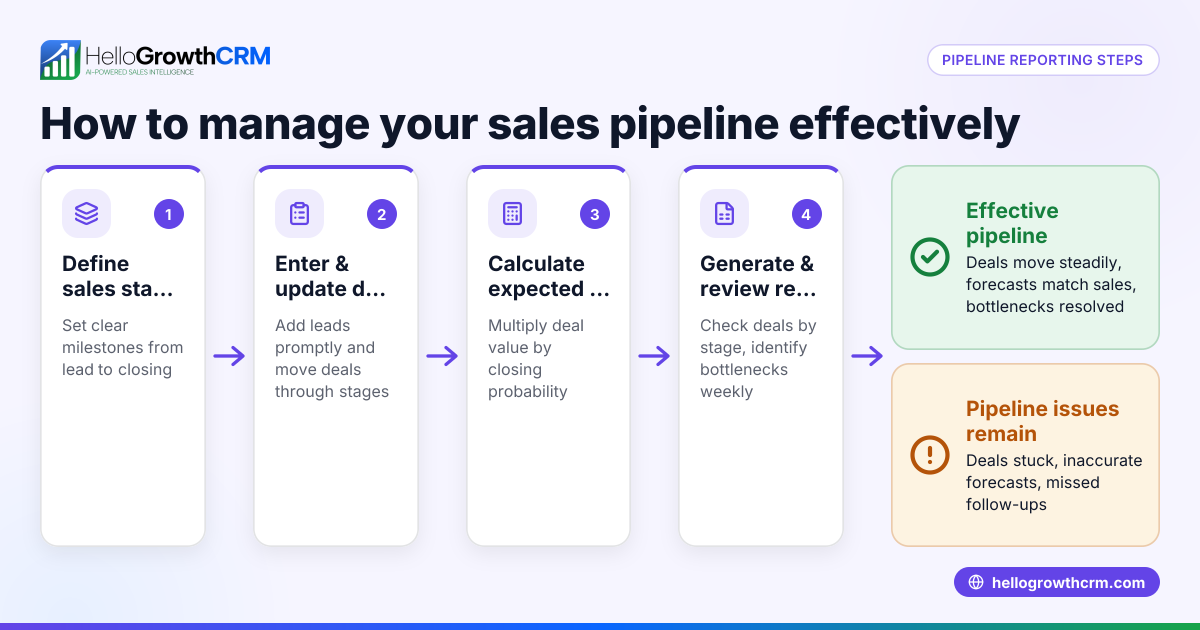
- Calculate Expected Value: In the Expected Value column, enter the formula
=Deal Value * Probability / 100. Copy this formula down the column.
- Sort and filter: Use Excel’s filter feature on the Deal Stage and Next Follow-up Date columns to prioritize active leads and those needing immediate attention.
- Update regularly: After each contact or status change, update the Deal Stage and Next Follow-up Date. This keeps your pipeline current.
- Summarize pipeline value: At the bottom or on a separate sheet, use
=SUM(Expected Value)to see your total pipeline worth.
- Set reminders: Use Excel’s conditional formatting to highlight rows where the Next Follow-up Date is today or past due.
- Backup your file: Save copies regularly to avoid data loss.
Example (fictional figures)
A small residential real-estate team in Phoenix, Arizona, tracks five leads as of 05/15/2024.
| Lead Name | Contact Info | Lead Source | Deal Stage | Deal Value ($) | Probability (%) | Expected Value ($) | Next Follow-up Date | Notes |
|---|---|---|---|---|---|---|---|---|
| Smith Family | 555-123-4567 | Website | Prospect | 350,000 | 20 | 350,000 × 20 ÷ 100 = 70,000 | 05/20/2024 | Initial inquiry |
| Johnson | 555-987-6543 | Referral | Quote Sent | 420,000 | 60 | 420,000 × 60 ÷ 100 = 252,000 | 05/18/2024 | Waiting response |
| Lee | 555-555-1212 | Walk-in | Negotiation | 390,000 | 80 | 390,000 × 80 ÷ 100 = 312,000 | 05/16/2024 | Price discussion |
| Garcia | 555-222-3333 | Website | Qualified | 275,000 | 40 | 275,000 × 40 ÷ 100 = 110,000 | 05/22/2024 | Needs financing |
| Patel | 555-444-5555 | Referral | Closed Won | 310,000 | 100 | 310,000 × 100 ÷ 100 = 310,000 | 05/10/2024 | Deal closed |
Total expected pipeline value = 70,000 + 252,000 + 312,000 + 110,000 + 310,000 = $1,054,000
Common mistakes
- Not updating the pipeline regularly: Leads become stale and follow-ups are missed. Prevent this by scheduling weekly updates.
- Using vague deal stages: Without clear definitions, team members get confused. Define stages clearly and keep them consistent.
- Ignoring follow-up dates: Leads slip through the cracks. Use conditional formatting and filters to highlight overdue follow-ups.
- No expected value calculation: Without it, prioritization is guesswork. Always calculate expected value to focus on high-impact deals.
- Overloading with unnecessary columns: Too much data clutters the sheet. Stick to essential fields for clarity.
- Not backing up data: Risk of losing all pipeline information. Save backups regularly.
For more on improving sales processes, see our AI CRM and sales forecasting pages.
Doing this in HelloGrowthCRM
HelloGrowthCRM offers a Deals (pipeline) feature that tracks open opportunities from first contact through close with stage movement, probability, and expected value. For example, a quotation sent last week appears as a deal at the 'quote sent' stage with a follow-up date, so it is not forgotten. If you lack a dedicated sales manager, Managed RevOps assigns a revenue specialist to work your follow-up queue weekly. The built-in dialer lets telecallers work leads inside the CRM, logging call outcomes directly on the lead record. Learn more about HelloGrowthCRM for the United States at /usa.
Frequently asked questions
What is the best way to track sales stages in Excel? Use clear, predefined stages like Prospect, Qualified, Quote Sent, Negotiation, and Closed Won/Lost. Keep these consistent and update the stage after each contact to reflect the current status.
How do I prioritize leads in my Excel pipeline? Calculate the expected value by multiplying the deal value by the probability of closing and dividing by 100. Sort your leads by expected value or follow-up date to focus on the most promising opportunities first.
Can Excel handle sales forecasting? Excel can provide basic forecasting by summing expected values at different stages. However, it requires manual updates and lacks automation. For more advanced forecasting, consider tools with built-in features like sales forecasting.
How often should I update my sales pipeline in Excel? Update your pipeline at least weekly to keep data accurate and ensure timely follow-ups. More frequent updates may be needed for fast-moving sales cycles.
Is there a way to automate follow-up reminders in Excel? Excel can highlight upcoming or overdue follow-ups using conditional formatting, but it does not send automatic reminders. For automation, CRM platforms provide better support.
Key takeaways
- Set up a clear, structured Excel sheet with essential fields for managing your sales pipeline.
- Calculate expected value to prioritize leads effectively.
- Update your pipeline regularly and use filters and conditional formatting to track follow-ups.
- Avoid clutter and back up your data to prevent loss.
- Consider CRM tools like HelloGrowthCRM for automated pipeline management and follow-up support.
Start managing your sales pipeline more efficiently today with the Free Forever plan for up to 200 leads, no credit card required at free CRM for small business.
Ready to put this into practice?
Set up your pipeline, WhatsApp follow-ups, and AI lead scoring in minutes — free, no credit card.
Try HelloGrowthCRM freeGet CRM tips in your inbox
Join thousands of sales professionals who get weekly insights on CRM strategy, AI automation, and pipeline optimization.

The HelloGrowthCRM team publishes guides on CRM strategy, AI sales tools, and revenue operations for small business sales teams.