HelloGrowthCRM software
Built for real small-business sales teams
HelloGrowthCRM helps reps qualify faster, follow up on time, and close more deals—with practical automation in one place.
- AI lead scoring and pipeline visibility
- Built-in dialer, WhatsApp, and email automation
- Sales forecasting and RevOps-ready reporting
Managing customer bookings efficiently is critical for local services businesses in Canada to keep operations smooth and customers satisfied. This guide will provide you with a step-by-step approach to handle bookings from initial contact through to service delivery and follow-up, including an example of a local HVAC company in Surrey, British Columbia. It also highlights common mistakes and shows how HelloGrowthCRM supports this process.
Why this comes up / what goes wrong
Local service businesses often struggle with bookings due to manual tracking using text messages, emails, or spreadsheets. This leads to missed appointments, double bookings, lost leads, and poor customer experience. Business owners or accountants managing bookings without a dedicated system find it hard to coordinate schedules, confirm appointments promptly, and keep customer details organized. Without a clear process, follow-up can be slow or forgotten, causing lost revenue and unhappy customers.
Step-by-step
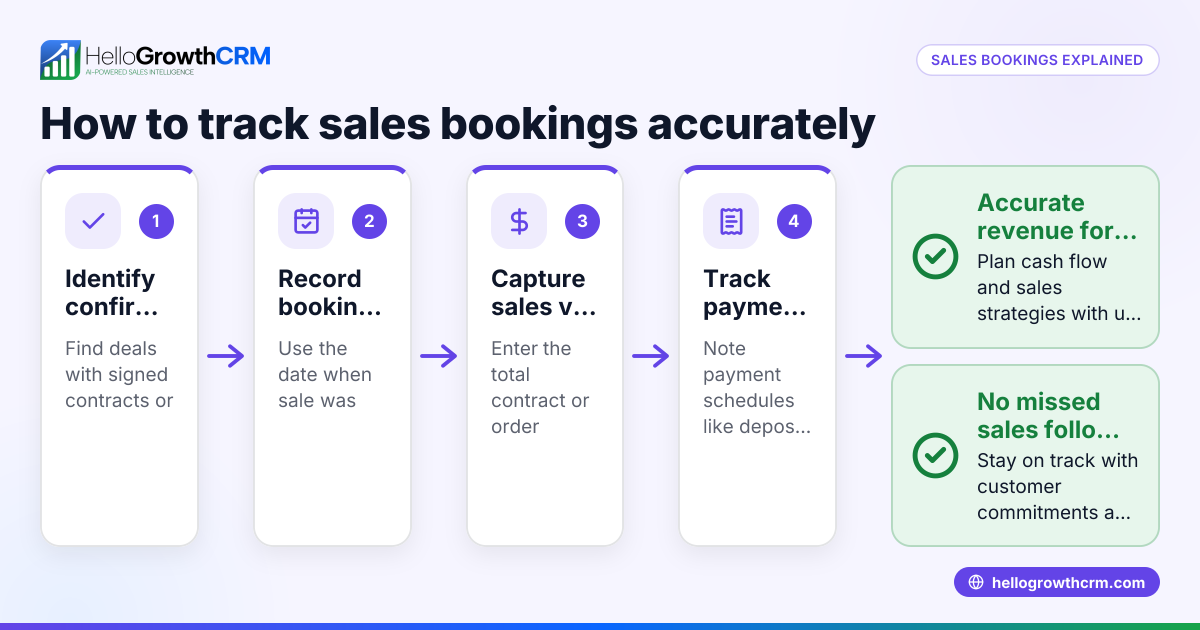
- Collect Customer Details: When a customer requests a booking, record their full name, contact information (phone, email, WhatsApp if available), service requested, and preferred appointment date and time.
- Check Availability: Verify your schedule to ensure the requested slot is free. Avoid double-booking by maintaining an updated calendar or booking system.
- Confirm the Booking: Contact the customer promptly (within the same business day) to confirm the appointment details. Use email, SMS, or WhatsApp for confirmation messages.
- Record the Booking: Enter the booking details into a central system or spreadsheet that all team members can access. Include customer contact info, service type, appointment time, and any notes.
- Send Reminders: Send automated or manual reminders 24-48 hours before the appointment to reduce no-shows.
- Prepare for Service Delivery: Assign the booking to the appropriate staff member and ensure they have all necessary details.
- Follow Up After Service: Contact the customer to confirm satisfaction, handle any issues, and encourage referrals or repeat business.
- Review and Update Records: Keep the customer record updated with service history and any ongoing support requests.
- Monitor Booking Performance: Regularly review your booking system for missed or cancelled appointments and adjust processes accordingly.
Check that each step is completed timely and accurately to maintain customer trust and operational efficiency. For more on managing customer interactions, see customer health score.
Example (fictional figures)
ABC Heating Services, an HVAC company in Surrey, BC, receives a booking request on 2024-06-10 from a customer named Jane Smith for a furnace tune-up on 2024-06-15 at 10:00 AM.
- Collect details:
- Name: Jane Smith
- Phone: 604-555-1234
- Email: jane.smith@email.com
- Service: Furnace tune-up
- Requested date/time: 2024-06-15 10:00 AM
- Check availability:
- Confirm calendar is free at 10:00 AM on 2024-06-15.
- Confirm booking:
- Call Jane on 2024-06-10, confirm appointment.
- Record booking:
- Enter details into booking spreadsheet: "Jane Smith, 604-555-1234, Furnace tune-up, 2024-06-15 10:00 AM"
- Send reminder:
- On 2024-06-13, send SMS reminder to Jane.
- Prepare staff:
- Assign technician Mike to Jane's appointment.
- Follow up:
- On 2024-06-16, call Jane to confirm service satisfaction.
- Update records:
- Add service note to Jane's customer file.
- Monitor:
- Weekly review of booking success and no-shows.
This clear process helps avoid confusion and missed appointments.
Common mistakes
- Double-booking appointments: Prevent by keeping a centralized, updated calendar or booking system.
- Delaying booking confirmation: Confirm within the same business day to build customer trust.
- Not sending reminders: Use automated messages to reduce no-shows.
- Scattered customer information: Store all booking and service info in one accessible place.
- Ignoring follow-up: Schedule post-service contact to improve customer retention.
- Failing to monitor booking data: Regularly review performance to identify and fix issues.
Avoid these by following the step-by-step process above and using tools designed for local services like HelloGrowthCRM.
Doing this in HelloGrowthCRM
HelloGrowthCRM supports local service businesses by offering Managed RevOps, where a revenue specialist works your follow-up queue weekly to keep bookings on track. After the sale, service requests, tickets, and referrals stay linked on the same customer record as the deal through the customer portal and support ticket system. This centralizes communication and booking history for easy access. Learn more at HelloGrowthCRM for Canada.
Frequently asked questions
How can I prevent double-booking my service appointments? Use a centralized booking calendar that all team members update in real-time. Confirm availability before accepting a booking and consider software that blocks conflicting times automatically.
What’s the best way to remind customers of their appointments? Send reminders via SMS, WhatsApp, or email 24 to 48 hours before the appointment. Automated reminders reduce no-shows and save time.
How do I handle last-minute cancellations or rescheduling? Have a clear cancellation policy communicated at booking. Quickly update your booking system and notify staff. Offer alternative times promptly to retain the customer.
Can I track customer service requests after the booking? Yes. Using a CRM with a customer portal and ticketing system allows you to keep service requests linked to the customer record for smooth follow-up and history tracking.
Should I assign someone to manage bookings if I’m a small business owner? If you don’t have a dedicated sales or service manager, consider Managed RevOps support to handle follow-up and booking hygiene weekly, ensuring no lead or appointment is missed.
For more on scheduling, see meeting scheduler.
Key takeaways
- Collect and confirm customer booking details promptly to avoid confusion.
- Use a centralized system to prevent double-booking and track appointments.
- Send reminders to reduce no-shows and improve customer experience.
- Follow up after service to maintain relationships and encourage referrals.
- Regularly review booking data to identify and correct issues.
- Tools like HelloGrowthCRM provide Managed RevOps and customer portals to streamline booking and service management.
Managing bookings carefully improves customer satisfaction and business efficiency. Start today with a clear process and consider CRM support.
Start on the Free Forever plan (200 leads, no credit card) at HelloGrowthCRM.
Ready to put this into practice?
Set up your pipeline, WhatsApp follow-ups, and AI lead scoring in minutes — free, no credit card.
Try HelloGrowthCRM freeGet CRM tips in your inbox
Join thousands of sales professionals who get weekly insights on CRM strategy, AI automation, and pipeline optimization.

The HelloGrowthCRM team publishes guides on CRM strategy, AI sales tools, and revenue operations for small business sales teams.