HelloGrowthCRM software
Built for real small-business sales teams
HelloGrowthCRM helps reps qualify faster, follow up on time, and close more deals—with practical automation in one place.
- AI lead scoring and pipeline visibility
- Built-in dialer, WhatsApp, and email automation
- Sales forecasting and RevOps-ready reporting
Managing customer data in Excel India requires a clear structure and regular updates to avoid losing leads and improve follow-up efficiency. This guide explains why managing data well is important, provides detailed step-by-step instructions, a realistic example with Indian rupee figures, common mistakes to avoid, and how HelloGrowthCRM can help with secure data storage and call tracking.
Why this comes up / what goes wrong
Many small and mid-sized business owners in India start managing customer data in Excel because it is familiar and free to use. However, without a proper format and consistent updates, data often becomes disorganised with duplicates, missing contact details, and no reminders for follow-ups. This leads to lost sales opportunities, slow responses, and confusion among sales teams. Excel can be effective if used with discipline and the right setup.
Step-by-step
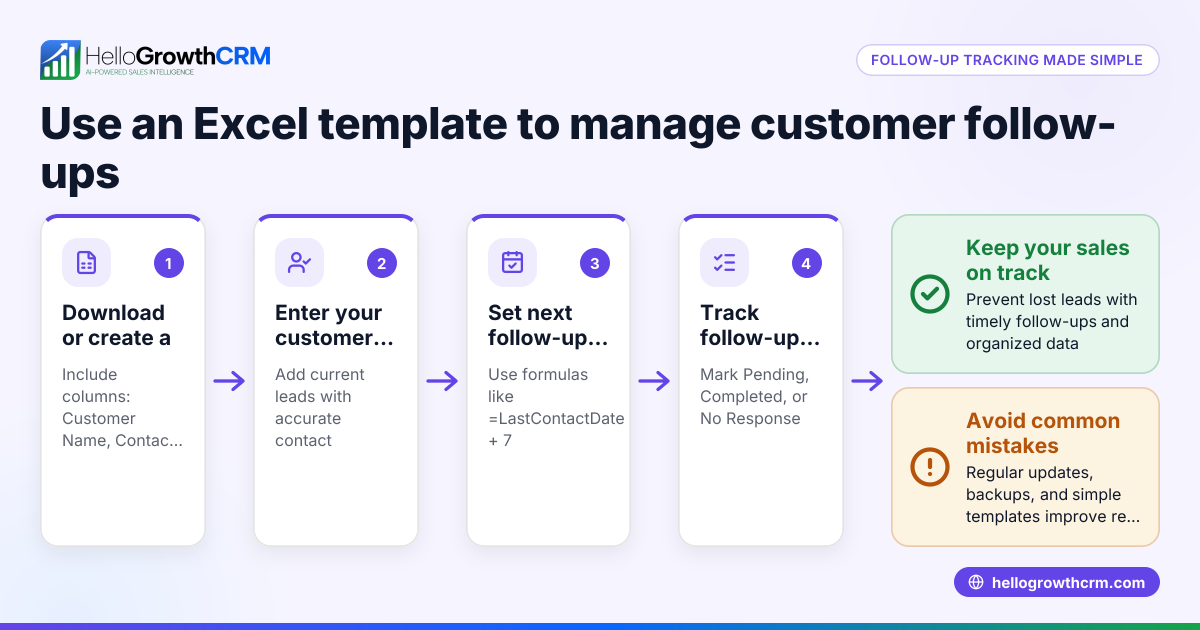
- Open a new Excel workbook and create a sheet named "Customers".
- Create columns with these headers:
- Customer ID (unique code)
- Customer Name
- Mobile Number
- Email Address
- City
- Product Interested
- Last Purchase Date
- Next Follow-Up Date
- Status (Lead, Contacted, Converted)
- Notes
- Format columns:
- Set the Mobile Number column format to Text to preserve leading zeros.
- Use Date format for Last Purchase Date and Next Follow-Up Date columns.
- Enter customer data consistently, using full names and standard city names.
- Apply Data Validation: Create a dropdown list for Status with options Lead, Contacted, Converted to reduce errors.
- Enable Filters: Select the header row and turn on filters to sort or filter customers by city, status, or follow-up date.
- Use Conditional Formatting: Highlight rows where the Next Follow-Up Date is today or overdue to prioritise calls.
- Save the file regularly with meaningful names like "Customer_Data_April2024.xlsx" and back it up on cloud storage or external drives.
- Update data frequently after calls or sales by changing Status, Notes, and Next Follow-Up Date.
- Protect sensitive data: Use Excel’s sheet protection feature to prevent accidental edits.
Example (fictional figures)
A small electronics store in Pune tracks three customers as follows:
| Customer ID | Customer Name | Mobile Number | Email Address | City | Product Interested | Last Purchase Date | Next Follow-Up Date | Status | Notes |
|---|---|---|---|---|---|---|---|---|---|
| C001 | Rajesh Kumar | 09876543210 | rajesh@example.com | Pune | Smartphone | 15/03/2024 | 20/04/2024 | Lead | Interested in latest model |
| C002 | Sunita Sharma | 09123456789 | sunita@example.com | Pune | Laptop | 10/01/2024 | 25/04/2024 | Contacted | Asked for EMI options |
| C003 | Amit Singh | 09988776655 | amit@example.com | Mumbai | Smart TV | 05/02/2024 | 22/04/2024 | Converted | Purchased 32" model |
If today's date is 20/04/2024, conditional formatting highlights Rajesh’s row for follow-up.
Worked example of follow-up date check:
- Today's date: 20/04/2024
- Rajesh's Next Follow-Up Date: 20/04/2024
- Since 20/04/2024 = 20/04/2024, highlight row for follow-up.
Common mistakes
- Mixing data formats: Entering mobile numbers as numbers can remove leading zeros. Prevent this by setting the column format to Text.
- No unique Customer ID: Leads to duplicate entries. Always assign a unique code to each customer.
- Ignoring updates: Data becomes outdated without regular review. Schedule weekly updates to keep data current.
- No backups: Losing the Excel file means losing all data. Save copies on cloud storage or external drives.
- No follow-up tracking: Without Next Follow-Up Date and reminders, leads get missed. Use filters and conditional formatting to track follow-ups.
- Sharing files insecurely: Sharing Excel files via email or drives can cause version conflicts and data leaks. Consider secure platforms for collaboration.
Doing this in HelloGrowthCRM
HelloGrowthCRM keeps your customer data securely in India to meet data residency requirements. It includes a built-in dialer allowing telecallers to call leads directly from the CRM and automatically log call outcomes on each lead’s record. After sales, service requests, referrals, and support tickets remain attached to the same customer record, making follow-up and customer service easier. Learn more about HelloGrowthCRM for India and its WhatsApp and SMS CRM features to improve your customer engagement and follow-up efficiency.
Frequently asked questions
Can I manage customer data for free using Excel? Yes, Excel is available with Microsoft Office or free alternatives like Google Sheets. It works well for small volumes but requires manual updates and care to avoid errors.
How do I avoid duplicate customer entries in Excel? Assign a unique Customer ID to each entry and use Excel’s Remove Duplicates feature under the Data tab regularly.
Is Excel safe for storing customer data in India? Excel files are only as secure as your device and backup methods. For compliance with data residency and security, consider solutions that store data securely within India.
Can I track follow-ups and calls in Excel? You can track follow-ups with date columns and use filters or conditional formatting for reminders. However, logging call outcomes requires manual entry. A CRM with a built-in dialer can automate this process.
How do I share customer data with my sales team? Sharing Excel files via email or cloud storage can cause version conflicts and risks. Using a CRM platform supports team collaboration with secure data access and call logging.
What Excel features help prioritise customers? Filters let you sort customers by city, status, or follow-up date. Conditional formatting highlights customers needing immediate attention. Data validation reduces entry errors. These features help manage leads efficiently.
Key takeaways
- Use a structured Excel sheet with clear columns and consistent data formats.
- Apply data validation, filters, and conditional formatting to manage and prioritise leads.
- Update and back up your Excel data regularly to avoid loss.
- Avoid common mistakes like duplicates, ignoring follow-ups, and insecure sharing.
- A CRM with secure India-based data storage and built-in dialer improves call logging and customer service.
Managing customer data in Excel is possible but requires discipline and caution. To improve efficiency and security, consider starting on the Free Forever plan (200 leads, no credit card) at HelloGrowthCRM. Visit Start on the Free Forever plan (200 leads, no credit card) to begin. Also explore customer health score, HelloGrowthCRM for India, and WhatsApp and SMS CRM to enhance your sales process.
Ready to put this into practice?
Set up your pipeline, WhatsApp follow-ups, and AI lead scoring in minutes — free, no credit card.
Try HelloGrowthCRM freeGet CRM tips in your inbox
Join thousands of sales professionals who get weekly insights on CRM strategy, AI automation, and pipeline optimization.

The HelloGrowthCRM team publishes guides on CRM strategy, AI sales tools, and revenue operations for small business sales teams.