HelloGrowthCRM software
Built for real small-business sales teams
HelloGrowthCRM helps reps qualify faster, follow up on time, and close more deals—with practical automation in one place.
- AI lead scoring and pipeline visibility
- Built-in dialer, WhatsApp, and email automation
- Sales forecasting and RevOps-ready reporting
A booking website for business lets your customers schedule appointments or services online by choosing available time slots. This removes the need for back-and-forth communication by phone, email, or WhatsApp messages, speeding up the booking process and reducing missed leads.
Why this comes up / what goes wrong
Small business owners often rely on text messages, emails, or spreadsheets to manage appointments and bookings. This manual approach can cause delays, double bookings, and missed opportunities. Without a dedicated booking website, customers may get frustrated by slow responses or confusing scheduling, leading them to look elsewhere. Additionally, many small businesses lack a sales manager to handle follow-ups, so leads can slip through the cracks without consistent attention.
Managing appointments manually also wastes valuable time that could be spent on sales or service delivery. When bookings come in through multiple channels like WhatsApp, email, or phone calls, it’s easy to miss or forget some. This leads to lost revenue and unhappy customers.
Step-by-step
- Choose a booking platform or software: Find a booking tool that fits your business size and needs. It should allow customers to view your availability and book slots online easily. Consider platforms that integrate with your existing communication channels.
- Set your available times: Define your working hours, breaks, and days off. Confirm your calendar only shows times you can realistically meet customers. This prevents double bookings and customer frustration.
- Create booking types: Specify appointment or service types, including duration and any preparation required. For example, a 30-minute consultation or a 1-hour service call.
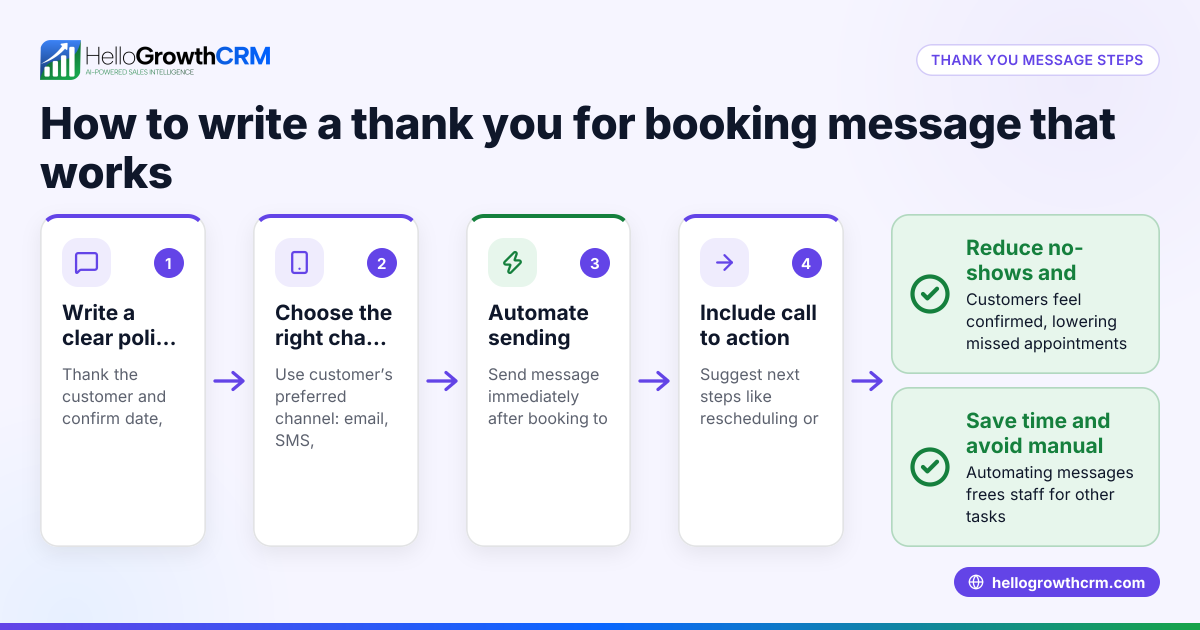
- Integrate with communication channels: Connect your booking page with WhatsApp, SMS, or email to automatically send confirmations and reminders. This reduces no-shows and saves time on manual follow-ups. HelloGrowthCRM’s WhatsApp and SMS CRM feature supports this.
- Test the booking process: Book a slot yourself and ask a colleague or friend to do the same to check for smooth operation and user experience.
- Share your booking link: Add the booking page link to your website, WhatsApp messages, email signatures, and social media so prospects can easily find it.
- Monitor and manage bookings: Regularly check your calendar and follow up on no-shows or reschedules to keep your pipeline active. If you don’t have a sales manager, consider getting help to manage follow-ups, such as HelloGrowthCRM’s Managed RevOps service.
Example (fictional figures)
A B2B software reseller in Denver, Colorado, sets up a booking website to schedule demos with prospects.
- The owner sets available demo slots Monday to Friday, 9:00 AM to 5:00 PM.
- Each demo lasts 30 minutes.
- The booking platform charges a $50 monthly fee.
- In the first month, 40 demos are booked.
- The owner closes 10 sales from these demos, each worth $5,000.
Calculations:
Monthly platform fee: $50
Revenue from sales: 10 × $5,000 = $50,000
Cost-to-revenue ratio: $50 ÷ $50,000 = 0.001 or 0.1%
This shows a low cost for a high return, making the booking website a valuable tool for growing sales efficiently.
Common mistakes
- Not setting clear availability: Prevent double bookings by accurately blocking off unavailable times. Keep your calendar updated to reflect real availability.
- Ignoring mobile users: Ensure your booking website is mobile-friendly since many customers book on phones. Test the booking page on different devices.
- Skipping confirmation messages: Always send automatic confirmations and reminders to reduce no-shows. Integrate your booking with messaging platforms like WhatsApp or SMS using HelloGrowthCRM’s WhatsApp and SMS CRM.
- Not linking booking with communication: Avoid manual follow-ups by integrating booking with WhatsApp or SMS. This keeps customers informed and engaged.
- Making the booking process complicated: Keep steps simple and the interface intuitive to avoid losing customers. A complicated booking form can discourage prospects from completing the process.
- Failing to update the calendar: Regularly update your availability to prevent accepting bookings when you’re unavailable. This protects your reputation and customer satisfaction.
Doing this in HelloGrowthCRM
HelloGrowthCRM offers a scheduling and booking feature where prospects pick a slot from a link instead of back-and-forth WhatsApp messages. This shortens the path from interest to conversation and helps your small or mid-sized business convert leads faster. Additionally, if you don’t have a sales manager, their Managed RevOps service assigns a revenue specialist to work your follow-up queue weekly, ensuring no lead is left behind. Learn more about the meeting scheduler and HelloGrowthCRM for the United States.
Frequently asked questions
What is a booking website for business? A booking website lets customers schedule appointments or services online by selecting available time slots, eliminating the need for manual coordination.
How does a booking website benefit small businesses? It saves time, reduces missed leads, prevents double bookings, and improves customer experience by offering instant appointment scheduling.
Can I integrate booking with WhatsApp or SMS? Yes, many booking platforms, including HelloGrowthCRM, integrate with WhatsApp and SMS to send confirmations and reminders automatically, simplifying communication. See the WhatsApp and SMS CRM feature.
Do I need technical skills to set up a booking website? Most booking tools are user-friendly and require no coding. You just enter your availability and services, then share your booking link.
How do I handle cancellations or rescheduling? Your booking platform should allow customers to cancel or reschedule within set policies, and notify you automatically to keep your calendar updated.
Is it expensive to use a booking website? Costs vary by provider, but many affordable options exist, including free plans with basic features suitable for small businesses.
Key takeaways
- A booking website lets customers schedule appointments online, reducing delays and lost leads.
- Set clear availability, booking types, and integrate with communication channels for best results.
- Test your booking process and share the link widely to maximize use.
- Avoid common mistakes like unclear schedules, lack of confirmations, and complicated booking steps.
- HelloGrowthCRM’s scheduling feature and Managed RevOps service help small businesses streamline booking and follow-up.
Start simplifying your appointment scheduling today. Start on the Free Forever plan (200 leads, no credit card).
Ready to put this into practice?
Set up your pipeline, WhatsApp follow-ups, and AI lead scoring in minutes — free, no credit card.
Try HelloGrowthCRM freeGet CRM tips in your inbox
Join thousands of sales professionals who get weekly insights on CRM strategy, AI automation, and pipeline optimization.

The HelloGrowthCRM team publishes guides on CRM strategy, AI sales tools, and revenue operations for small business sales teams.