HelloGrowthCRM software
Built for real small-business sales teams
HelloGrowthCRM helps reps qualify faster, follow up on time, and close more deals—with practical automation in one place.
- AI lead scoring and pipeline visibility
- Built-in dialer, WhatsApp, and email automation
- Sales forecasting and RevOps-ready reporting
Merging calls allows you to connect multiple people into a single conversation, which is essential for sales, customer support, or internal collaboration. Small business owners often need to merge calls to quickly bring colleagues or clients together without ending calls or switching devices.
Why this comes up / what goes wrong
UK small business owners frequently encounter situations requiring call merging. For example, a sales leader might be on a call with a potential customer and need to add a product expert immediately to answer technical questions. Without merging, they would have to end the call and redial, risking lost leads or delays. Many small businesses still manage sales and customer communication using WhatsApp, email, and spreadsheets, which do not support merging calls, resulting in slow follow-up and missed opportunities.
Step-by-step
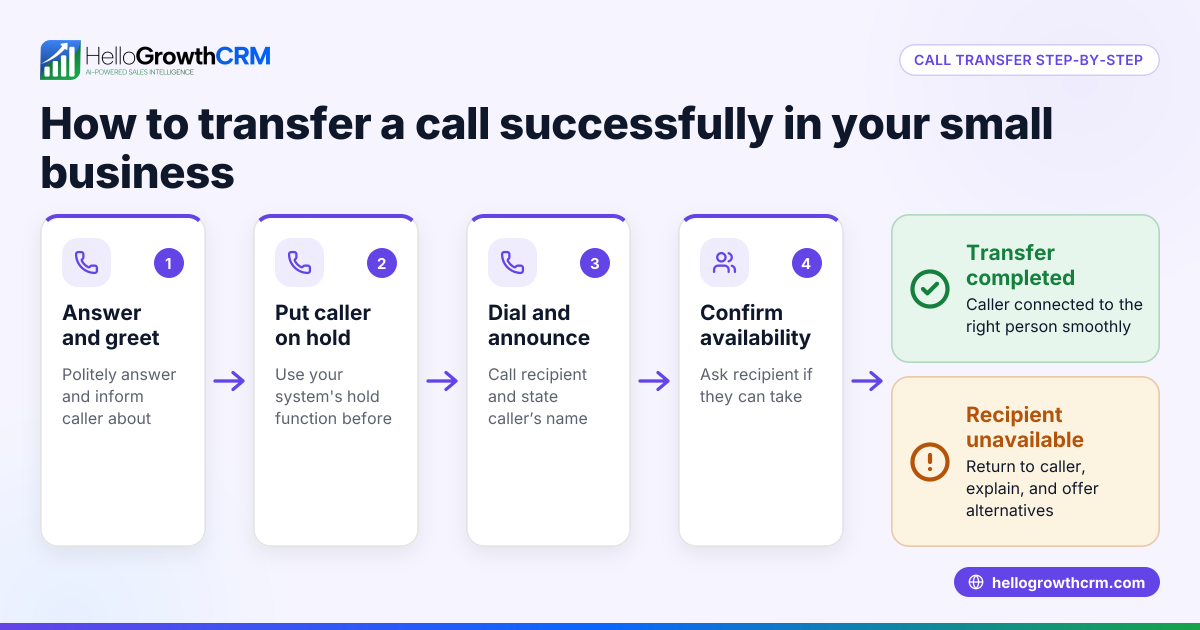
- Answer or make your first call. Ensure the call is active and stable.
- Put the first call on hold. Press the ‘hold’ button on your phone or dialer interface. Confirm the call is on hold by checking the screen or indicator light.
- Dial the second number. Enter the phone number of the person you want to add and place the call.
- Wait for the second party to answer. Confirm they are ready to join the call.
- Press the ‘merge’ or ‘conference’ button. This button may be labelled ‘merge’ or show connected dots or two phones merging. Press it to combine the calls.
- Confirm that all parties are connected. You should hear all participants speaking.
- Manage the conference call. You can now talk to all participants simultaneously. To add more calls, repeat the process if your device supports multiple merges.
If you do not see these buttons, check your phone or dialer manual. Some devices limit the number of calls that can be merged.
For easier call merging integrated with your sales process, consider a built-in CRM dialer.
Example (fictional figures)
On 15/03/2026, a letting agency in Manchester is on a call with a prospective tenant. The agent needs to bring in the property manager to answer questions about availability and lease terms.
- Step 1: Agent answers tenant call.
- Step 2: Agent puts tenant call on hold.
- Step 3: Agent dials property manager’s number.
- Step 4: Property manager answers and confirms readiness.
- Step 5: Agent presses ‘merge’ button.
- Step 6: All three parties are connected.
The tenant is interested in renting a property with a monthly rent of £1,200 and a deposit of £1,385 (five weeks’ rent).
Calculations:
Monthly rent = £1,200 Deposit = £1,200 × 12 months ÷ 52 weeks × 5 weeks = £1,385 (five weeks’ rent, the usual cap for an assured shorthold tenancy in England)
Total upfront cost = £1,200 + £1,385 = £2,585
By merging the calls, the agent quickly clarifies these details with the property manager and tenant, speeding up the rental agreement process.
Common mistakes
- Not putting the first call on hold before dialing the second. This can cause the first call to drop. Always check the hold status before proceeding.
- Failing to confirm the second party is ready before merging. This can confuse participants. Speak to the second party first to ensure they are prepared.
- Using devices or apps that don’t support call merging. Verify your phone or dialer supports conference calls to avoid frustration.
- Merging more calls than your device allows. Most phones limit merging to 3–5 participants. Know your device’s limit to prevent dropped calls.
- Ignoring call quality. Poor signal or internet connection can disrupt merged calls. Check signal strength and connection quality beforehand.
Using a built-in CRM dialer can help manage calls more efficiently and reduce these mistakes.
Frequently asked questions
Can I merge calls on WhatsApp? WhatsApp supports group voice calls with multiple participants. To merge calls, start a WhatsApp call and add participants through the app interface. This differs from traditional phone call merging but achieves a similar outcome. Using a WhatsApp and SMS CRM can help manage these communications alongside your sales pipeline.
What if my phone doesn’t have a merge button? Some basic or older phones may not support call merging. Check your user manual or contact your provider. Alternatively, using a CRM with a dialer feature can simplify call handling and merging.
How many calls can I merge at once? Most phones allow merging 3 to 5 calls at once. Beyond this, you may need specialised conference call services. For sales teams, a CRM dialer designed for multiple connections can improve efficiency.
Is merging calls safe for business confidentiality? Merging calls is generally safe, but always confirm participants before merging to avoid sharing sensitive information with unintended parties.
Can I merge calls on a mobile phone and a landline? Yes, if both lines support call merging, you can combine calls from mobile and landline phones. Check your service provider’s capabilities.
Key takeaways
- Put the first call on hold before dialing the second.
- Confirm the second party is ready before merging.
- Use the merge or conference button to combine calls.
- Know your device’s participant limit.
- Check call quality to avoid disruptions.
- Consider a built-in CRM dialer for easier call management.
Start managing your calls better today. Start on the Free Forever plan (200 leads, no credit card).
Ready to put this into practice?
Set up your pipeline, WhatsApp follow-ups, and AI lead scoring in minutes — free, no credit card.
Try HelloGrowthCRM freeGet CRM tips in your inbox
Join thousands of sales professionals who get weekly insights on CRM strategy, AI automation, and pipeline optimization.

The HelloGrowthCRM team publishes guides on CRM strategy, AI sales tools, and revenue operations for small business sales teams.