HelloGrowthCRM software
Built for real small-business sales teams
HelloGrowthCRM helps reps qualify faster, follow up on time, and close more deals—with practical automation in one place.
- AI lead scoring and pipeline visibility
- Built-in dialer, WhatsApp, and email automation
- Sales forecasting and RevOps-ready reporting
Merging contacts means combining duplicate contact records into one complete and accurate entry. This keeps your customer database clean and prevents confusion or missed follow-ups.
Why this comes up / what goes wrong
Small business owners often face duplicate contacts because leads come from multiple sources like web forms, email lists, or manual entry by different team members. For example, a customer might be entered once with their email and again with their phone number but under a slightly different spelling. Over time, this leads to scattered information, missed sales opportunities, and inaccurate reporting. Merging contacts consolidates all details into a single, reliable record.
Step-by-step
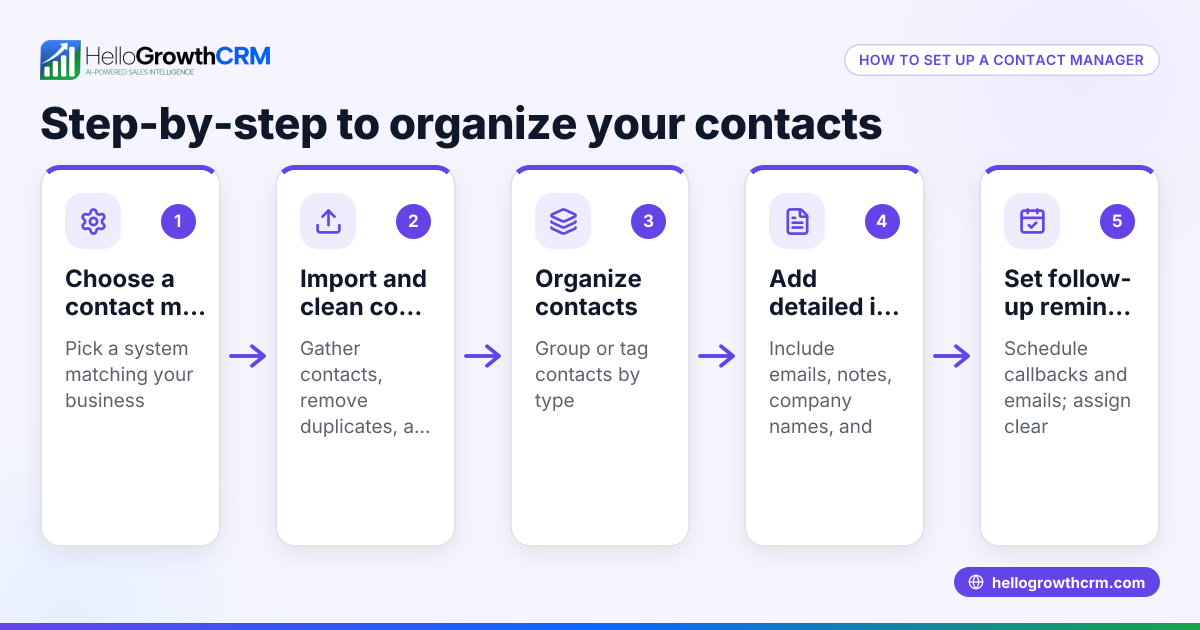
- Identify duplicates: Search your contact list for entries with the same or similar names, phone numbers, or email addresses. Use sorting or filters if your system supports it.
- Select the primary contact: Choose the contact record that has the most complete and accurate information to keep as your main entry.
- Compare details: Review all fields such as phone numbers, emails, addresses, notes, and tags from each duplicate contact.
- Combine information: Manually copy missing or additional details from the duplicate contacts into the primary contact record, ensuring no important data is lost.
- Merge notes and tags: Combine any relevant notes or tags so no context is lost.
- Delete duplicates: After confirming all data is merged, delete the duplicate contact records to avoid confusion.
- Verify the merge: Double-check the primary contact to confirm all information is accurate and complete.
Always back up your contact list before starting to merge in case you need to restore information. For sales teams running CRM on WhatsApp and SMS, coordination is important; see more on WhatsApp and SMS CRM (/product/whatsapp-sms-crm).
Example (fictional figures)
Austin Plumbing Co., based in Austin, Texas, had two contact records for the same client:
- Contact A: Name: Jane Doe, Phone: 512-555-1234, Email: jane.d@example.com, Notes: Interested in kitchen plumbing, tagged as "Lead"
- Contact B: Name: Jane D., Phone: 512-555-1234, Email: janed@example.com, Notes: Asked about pricing, tagged as "Prospect"
Step 1: Choose Contact A as primary because the name is complete and the email looks more professional.
Step 2: Combine Contact B's email into Contact A by adding janed@example.com as an alternate email.
Step 3: Merge notes:
- "Interested in kitchen plumbing"
- "Asked about pricing"
Step 4: Combine tags: "Lead" + "Prospect"
Step 5: Delete Contact B.
Outcome: One contact with full details:
- Name: Jane Doe
- Phone: 512-555-1234
- Emails: jane.d@example.com, janed@example.com
- Notes: Interested in kitchen plumbing; Asked about pricing
- Tags: Lead, Prospect
This consolidation helps Austin Plumbing Co. focus communication and sales efforts on a single, accurate record.
Common mistakes
- Deleting the wrong contact: Always confirm which record has the most accurate data before deleting duplicates to avoid losing important information.
- Losing notes or tags: Carefully copy all notes and tags; they often contain valuable context.
- Not backing up contacts: Always back up your contact list before merging to safeguard against accidental data loss.
- Ignoring slight differences: Check for typos or variations in names, emails, and phone numbers to catch duplicates that aren’t exact matches.
- Merging without team coordination: Inform your sales or inside-sales team about merges to avoid confusion in ongoing communications. For teams using WhatsApp and SMS CRM, see more on built-in CRM dialer features (/product/crm-dialer) to keep communication organized.
- Failing to verify after merging: Always review the merged contact to ensure completeness and accuracy.
Frequently asked questions
How do I find duplicate contacts quickly? Use filters or search functions in your contact management system to look for identical or similar names, phone numbers, or emails. Some CRM tools have built-in duplicate detection. For small teams using spreadsheets, sorting by name or email can help spot duplicates.
Can I merge contacts without losing message history? If your CRM or contact system supports message history linked to contacts, merging usually keeps the history intact under the primary contact. If you manage sales on WhatsApp or SMS, check your CRM’s capabilities for combining message threads. HelloGrowthCRM offers a built-in CRM dialer (/product/crm-dialer) that helps keep communication organized.
Is it better to merge contacts manually or use software? Manual merging gives you control to verify details but can be time-consuming. Software tools can automate detection and merging but may make mistakes if data is inconsistent. For small businesses, a mix of both methods often works best.
What if contacts have conflicting information? Prioritize the most recent or verified data. You can keep conflicting details as notes or alternate fields until you confirm the correct information.
How often should I merge contacts? Regularly check for duplicates to keep your database clean. Monthly or quarterly reviews are common for small businesses to maintain data accuracy.
Can merging contacts improve sales forecasting? Yes, having accurate and consolidated contact information helps sales teams track leads better and improves forecasting accuracy. For more on sales forecasting and CRM tools, explore HelloGrowthCRM for the United States (/usa).
Key takeaways
- Identify duplicates by searching for similar names, emails, or phone numbers.
- Choose the most complete contact as your primary record.
- Manually combine all important details, notes, and tags before deleting duplicates.
- Always back up your contacts before merging.
- Communicate with your sales team to avoid confusion.
- Verify the merged contact for accuracy and completeness.
Start merging your contacts today to keep your sales process smooth and your customer data accurate. To organize your sales leads and communications efficiently, consider HelloGrowthCRM for the United States (/usa).
Start on the Free Forever plan (200 leads, no credit card) at HelloGrowthCRM.
Ready to put this into practice?
Set up your pipeline, WhatsApp follow-ups, and AI lead scoring in minutes — free, no credit card.
Try HelloGrowthCRM freeGet CRM tips in your inbox
Join thousands of sales professionals who get weekly insights on CRM strategy, AI automation, and pipeline optimization.

The HelloGrowthCRM team publishes guides on CRM strategy, AI sales tools, and revenue operations for small business sales teams.