HelloGrowthCRM software
Built for real small-business sales teams
HelloGrowthCRM helps reps qualify faster, follow up on time, and close more deals—with practical automation in one place.
- AI lead scoring and pipeline visibility
- Built-in dialer, WhatsApp, and email automation
- Sales forecasting and RevOps-ready reporting
Migrating customer data to a CRM in the USA means moving your contacts, leads, and customer details from spreadsheets, emails, or other tools into a CRM system that organizes and tracks sales activities. Doing this carefully ensures no data is lost and your sales team can start using the CRM effectively right away.
Why this comes up / what goes wrong
Small and mid-sized US businesses often keep customer data in spreadsheets, text messages, or email threads before adopting a CRM. This scattered data causes slow follow-up, lost leads, and difficulty forecasting sales. When migrating to a CRM, owners face challenges like messy data, mismatched fields, or incomplete imports, which can frustrate teams and waste time. A clear, step-by-step migration process helps avoid these issues and sets a solid foundation for sales growth.
Step-by-step
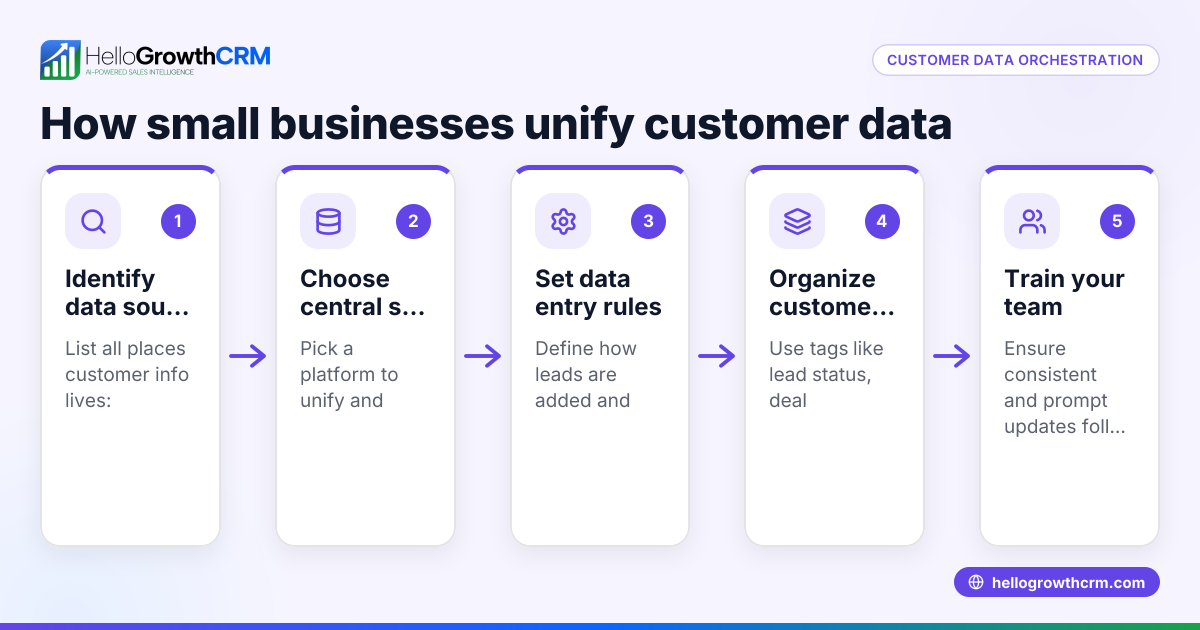
- Export Your Current Customer Data: Extract all customer contacts, leads, and relevant details from your existing systems into CSV or Excel files. Include fields like first name, last name, email, phone number, address, and notes.
- Clean and Standardize Data: Remove duplicate entries, fix typos, and ensure consistent formatting for phone numbers and dates. This reduces import errors and improves data quality.
- Map Your Data Fields to CRM Fields: Identify the fields your CRM requires (e.g., first name, last name, email, phone, lead source) and align your CSV columns to these fields. Adjust your data file if needed.
- Import Data into the CRM: Use the CRM’s import tool to upload your cleaned and mapped CSV file. Follow prompts to match columns to CRM fields and confirm import settings.
- Verify Imported Data: Randomly check imported records to confirm all data transferred correctly and no information was lost or misplaced.
- Set Up Ongoing Data Sync or Entry: If you collect leads from web forms, email, or messaging apps, set up integrations or manual processes to keep your CRM updated continuously.
- Train Your Team: Make sure your sales reps know how to access, update, and use the CRM to maintain data quality and follow-up efficiency.
For more on tracking lead engagement after migration, see customer health score.
Example (fictional figures)
GreenLeaf Landscaping, a Charlotte, North Carolina business, migrates 1,200 customer contacts from Excel to a CRM on 06/15/2024.
- Exported Excel file has 1,200 rows with columns: First Name, Last Name, Email, Phone, Address, Notes.
- Cleaning removes 50 duplicate contacts.
Calculation: 1,200 - 50 = 1,150 clean contacts
- Data fields are mapped exactly to CRM fields.
- Importing 1,150 contacts takes 10 minutes.
After import, GreenLeaf checks 20 random contacts to confirm phone numbers and emails are correct.
This results in a clean, accurate customer database ready for sales follow-up.
Common mistakes
- Not cleaning data before import: Causes duplicates and errors. Prevent by thoroughly reviewing and standardizing data.
- Mismatched field mapping: Data ends up in wrong fields. Prevent by carefully matching CSV columns to CRM fields.
- Skipping data verification after import: Errors go unnoticed. Prevent by spot-checking imported records.
- Failing to train the team: Leads to inconsistent data entry. Prevent with clear instructions and training.
- Not setting up ongoing sync: Data becomes outdated. Prevent by integrating web forms or email systems where possible.
- Ignoring privacy and compliance: Customer data must be handled securely. See HelloGrowthCRM’s security features below.
For help with messaging follow-ups after migration, check WhatsApp and SMS CRM.
Doing this in HelloGrowthCRM
HelloGrowthCRM helps your team engage leads and customers on channels they use by logging WhatsApp conversations on lead records and enabling follow-ups via WhatsApp and SMS messages directly from the CRM. Its AI agents draft follow-up messages after calls so sales reps only need to review and send, saving time during outreach. Learn more about these features at HelloGrowthCRM for the United States.
Frequently asked questions
How do I prepare my customer data for CRM import? Export your data into CSV format, clean duplicates and errors, and format phone numbers and dates consistently. This makes your import smoother and your CRM easier to use.
What if my current data fields don’t match the CRM’s? Most CRMs let you map your data fields during import. Adjust your CSV columns or use the CRM’s mapping tools to align your data correctly.
Can I migrate data from multiple sources? Yes, combine exports from spreadsheets, email lists, or web forms into one cleaned file. Importing them together gives you a unified customer view.
How do I keep data updated after migration? Set up integrations or manual processes to sync new leads and updates from web forms, email, or messaging platforms into your CRM.
Is customer data secure during and after migration? Choose a CRM with strong security and compliance. HelloGrowthCRM offers SOC 2 Type II compliance and supports data residency options. NEEDS EXPERT REVIEW
Can AI help with customer follow-ups after migration? Yes, HelloGrowthCRM’s AI agents draft follow-up messages after calls, helping your sales team stay responsive without extra effort.
Key takeaways
- Export and clean your customer data before importing to avoid duplicates and errors.
- Map your data fields carefully to the CRM’s required fields.
- Verify data accuracy after import by spot-checking records.
- Train your team on using the CRM to keep data consistent.
- Set up ongoing data syncs from other tools to maintain updated records.
- Use CRM features like WhatsApp messaging and AI agents to improve follow-up efficiency.
Start your migration today with confidence. Start on the Free Forever plan (200 leads, no credit card) to try HelloGrowthCRM’s features.
Ready to put this into practice?
Set up your pipeline, WhatsApp follow-ups, and AI lead scoring in minutes — free, no credit card.
Try HelloGrowthCRM freeGet CRM tips in your inbox
Join thousands of sales professionals who get weekly insights on CRM strategy, AI automation, and pipeline optimization.

The HelloGrowthCRM team publishes guides on CRM strategy, AI sales tools, and revenue operations for small business sales teams.