HelloGrowthCRM software
Built for real small-business sales teams
HelloGrowthCRM helps reps qualify faster, follow up on time, and close more deals—with practical automation in one place.
- AI lead scoring and pipeline visibility
- Built-in dialer, WhatsApp, and email automation
- Sales forecasting and RevOps-ready reporting
Choosing the right CRM user per month pricing model is crucial for managing costs and maximizing your sales team’s output. For US B2B sales teams, understanding how to align pricing with user roles, CRM usage, and sales workflows lets you scale efficiently without overspending. This guide covers practical steps, pitfalls to avoid, and how AI-powered tools can improve ROI on CRM licensing.
Key takeaways
- Analyze CRM login and feature usage regularly to avoid paying for inactive users.
- Use role-based or tiered pricing plans to assign appropriate license types.
- Leverage AI-driven lead scoring and automation to increase productivity per user seat.
- Automate onboarding and training to boost CRM adoption and reduce license waste.
- Negotiate volume discounts and consider bundled sales tools for cost optimization.
- Factor sales channels and compliance regulations (CAN-SPAM, TCPA) into licensing needs.
Understanding CRM Pricing Structures: What Does “User Per Month” Mean?
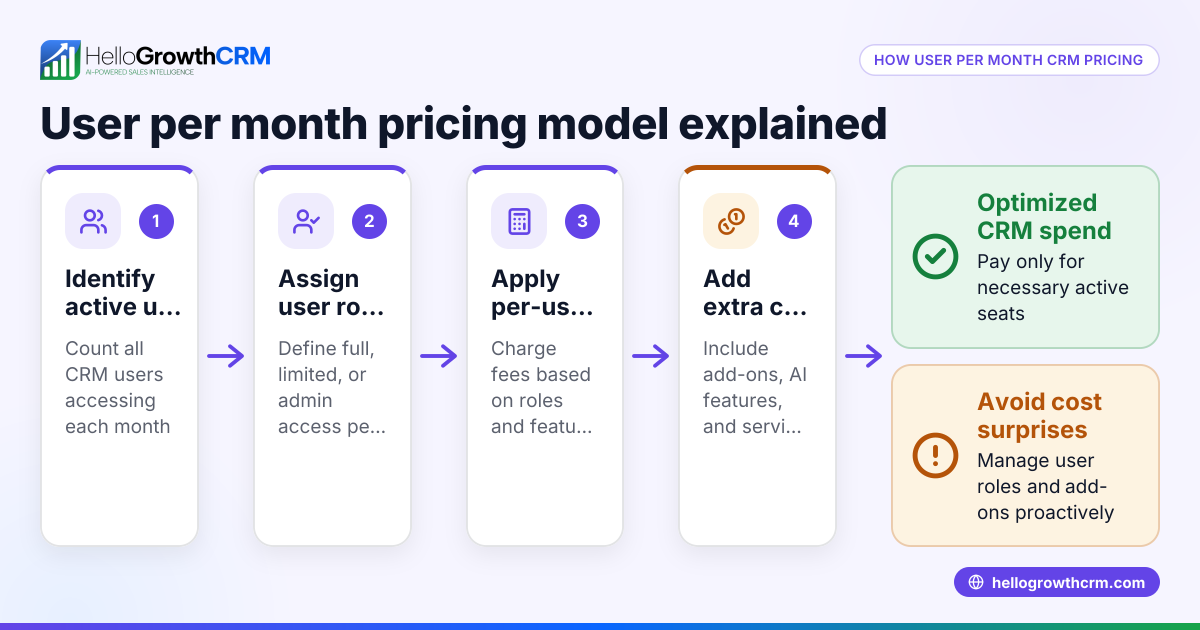
User per month pricing means your CRM vendor charges a fee for each active licensed user every month. Each “user” is an individual with access to the CRM system, such as a sales rep, manager, or administrative staffer. It’s the most common pricing model in the United States for B2B sales teams because it offers predictable, scalable costs tied directly to headcount.
Licensed User Types and Pricing Variations
Many CRMs including HelloGrowthCRM differentiate pricing based on user roles. For example:
- Full user license: Sales reps needing calling, email integration, lead management, and pipeline features.
- Limited or viewer license: Managers or support staff who need access to dashboards or reporting but fewer interactive features.
- Administrator licenses: System admins with control over configurations and user management.
A tiered or role-based pricing plan lets you assign the right type of license to each user role—avoiding overpaying for unused features.
Why Is This Common Practice Among US B2B Sales Teams?
For growing sales teams in Chicago, Houston, Detroit, and other business hubs, user per month pricing allows cost to scale predictably as teams expand or contract. It also encourages active license management—removing licenses from inactive or seasonal users to avoid wasted spend.
How Can US B2B Sales Teams Optimize CRM User Per Month Spending?
Cost rises when licenses are assigned without regard to actual usage or feature needs. Here are practical strategies:
1. Audit CRM User Activity Regularly
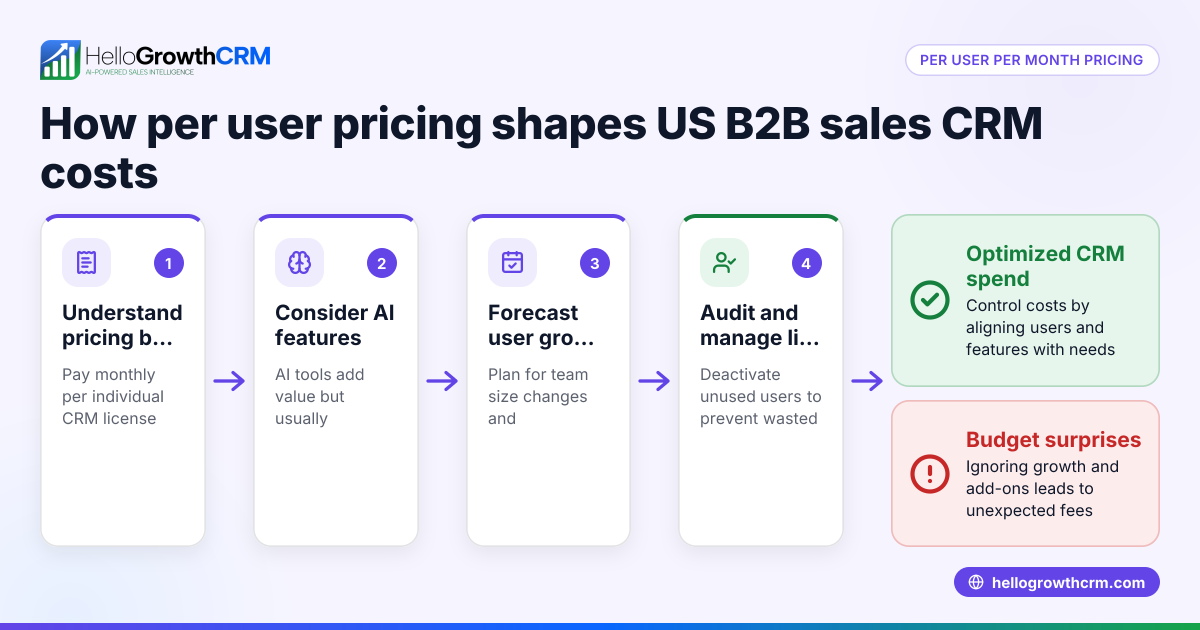
Start by tracking individual login frequency, CRM usage patterns, and pipeline engagement metrics.
Example:
Your Detroit-based company has 50 CRM licenses but monthly reports show 10 users login less than twice and do not update pipeline records. These licenses represent unnecessarily high expenses.
Steps to audit and optimize:
- Review login activity weekly or monthly.
- Flag users inactive over 30+ days for role reassignment or license suspension.
- Analyze feature usage to identify if users need full licenses or reduced roles.
- Communicate with teams before removing licenses to ensure no disruption.
2. Use Role-Based License Assignments
Assign full licenses to frontline sales reps needing access to calling, email, pipeline management, and AI lead scoring. Assign limited or viewer licenses to sales managers, marketing, or customer success staff depending on needs.
Pitfall to avoid:
Avoid giving all users the highest tier license by default—it inflates costs unnecessarily. Instead, map job responsibilities to license types.
Worked example:
- Sales group: 35 full licenses
- Sales manager: 5 viewer licenses
- Marketing: 3 limited licenses
- Admin staff: 2 admin licenses
This structure better matches usage and reduces cost.
3. Leverage AI-Powered Lead Scoring and Automation
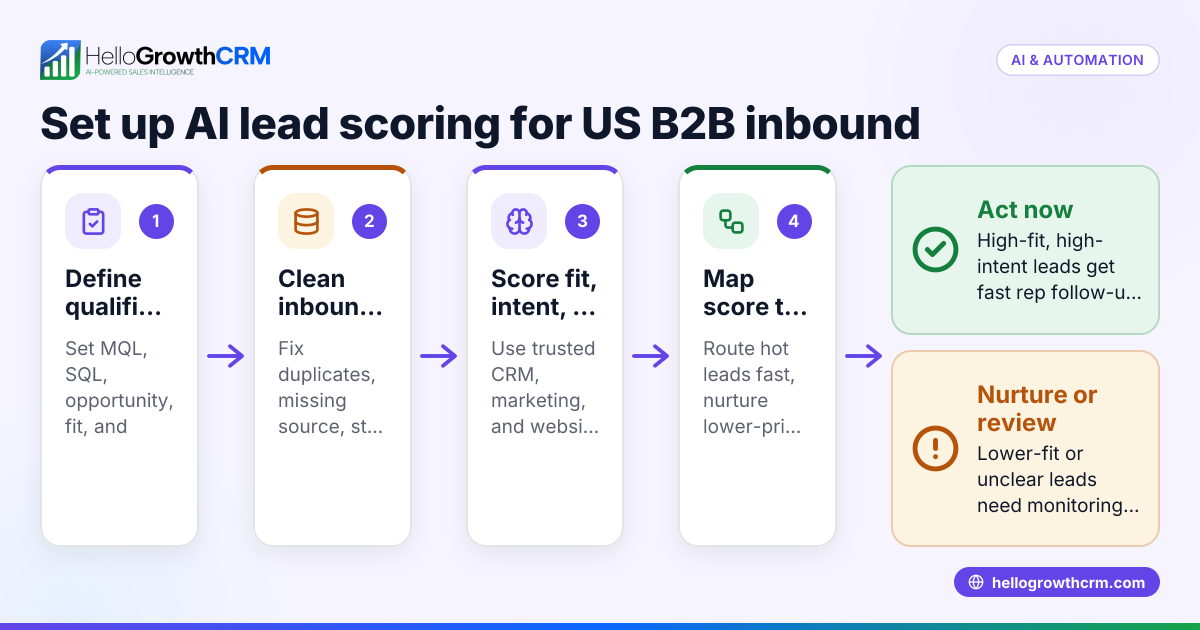
HelloGrowthCRM’s AI lead scoring prioritizes prospects, helping sales reps focus on high-potential deals. This means your current team closes more business without adding seats.
Benefits:
- Better rep productivity per seat.
- Reduced need for hiring extra sales headcount due to increased efficiency.
- Automated workflows reduce manual data entry, saving time and preventing burnout.
Example:
A sales rep using AI lead scoring converts 20% more leads monthly than peers without scoring. With strong automation, your team can maintain or accelerate revenue growth without increasing licenses.
4. Automate Onboarding and Training
Poor CRM adoption wastes licenses. New hires not trained well often use the CRM sparingly or incorrectly.
Best practices:
- Use embedded training tools and videos built into the CRM.
- Automate onboarding checklists and provide role-specific learning paths.
- Send automated reminders for CRM use and updates on new features.
Outcome:
Higher usage among licensed users translates to better value per seat.
5. Bundle Licenses with Sales Automation Tools
Many CRMs bundle calling, email sequencing, pipeline management, and reporting into one license cost. Bundling reduces the overhead of multiple platform fees.
Example:
Instead of paying separately for a cold-calling tool, email automation software, and pipeline visualization apps, your CRM license covers all.
Evaluate which bundles align with your current tool stack (e.g. QuickBooks or Stripe integration for billing workflows) and consolidate tools to manage spending.
What Role Does AI Play in Managing CRM User Per Month Costs?
AI user per month features like automated lead scoring, activity tracking, and forecasting transform cost management for sales teams. Artificial intelligence automates routine work, identifies inactive users for license reallocation, and predicts future license needs accurately, helping US businesses reduce waste and boost per-seat productivity.
- Increased user efficiency: AI automates routine tasks like data entry, lead qualification, and follow-up reminders, allowing fewer licensed users to generate more sales.
- Better license allocation: AI usage analytics identify power users and inactive accounts, supporting informed license assignments.
- Enhanced forecasting: AI-driven sales forecasting helps RevOps teams plan hiring and license needs with precision, avoiding over- or under-provisioning seats.
For example, a mid-sized Houston manufacturing firm using AI lead scoring and pipeline automation reduced its license count by 15% while increasing monthly revenue.
Is It Better to Choose a Flat User Per Month Rate or Tiered Pricing?
Flat rate pricing charges the same fee for every user, regardless of role or features used. Tiered pricing charges differently depending on user roles or access levels.
Flat Rate Pricing is simple and predictable but can lead to overpaying for unused features. Tiered Pricing matches fees to roles and usage, enabling cost control and flexibility.
Most small- to mid-sized US B2B companies find tiered pricing better for reducing wasted spend and aligning costs with actual user needs.
What are the main advantages of tiered CRM pricing?
Tiered pricing allows you to assign different license types based on user roles, ensuring frontline sales reps get full-featured seats while managers or support staff use lower-cost viewer licenses. This flexibility controls costs and aligns spending with actual CRM usage.
How do flat user per month rates impact budgeting for sales teams?
Flat user per month rates offer predictable monthly costs that are easy to budget for. However, they can cause overspending if all users require the same level of access, even when some only need limited features.
How Do Compliance and Industry Needs Affect CRM Pricing Choices?
In regulated industries like professional services or manufacturing—common in cities such as Detroit or Houston—CRM usage must consider compliance regulations:
- CAN-SPAM and TCPA: CRMs that handle prospect calling and email automation must incorporate consent tracking and opt-out management. Vendors sometimes charge premiums for compliance-enabled workflows.
- SOC 2 Security: Buyers increasingly ask for vendors with SOC 2 certification to ensure data security. CRM vendors typically charge more for editions with enhanced security features.
Integration with your finance stack (QuickBooks, Stripe) or ERP systems may also factor in pricing and perceived value.
Practical tip:
Evaluate whether compliance features come standard or as paid add-ons. Paying more upfront can avoid expensive penalties or operational risk later.
Practical Steps for Sales Leaders to Lower CRM User Per Month Expenses
- Implement a CRM governance policy: Set clear rules on who qualifies for which license type. Approve license requests centrally.
- Monthly or quarterly license reviews: Identify inactive or duplicate users. Reassign or remove licenses promptly.
- Seasonal or temporary license reallocation: For companies with fluctuating sales staff (e.g., summer hires), temporarily reassign licenses.
- Negotiate volume discounts and bundled packages: Contact CRM providers for lower rates on large seat counts and bundling email automation or call center features.
- Link CRM usage with KPIs: Tie active CRM adoption to sales targets or compensation to increase motivation.
How Does HelloGrowthCRM Help Optimize User Per Month Pricing?
HelloGrowthCRM combines flexible, role-based user licensing with AI-powered lead scoring, email automation, and calling integrated into one platform. This reduces the need for multiple tools and licenses.
Its features include:
- Activity monitoring dashboards helping RevOps managers identify dormant licenses.
- Managed RevOps services offering expert license governance and usage optimization.
- Seamless integrations with common US business tools like QuickBooks and Stripe streamline workflows, lowering operational friction.
By consolidating sales processes in one platform with smart AI features, HelloGrowthCRM helps businesses reduce license waste while improving sales velocity—delivering more value per user cost.
Conclusion
Optimizing CRM user per month pricing requires a combination of regular license audits, role-based assignment, AI-enhanced productivity, and compliance awareness. US B2B companies from Chicago to Detroit can save costs while supporting scalable sales operations by adopting strategic license management.
Start your free trial of HelloGrowthCRM to see how AI and smarter licensing help your sales team succeed. Or book a demo for a personalized walkthrough today.
Frequently asked questions
What does “user per month” pricing exactly mean in CRMs?
It means you pay a monthly fee per licensed user accessing the CRM. Each licensed user corresponds to an individual, such as a sales rep or manager. Your total cost equals the number of active users times the per-user monthly rate.
How can AI reduce my CRM user per month costs?
AI improves efficiency by automating repetitive tasks, prioritizing leads, and helping reps focus on high-value activities. This boosts sales output per user seat, reducing the need to increase headcount and licenses as revenue grows.
Can I switch license types if my team changes roles?
Yes. Most CRMs including HelloGrowthCRM allow upgrading or downgrading license types as roles evolve. This flexibility helps maintain cost control by assigning appropriate access levels.
How often should I review CRM user licenses?
It’s best to review user licenses monthly or quarterly. This helps identify inactive users for deactivation or reassignment and aligns licensing costs with actual usage.
Are there compliance costs included in CRM pricing?
Some CRM vendors bundle compliance features like CAN-SPAM or TCPA workflows and security certifications (SOC 2) into higher-tier plans. Check with your vendor to understand what’s included and avoid unexpected compliance costs.
Is it better to bundle CRM features or pay separately?
Bundling tools like email automation, calling, pipeline management under one license often reduces total cost versus buying separate software. Just ensure your team actually uses all included features to get full value.
Read next
This article covers one part of a bigger topic. For the complete picture, read our guide to user per month.
Frequently Asked Questions
Ready to put this into practice?
Set up your pipeline, WhatsApp follow-ups, and AI lead scoring in minutes — free, no credit card.
Try HelloGrowthCRM freeGet CRM tips in your inbox
Join thousands of sales professionals who get weekly insights on CRM strategy, AI automation, and pipeline optimization.

The HelloGrowthCRM team publishes guides on CRM strategy, AI sales tools, and revenue operations for small business sales teams.