HelloGrowthCRM software
Built for real small-business sales teams
HelloGrowthCRM helps reps qualify faster, follow up on time, and close more deals—with practical automation in one place.
- AI lead scoring and pipeline visibility
- Built-in dialer, WhatsApp, and email automation
- Sales forecasting and RevOps-ready reporting
Understanding User Per Month Pricing for CRMs in United States B2B Sales
Choosing a CRM with user per month pricing lets B2B sales teams in the United States pay based on the number of active users each month. This model ties costs to team size, making budgets easier to manage while accessing key features like AI lead scoring and sales automation.
Key takeaways
- User per month pricing charges based on each active CRM user per billing cycle.
- It suits growing B2B sales teams by scaling costs with headcount changes.
- AI-powered CRMs may include AI lead scoring that affects per-user pricing.
- User roles can influence pricing and feature access levels.
- Knowing user types and features helps avoid surprise costs and optimize investment.
- Managed RevOps and sales forecasting add more value to your subscription.
What is user per month pricing for CRMs?
User per month pricing means your costs are based on how many users actively use the CRM each month. You pay per seat—such as sales reps or managers—common in U.S. cities like Chicago or Houston. This approach aligns expenses with actual team size, avoiding payments for unused licenses.
AI user per pricing can factor in the features assigned to each seat. For example, users accessing AI lead scoring or automation tools might cost more per month.
User per month pricing allows flexibility as your team grows or shrinks without fixed fees on inactive accounts.
How is user per month pricing different from other CRM pricing models?
User per month pricing charges per active user monthly. Other CRMs may charge a flat rate for all users or tiered plans based on company size or features. Some pricing is based on contacts stored or email volume rather than seats.
This model suits fluctuating B2B sales teams in the U.S. because you pay only for users actively working in the system. It prevents wasting money on unused seats common with flat or bundle plans.
It also offers clear cost control when team roles and sizes change regularly.
Why do CRM vendors use user per month pricing?
Vendors link payment to value delivered by each user managing leads, deals, or reports. This model ensures customers pay fairly for seats they use.
For U.S. companies using calling, emailing, or WhatsApp from the CRM, tracking users monthly helps monitor outreach compliance with TCPA and CAN-SPAM laws.
It also helps vendors forecast revenue and tailor support services based on active users.
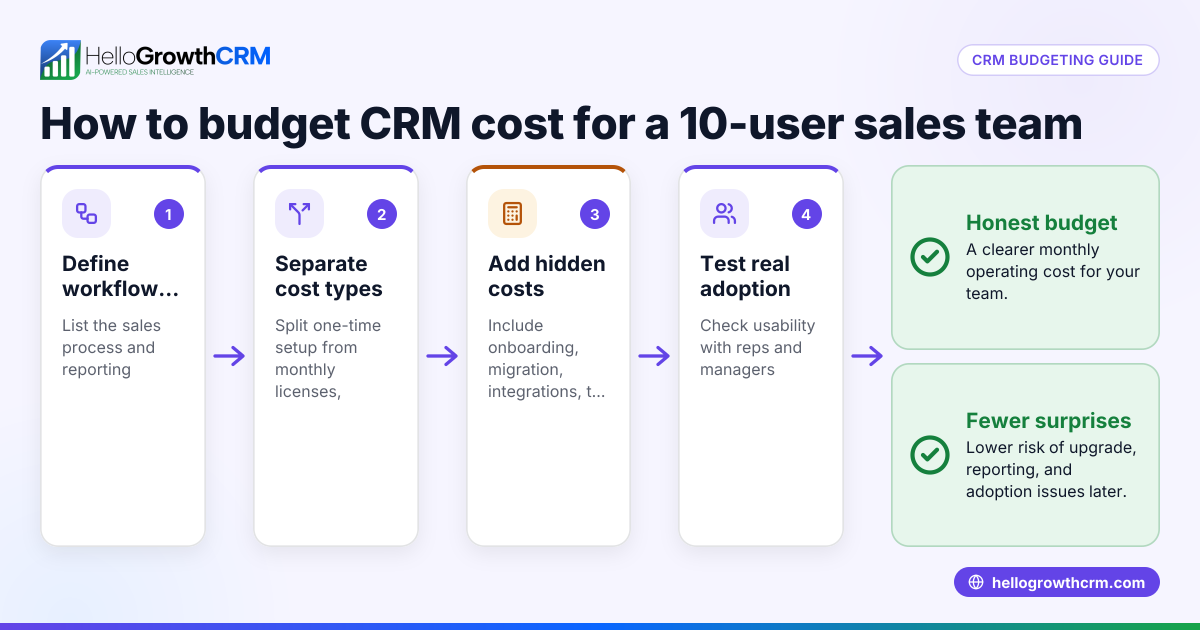
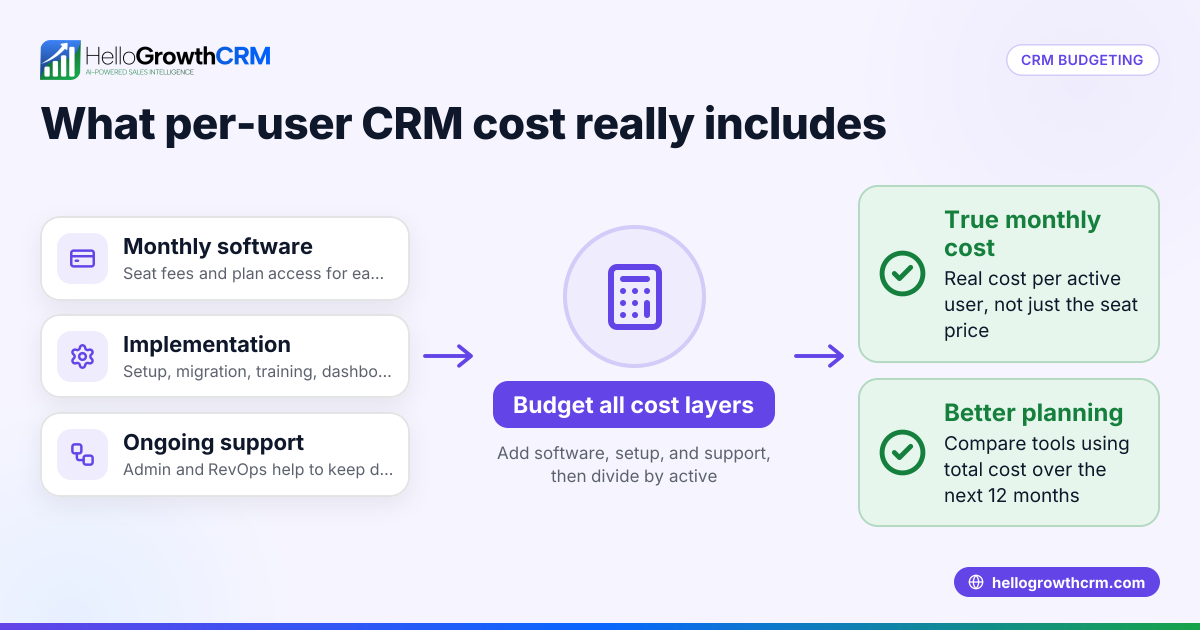
How do you calculate overall CRM cost with user per month pricing?
Calculate your monthly CRM bill by multiplying active users by the per-user monthly rate. Add any fees for extras like managed RevOps. For example, 10 users at $50 each equals $500 per month.
Different user roles may have different rates, with sales reps often paying more than viewers. Discounts can apply for annual plans or when using AI features like AI lead scoring.
What are typical user types in a CRM and how does pricing differ?
Users usually fall into categories:
- Full users with full access to pipelines, automation, and communications pay a standard monthly fee.
- Limited users with read-only or restricted access pay less or sometimes a separate fee.
- Admins or super users have elevated permissions but often pay the full user rate.
Assigning correct roles helps manage costs by paying per seat matched to team needs.
What costs add up besides the base user per month fee?
Other expenses may include:
- Add-ons like extra storage or premium integrations.
- Professional onboarding, training, or managed services fees.
- Limits or upgrades needed for AI-powered functions.
- Communication fees for SMS or calls, subject to U.S. carrier pricing and regulations.
- Custom reports or API integration work.
Knowing these helps avoid surprises, especially when integrating your CRM with QuickBooks or Stripe.
How does AI influence user per month pricing in CRMs?
AI features such as predictive lead scoring or automation increase value but may raise per-user prices. The “ai user per” seat pricing reflects extra costs for computational power and AI licensing.
For example, HelloGrowthCRM includes core AI capabilities in user fees but may charge extra for advanced AI modules.
When choosing a CRM, confirm which AI options are included and which add to per-user costs.
How to optimize user per month CRM pricing for your B2B sales team?
Managing user seats effectively lowers overall costs:
- Audit roles carefully and assign seats to actual needs.
- Pick vendors with flexible plans that allow month-to-month license adjustments.
- Use AI and email automation to cut manual tasks and hiring.
- Consolidate tools by choosing CRMs with built-in email, WhatsApp, and calling.
- Regularly deactivate inactive user accounts.
These steps reduce waste and boost your CRM return on investment.
What should U.S. businesses consider legally with user per month CRM pricing?
U.S. laws like TCPA and CAN-SPAM regulate calling and email outreach done through CRMs. Vendors may charge for compliance monitoring. Your campaigns must follow these laws to avoid penalties.
Also, consider state sales tax where applicable on CRM subscriptions. Some states tax SaaS products, affecting your total cost.
Frequently asked questions
What is user per month pricing for CRMs?
User per month pricing charges based on each active user in your CRM monthly. It matches cost to team size and usage, common in U.S. B2B sales organizations.
How is user per month pricing different from other CRM pricing models?
This model bills per seat monthly, unlike flat or feature-tiered plans. It gives precise control over cost as user numbers change.
How to optimize user per month CRM pricing for your B2B sales team?
Audit user roles, choose scalable plans, use AI automation, consolidate tools, and deactivate inactive accounts regularly to reduce expenses.
Are AI features included in per-user CRM pricing?
Some AI capabilities are included, but advanced AI modules often cost extra per user. Clarify AI pricing when choosing a CRM.
Do U.S. taxes affect CRM subscription costs?
Many states tax software subscriptions, so expect sales tax added to CRM fees depending on your state.
Start a free trial or book a demo to see how HelloGrowthCRM’s AI-powered, user per month pricing can fit your B2B sales team’s needs.
Read next
This article covers one part of a bigger topic. For the complete picture, read our guide to user per month.
Frequently Asked Questions
Ready to put this into practice?
Set up your pipeline, WhatsApp follow-ups, and AI lead scoring in minutes — free, no credit card.
Try HelloGrowthCRM freeGet CRM tips in your inbox
Join thousands of sales professionals who get weekly insights on CRM strategy, AI automation, and pipeline optimization.

The HelloGrowthCRM team publishes guides on CRM strategy, AI sales tools, and revenue operations for small business sales teams.