HelloGrowthCRM software
Built for real small-business sales teams
HelloGrowthCRM helps reps qualify faster, follow up on time, and close more deals—with practical automation in one place.
- AI lead scoring and pipeline visibility
- Built-in dialer, WhatsApp, and email automation
- Sales forecasting and RevOps-ready reporting
Per-user CRM cost in the United States usually includes more than the monthly seat price. US B2B sales teams should budget for software, setup, integrations, training, data cleanup, and ongoing RevOps support so the CRM actually gets adopted and produces reliable pipeline data.
A simple way to think about it is this: your true CRM cost per user is the monthly subscription plus your share of one-time implementation work and any ongoing admin or RevOps help. For many small and mid-sized teams, the software line item is only part of the total.
Key takeaways
- Per-user CRM cost in the United States is not just the seat fee. Setup and support matter too.
- Budget in three buckets: monthly software, one-time implementation, and ongoing RevOps support.
- A low sticker price can become expensive if your team needs heavy customization or manual admin work.
- US sales teams should include email, calling, reporting, integrations, and compliance needs in the budget.
- The best budget model is cost per rep, per manager, and for the whole revenue team over 12 months.
- An AI CRM can reduce admin work, but only if the setup matches your sales process.
What is per user CRM cost in the United States?
Per user CRM cost in the United States is the total cost to support one person using the CRM each month, including software and the support needed to make that software useful. For a B2B sales team in Chicago, Houston, or Detroit, that often means paying for seats, connecting tools, training reps, and keeping reports clean.
Many buyers focus on the advertised monthly seat price. That is understandable, but it can lead to bad budgeting. A CRM can look affordable on paper and still cost more than expected once you add implementation, imports, dashboards, pipeline setup, workflow changes, and admin time.
A better budgeting question is not “What is the seat price?” It is “What will one active user really cost us over the next 12 months?” That number gives founders, sales leaders, and RevOps managers a more accurate view of return on investment.
In most US B2B teams, the true cost depends on five factors:
- The number of users who need access.
- The features each role actually uses.
- The amount of setup and migration work.
- The level of ongoing support needed.
- The complexity of your sales process and tech stack.
A founder-led sales team with five users and one pipeline has a very different cost profile from a 25-person team with SDRs, account executives, managers, and multiple product lines.
What does per user CRM cost include?
It includes the monthly seat price plus each user’s share of setup, training, integrations, and ongoing admin support. If your team needs custom fields, reporting, lead routing, and data cleanup, your actual per-user cost will be higher than the listed subscription price.
The easiest mistake in CRM budgeting is treating software as the whole expense. In practice, US B2B teams usually pay across three cost layers.
1. Monthly software subscription
This is the recurring fee for each user. It may vary by plan and role. Some teams pay for every seat at the same level. Others give managers broader reporting access and keep reps on a simpler plan.
The monthly software line often includes core functions like:
- Contact and company records
- Deal and pipeline management
- Task tracking
- Email sync
- Basic dashboards
- Mobile access
It may also include advanced tools depending on the plan, such as workflow automation, forecasting, lead scoring, call logging, or custom reporting.
When you compare options, ask whether every rep really needs the same feature set. A sales manager may need advanced forecasting and dashboards. A rep may mainly need pipeline, email, calling, and task automation.
2. One-time setup and implementation
This is the most overlooked part of CRM cost. Even a straightforward rollout takes time and labor. Common setup work includes:
- Importing leads, contacts, companies, and deals
- Cleaning duplicates and bad records
- Building pipeline stages
- Creating fields and page layouts
- Setting user roles and permissions
- Connecting inboxes and calendars
- Adding phone and messaging workflows
- Building reports and dashboards
- Mapping lifecycle stages and lead routing
If your team is moving from spreadsheets or a lightly used CRM, setup can be fairly simple. If you have years of messy data, multiple lead sources, and different sales motions, implementation gets more expensive.
This is also where many teams underestimate internal time. Your sales leader, operations lead, or founder still has to answer process questions, review fields, approve reports, and train the team.
3. Ongoing RevOps and admin support
CRMs are not “set it and forget it” systems. As your US sales team grows, your processes change. Territories shift. Lead sources change. Reporting requests pile up. Reps need help. Dashboards break. Someone has to own the system.
That ongoing support can come from an internal admin, a RevOps hire, or outside help. Typical work includes:
- Updating fields and pipelines
- Troubleshooting automations
- Improving lead routing
- Maintaining data quality
- Building manager dashboards
- Supporting quarterly planning
- Reviewing forecast hygiene
- Training new users
If nobody owns these tasks, adoption usually drops. Reps stop trusting reports. Managers create side spreadsheets. Forecast calls become debates about data quality instead of next steps.
That is why a low monthly seat price can still produce a high real cost if the system needs constant manual maintenance.
Why do per-user CRM costs vary so much across US teams?
Because seat price is only one part of the budget. Your total cost changes based on team size, setup complexity, feature needs, data quality, and how much ongoing support you need to keep the CRM accurate and useful.
Below are the biggest cost drivers that explain why one company pays far more than another, even with a similar headcount.
Team size and user mix
A five-user team often has a higher effective per-user cost than a 30-user team because setup work is spread across fewer people. If implementation costs $6,000, that equals $1,200 per user for five users. The same project spread across 30 users equals $200 per user.
Role mix matters too. Not every user is a quota-carrying seller. You may have:
- SDRs
- Account executives
- Sales managers
- RevOps users
- Founders
- Customer success users
Each role may need different levels of access and support. Budgeting gets clearer when you model costs by role instead of assuming every seat is identical.
Sales process complexity
A simple pipeline is cheaper to build and maintain than a complex one. If your company sells one main service with a short sales cycle, setup is easier. If you sell into multiple verticals, use channel partners, require approvals, or track multi-stage buying committees, costs rise.
A manufacturer in Detroit may need account hierarchies, quote tracking, and ERP handoffs. A software company in Austin may need inbound lead routing, demo scheduling, and trial conversion reporting. Both are valid use cases, but the system design differs.
Integration needs
Many US B2B teams need their CRM to connect with tools they already use, such as:
- Google Workspace or Microsoft 365
- QuickBooks
- Stripe
- Marketing forms
- Calling systems
- Enrichment tools
- Proposal tools
- Customer support platforms
Each integration adds setup and testing work. Even when a native connection exists, someone still needs to define field mapping, ownership rules, and sync behavior. Review integrations before budgeting so you understand the real rollout scope.
Data quality and migration work
Messy data increases cost fast. Duplicates, missing company names, inconsistent owner fields, and dead stages create extra work before your team can trust the CRM.
A clean start matters because poor data quality creates downstream problems in forecasting, lead assignment, and sales performance reporting. You may save money by investing in cleanup early instead of letting bad records spread through the system.
AI and automation requirements
Many buyers now ask about automation, lead scoring, and ai per user value, not just seat price. That is a smart shift. If AI reduces admin work, improves prioritization, and helps reps focus on likely buyers, it can change the economics of your CRM.
Still, AI features only help if they are configured around your actual process. Generic automation that creates noise will not improve productivity. Teams evaluating AI lead scoring should ask how scoring ties into routing, follow-up, and reporting.
How should US B2B teams budget CRM costs over 12 months?
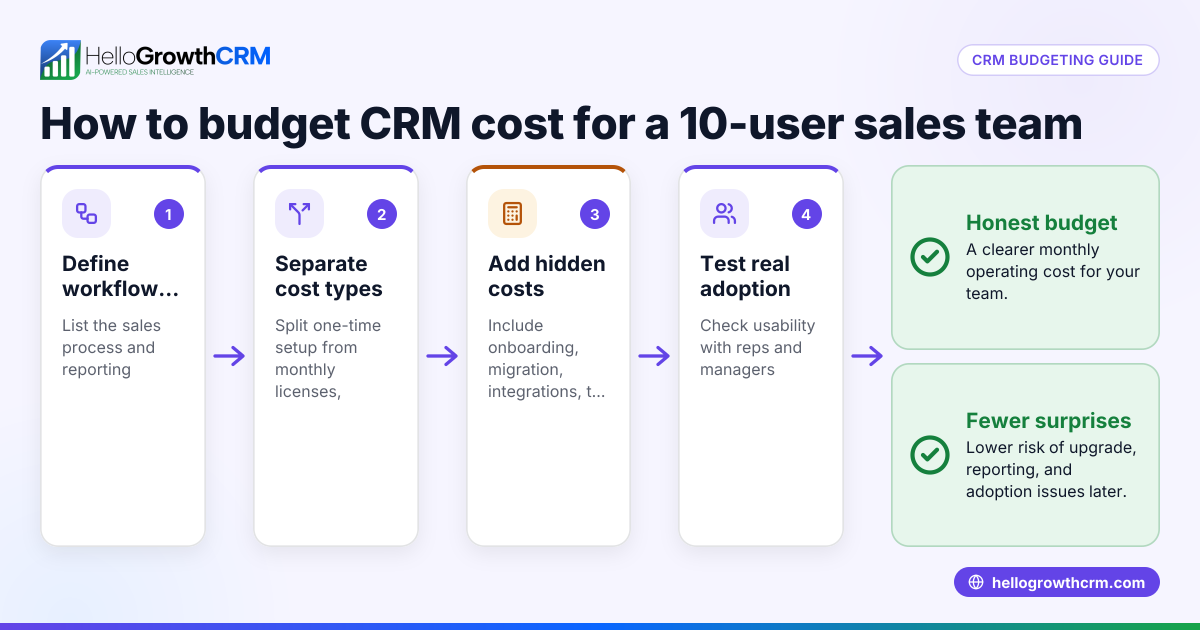
Build a 12-month budget with three lines: recurring software, one-time implementation, and ongoing RevOps support. Then divide the total by active users to find the real monthly per-user cost.
That simple model helps you avoid underbudgeting. It also makes vendor comparison more honest because you are comparing total cost, not just headline pricing.
A practical budgeting formula
Use this formula:
True monthly per-user CRM cost = (12 months of software + one-time setup + 12 months of support) / number of active users / 12
This model works well for small and mid-sized B2B sales teams because it captures both recurring and non-recurring work.
Example budget for a 10-user US sales team
Let’s say a company has 10 active users. It needs:
- CRM software for 10 users
- Data import from spreadsheets and an old system
- Email and calendar connection
- One sales pipeline
- Basic dashboards for leadership
- Ongoing help with reporting and cleanup
Now build the budget in three steps.
- Monthly software
- Estimate the total monthly software spend for all 10 users. - One-time implementation
- Estimate setup, migration, pipeline design, dashboard creation, and training. - Monthly support
- Estimate the ongoing cost of admin or RevOps help each month.
Then add those three buckets across a full year and divide by 10 users. That gives a more realistic per-user monthly number than software alone.
Why founders should model best case and likely case
When budgeting, create at least two scenarios:
- Best case: your data is cleaner than expected and setup is simple.
- Likely case: your team needs a few rounds of revisions and support.
For many companies, the likely case is the better planning number. It creates room for user training, dashboard changes, and process adjustments after launch.
Do not forget internal labor
Even if you outsource implementation, your team still spends time on the project. The founder, sales leader, or operations owner will review stages, define lead routing, test reports, and train users.
That internal time has a cost. You may not put it on an invoice, but it affects capacity and speed. Budgeting honestly means recognizing that implementation pulls attention away from selling for a short period.
What hidden costs should US companies watch for?
The most common hidden costs are data cleanup, extra admin work, low adoption, reporting rebuilds, and integration fixes. These costs appear after launch when the CRM is live but the process is still not stable.
Here are the hidden costs that show up most often.
Low adoption
If reps avoid the CRM, managers spend more time chasing updates. Forecast meetings become manual. Leaders use side spreadsheets. The cost is not only inefficiency. It is also lower confidence in pipeline decisions.
A CRM your team actually uses is cheaper in the long run, even if the listed subscription cost is higher. Adoption lowers reporting friction and reduces manual follow-up.
Rework after poor setup
A rushed rollout often creates expensive rework. Common examples include:
- Wrong lifecycle stages
- Bad lead assignment logic
- Duplicate fields
- Inconsistent close reasons
- Dashboards that do not match the sales process
Fixing these issues after launch usually costs more than planning them properly at the start.
Compliance and communication workflows
US B2B teams also need to think about how outreach works in practice. If you use email and phone heavily, your workflows should support compliance with laws like CAN-SPAM and TCPA where they apply. That does not always increase software cost directly, but it can shape your setup, permissions, and process design.
Buyer expectations and reporting discipline
In many US markets, buyers expect organized follow-up, clean handoffs, and credible reporting. Larger prospects may also ask about security practices, and some will expect vendors to have mature controls such as SOC 2. Your CRM may not solve all of that, but it supports the operational discipline behind it.
How can you lower CRM cost per user without hurting adoption?
Lower total cost by simplifying your process, limiting unnecessary custom work, cleaning data early, and choosing tools your team will actually use. The cheapest seat price is not the lowest cost if adoption stays poor.
Here are practical ways to lower cost while protecting value.
1. Standardize your pipeline first
Do not start with 15 custom stages because each rep has a different preference. Agree on a clear pipeline before implementation begins. Standardization reduces setup time and makes reporting easier.
2. Limit custom fields to real decisions
Every extra field adds friction. Keep fields that support routing, qualification, forecasting, or handoff. Drop fields that nobody uses for action.
3. Clean data before migration
Remove duplicates and archive junk records before import. That one step can save hours of troubleshooting later.
4. Match feature access to role
Not every user needs every advanced feature. Role-based planning can improve cost control without limiting the day-to-day work reps need.
5. Use automation carefully
Workflow automation and email automation can save time when built around a real process. But too many automations create confusion. Start with a few high-value workflows, then expand.
6. Decide who owns RevOps
Someone must own the system. If you are not ready for a full-time hire, structured outside support can be a practical bridge. Teams that need execution help often look at managed RevOps to avoid piling admin work onto a sales leader.
A simple way to compare CRM options in the United States
When comparing tools, put every option into the same worksheet. Use the same categories for each vendor:
- Monthly software cost for all users
- One-time setup and migration cost
- Monthly support or admin cost
- Included features versus add-ons
- Integration scope
- Expected internal time
- Forecasting and reporting maturity
- Expected adoption risk
This gives you a more useful comparison than looking only at the subscription line. It also helps you identify whether a vendor is cheap because it is simple, or cheap because key work is being pushed back onto your team.
If forecasting matters to your leadership team, assess whether the CRM can support manager inspections, stage hygiene, and roll-up reporting from the start. That is where sales forecasting becomes a real cost consideration, not just a feature checklist item.
Read next
This article covers one part of a bigger topic. For the complete picture, read our guide to 10 user mo.
Ready to put this into practice?
Set up your pipeline, WhatsApp follow-ups, and AI lead scoring in minutes — free, no credit card.
Try HelloGrowthCRM freeGet CRM tips in your inbox
Join thousands of sales professionals who get weekly insights on CRM strategy, AI automation, and pipeline optimization.

The HelloGrowthCRM team publishes guides on CRM strategy, AI sales tools, and revenue operations for small business sales teams.