HelloGrowthCRM software
Built for real small-business sales teams
HelloGrowthCRM helps reps qualify faster, follow up on time, and close more deals—with practical automation in one place.
- AI lead scoring and pipeline visibility
- Built-in dialer, WhatsApp, and email automation
- Sales forecasting and RevOps-ready reporting
To send a text from a different number, you need a platform or app that lets you choose which number appears as the sender. This is common for businesses managing multiple lines or wanting to separate personal and business communications. Below, we explain why this need arises, provide step-by-step instructions, a worked example, common pitfalls, and answers to common questions.
Why this comes up / what goes wrong
Small business owners often want to send texts from a different number for several reasons:
- Multiple business lines: A business might have separate numbers for sales, support, or different locations.
- Privacy: Owners may want to keep their personal number private.
- Brand consistency: Using a dedicated business number projects professionalism.
- Managing multiple teams: Different sales or support reps may use different numbers.
Without proper tools, sending texts from a different number can be confusing or impossible, leading to lost leads or mixed messages. Many default phone SMS apps only send from the device's main number and don’t allow switching. (support.google.com)
Step-by-step
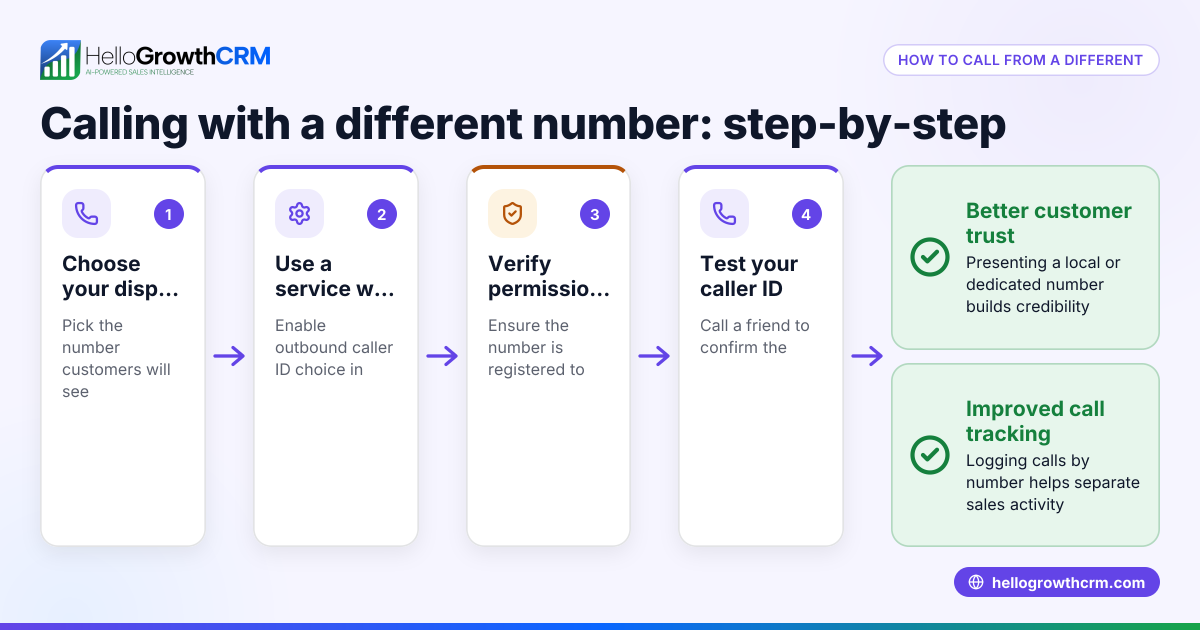
- Choose a texting platform or app that supports multiple numbers. Check if it allows sending texts from alternate numbers.
- Set up or add the alternate number. This might involve:
- Registering a new number within the app.
- Porting an existing number.
- Purchasing a new virtual number.
- Verify ownership of the new number. Many services require proof you control the number.
- Select the sender number before composing a message. Look for a sender or "From" field where you can pick the number.
- Compose and send your text. Confirm the chosen number is correct.
- Test by sending a message to your own device or a colleague. Verify the sender number shows as expected.
- Keep records of which numbers are used for which purpose. This helps avoid confusion in replies.
If you use a CRM or sales tool, check if it integrates with SMS and supports multiple sender numbers. For example, some platforms combine WhatsApp and SMS messaging with built-in dialers, letting your sales team manage communications efficiently across numbers. Learn more about WhatsApp and SMS CRM and the built-in CRM dialer.
Example (fictional figures)
Imagine a landscaping contractor in Charlotte, North Carolina, named GreenScape LLC. They have two numbers:
- Main business line: (704) 555-1234
- Customer support line: (704) 555-5678
They want to send a promotional text from the support line.
Steps:
- GreenScape subscribes to a texting service that allows multiple numbers.
- They add (704) 555-5678 as an alternate sender number.
- The service verifies the number by sending a code to that line.
- When composing a text, they select (704) 555-5678 in the sender dropdown.
- They write: "Spring special! 20% off all lawn care services this April. Call us today!"
- They send a test message to their manager's phone to confirm the sender number.
This approach keeps marketing messages consistent and separates support from sales calls.
Common mistakes
- Using a personal phone’s default SMS app: This usually sends only from your main number. Use a dedicated app or service instead.
- Not verifying the alternate number: The message may fail or be blocked if the number isn’t verified.
- Mixing numbers without tracking: Leads might get confused if replies go to unexpected numbers. Maintain a clear log.
- Ignoring compliance: US laws require clear sender identification and consent for business texts. Check local rules.
- Not testing before mass sending: Always send test texts to verify the sender number appears correctly.
For businesses managing multiple communication channels, consider a CRM that supports texting and calling from multiple numbers. This helps keep your team organized and responsive. See how HelloGrowthCRM for the United States can help streamline your sales and communication workflows.
Frequently asked questions
Can I send texts from any number I want? You can only send texts from numbers you own or control. Services require verification to prevent spam and fraud.
Is it legal to send marketing texts from a different number? Regulations like the Telephone Consumer Protection Act (TCPA) require consent and clear sender identification. (docs.fcc.gov) Always comply with US laws.
Do I need a special phone or SIM card? No, if you use a texting platform or app that supports multiple numbers, you can send texts without changing your physical phone or SIM.
Can I use my computer to send texts from a different number? Yes, many services offer web or desktop apps to send texts, with options to select the sender number.
How do I reply to texts sent from a different number? Replies usually come back to the same number you sent from. Make sure you monitor all numbers used.
Key takeaways
- Sending texts from a different number requires a platform that supports multiple sender numbers.
- Verify ownership of any alternate number before sending.
- Always select the correct sender number before texting.
- Test messages to confirm the sender number appears correctly.
- Keep track of which numbers are used for which business functions.
- Follow legal requirements for business texting, including consent and opt-outs.
Start managing your business communications more efficiently by using tools that combine multiple channels. Explore HelloGrowthCRM for the United States to see options for integrating WhatsApp and SMS with your sales process.
Get started today with the Free Forever plan (200 leads, no credit card).
Ready to put this into practice?
Set up your pipeline, WhatsApp follow-ups, and AI lead scoring in minutes — free, no credit card.
Try HelloGrowthCRM freeGet CRM tips in your inbox
Join thousands of sales professionals who get weekly insights on CRM strategy, AI automation, and pipeline optimization.

The HelloGrowthCRM team publishes guides on CRM strategy, AI sales tools, and revenue operations for small business sales teams.