HelloGrowthCRM software
Built for real small-business sales teams
HelloGrowthCRM helps reps qualify faster, follow up on time, and close more deals—with practical automation in one place.
- AI lead scoring and pipeline visibility
- Built-in dialer, WhatsApp, and email automation
- Sales forecasting and RevOps-ready reporting
A phone numbers API is a tool that enables your business software to automatically handle phone numbers for lead capture, messaging, and calling. Instead of manually entering phone numbers, the API connects your systems to phone data and communication channels, saving time and reducing errors.
Why this comes up / what goes wrong
Small-business owners often receive leads through multiple channels such as websites, text messages, or third-party platforms. Without a phone numbers API, they rely on manual entry of phone numbers into spreadsheets or contact lists. This manual process leads to slow follow-up, lost leads, and inconsistent communication. Sales teams working across email, text, and WhatsApp without a unified system may face duplicated, missed, or incorrectly formatted phone numbers. This slows down contact and reduces sales effectiveness.
Step-by-step
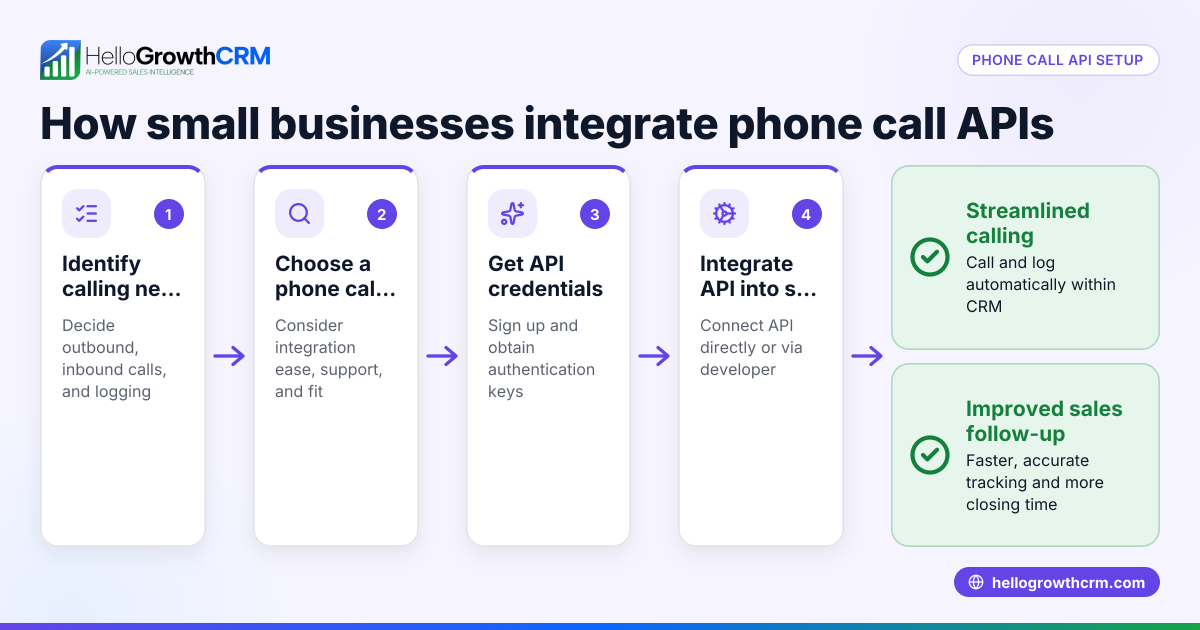
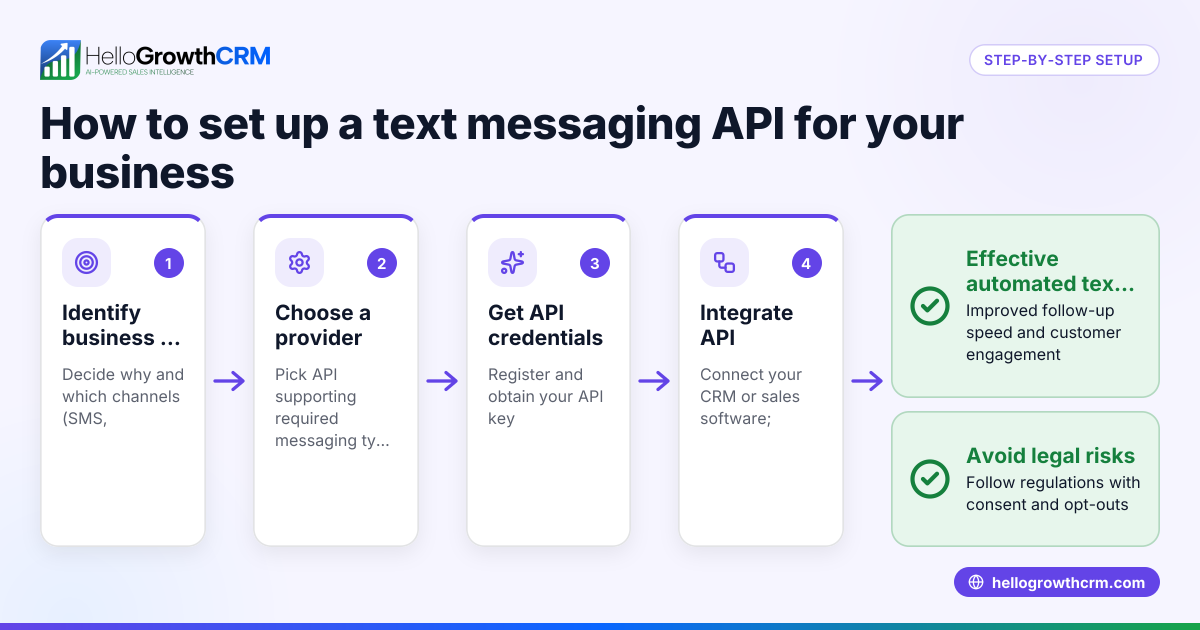
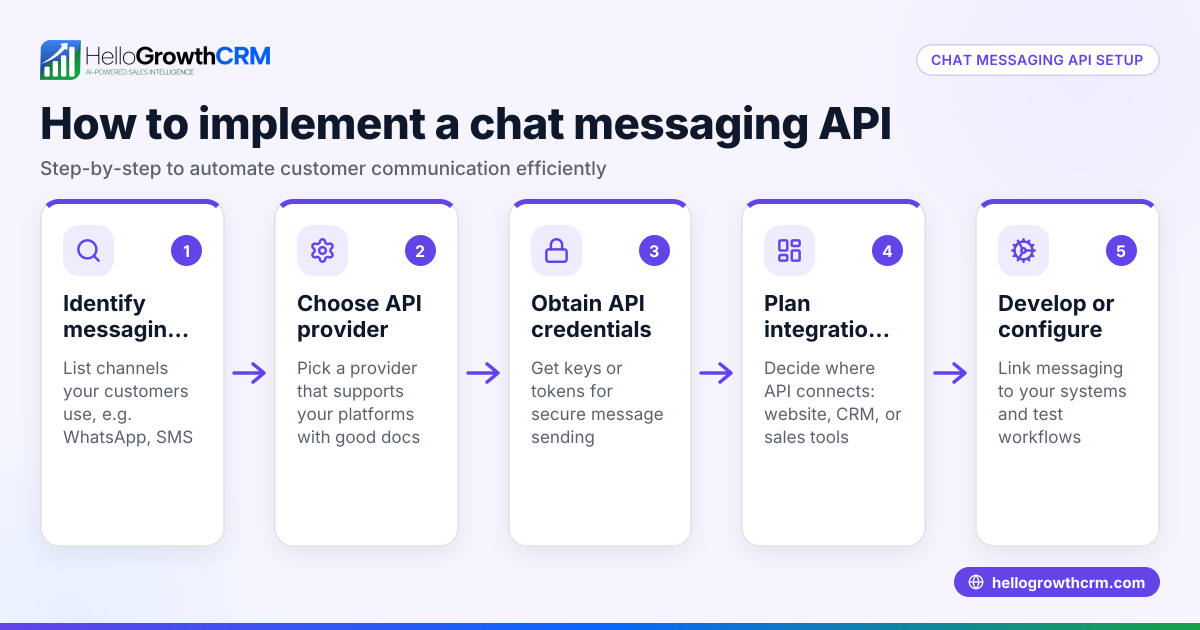
- Identify your business communication needs: Determine if you need to capture phone numbers from web forms, send SMS or WhatsApp messages, or make calls directly from your sales software.
- Choose a phone numbers API provider: Look for APIs that support the US market and integrate well with your existing systems. Check if they offer phone number validation, formatting, and messaging capabilities.
- Set up API access and credentials: Register with the API provider and obtain access keys or tokens to allow your software to communicate securely.
- Integrate the API with your CRM or sales tools: Use the API to automatically capture phone numbers from leads, validate their format, and sync them into your CRM database.
- Test the integration: Verify that phone numbers from web forms or third-party platforms arrive correctly and that messaging or calling functions work as expected.
- Train your team: Ensure sales and customer service teams know how to use the integrated phone number features to follow up quickly and consistently.
- Monitor and maintain: Regularly check for any failed API calls, outdated phone numbers, or integration issues to keep your sales process running smoothly.
HelloGrowthCRM supports syncing leads from web forms and other connected lead sources, which arrive in the CRM ready for follow-up. Learn more about these API and integrations.
Example (fictional figures)
A plumbing company in Austin, Texas, wants to speed up lead follow-up by using a phone numbers API. They receive 1,000 web form leads monthly but find that many phone numbers are missing or incorrectly entered due to manual input.
They implement a phone numbers API that validates numbers on entry and syncs them into their CRM.
- Leads received monthly = 1,000
- Leads with valid phone numbers before API = 800 (estimated)
- Leads with valid phone numbers after API = 1,000
Before the API, the sales team could contact 800 leads properly. After implementation, all 1,000 leads have validated phone numbers.
Assuming a 5% conversion rate and an average job value of $2,000:
- Additional leads contacted = 1,000 - 800 = 200
- Additional conversions = 200 × 5% = 10
- Additional revenue = 10 × $2,000 = $20,000
This example shows how using a phone numbers API can improve lead quality and sales revenue.
Common mistakes
- Not validating phone numbers before entry: Leads with incorrect or incomplete numbers cause wasted follow-up efforts. Prevent this by integrating validation in your API.
- Ignoring API integration testing: Skipping tests can cause leads not to sync properly. Always test API calls and data flows thoroughly.
- Overlooking team training: Without proper training, sales teams may not use new phone number features effectively. Provide clear instructions and support.
- Failing to monitor API performance: API errors or outdated numbers reduce effectiveness. Set up regular monitoring and error alerts.
- Using multiple disconnected tools: Managing phone numbers across email, text, and spreadsheets causes duplication and delays. Use a unified CRM with integrated phone number APIs and communication tools, such as the built-in CRM dialer and WhatsApp and SMS CRM.
Doing this in HelloGrowthCRM
HelloGrowthCRM offers API and integrations that bring inquiries from web forms and other connected lead sources directly into the CRM as leads. This removes the need for manual phone number entry and speeds up follow-up. The CRM supports syncing data and triggering workflows to fit your sales process. To explore these capabilities, see API and integrations.
Frequently asked questions
What is a phone numbers API used for? A phone numbers API automates handling phone numbers in your business software. It validates, formats, and syncs phone numbers from web forms or third-party platforms into your CRM, allowing faster, more accurate communication.
Can a phone numbers API help with SMS and WhatsApp messaging? Yes, many phone numbers APIs support sending SMS or WhatsApp messages directly, helping your sales team automate follow-ups and sequences without switching apps.
Do I need technical skills to use a phone numbers API? Basic technical skills or developer support are usually required to set up and integrate the API with your CRM or sales tools. Some CRM platforms offer built-in integrations that simplify this process.
How does HelloGrowthCRM handle phone number leads? HelloGrowthCRM integrates with from web forms and other connected lead sources, automatically importing inquiries as leads with phone numbers included, so your team can follow up quickly without manual entry.
What if my phone numbers are not formatted correctly? A phone numbers API typically includes validation and formatting features to ensure numbers are correct and standardized, reducing errors and improving contact rates.
Key takeaways
- A phone numbers API automates capturing, validating, and syncing phone numbers for faster sales follow-up.
- Small businesses risk losing leads without phone number validation and integration.
- Follow clear steps: identify needs, select an API, set up access, integrate, test, train, and monitor.
- Common mistakes include skipping validation, testing, training, and monitoring.
- HelloGrowthCRM supports integrations that bring leads with phone numbers directly into your CRM from web forms and other connected lead sources.
Start improving your lead management by using a phone numbers API today. To get started with a CRM that supports these integrations, start on the Free Forever plan (200 leads, no credit card).
Ready to put this into practice?
Set up your pipeline, WhatsApp follow-ups, and AI lead scoring in minutes — free, no credit card.
Try HelloGrowthCRM freeGet CRM tips in your inbox
Join thousands of sales professionals who get weekly insights on CRM strategy, AI automation, and pipeline optimization.

The HelloGrowthCRM team publishes guides on CRM strategy, AI sales tools, and revenue operations for small business sales teams.