HelloGrowthCRM software
Built for real small-business sales teams
HelloGrowthCRM helps reps qualify faster, follow up on time, and close more deals—with practical automation in one place.
- AI lead scoring and pipeline visibility
- Built-in dialer, WhatsApp, and email automation
- Sales forecasting and RevOps-ready reporting
Different email addresses are essential for separating types of communication in a small or mid-sized UK business. For example, a business might have one email for sales enquiries, another for customer support, and a third for billing. Using distinct addresses helps keep messages organised and ensures the right team member handles each enquiry promptly.
Why this comes up / what goes wrong
Small business owners often start with one general email address but quickly find it hard to manage all incoming messages. Sales leads, customer questions, and supplier communications get mixed up, causing delays and missed opportunities. Teams may struggle to track who replied to what, especially if emails are shared on personal accounts or scattered across different platforms like WhatsApp and spreadsheets. This confusion can lead to slow follow-ups, lost leads, and poor customer experience.
Step-by-step
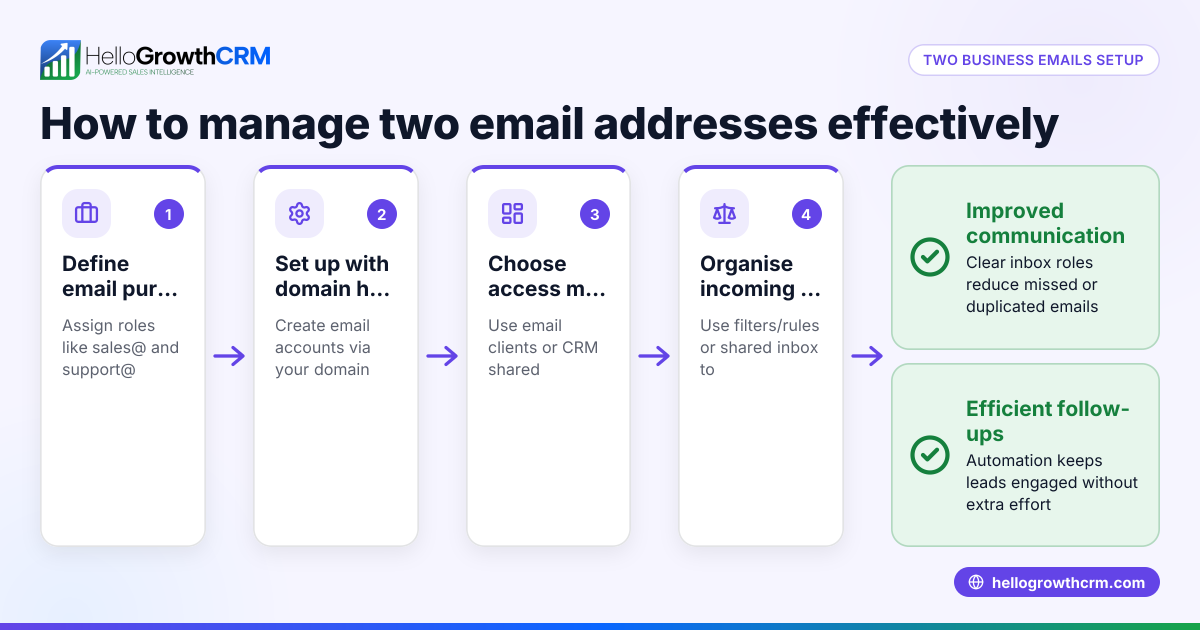
- Identify your communication needs: List the main types of emails your business receives (e.g., sales@, support@, info@).
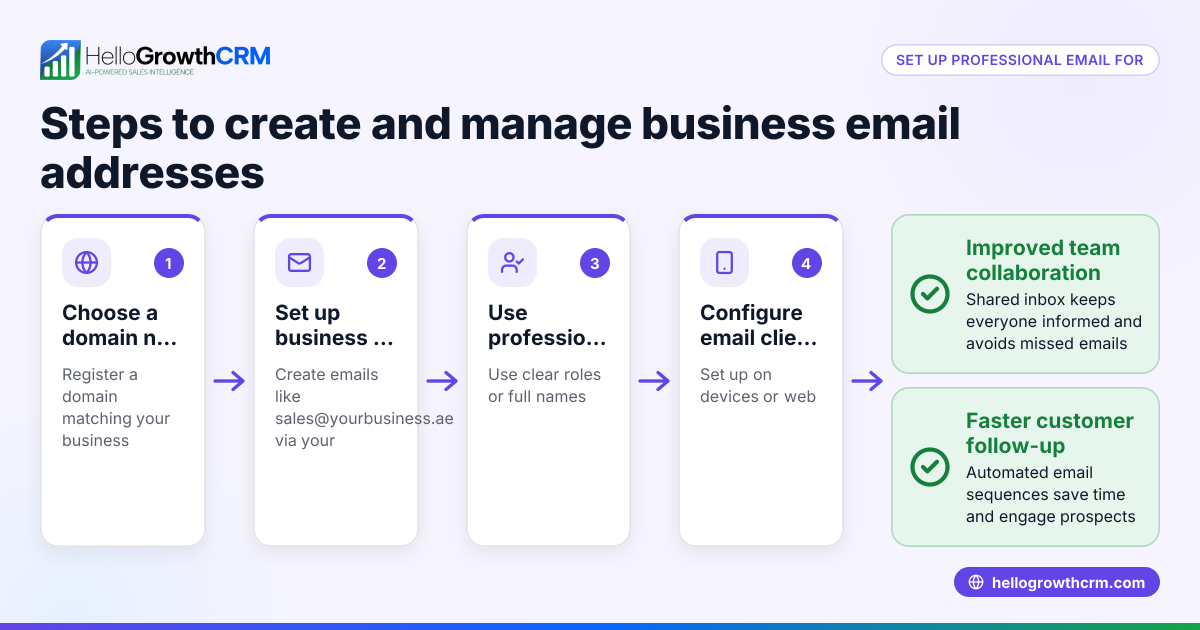
- Create separate email addresses: Set up distinct addresses using your business domain for professionalism and clarity.
- Assign responsibility: Allocate team members or roles to monitor each email address to ensure timely replies.
- Use a shared inbox tool: Implement a solution that lets your team see all emails in one place to avoid duplicated or missed responses.
- Automate follow-ups: Set up email sequences to send reminders or next steps automatically until a reply is received.
- Integrate with your CRM: Link your email addresses to your CRM system to track conversations alongside customer data.
- Regularly review inboxes: Check that all emails are being answered promptly and that no messages slip through.
Using these steps helps your business stay organised and responsive, improving customer satisfaction and sales efficiency.
Example (fictional figures)
A recruitment consultancy in Bristol sets up three email addresses: sales@bristolrecruit.co.uk, support@bristolrecruit.co.uk, and accounts@bristolrecruit.co.uk.
On 15/03/2026, they receive the following:
- Sales enquiries: 120 emails
- Support requests: 80 emails
- Billing questions: 40 emails
They assign two sales team members to sales@, one support agent to support@, and one accounts clerk to accounts@.
If each sales email takes 15 minutes to handle: 120 emails × 15 minutes = 1,800 minutes 1,800 minutes ÷ 60 = 30 hours of sales email work
Support emails take 20 minutes each: 80 emails × 20 minutes = 1,600 minutes 1,600 minutes ÷ 60 = 26.67 hours
Billing emails take 10 minutes each: 40 emails × 10 minutes = 400 minutes 400 minutes ÷ 60 = 6.67 hours
By splitting emails, the consultancy clearly sees workload distribution and can plan staffing accordingly.
Common mistakes
- Using one email for all purposes: Leads to confusion and slow responses. Prevent by creating separate addresses.
- No clear responsibility for inboxes: Emails get ignored. Assign team members to each address.
- Failing to track replies: Duplicate or missed responses happen. Use a shared inbox to see all communications.
- Manual follow-ups only: Follow-ups get forgotten. Use automated sequences to keep in touch.
- Scattered communication channels: Managing sales on WhatsApp, email, and spreadsheets separately causes lost leads. Integrate channels where possible.
For more on automating email follow-ups, see email automation and sequences.
Doing this in HelloGrowthCRM
HelloGrowthCRM offers a HelloMail shared inbox that allows your team to manage inbound emails from leads and customers without switching apps. Replies to a quotation email are visible to the whole team on the deal, preventing missed or duplicated responses. You can also set up sequences and campaigns: automated five-step follow-ups over two weeks that stop as soon as a prospect replies. This helps maintain timely contact without manual effort. Learn more about these features at email automation and sequences.
Frequently asked questions
Can I use multiple email addresses for one business domain? Yes, you can create as many email addresses as needed under your business domain (e.g., sales@yourbusiness.co.uk, support@yourbusiness.co.uk). This helps organise communication by function.
How do I decide which email addresses I need? Review your business activities and customer touchpoints. Common addresses include sales, support, billing, and general enquiries. Start with the essential ones and add more if needed.
Is it better to have individual or shared email inboxes? Shared inboxes let your team collaborate and see all messages in one place, reducing missed emails. Individual inboxes can cause silos and delays.
How can I automate email follow-ups? Using CRM tools like HelloGrowthCRM, you can create sequences that automatically send follow-up emails over a set period, stopping when the prospect replies. This saves time and keeps leads warm.
Can I integrate WhatsApp with email communication? Yes, managing sales across WhatsApp, email, and SMS in one CRM helps keep all customer communication organised and accessible. HelloGrowthCRM supports WhatsApp and SMS CRM features. See WhatsApp and SMS CRM.
What if my team uses spreadsheets to track emails? Spreadsheets can be error-prone and hard to update in real time. Using a CRM with shared inboxes and automation reduces manual work and improves accuracy.
Key takeaways
- Use different email addresses for distinct business functions to keep communication clear.
- Assign team members to monitor each email address for timely responses.
- Use shared inboxes to prevent missed or duplicated emails.
- Automate follow-ups with email sequences to maintain contact without manual effort.
- Integrate email with your CRM and other communication channels like WhatsApp for better organisation.
Start managing your business emails efficiently with HelloGrowthCRM. Start on the Free Forever plan (200 leads, no credit card).
Ready to put this into practice?
Set up your pipeline, WhatsApp follow-ups, and AI lead scoring in minutes — free, no credit card.
Try HelloGrowthCRM freeGet CRM tips in your inbox
Join thousands of sales professionals who get weekly insights on CRM strategy, AI automation, and pipeline optimization.

The HelloGrowthCRM team publishes guides on CRM strategy, AI sales tools, and revenue operations for small business sales teams.