HelloGrowthCRM software
Built for real small-business sales teams
HelloGrowthCRM helps reps qualify faster, follow up on time, and close more deals—with practical automation in one place.
- AI lead scoring and pipeline visibility
- Built-in dialer, WhatsApp, and email automation
- Sales forecasting and RevOps-ready reporting
Setting up a remote call center means enabling your sales or support team to work from anywhere while maintaining organized call management and customer tracking. This guide provides clear, practical steps for small and mid-sized US businesses to launch a remote call center quickly and effectively.
Why this comes up / what goes wrong
Many small business owners want to setup remote call centers to expand reach, reduce office costs, or keep operations running during disruptions like pandemics or natural disasters. However, without a clear plan and proper tools, managing remote agents can lead to slow lead follow-up, lost sales opportunities, and disorganized call tracking. Businesses often struggle with inconsistent call quality, lack of centralized data, and difficulty monitoring agent performance. A step-by-step approach helps avoid these pitfalls and ensures smooth remote call center operation.
Step-by-step
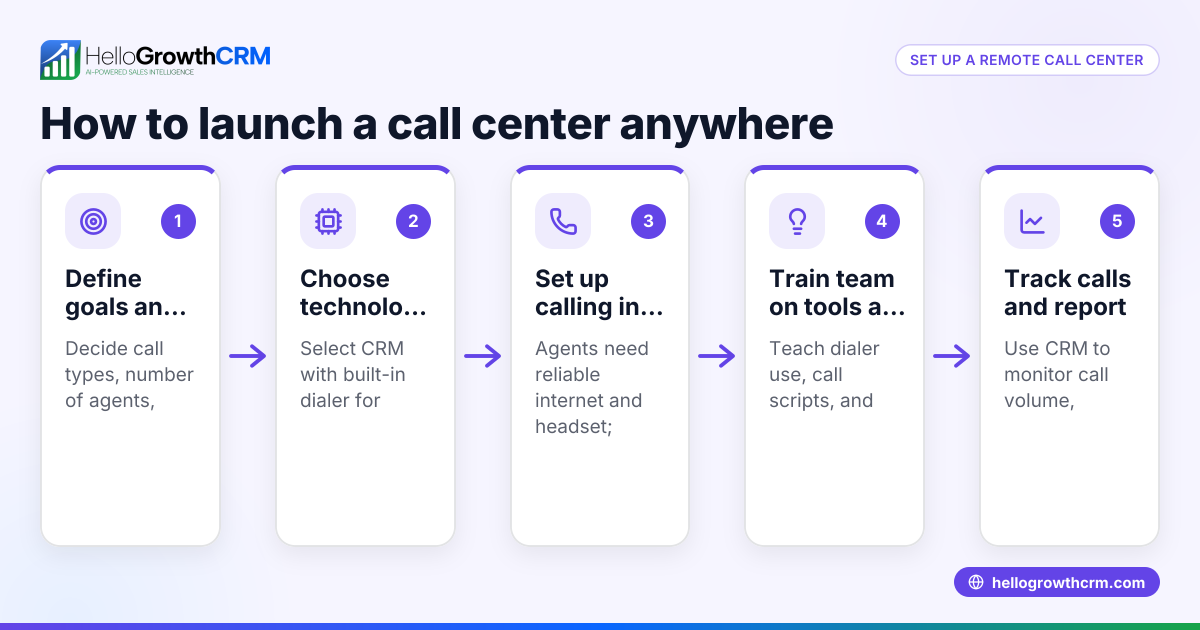
- Define your call center objectives and scope
- Decide what types of calls your center will handle: inbound customer support, outbound sales, or both.
- Determine your hours of operation and expected call volume to estimate staffing needs.
- Check any legal requirements for telemarketing or handling customer data remotely.
- Choose the right technology stack
- Select reliable VoIP or cloud phone systems that support remote calling.
- Ensure agents have good internet connections, computers, and headsets.
- Choose CRM software that includes call logging and a built-in dialer to track calls and leads effectively.
- Recruit and onboard remote agents
- Write detailed job descriptions emphasizing remote work skills and reliability.
- Conduct interviews remotely to verify candidates’ technical setup and communication skills.
- Provide comprehensive training on your products, call scripts, and software tools.
- Set up call management and workflows
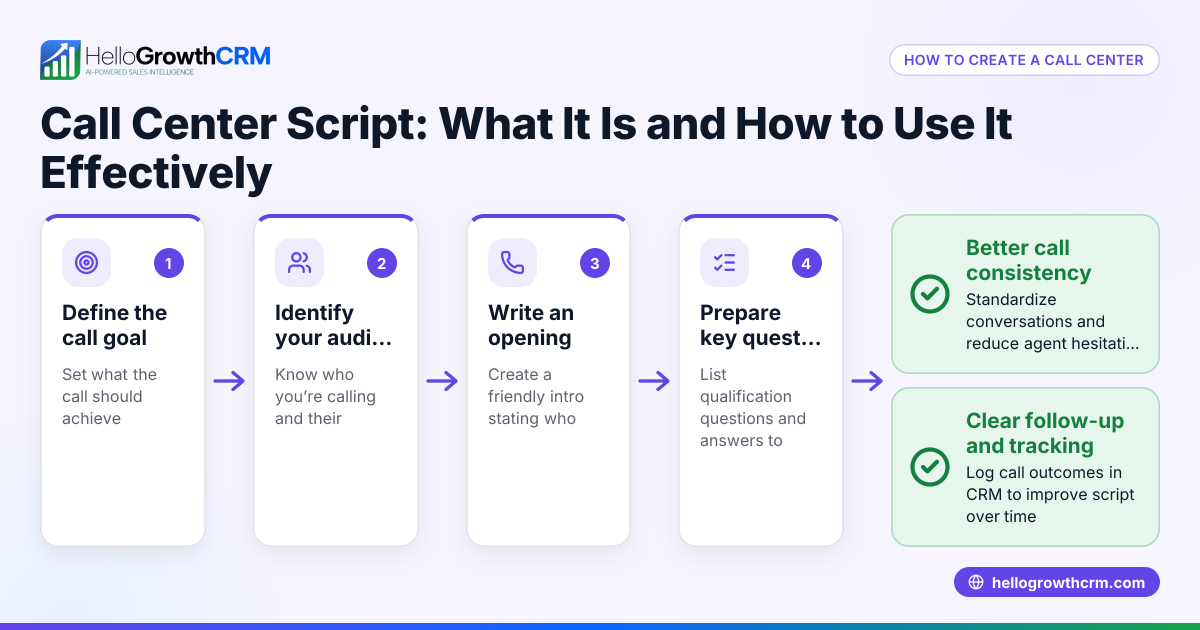
- Develop call scripts and step-by-step workflows for agents to follow.
- Implement lead assignment and call scheduling to balance workloads.
- Define key performance indicators (KPIs) such as call volume, conversion rates, and average call duration.
- Equip agents with software and access
- Provide CRM login credentials and setup instructions for the built-in dialer.
- Train agents on how to log call outcomes and update lead statuses.
- Test call quality and CRM integration before going live.
- Monitor and optimize performance
- Regularly review call logs, lead outcomes, and agent feedback.
- Adjust scripts, schedules, and training based on performance data.
- Use CRM reporting tools to forecast sales and identify bottlenecks.
- Maintain compliance and data security
- Ensure secure handling of customer information with proper policies.
- Keep software updated and provide ongoing training on privacy and security.
Example (fictional figures)
A plumbing company in Austin, Texas, wants to setup a remote call center focused on outbound sales.
- They plan to hire 3 agents working 8 hours a day, 5 days a week.
- Each agent handles 40 calls per day.
- Total monthly calls = 3 agents × 40 calls × 20 workdays = 2,400 calls.
- Initial setup costs: VoIP and CRM software licenses = $500.
- Monthly recurring costs: Internet and software subscriptions = $300.
Calculations:
Calls per month = 3 × 40 × 20 = 2,400
Initial setup = $500
Monthly recurring = $300
Assuming an average sale value of $150 and a conversion rate of 5%,
Sales per month = 2,400 × 5% = 120 sales
Revenue per month = 120 × $150 = $18,000
This example shows how to estimate call volume, costs, and potential revenue when setting up a remote call center.
Common mistakes
- Skipping technology testing: Always test all software and hardware before launch to avoid disruptions.
- Poor agent training: Provide thorough training on products, scripts, and CRM tools to ensure quality calls.
- Ignoring call tracking: Use CRM call logging to track outcomes and improve follow-up efficiency.
- Neglecting data security: Protect customer data through policies and secure software.
- Overlooking performance monitoring: Regularly review KPIs to catch and fix issues early.
- Not defining clear workflows: Create scripts and schedules to keep agents productive and consistent.
Doing this in HelloGrowthCRM
HelloGrowthCRM offers a built-in dialer that lets reps work through their call lists directly inside the CRM. Each call’s outcome is automatically logged on the lead record, keeping your team organized and informed. This feature helps remote call center agents track their calls efficiently and maintain full call history tied to contacts and deals. Learn more about the built-in CRM dialer.
Frequently asked questions
What equipment do remote call center agents need? Agents require a reliable computer, high-speed internet, a quality headset, and access to call management software or CRM with dialing capabilities.
How do I ensure call quality from remote locations? Test internet speeds regularly, use VoIP services optimized for calls, and provide agents with noise-cancelling headsets. Monitoring call quality helps maintain standards.
Can I use CRM software to manage remote call centers? Yes, CRM software with built-in dialers and call logging centralizes customer data, tracks leads, and helps manage agent workflows effectively. See how HelloGrowthCRM supports this at HelloGrowthCRM for the United States.
How do I measure the success of my remote call center? Track KPIs such as call volume, conversion rates, average call duration, and sales revenue. Use CRM reporting tools to analyze these metrics and adjust strategies.
Is training important for remote call center agents? Absolutely. Proper training ensures agents understand products, scripts, and software tools, which improves call effectiveness and customer satisfaction.
Key takeaways
- Define clear objectives and choose the right technology for your remote call center.
- Recruit and train agents with detailed workflows and scripts.
- Use CRM software with a built-in dialer to manage calls and log outcomes.
- Monitor performance regularly and adjust processes as needed.
- Protect customer data with secure policies and software.
- Avoid common mistakes like skipping training and ignoring call tracking.
Setting up a remote call center can expand your business reach and improve lead follow-up. Start with clear steps and the right tools to keep your team productive and your customers satisfied.
Start on the Free Forever plan (200 leads, no credit card) to try HelloGrowthCRM’s call management features today.
Ready to put this into practice?
Set up your pipeline, WhatsApp follow-ups, and AI lead scoring in minutes — free, no credit card.
Try HelloGrowthCRM freeGet CRM tips in your inbox
Join thousands of sales professionals who get weekly insights on CRM strategy, AI automation, and pipeline optimization.

The HelloGrowthCRM team publishes guides on CRM strategy, AI sales tools, and revenue operations for small business sales teams.