HelloGrowthCRM software
Built for real small-business sales teams
HelloGrowthCRM helps reps qualify faster, follow up on time, and close more deals—with practical automation in one place.
- AI lead scoring and pipeline visibility
- Built-in dialer, WhatsApp, and email automation
- Sales forecasting and RevOps-ready reporting
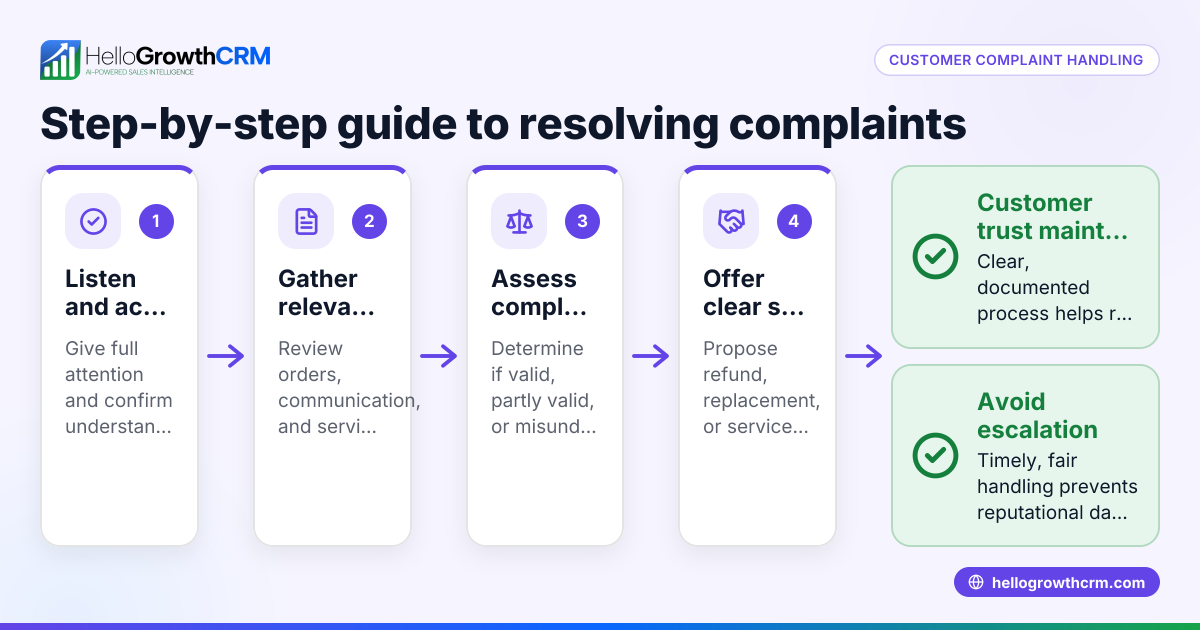
Tracking customer complaints properly helps maintain customer satisfaction and improves your business reputation. In the UAE, many small-business owners receive complaints via WhatsApp, phone calls, or email and struggle to organise and resolve them efficiently. To track complaints well, you need a clear system that records every detail, enables follow-ups, and monitors resolution status.
Why this comes up / what goes wrong
Small-business owners in the UAE often handle customer complaints informally using WhatsApp chats, phone calls, or scattered spreadsheets. This leads to lost or duplicated complaints, missed follow-ups, and unresolved issues. Without a centralised complaint tracking system, you risk damaging customer trust and losing sales opportunities. Complaints may be forgotten or not linked to the customer’s record, making it hard to see the full history and provide good service.
Step-by-step
- Create a complaint log: Use a spreadsheet or CRM to record each complaint. Include these fields:
- Customer name
- Contact details (phone, WhatsApp number, email)
- Date complaint received
- Complaint description
- Complaint source (WhatsApp, call, email)
- Assign a complaint ID: Give each complaint a unique identifier (e.g., C20240415-001) to avoid confusion and track easily.
- Categorise complaints: Group complaints by type such as product defect, delivery delay, or service quality.
- Set priority levels: Assign priorities like high, medium, or low based on how urgent the complaint is and its impact on the customer.
- Record the status: Track the complaint’s progress with statuses like new, in progress, resolved, or escalated.
- Assign responsibility: Allocate each complaint to a team member responsible for follow-up and resolution.
- Schedule follow-ups: Set reminders to check on complaint progress and update status regularly.
- Communicate with the customer: Keep the customer informed through their preferred channel, such as WhatsApp or email.
- Resolve and document: When resolved, record the resolution details and date.
- Analyse complaints regularly: Review complaint categories, resolution times, and recurring issues monthly to improve your processes.
Ensure your complaint log is updated in real time and accessible to sales and support teams to avoid delays or duplication. Using a CRM with WhatsApp and SMS CRM features can help centralise communication and tracking effectively.
Example (fictional figures)
A real-estate brokerage in Dubai Marina receives a complaint on 15/04/2024 about delayed property document delivery.
- Customer: Ahmed Al Mansoori
- Contact: WhatsApp +971 50 123 4567
- Complaint ID: C20240415-001
- Type: Delivery delay
- Priority: High
- Status: New
- Assigned to: Sales Manager
Follow-up scheduled for 17/04/2024.
On 17/04/2024, the Sales Manager contacts the document department and confirms the delay is due to a missing signature.
- Status updated to: In progress
- Customer informed via WhatsApp
On 19/04/2024, the document is delivered to the customer.
- Status updated to: Resolved
- Resolution date: 19/04/2024
- Notes: Document signed and delivered
The brokerage charges AED 5,000 for document processing and AED 1,000 for courier service.
Total cost = AED 5,000 + AED 1,000 = AED 6,000
This tracking ensures no complaint is forgotten, the customer is kept informed, and costs are accounted for.
Common mistakes
- Not logging complaints immediately: Leads to lost or forgotten issues. Prevent this by recording complaints as soon as they arrive.
- Using separate tools for tracking: Causes confusion and data loss. Prevent by centralising complaint tracking in one system like a CRM.
- Lack of follow-up reminders: Complaints stall without updates. Prevent by scheduling follow-ups with alerts.
- Ignoring customer communication preferences: Leads to dissatisfaction. Prevent by asking customers their preferred contact method and using it.
- Failing to analyse complaint data: Misses improvement opportunities. Prevent by reviewing complaint trends and resolution times regularly.
- Not linking complaints to customer records: Makes it hard to see customer history. Prevent by attaching complaints to customer profiles.
For better complaint tracking, consider a CRM that supports customer health score monitoring and integrates WhatsApp and SMS CRM features to streamline communication and follow-ups. See more about the customer health score and WhatsApp and SMS CRM.
Doing this in HelloGrowthCRM
HelloGrowthCRM offers a branded self-service customer portal where customers can submit complaints directly. Support tickets and a knowledge base help your team manage and resolve complaints efficiently. After the sale, service requests stay on the same customer record as the deal, making it easier to track all interactions in one place.
Frequently asked questions
How can I track customer complaints received on WhatsApp? You can log each WhatsApp complaint into a CRM or spreadsheet with details like customer name, complaint, and date. Using a CRM with WhatsApp integration helps automate this and keeps all communication in one place.
What fields should I include when tracking complaints? Include customer name, contact info, complaint date, complaint description, complaint ID, status, priority, assigned staff, and resolution notes.
How often should I review complaint data? Review complaint categories and resolution times monthly to identify trends and improve your processes.
Can I track customer complaints and sales in the same system? Yes, tracking complaints on the same customer record as sales helps provide better service and understand customer health. HelloGrowthCRM supports this.
What is the benefit of assigning a complaint ID? A unique complaint ID prevents confusion, helps track progress, and makes referencing easier during follow-ups.
Key takeaways
- Track every customer complaint with detailed fields including status and priority.
- Assign unique complaint IDs and follow up regularly.
- Use one central system to avoid lost or duplicated complaints.
- Keep customers informed using their preferred communication channel.
- Analyse complaint data monthly to improve service.
- HelloGrowthCRM’s customer portal and ticketing system help manage complaints efficiently.
Start tracking your customer complaints today to improve satisfaction and retention. Start on the Free Forever plan (200 leads, no credit card).
Ready to put this into practice?
Set up your pipeline, WhatsApp follow-ups, and AI lead scoring in minutes — free, no credit card.
Try HelloGrowthCRM freeGet CRM tips in your inbox
Join thousands of sales professionals who get weekly insights on CRM strategy, AI automation, and pipeline optimization.

The HelloGrowthCRM team publishes guides on CRM strategy, AI sales tools, and revenue operations for small business sales teams.