HelloGrowthCRM software
Built for real small-business sales teams
HelloGrowthCRM helps reps qualify faster, follow up on time, and close more deals—with practical automation in one place.
- AI lead scoring and pipeline visibility
- Built-in dialer, WhatsApp, and email automation
- Sales forecasting and RevOps-ready reporting
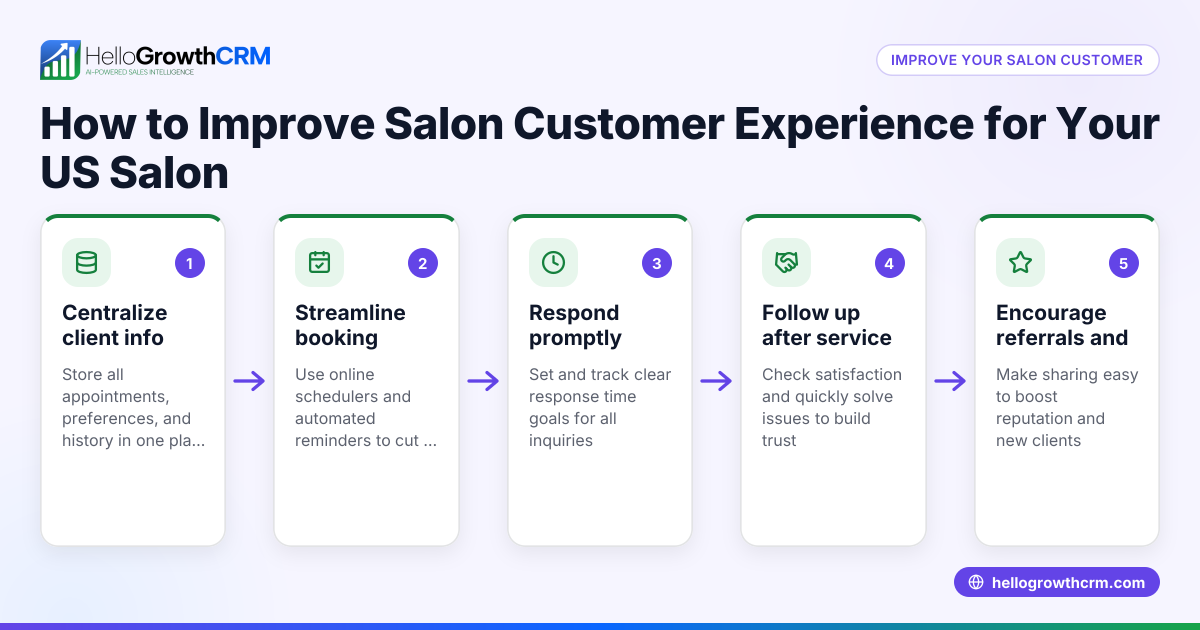
In-store customer experience examples include personalized greetings, product demonstrations, easy checkout, and knowledgeable staff assistance. These create a welcoming environment that encourages purchases and repeat visits. This article covers why these experiences matter, step-by-step actions to improve them, common mistakes to avoid, a realistic example from a US retail shop, and how HelloGrowthCRM supports ongoing customer service.
Why this comes up / what goes wrong
Retail shop owners and accountants in the US often notice that despite good products, sales lag because customers do not feel engaged or valued in the store. Common issues include slow or inattentive service, confusing store layouts, and checkout delays. These problems cause lost sales and damage customer loyalty. Owners want practical in-store customer experience examples that can be implemented quickly to improve satisfaction and revenue.
Step-by-step
- Greet Customers Promptly and Personally Train staff to welcome every customer within 30 seconds of arrival. Check that greetings are warm and use the customer's name if known.
- Offer Product Demonstrations or Samples Provide hands-on demos or free samples for key products. Verify that these are well stocked and staff are knowledgeable.
- Ensure Store Layout is Clear and Inviting Arrange products so customers can easily find what they want. Check signage is visible and aisles are uncluttered.
- Make Checkout Fast and Friendly Use enough staff at registers during peak times. Confirm that payment options include card, mobile pay, and cash.
- Train Staff on Product Knowledge and Customer Service Conduct regular training sessions. Check staff can answer common questions and handle complaints professionally.
- Collect Customer Feedback In-Store Use short surveys or feedback kiosks. Review responses weekly to identify improvement areas.
- Follow Up After Purchase Use a CRM system to track customers and send thank-you messages or special offers. This encourages repeat visits.
Example (fictional figures)
A retail clothing store in Austin, Texas, wants to improve its in-store customer experience starting 07/01/2025. They invest in staff training, signage, and a new checkout system.
- Training costs: $5,000
- New signage and layout changes: $3,000
- Checkout system upgrade: $7,000
Total investment = $5,000 + $3,000 + $7,000 = $15,000
Before improvements, average monthly sales were $120,000 with a 10% conversion rate from foot traffic.
After improvements, conversion rate rises to 13%, and monthly foot traffic remains 10,000 visitors.
New monthly sales = 10,000 × 13% × average sale $100 = $130,000
Monthly sales increase = $130,000 - $120,000 = $10,000
Payback period = $15,000 ÷ $10,000 = 1.5 months
This example shows how focused in-store experience improvements can quickly increase sales and justify investment.
Common mistakes
- Ignoring Staff Training: Without knowledgeable and friendly staff, other improvements have limited impact. Prevent this by scheduling regular training.
- Overcomplicating Store Layout: Too many signs or cluttered aisles confuse customers. Keep layouts simple and test changes with real shoppers.
- Neglecting Checkout Efficiency: Long waits frustrate customers. Prevent by monitoring peak times and adding registers or mobile POS.
- Failing to Collect Feedback: Without customer input, improvements may miss the mark. Use simple feedback tools and act on results.
- Not Following Up Post-Sale: Missing chances to engage customers after purchase reduces loyalty. Use a CRM to automate follow-ups.
- Relying Only on Discounts: Discounts attract bargain hunters but don’t build experience or loyalty. Focus on service quality instead.
Doing this in HelloGrowthCRM
HelloGrowthCRM helps retail shops improve customer service after the sale by keeping service requests, tickets, and referrals linked on the same customer record as the deal. Its branded self-service customer portal and knowledge base allow customers to find answers and request support easily. This keeps the customer experience consistent and efficient. Learn more about these capabilities and customer health score tracking at HelloGrowthCRM for the United States and customer health score.
Frequently asked questions
What are the best in-store customer experience examples for small retail shops? Personalized greetings, clear store layouts, product demos, fast checkout, and knowledgeable staff are effective examples for small shops. These create a welcoming and efficient shopping environment.
How can I measure if my in-store customer experience is improving? Track metrics like conversion rates, average sale value, customer feedback scores, and repeat visits. Use surveys and sales data regularly to monitor progress and identify issues.
What common mistakes should I avoid when improving in-store experience? Avoid neglecting staff training, overcomplicating layouts, slow checkout, ignoring feedback, and skipping post-sale follow-up. These mistakes reduce the impact of your efforts.
How does using a CRM help with in-store customer experience? A CRM like HelloGrowthCRM keeps customer service requests and referrals organized on the same record, enabling smooth follow-up and personalized communication. This supports consistent service and builds loyalty.
Can in-store experience improvements increase sales quickly? Yes, as shown in the example, focused improvements can increase conversion rates and sales within a few months, providing a fast return on investment.
Why should retail shops consider a customer health score? A customer health score helps track engagement and satisfaction, guiding where to focus improvements. HelloGrowthCRM offers this feature to support better customer management. Learn more at customer health score.
Key takeaways
- Greet customers promptly and personally to create a welcoming atmosphere.
- Use product demonstrations and clear store layouts to engage shoppers.
- Ensure fast, friendly checkout to reduce frustration.
- Train staff regularly on product knowledge and customer service skills.
- Collect and act on customer feedback to guide improvements.
- Use a CRM system to manage post-sale service and follow-ups.
Improving your in-store customer experience can boost sales and build loyalty. Start by applying these practical examples and avoid common pitfalls.
Ready to organize your customer service efficiently? Start on the Free Forever plan (200 leads, no credit card) with HelloGrowthCRM today.
Ready to put this into practice?
Set up your pipeline, WhatsApp follow-ups, and AI lead scoring in minutes — free, no credit card.
Try HelloGrowthCRM freeGet CRM tips in your inbox
Join thousands of sales professionals who get weekly insights on CRM strategy, AI automation, and pipeline optimization.

The HelloGrowthCRM team publishes guides on CRM strategy, AI sales tools, and revenue operations for small business sales teams.