HelloGrowthCRM software
Built for real small-business sales teams
HelloGrowthCRM helps reps qualify faster, follow up on time, and close more deals—with practical automation in one place.
- AI lead scoring and pipeline visibility
- Built-in dialer, WhatsApp, and email automation
- Sales forecasting and RevOps-ready reporting
Inbound call routing software directs incoming customer calls to the right person or team automatically, improving response times and customer satisfaction. This article explains why small businesses need it, how to evaluate and choose the right software, common pitfalls to avoid, and how HelloGrowthCRM supports call routing with its built-in dialer and workflows.
Why this comes up / what goes wrong
Small and mid-sized Australian businesses often lose leads or waste time when inbound calls go to voicemail, get answered by the wrong person, or bounce around multiple team members. Without software to route calls effectively, customers can get frustrated, and sales opportunities slip away. Many small businesses rely on manual call handling or basic phone systems that don’t track or assign calls based on customer need, territory, or lead source.
Inbound call routing software helps by automatically directing calls to the right sales rep, customer service agent, or department. This reduces wait times, ensures follow-up tasks are created, and improves team productivity. Choosing the right software requires understanding your call volume, team structure, and integration needs.
Step-by-step
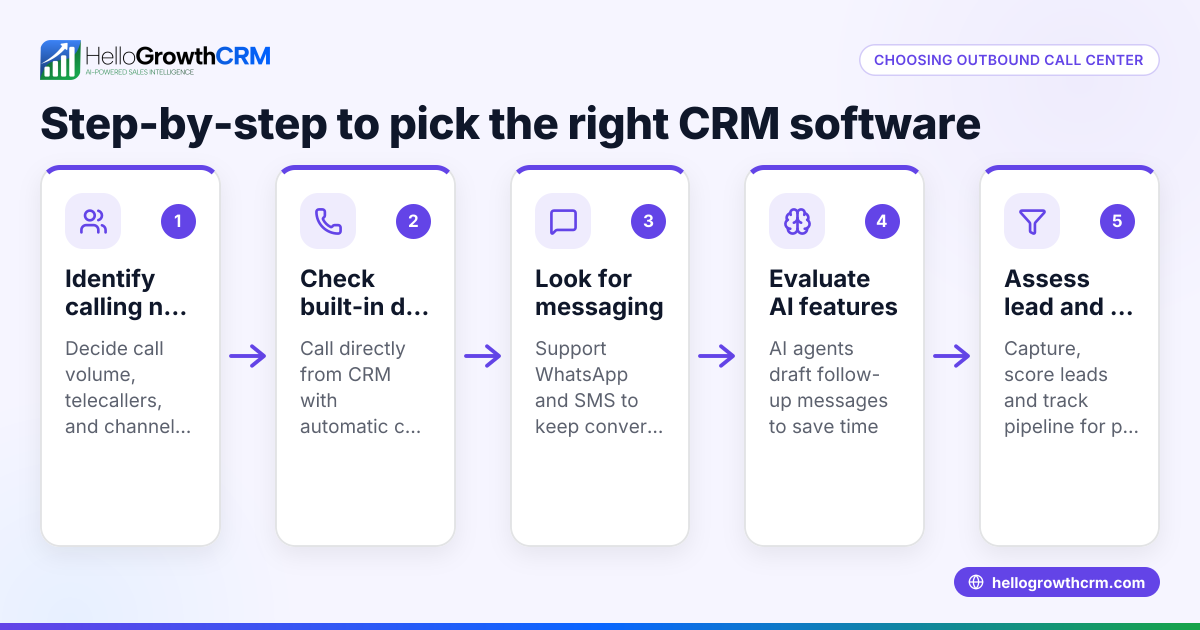
- Assess your call volume and team setup: Determine how many inbound calls your business receives daily and how many team members handle calls. Check if you need routing by territory, product line, or lead source.
- Define routing rules: Decide if calls should be routed round-robin, by skill level, or priority. Identify if you want automatic task creation for follow-up.
- Check integration capabilities: Ensure the software can integrate with your CRM, lead sources, or web forms to capture caller details automatically.
- Evaluate call handling features: Look for features like call queuing, wait music, caller ID display, and call outcome logging.
- Test usability for your team: The software should be easy for your team to use daily, with clear call histories and outcomes logged.
- Review reporting and analytics: Choose software that provides insights into call volumes, response times, and team performance.
- Consider scalability and support: Ensure the software can grow with your business and offers reliable customer support.
Example (fictional figures)
Melbourne-based buyer’s agency "HomeFinders" receives 50 inbound calls daily from prospective property buyers. They have 5 sales agents.
- They want calls routed round-robin to spread workload evenly.
- Each call requires a follow-up task to be created automatically.
Assuming the average call takes 10 minutes and each agent works 7.5 hours daily:
Total call time per day = 50 calls × 10 minutes = 500 minutes
Total agent time available = 5 agents × 7.5 hours × 60 minutes = 2,250 minutes
Percentage of agent time spent on calls = (500 ÷ 2,250) × 100 = 22.22%
Automating call routing and task creation saves time by reducing manual call assignment and missed follow-ups, improving lead conversion.
Common mistakes
- Ignoring integration needs: Choose software that doesn’t connect to your CRM or lead sources, causing manual data entry. Prevent by verifying integration options early.
- Overcomplicating routing rules: Complex rules can confuse staff and delay calls. Keep routing simple and clear.
- Not testing with your team: Buying software without trialing it with users leads to poor adoption. Run a pilot test with your team.
- Neglecting reporting features: Without call analytics, you can’t improve processes. Ensure the software offers meaningful reports.
- Choosing software without scalability: A system that fits now but can’t grow will cause future disruptions. Plan for growth.
- Failing to train staff: Even good software fails if users aren’t trained. Provide clear training and documentation.
Doing this in HelloGrowthCRM
HelloGrowthCRM offers a built-in dialer that lets your telecallers work a list from inside the CRM, logging the outcome of each call directly on the lead. Its workflows and lead routing rules automate assigning new enquiries round-robin and create first-call tasks automatically. This supports effective inbound call routing by ensuring calls are assigned promptly and follow-up actions are tracked. Learn more about the built-in CRM dialer and workflows, lead routing and validation rules.
Frequently asked questions
What is inbound call routing software? Inbound call routing software automatically directs incoming calls to the most appropriate team member or department based on preset rules like availability, skill, or customer data.
How does call routing improve sales and customer service? By reducing wait times and connecting callers with the right person quickly, call routing improves customer satisfaction and increases the chance of converting leads.
Can inbound call routing software integrate with my CRM? Yes, many call routing systems integrate with CRMs to pull caller info, log call outcomes, and automate follow-up tasks, streamlining sales and support workflows.
What should I look for in call routing software for a small business? Look for ease of use, integration with your CRM, flexible routing rules, call outcome tracking, and reporting features that help manage your team’s performance.
Is HelloGrowthCRM suitable for inbound call routing? HelloGrowthCRM includes a built-in dialer and workflows to assign leads and create follow-up tasks automatically, supporting inbound call routing for small and mid-sized Australian businesses. See HelloGrowthCRM for Australia for details.
Can I try HelloGrowthCRM before committing? Yes, you can start on the Free Forever plan which includes 200 leads with no credit card required. Visit free CRM for small business to get started.
Key takeaways
- Inbound call routing software directs calls automatically to improve response times and customer satisfaction.
- Evaluate software based on your call volume, routing needs, CRM integration, and reporting.
- Avoid common mistakes like ignoring integration, overcomplicating rules, and skipping team testing.
- HelloGrowthCRM supports inbound call routing with a built-in dialer and automated lead routing workflows.
- Testing software with your team and planning for scalability are essential.
Choose inbound call routing software that fits your business needs and integrates with your CRM to keep your team organised and responsive. To explore how HelloGrowthCRM can help your sales team manage calls and leads efficiently, start on the Free Forever plan (200 leads, no credit card).
Ready to put this into practice?
Set up your pipeline, WhatsApp follow-ups, and AI lead scoring in minutes — free, no credit card.
Try HelloGrowthCRM freeGet CRM tips in your inbox
Join thousands of sales professionals who get weekly insights on CRM strategy, AI automation, and pipeline optimization.

The HelloGrowthCRM team publishes guides on CRM strategy, AI sales tools, and revenue operations for small business sales teams.