HelloGrowthCRM software
Built for real small-business sales teams
HelloGrowthCRM helps reps qualify faster, follow up on time, and close more deals—with practical automation in one place.
- AI lead scoring and pipeline visibility
- Built-in dialer, WhatsApp, and email automation
- Sales forecasting and RevOps-ready reporting
Inbox management tools help small businesses organize, prioritize, and respond to emails and messages efficiently, preventing lost leads and missed opportunities. This article explains why inbox management matters, guides you step-by-step on evaluating tools, highlights common mistakes, and shows how HelloGrowthCRM supports inbox management for sales teams.
Why this comes up / what goes wrong
Small-business owners often juggle multiple communication channels—email, WhatsApp, SMS, phone calls—without a unified system. This leads to scattered messages, missed replies, and slow follow-up. Sales teams relying on personal inboxes or spreadsheets struggle to track conversations and assign responsibility. Without inbox management tools, important leads get lost in clutter or delayed responses kill deals. The frustration grows with team size and message volume.
Step-by-step
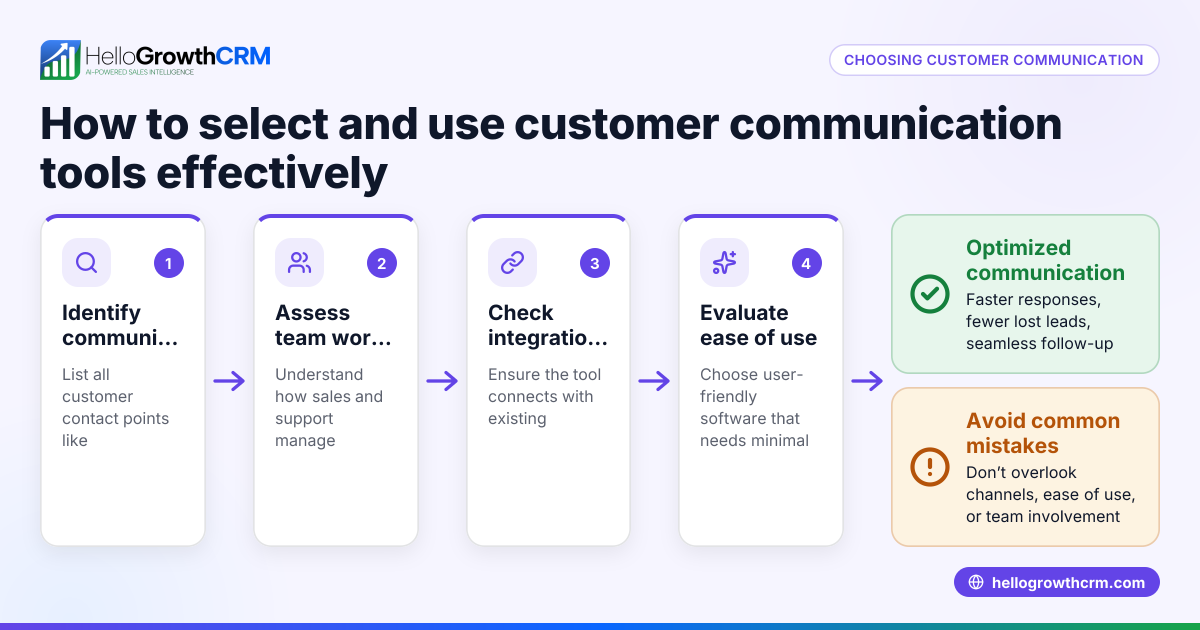
- Identify your communication channels. List all inboxes and messaging platforms your team uses (email, WhatsApp, SMS). Check if the tool supports all or integrates easily.
- Check shared inbox capabilities. Ensure the tool allows multiple team members to view and reply to messages collaboratively, avoiding duplicate replies or missed threads.
- Look for lead capture and assignment. The tool should convert incoming messages into leads automatically, assign owners, and set next steps to keep sales moving.
- Evaluate automation features. See if the tool supports message templates, follow-up sequences, or AI lead scoring to prioritize responses.
- Assess integration with your sales pipeline. Confirm the inbox tool links to your CRM pipeline and task boards so conversations directly update deal progress.
- Consider ease of use and adoption. Choose a tool your team can learn quickly without switching between multiple apps, to improve consistent use.
- Download free templates and tools. Use available sales cadence or pipeline templates to structure your follow-up process before committing. Explore free sales tools and calculators to get started.
Example (fictional figures)
A landscaping contractor in Charlotte, North Carolina, receives about 150 inquiries monthly via email and WhatsApp.
- Without an inbox tool, many inquiries go unanswered, losing an estimated $10,000 monthly in potential sales.
- They try an inbox management tool that captures all messages as leads, assigns owners, and tracks follow-up.
- After implementation on 01/15/2026, unanswered inquiries are reduced significantly.
Calculations:
$10,000 × 0.20 = $2,000 estimated lost monthly without a tool $10,000 × 0.05 = $500 estimated lost monthly with the tool $2,000 - $500 = $1,500 estimated savings monthly by using the tool
This example shows that effective inbox management can recover $1,500 in monthly sales opportunities.
Common mistakes
- Using personal inboxes instead of shared ones. Prevent by adopting a shared inbox tool so the whole team can see and respond to messages.
- Failing to assign message ownership. Prevent by ensuring each lead or inquiry has an owner and next step.
- Ignoring automation features. Prevent by leveraging templates and follow-up sequences to keep responses timely.
- Not integrating with sales pipelines. Prevent by choosing a tool that updates deal stages automatically from inbox interactions.
- Choosing tools that are too complex. Prevent by selecting solutions that match your team’s size and tech comfort.
- Skipping free sales tools and templates. Prevent by downloading and testing free resources to build your follow-up process before purchase. Check free sales tools and calculators for resources.
Doing this in HelloGrowthCRM
HelloGrowthCRM offers a HelloMail shared inbox where replies to quotation emails are visible to the whole team on the deal, preventing lost messages. Its Leads feature captures every enquiry from forms, calls, or WhatsApp as a lead with a designated owner and next step, keeping follow-up organized. Additionally, HelloGrowthCRM provides free sales tools, templates, and calculators that anyone can download without an account, helping you set up effective follow-up cadences and pipelines. Learn more about WhatsApp and SMS CRM, explore free sales tools and calculators, or see how HelloGrowthCRM fits for the United States.
Frequently asked questions
What are inbox management tools? Inbox management tools centralize emails and messages from various channels into one place, allowing teams to collaborate, assign tasks, and respond faster to customers and leads.
How do inbox management tools help small businesses? They reduce missed messages, speed up follow-up, improve team coordination, and help convert inquiries into sales by keeping communication organized.
Can inbox management tools handle WhatsApp and SMS messages? Some tools support WhatsApp and SMS alongside email, enabling unified messaging management for sales teams. For example, HelloGrowthCRM integrates these channels.
Are there free resources to improve inbox management? Yes, free sales templates and tools for follow-up cadences and pipelines are available without needing an account, helping you build a process before investing. See free sales tools and calculators.
What should I look for when choosing an inbox management tool? Look for shared inbox support, lead capture and assignment, integration with sales pipelines, automation features, and ease of use for your team.
Key takeaways
- Inbox management tools centralize communication to prevent lost leads and missed replies.
- Shared inboxes and lead assignment improve team collaboration and accountability.
- Automation and integration with sales pipelines speed up follow-up and deal tracking.
- Avoid complexity by choosing tools suited to your team's size and workflow.
- Use free sales tools and templates to build and test your follow-up process.
- HelloGrowthCRM supports inbox management with shared inbox, lead capture, and free sales resources.
Start improving your inbox management today by exploring the free sales tools and calculators and trying the shared inbox and leads features. Start on the Free Forever plan (200 leads, no credit card) and see how organized communication can boost your sales.
Ready to put this into practice?
Set up your pipeline, WhatsApp follow-ups, and AI lead scoring in minutes — free, no credit card.
Try HelloGrowthCRM freeGet CRM tips in your inbox
Join thousands of sales professionals who get weekly insights on CRM strategy, AI automation, and pipeline optimization.

The HelloGrowthCRM team publishes guides on CRM strategy, AI sales tools, and revenue operations for small business sales teams.