HelloGrowthCRM software
Built for real small-business sales teams
HelloGrowthCRM helps reps qualify faster, follow up on time, and close more deals—with practical automation in one place.
- AI lead scoring and pipeline visibility
- Built-in dialer, WhatsApp, and email automation
- Sales forecasting and RevOps-ready reporting
Integrating Google Meet with your CRM allows your sales team to schedule, join, and log video calls seamlessly, reducing manual work and lost leads due to slow follow-up. This integration automates meeting link creation and call record updates, helping Indian small businesses improve sales efficiency and data accuracy.
Why this comes up / what goes wrong
Small and mid-sized Indian businesses often rely on WhatsApp, spreadsheets, and manual note-taking to manage sales calls. When using Google Meet for video calls, details like meeting links, durations, and outcomes must be manually entered into the CRM or sales records. This causes delays, errors, and missed follow-ups, leading to lost leads and revenue.
Sales teams struggle to keep track of meetings and follow-ups when scheduling and logging are separate processes. Without integration, the sales pipeline lacks real-time updates, and managers cannot accurately forecast or coach reps.
Integrating Google Meet with your CRM solves these problems by automating scheduling, logging, and follow-up reminders in one system.
Step-by-step
- Confirm your CRM supports Google Meet integration or API connections. Check the CRM’s official documentation or support channels to verify compatibility.
- Connect your Google account securely. Use OAuth to authorise the CRM to access your Google Calendar and Meet functions safely.
- Enable meeting scheduling within the CRM. Configure the CRM settings so that when you schedule a call, a Google Meet link is automatically generated and added.
- Set up automatic logging of meetings. Ensure the CRM records meeting details such as time, duration, participants, and links on the lead or contact record.
- Train your sales team on the new workflow. Teach reps to schedule and start Google Meet calls through the CRM to maintain data consistency.
- Test the integration with sample meetings. Schedule test calls to confirm meeting links generate properly and logs appear on lead records.
- Monitor call outcomes and optimise follow-ups. Use CRM reporting to track meeting attendance and sales progress.
Explore managing your sales pipeline with automation and messaging at built-in CRM dialer and WhatsApp and SMS CRM.
Example (fictional figures)
A Delhi-based SME providing digital marketing services wants to integrate Google Meet with their CRM to improve sales calls and follow-up efficiency.
- Monthly sales calls scheduled: 100
- Average deal size: ₹1,50,000
- Lost leads due to slow follow-up before integration: 20%
- Lost leads after integration: 10%
Calculate recovered leads and additional revenue:
Lost leads before = 100 × 20% = 20 leads Lost leads after = 100 × 10% = 10 leads Leads recovered = 20 - 10 = 10 leads Additional revenue = 10 × ₹1,50,000 = ₹15,00,000
Date: 01/06/2024
This example shows that integrating Google Meet with the CRM can recover ₹15,00,000 in potential lost sales by speeding up follow-ups and reducing manual errors.
Common mistakes
- Not verifying CRM compatibility with Google Meet. Prevent this by checking official CRM resources before purchase.
- Ignoring security protocols when connecting Google accounts. Always use secure OAuth connections and limit permissions to necessary scopes.
- Failing to train the sales team on the integrated process. Schedule hands-on training sessions to ensure proper use.
- Skipping testing before full rollout. Conduct test meetings to detect and fix issues early.
- Continuing manual data entry despite integration. Encourage reps to use the automated scheduling and logging features.
- Not monitoring integration performance and follow-up effectiveness. Use CRM reports regularly to optimise sales processes.
For managing your sales pipeline with automation and AI agents that draft follow-ups after calls, see how HelloGrowthCRM supports teams at HelloGrowthCRM for India.
Doing this in HelloGrowthCRM
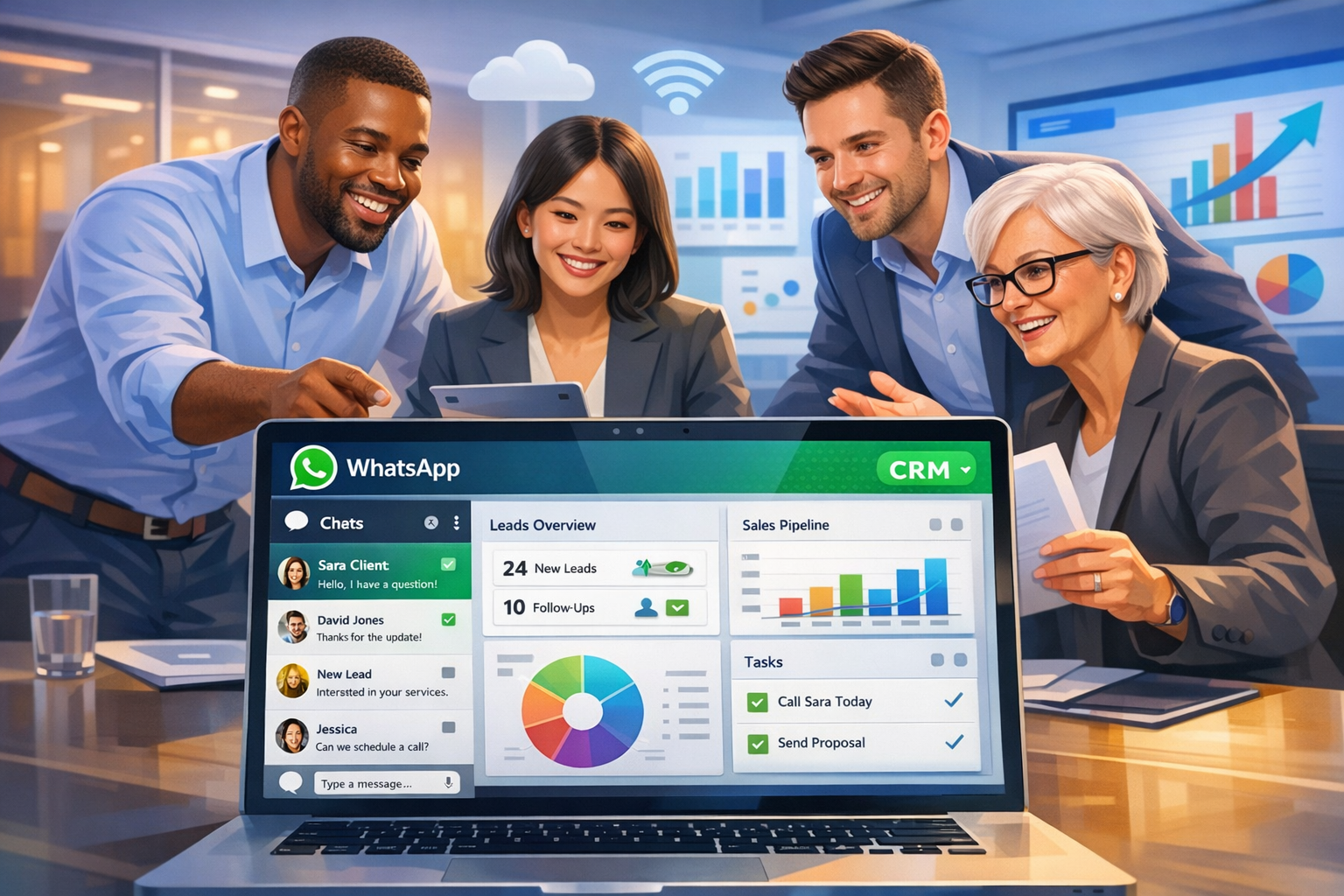
HelloGrowthCRM supports WhatsApp and SMS workflows where WhatsApp conversations with leads are logged on the lead record, and follow-ups can be sent as messages. Its AI agents (Beta on Growth plans) draft follow-up messages after calls for reps to review and send. The Free Forever plan allows a two-person team to run a sales pipeline at no cost until calling or WhatsApp automation is needed. Learn more about these features at WhatsApp and SMS CRM.
Frequently asked questions
Can I schedule Google Meet calls directly from my CRM? Many CRMs allow scheduling Google Meet calls directly or via third-party tools. This creates meeting links inside the CRM during scheduling, simplifying the process.
Will the CRM automatically log Google Meet call details? With proper integration, meeting times, durations, and links are logged on lead records automatically, reducing manual work and improving data accuracy.
Do I need technical skills to set up Google Meet CRM integration? Basic knowledge of CRM settings and Google account permissions is usually sufficient. Many CRMs provide setup guides or support to assist.
Does HelloGrowthCRM integrate directly with Google Meet? HelloGrowthCRM does not currently offer direct Google Meet integration. However, it supports WhatsApp and SMS follow-ups and uses AI agents to draft follow-up messages after calls, helping sales teams stay organised.
What common mistakes should I avoid when integrating Google Meet with a CRM? Avoid skipping compatibility checks, ignoring security, not training your team, failing to test before rollout, and continuing manual data entry despite automation.
Key takeaways
- Integrating Google Meet with your CRM streamlines scheduling and call logging.
- Verify your CRM’s compatibility and secure Google account permissions.
- Train your sales team and test the integration thoroughly.
- Use automated workflows to avoid manual data entry and lost leads.
- HelloGrowthCRM supports sales teams with WhatsApp, SMS, and AI follow-up drafting.
Manage your sales pipeline and improve follow-ups easily. Start on the Free Forever plan (200 leads, no credit card).
Ready to put this into practice?
Set up your pipeline, WhatsApp follow-ups, and AI lead scoring in minutes — free, no credit card.
Try HelloGrowthCRM freeGet CRM tips in your inbox
Join thousands of sales professionals who get weekly insights on CRM strategy, AI automation, and pipeline optimization.

The HelloGrowthCRM team publishes guides on CRM strategy, AI sales tools, and revenue operations for small business sales teams.