HelloGrowthCRM software
Built for real small-business sales teams
HelloGrowthCRM helps reps qualify faster, follow up on time, and close more deals—with practical automation in one place.
- AI lead scoring and pipeline visibility
- Built-in dialer, WhatsApp, and email automation
- Sales forecasting and RevOps-ready reporting
CRM software can seem hard to learn because it changes how you organize sales and customer data, disrupting familiar workflows. Many small business owners struggle balancing daily tasks with new technology. This article covers why CRM learning curves exist, step-by-step guidance for evaluating and adopting CRM software, common pitfalls, and how HelloGrowthCRM can help your team start smoothly.
Why this comes up / what goes wrong
Small and mid-sized business owners in the US frequently evaluate CRM software to manage leads and sales better. However, they often hesitate because they worry about the time and effort required to learn the system. Without clear onboarding steps, teams may resist using the CRM, leading to data gaps and lost sales opportunities. This struggle is common when sales processes rely on scattered tools like text messages, emails, and spreadsheets. Choosing a CRM with a manageable learning curve and clear implementation plan is essential.
Step-by-step
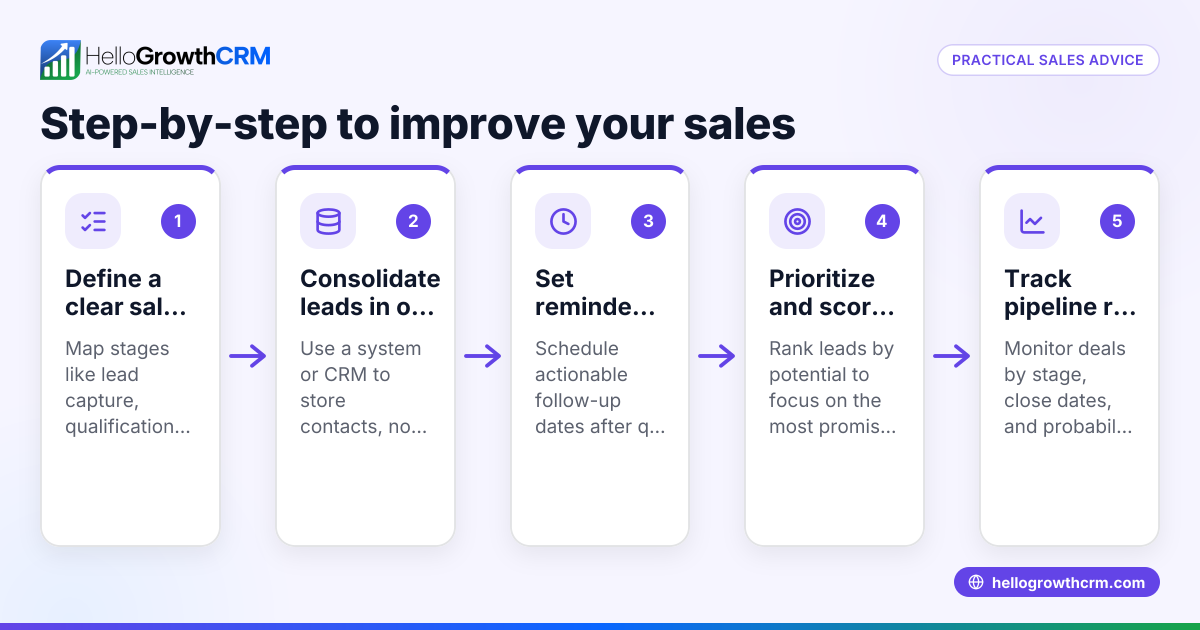
- Define your sales process clearly. Write down how your team currently handles leads, follow-ups, and deals. This helps you identify what features you need and simplifies training.
- List must-have CRM features. Check for pipeline management, communication tracking, and automation that match your process. See CRM features for ideas.
- Try free trials or free plans. Hands-on use reveals how intuitive the software is for your team. Test with real leads and tasks.
- Assess onboarding and support. Look for tutorials, help centers, and responsive customer support. Training resources reduce frustration.
- Involve your team early. Get feedback from sales reps who will use the CRM daily to ensure it fits their workflow.
- Plan gradual adoption. Start with core features, then expand usage as comfort grows.
- Set up integrations carefully. Connect your web forms, email, or messaging tools to avoid manual data entry.
- Monitor usage and results. Use CRM reports to check if the team follows up promptly and if sales improve.
- Adjust processes and training as needed. Continuous improvement helps the CRM become a natural part of work.
- Consider AI or automation features for efficiency. These can reduce manual tasks but may require some learning.
Example (fictional figures)
A B2B software reseller in Denver, Colorado, with 12 employees, decides to adopt CRM software on 04/15/2026. They currently lose 15% of leads due to slow follow-up, costing about $150,000 in potential sales annually.
- Annual potential sales = $1,000,000
- Lost leads due to slow follow-up = 15%
- Lost sales = $1,000,000 × 15% = $150,000
They choose a CRM with pipeline management and messaging integration to keep leads organized and engaged, improving follow-up speed and reducing lost leads.
- New lost leads = 7.5%
- New lost sales = $1,000,000 × 7.5% = $75,000
Savings from CRM adoption = $150,000 - $75,000 = $75,000
This shows how learning and using CRM software effectively can have a direct financial impact.
Common mistakes
- Skipping process mapping. Without a clear sales process, CRM setup is confusing. Prevent by documenting your workflow first.
- Choosing features based on buzz, not need. Avoid overwhelm by selecting only essential CRM features. Review CRM features to focus.
- Neglecting team input. Users who dislike the CRM won’t use it well. Include your sales team in evaluation and training.
- Rushing full implementation. Trying to use all features at once causes frustration. Roll out gradually.
- Ignoring training resources. Many CRMs offer guides and videos. Use them and check out CRM academy for learning support.
- Failing to monitor adoption. Without tracking usage, problems go unnoticed. Use CRM reports to stay informed.
Doing this in HelloGrowthCRM
HelloGrowthCRM offers a Free Forever plan ideal for small teams starting CRM use, allowing a two-person team to manage their pipeline at no cost until calling or WhatsApp automation is needed. WhatsApp conversations with leads are logged on the lead record, and follow-ups can be sent as messages, simplifying communication tracking. Additionally, AI agents in beta draft follow-up messages after calls, so sales reps only review and send, reducing manual work. Learn more about these features at HelloGrowthCRM for the United States.
Frequently asked questions
Is CRM software suitable for small businesses without technical staff? Many CRMs designed for small teams offer user-friendly interfaces and onboarding resources. Choosing one with good support helps non-technical users adapt faster.
How long does it typically take to learn basic CRM functions? Basic CRM usage can take a few days to a couple of weeks depending on the complexity of your sales process and the software chosen. Starting with core features and gradual learning reduces overwhelm.
Can CRM software integrate with text messaging and email? Most modern CRMs, including HelloGrowthCRM, integrate with email and messaging platforms like WhatsApp and SMS, allowing communication history to be logged and follow-ups automated.
What are the signs a CRM is too hard to learn? If your team avoids using it, data entry is inconsistent, or sales processes slow down, these are signs the CRM may be too complex or poorly implemented. Reassessing training and features can help.
Are there free CRM options to try before buying? Yes, many CRMs offer free plans or trials. HelloGrowthCRM has a Free Forever plan that supports 200 leads and a full Kanban pipeline, allowing small teams to evaluate without cost.
Key takeaways
- CRM software learning difficulty depends on system design and preparation.
- Define your sales process and essential features before choosing.
- Test with free plans and involve your team early.
- Avoid common mistakes like skipping training and rushing implementation.
- HelloGrowthCRM supports easy adoption with WhatsApp logging, AI agents, and a Free Forever plan.
Start improving your sales follow-up and pipeline management today. Try HelloGrowthCRM’s Free Forever plan with 200 leads and no credit card required at Start on the Free Forever plan (200 leads, no credit card).
Ready to put this into practice?
Set up your pipeline, WhatsApp follow-ups, and AI lead scoring in minutes — free, no credit card.
Try HelloGrowthCRM freeGet CRM tips in your inbox
Join thousands of sales professionals who get weekly insights on CRM strategy, AI automation, and pipeline optimization.

The HelloGrowthCRM team publishes guides on CRM strategy, AI sales tools, and revenue operations for small business sales teams.