HelloGrowthCRM software
Built for real small-business sales teams
HelloGrowthCRM helps reps qualify faster, follow up on time, and close more deals—with practical automation in one place.
- AI lead scoring and pipeline visibility
- Built-in dialer, WhatsApp, and email automation
- Sales forecasting and RevOps-ready reporting
A machine shop quote template is essential for providing clear, consistent, and professional cost estimates to your customers. It outlines the job scope, materials, labor, pricing, and terms. This guide covers why you need a template, how to prepare it step-by-step, a detailed example with figures, common mistakes to avoid, and how HelloGrowthCRM can help streamline your quoting process.
Why this comes up / what goes wrong
Machine shop owners and accountants often struggle with creating quotes that are clear, accurate, and professional. Without a template, quotes can be inconsistent, missing key details, or have errors in pricing or calculations. This leads to lost sales, client confusion, or disputes. A ready-to-use machine shop quote template saves time and reduces mistakes by standardizing the process.
Step-by-step
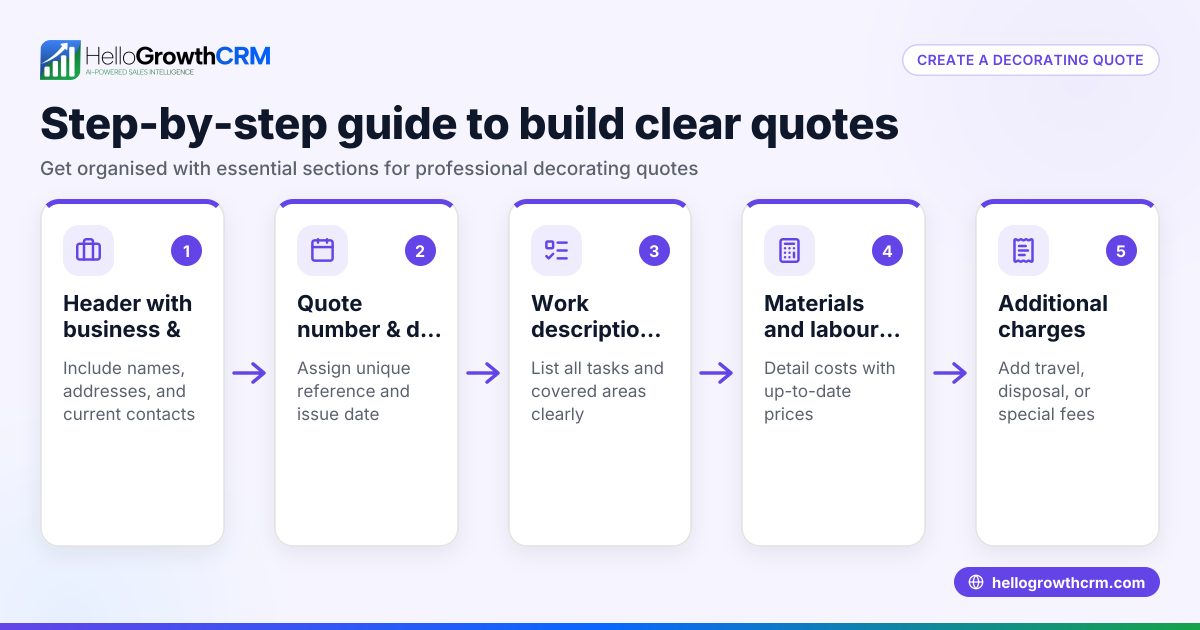
- Header with Company and Client Info: Include your machine shop’s name, address, phone, email, and logo if possible. Add the client’s name, company, and contact details. Check that all contact info is current.
- Quote Number and Date: Assign a unique quote number and include the quote date. This helps track and reference quotes easily.
- Job Description and Scope: Clearly describe the machining work, parts, materials, and specifications. Check that all client requirements are included.
- Itemized Pricing Table: List each service or part separately with quantity, unit price, and total price. Include materials, labor hours, machine time, and any subcontracted work. Double-check calculations.
- Subtotal, Taxes, and Total: Calculate the subtotal, add applicable sales tax, and show the final total. Verify the tax rate is correct for your location.
- Terms and Conditions: Add payment terms, validity period of the quote, delivery timelines, and warranty or return policies.
- Signature Line: Provide space for client approval signature and date.
- Notes or Additional Information: Include any special instructions or disclaimers.
Use a clear, professional font and layout. Save the template as a reusable file (Word, Excel, or PDF) for quick editing.
Download free sales templates for inspiration and formatting tips.
Example (fictional figures)
A machine shop in Austin, Texas, "Precision Parts Co.", provides a quote for a plumbing company requiring custom fittings.
- Quote Number: 2026-001
- Date: 06/10/2026
| Description | Quantity | Unit Price | Total |
|---|---|---|---|
| Custom steel fittings | 100 pcs | $15.00 | $1,500.00 |
| CNC machining labor | 20 hours | $75.00 | $1,500.00 |
| Material cost (steel rods) | 50 lbs | $10.00 | $500.00 |
Subtotal calculation:
$1,500.00 + $1,500.00 + $500.00 = $3,500.00
Assuming an illustrative sales tax rate of 8.25%:
$3,500.00 × 8.25% = $288.75
Total:
$3,500.00 + $288.75 = $3,788.75
Terms: Payment due within 30 days, quote valid for 30 days from date above.
Client signature: ________________ Date: ________
Common mistakes
- Omitting detailed job description: Leads to misunderstandings. Prevent by clearly listing all work and materials.
- Incorrect or missing pricing details: Causes disputes. Double-check unit prices and totals.
- Ignoring sales tax or using wrong rate: Results in undercharging or overcharging. Verify local tax rates.
- No expiration date on quote: Leaves you open to outdated pricing. Always include a validity period.
- Lack of client approval signature: Makes enforcement difficult. Provide a signature line.
- Inconsistent formatting: Looks unprofessional. Use a standard template or download free sales templates.
Doing this in HelloGrowthCRM
HelloGrowthCRM offers a built-in quoting and proposal tool that lets you build, send, and track quotes directly from a deal record. The quote status (sent, viewed, accepted) appears on the same screen as the follow-up task, helping you manage client communication efficiently. For quick starts, you can also download free sales tools, templates, and calculators without an account from the free sales tools and calculators page.
Frequently asked questions
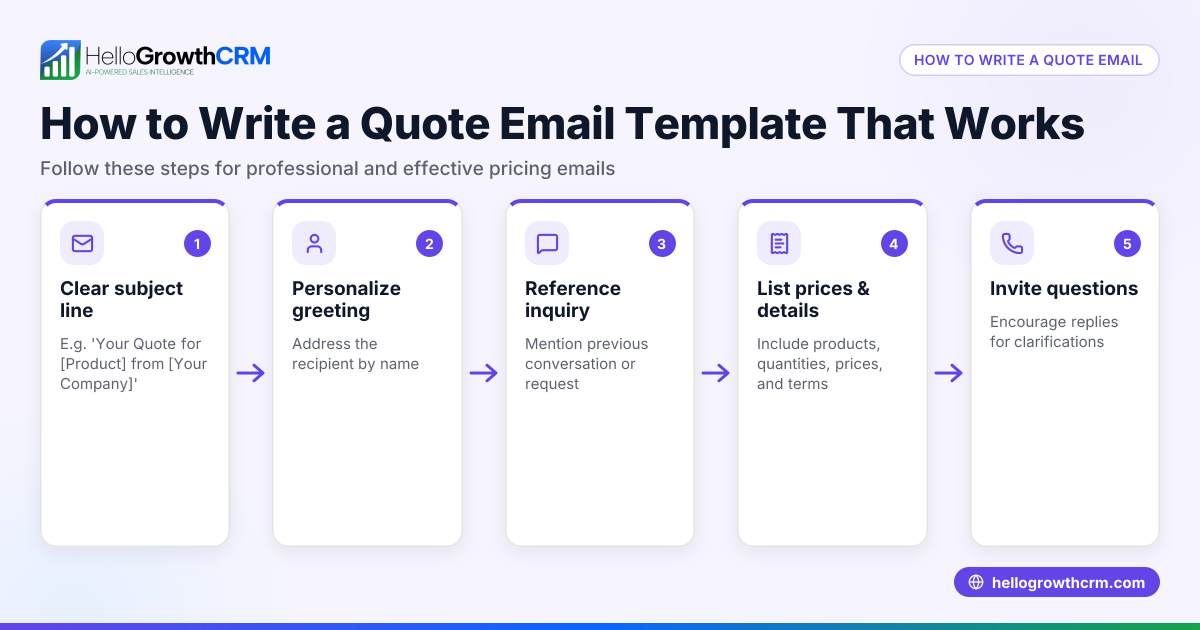
What should a machine shop quote template include? A good template includes company and client info, quote number and date, detailed job description, itemized pricing, subtotal and taxes, total cost, terms and conditions, and a client signature line.
How do I calculate the total price on a quote? Add up all item totals for labor, materials, and services to get the subtotal. Then apply the correct sales tax rate for your location and add it to the subtotal for the final total. Always verify tax rates.
Can I use a machine shop quote template for different jobs? Yes, a well-designed template is reusable. Just update the job description, quantities, prices, and dates for each new quote.
How do I avoid errors when creating quotes? Use a template, double-check all figures and tax rates, include clear descriptions, and ensure client approval with a signature line.
Does HelloGrowthCRM help with quoting? Yes, it has a quoting tool integrated with deal records showing quote status alongside follow-up tasks, making sales process management easier. You can also download free templates and sales tools without signing up.
For more about managing sales in retail, see Retail shops.
Key takeaways
- Use a structured machine shop quote template with clear job details and pricing.
- Include client info, quote number, date, itemized costs, taxes, and terms.
- Double-check prices, calculations, and tax rates to avoid errors.
- Always add a quote validity period and client signature line.
- Use professional formatting or download free sales templates to standardize your quotes.
- HelloGrowthCRM’s quoting tool helps send and track quotes efficiently.
Start creating accurate and professional machine shop quotes today. To manage your sales pipeline and quotes easily, start on the Free Forever plan (200 leads, no credit card).
Ready to put this into practice?
Set up your pipeline, WhatsApp follow-ups, and AI lead scoring in minutes — free, no credit card.
Try HelloGrowthCRM freeGet CRM tips in your inbox
Join thousands of sales professionals who get weekly insights on CRM strategy, AI automation, and pipeline optimization.

The HelloGrowthCRM team publishes guides on CRM strategy, AI sales tools, and revenue operations for small business sales teams.