HelloGrowthCRM software
Built for real small-business sales teams
HelloGrowthCRM helps reps qualify faster, follow up on time, and close more deals—with practical automation in one place.
- AI lead scoring and pipeline visibility
- Built-in dialer, WhatsApp, and email automation
- Sales forecasting and RevOps-ready reporting
A meeting recap email template helps you quickly and clearly communicate what was discussed, agreed upon, and what actions come next after a meeting. It ensures everyone stays aligned and reduces misunderstandings.
Why this comes up / what goes wrong
Many small business owners and sales teams lose deals or waste time because they don’t follow up clearly after meetings. Without a recap, clients or team members forget key details or next steps. This causes confusion, delays, and sometimes lost sales. A ready-to-use meeting recap email template saves time and keeps communication professional and consistent.
Step-by-step
- Start with a clear subject line – Use something like "Meeting Recap: [Project or Client Name] on [Date]" to make the email easy to find later.
- Greet the recipients – Address all attendees or key contacts politely.
- Thank them for their time – A simple thank you sets a positive tone.
- Summarize the meeting purpose – Briefly restate why you met.
- List key points discussed – Use bullet points for clarity.
- Detail decisions made – Clearly state what was agreed upon.
- Outline next steps and responsibilities – Specify who does what and by when.
- Attach or link relevant documents – Include proposals, contracts, or notes if needed.
- Invite questions or clarifications – Encourage open communication.
- Close politely – End with a professional sign-off and your contact info.
Check that all names, dates, and figures are accurate before sending. Keep the tone concise and professional. Use bullet points or numbered lists to improve readability. For more templates, see our sales templates.
Example (fictional figures)
Subject: Meeting Recap: Landscaping Project for GreenThumb LLC on 04/10/2026
Dear Mr. Johnson and Team,
Thank you for meeting with us on 04/10/2026 to discuss your landscaping needs for your Charlotte, NC office park.
Meeting Purpose:
- Review landscaping design options and budget.
Key Points Discussed:
- Preferred plants include drought-resistant species.
- Installation timeline targeted for May 2026.
- Maintenance contract options reviewed.
Decisions Made:
- Approved preliminary design with native plants.
- Agreed on installation start date of 05/15/2026.
Next Steps:
- We will send a detailed contract by 04/15/2026.
- You will review and provide feedback by 04/20/2026.
Pricing Estimate Summary:
- Plant materials: $18,000
- Labor: $25,000
- Maintenance contract (annual): $7,500
Total Estimated Cost Calculation: $18,000 + $25,000 = $43,000 $43,000 + $7,500 = $50,500
Please find attached the preliminary design and pricing estimate.
Let me know if you have any questions or need further clarification.
Best regards,
Sarah Lee GreenScape Landscaping (555) 123-4567
Common mistakes
- Being too vague: Avoid unclear summaries. Use bullet points to list concrete details.
- Missing next steps: Always specify who is responsible for what and deadlines.
- Forgetting to attach documents: Double-check attachments before sending.
- Ignoring tone: Keep it professional yet friendly to maintain good relationships.
- Not personalizing: Tailor the email to the specific meeting and people involved.
Prevent these by reviewing the email before sending and using a template to stay consistent. For more templates, see our sales templates.
How to Know if Your Meeting Recap Emails Are Working
You want your meeting recap emails to do more than just check a box—they should help you move projects forward and keep everyone on the same page. Here are some simple ways to tell if your recaps are effective:
- Timely responses: Are recipients replying with confirmations, questions, or updates soon after your email? Quick engagement usually means your recap was clear and useful.
- Clear progress: After sending the recap, do the agreed-upon next steps actually happen on schedule? If tasks stall or get delayed, your recap might need to be more precise about responsibilities and deadlines.
- Reduced follow-up emails: If you find yourself sending multiple emails to clarify what was discussed or decided, your recap might be too vague or missing key details.
- Positive feedback: Occasionally ask your team or clients if the recap emails help them stay informed and organized. Their input can guide improvements.
- Easy reference: When you or others can quickly find and understand past meeting details from the recap email, it means your format and content are working well.
Keep these points in mind and adjust your recap emails based on what you observe to continually improve communication.
Doing this in HelloGrowthCRM
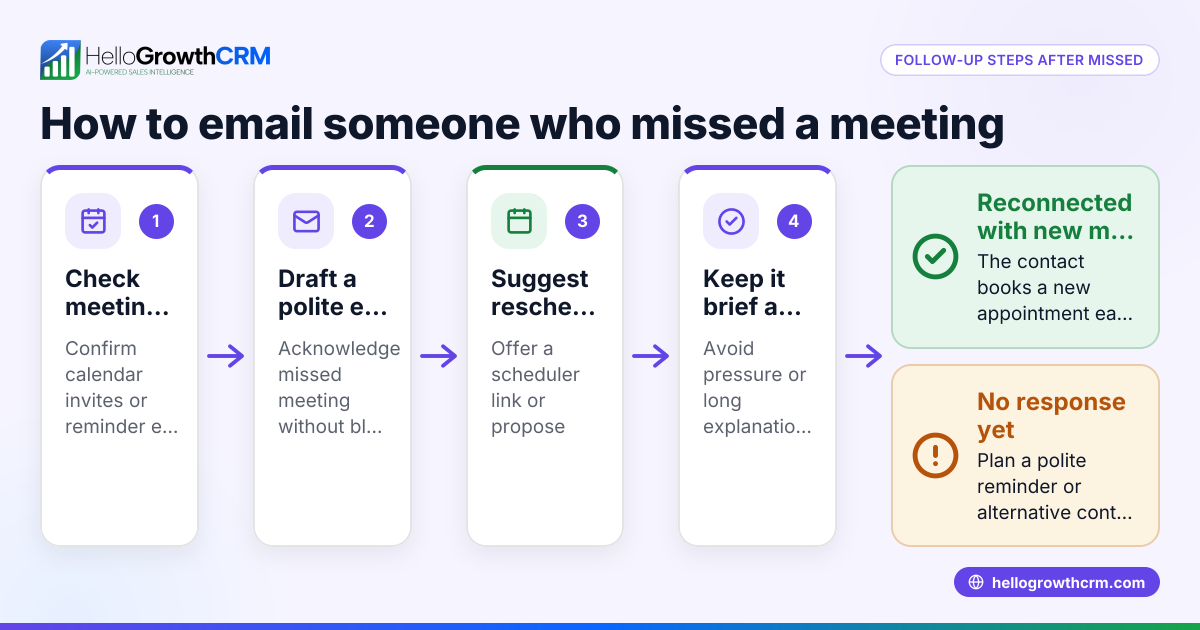
HelloGrowthCRM offers a HelloMail shared inbox so your team can see replies to meeting follow-ups without switching apps. Use the scheduling and booking feature to let prospects pick meeting slots via a link, avoiding back-and-forth messages. Also, download free sales tools and calculators like follow-up cadences and pipeline templates without needing an account.
Frequently asked questions
What is the best subject line for a meeting recap email? Use a clear subject line like "Meeting Recap: [Client or Project Name] on [Date]" so recipients can quickly identify the email’s purpose.
How soon should I send a meeting recap email? Send it within 24 hours of the meeting while details are fresh and to keep momentum going.
Should I include all attendees in the recap email? Include all relevant participants and stakeholders who need to stay informed or act on next steps.
Can I automate meeting recap emails? Yes, using tools like HelloGrowthCRM’s email automation and sequences can help you send timely follow-ups efficiently. Learn more about email automation and sequences.
How do I handle scheduling meetings efficiently? Use a meeting scheduler tool that lets prospects pick available slots via a link, reducing back-and-forth. See HelloGrowthCRM’s meeting scheduler.
Key takeaways
- Use a clear subject line including client/project and date.
- Summarize key points, decisions, and next steps with responsibilities.
- Keep the tone professional and the message concise.
- Attach relevant documents and invite questions.
- Avoid common mistakes like vagueness or missing next steps.
- Use HelloGrowthCRM tools for scheduling and shared inbox management.
Start using this meeting recap email template to improve follow-up clarity and close more deals. To get started with tools that help manage meetings and follow-ups, Start on the Free Forever plan (200 leads, no credit card).
Ready to put this into practice?
Set up your pipeline, WhatsApp follow-ups, and AI lead scoring in minutes — free, no credit card.
Try HelloGrowthCRM freeGet CRM tips in your inbox
Join thousands of sales professionals who get weekly insights on CRM strategy, AI automation, and pipeline optimization.

The HelloGrowthCRM team publishes guides on CRM strategy, AI sales tools, and revenue operations for small business sales teams.