HelloGrowthCRM software
Built for real small-business sales teams
HelloGrowthCRM helps reps qualify faster, follow up on time, and close more deals—with practical automation in one place.
- AI lead scoring and pipeline visibility
- Built-in dialer, WhatsApp, and email automation
- Sales forecasting and RevOps-ready reporting
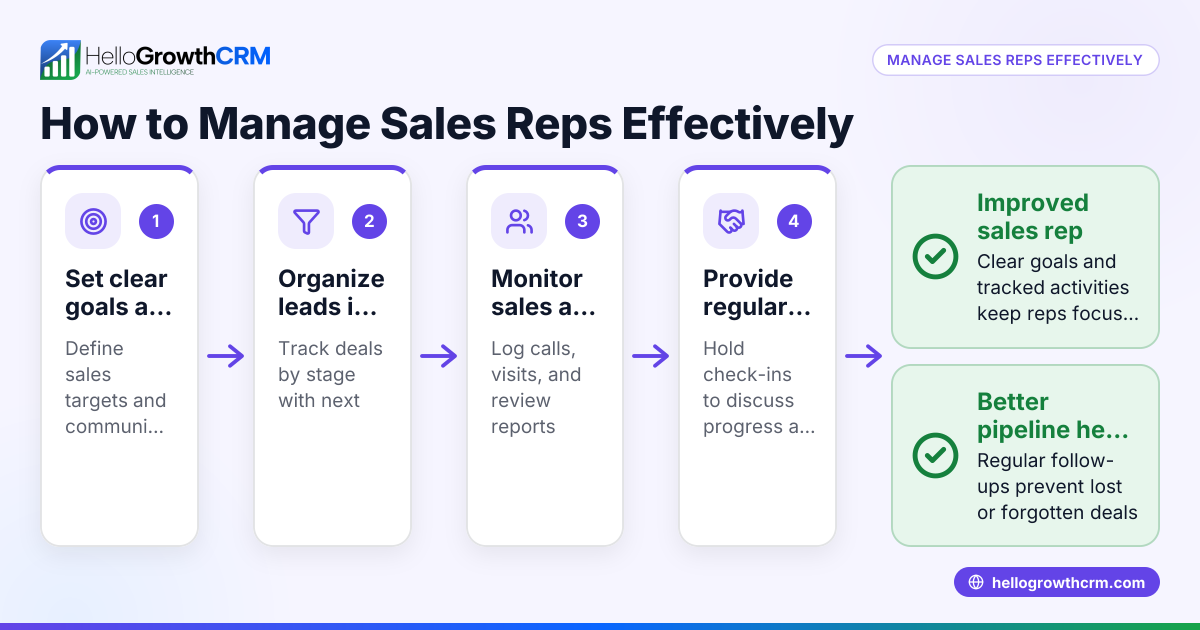
Multi-user CRM software is essential for Canadian small and mid-sized businesses with multiple sales representatives who need to manage leads and deals collaboratively. This software centralizes contact management, tracks sales pipelines, and coordinates communication so no lead is lost due to slow follow-up or disorganized data.
Why this comes up / what goes wrong
Small businesses in Canada often start with informal sales processes using spreadsheets, text messages, and email. As the sales team grows beyond one person, this approach leads to problems: leads get lost, follow-ups are missed, and sales data is fragmented. Without a multi-user CRM, sales reps can duplicate work or fail to see the status of deals managed by colleagues. This reduces efficiency and revenue.
Canadian sales teams also want tools that fit their communication preferences, such as WhatsApp and SMS, which are popular channels for quick customer contact. Choosing CRM software that supports multiple users with clear roles and shared pipelines helps sales teams stay organized and responsive.
Step-by-step
- Identify your team size and roles
- Determine how many sales reps will use the CRM.
- Define roles (e.g., sales reps, managers) and permissions needed.
- Check for multi-user collaboration features
- Ensure the CRM supports multiple users accessing and updating lead and deal records simultaneously.
- Look for features like shared pipelines, task assignments, and activity logs.
- Evaluate communication channel support
- Verify if the CRM integrates with messaging tools your team uses, such as WhatsApp and SMS.
- Confirm that conversations are logged and accessible to the team.
- Assess pipeline and deal tracking capabilities
- The CRM should allow tracking deals through stages with follow-up dates to prevent leads from slipping through.
- Check for visual pipeline boards and probability tracking.
- Consider sales operations support
- For founders without dedicated sales managers, see if the CRM offers managed revenue operations services to maintain follow-up hygiene.
- Review integration options
- Check if the CRM can capture leads from your website and integrate with other tools you use.
- Test user experience and adoption
- Choose a CRM with an intuitive interface that your team will actually use daily.
- Compare pricing and scalability
- Ensure the pricing model fits your team size and grows with your business.
- Request demos or trials
- Try the CRM with your team to evaluate fit before committing.
- Plan onboarding and training
- Prepare to train your sales team for smooth adoption.
Refer to CRM features for more on what to expect from modern CRM software.
Example (fictional figures)
A staffing agency in Halifax, Nova Scotia, has 5 sales reps managing corporate clients. They want a CRM to track leads and quotes.
- They send a quote on 2024-04-01 for C$48,000.
- The CRM shows this as a deal at the 'quote sent' stage with a follow-up date set for 2024-04-08.
- On 2024-04-08, the rep follows up via WhatsApp message logged in the CRM.
- The client agrees to a 9% commission on the deal.
Calculation:
C$48,000 × 9% = C$4,320 commission
This deal stays visible to the whole team until closed, preventing duplication or lost follow-ups.
Common mistakes
- Choosing CRM without multi-user support
- Prevent by confirming the CRM explicitly supports multiple users and role permissions.
- Ignoring communication channels used by sales reps
- Prevent by selecting CRM with native WhatsApp and SMS integration so conversations are tracked.
- Not setting follow-up reminders
- Prevent by using deal pipelines with follow-up dates to avoid missed opportunities.
- Overcomplicating CRM setup
- Prevent by opting for intuitive CRM interfaces and phased onboarding.
- Failing to maintain pipeline hygiene
- Prevent by assigning someone to clean up stale leads weekly or using managed RevOps services.
- Neglecting team training and adoption
- Prevent by scheduling training sessions and monitoring usage.
See WhatsApp and SMS CRM for communication features.
Doing this in HelloGrowthCRM
HelloGrowthCRM supports multi-user sales teams with features tailored for Canadian small businesses. It offers Deals (pipeline) to track open opportunities from first contact through close, including stage movement and follow-up dates so deals are not forgotten. WhatsApp and SMS conversations with leads are logged on each lead record, enabling seamless team collaboration. For founders without sales managers, HelloGrowthCRM’s Managed RevOps service provides a named revenue specialist who works the follow-up queue weekly, cleans pipelines, and helps maintain sales hygiene.
Learn more about HelloGrowthCRM for Canada here.
Frequently asked questions
What is the advantage of multi-user CRM software for sales teams? Multi-user CRM software allows all sales reps to access and update shared lead and deal information in real time. This prevents lost leads, duplicated work, and missed follow-ups, improving team coordination and sales efficiency.
Can I use WhatsApp and SMS within a CRM for my sales team? Yes, some CRMs integrate natively with WhatsApp and SMS, letting sales reps message leads directly from the CRM. Messages are logged automatically, keeping the team informed of all communications.
How does pipeline management help a multi-rep sales team? Pipeline management tracks deals through defined stages with follow-up dates and probabilities. It gives visibility to all team members on deal status and priorities, helping to focus efforts and forecast revenue.
What should I ask when choosing CRM software for my Canadian sales team? Ask about multi-user support, communication channel integrations (WhatsApp/SMS), pipeline features, ease of use, support services, and pricing structure. Also check for local support and data residency if important.
Is there help available if I don’t have a sales manager? Yes, services like Managed RevOps provide dedicated specialists to maintain follow-up queues, clean pipelines, and assist with sales operations, helping founders manage sales effectively.
See more on CRM features.
Key takeaways
- Multi-user CRM software centralizes sales data for teams to collaborate and avoid lost leads.
- Support for WhatsApp and SMS messaging within the CRM keeps communication logged and accessible.
- Pipeline management with follow-up dates ensures deals progress and no opportunity is missed.
- Managed RevOps services help founders without sales managers maintain sales hygiene.
- Choose CRM with intuitive interfaces and role-based permissions for smooth team adoption.
- Test CRM features and integrations relevant to your Canadian sales process before committing.
Start managing your multi-rep sales team better with HelloGrowthCRM. Start on the Free Forever plan (200 leads, no credit card).
Ready to put this into practice?
Set up your pipeline, WhatsApp follow-ups, and AI lead scoring in minutes — free, no credit card.
Try HelloGrowthCRM freeGet CRM tips in your inbox
Join thousands of sales professionals who get weekly insights on CRM strategy, AI automation, and pipeline optimization.

The HelloGrowthCRM team publishes guides on CRM strategy, AI sales tools, and revenue operations for small business sales teams.