HelloGrowthCRM software
Built for real small-business sales teams
HelloGrowthCRM helps reps qualify faster, follow up on time, and close more deals—with practical automation in one place.
- AI lead scoring and pipeline visibility
- Built-in dialer, WhatsApp, and email automation
- Sales forecasting and RevOps-ready reporting
An appointment reminder text is a concise message sent to clients or customers before their scheduled appointment. It confirms the appointment details and encourages attendance, reducing missed appointments and last-minute cancellations. This article covers why appointment reminders are important for small businesses, step-by-step instructions on sending them, a realistic example, common pitfalls, and how HelloGrowthCRM supports appointment management.
Why this comes up / what goes wrong
Small-business owners often struggle with clients missing appointments, which wastes time and revenue. Many small and mid-sized businesses schedule appointments through informal methods like text messages, emails, or spreadsheets. Without a proper reminder system, customers may forget or confuse appointment times, especially if they booked weeks earlier or have busy schedules. Missed appointments lead to lost income and disrupt daily operations. Sending appointment reminder texts helps ensure customers show up or reschedule in advance, improving cash flow and service delivery.
Step-by-step
- Collect accurate contact info: When booking the appointment, confirm the customer's mobile phone number. Double-check for typos or outdated numbers.
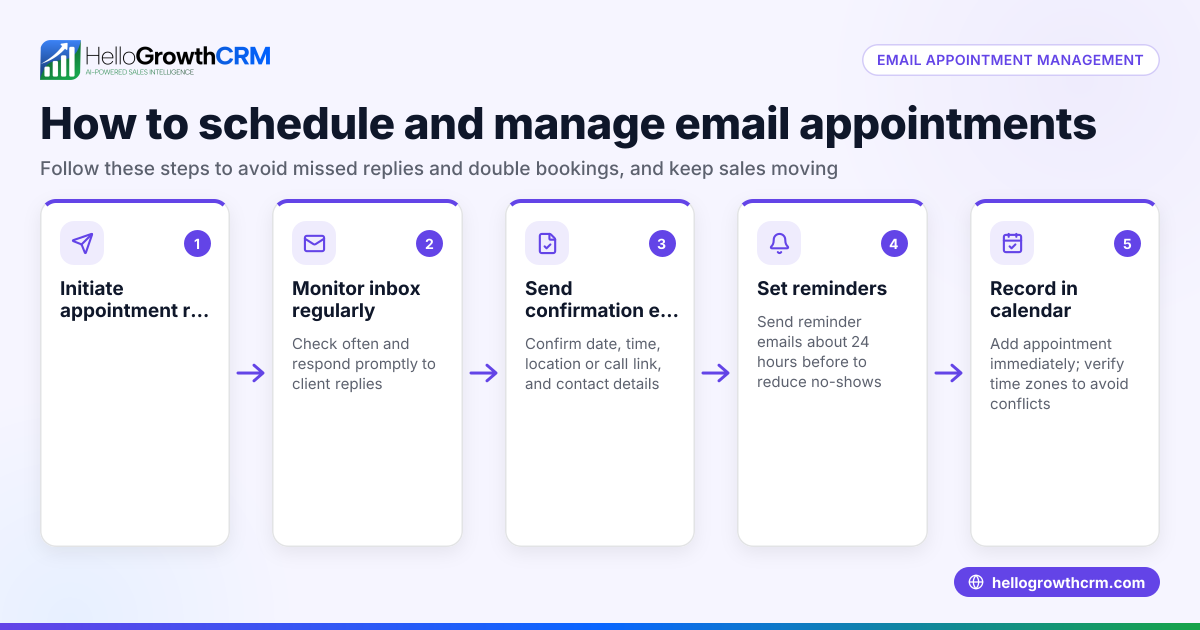
- Schedule the reminder timing: Decide when to send the reminder. A common practice is 24 hours before the appointment. Some businesses also send a shorter reminder 1 hour prior to reduce last-minute no-shows.
- Write a clear, concise message: Include the appointment date, time, location, and any preparation instructions. Add a call to action such as "Reply YES to confirm" to encourage response.
- Use a consistent format: Keep messages professional but friendly. Example: “Reminder: Your appointment with Dr. Smith is on 07/15/2026 at 3:00 PM at 123 Main St. Reply YES to confirm.”
- Send the reminder: Use a reliable texting platform or CRM to automate sending. Manual sending risks forgetting or sending late.
- Track confirmations and follow up: Monitor replies to know which customers confirmed. Follow up with those who don’t respond by phone or another text.
- Offer rescheduling options: If a customer cannot make the appointment, provide an easy way to reschedule, such as a link to pick a new slot.
Check regularly that reminders are sent on time and customers receive them. Adjust timing or message content based on customer feedback and no-show rates.
Example (fictional figures)
A two-location dental practice in Columbus, Ohio, wants to reduce no-shows. They charge an average appointment fee of $150 and typically lose about 10 no-shows per week.
- Weekly lost revenue before reminders: 10 no-shows × $150 = $1,500
After implementing appointment reminder texts sent 24 hours before appointments, no-shows drop to 3 per week.
- Weekly lost revenue after reminders: 3 no-shows × $150 = $450
- Weekly revenue saved: $1,500 - $450 = $1,050
If the practice schedules reminders for 200 appointments monthly, the monthly revenue saved is:
- Monthly revenue saved: $1,050 × 4 weeks = $4,200
This example shows how appointment reminder texts can significantly improve revenue by reducing missed appointments.
Common mistakes
- Sending reminders too early or too late: Reminders sent too far in advance may be forgotten; too late may not give customers enough time to adjust. Prevent this by testing different timings.
- Using unclear or overly long messages: Keep texts concise and focused on essential details to avoid confusion.
- Not confirming receipt or response: Track replies to know who confirmed and who needs follow-up. Without this, you risk no-shows.
- Manual sending without automation: Relying on memory or manual processes leads to missed reminders. Use tools like sales task boards to organize and automate follow-ups.
- Ignoring rescheduling requests: Failing to provide an easy rescheduling option can result in lost appointments. Use scheduling links to simplify this.
Prevent these mistakes by using structured workflows and tools designed for appointment management.
Doing this in HelloGrowthCRM
HelloGrowthCRM offers Activities and task boards that turn each follow-up into a task with a due date, so your team sees the day's calls and reminders as a clear list, not a memory test. Its Scheduling and booking feature lets prospects pick an appointment slot via a link, eliminating back-and-forth on WhatsApp. These tools help automate sending appointment reminders, tracking confirmations, and managing reschedules efficiently. Learn more about sales task boards and the meeting scheduler.
Frequently asked questions
What should an appointment reminder text include? Include the appointment date, time, location, and any preparation instructions. Adding a call to action like "Reply YES to confirm" helps track attendance and plan follow-ups.
How far in advance should I send appointment reminders? Many businesses send reminders shortly before the appointment. Some also send a shorter reminder 1 hour prior. Testing different timings with your customers can help find what works best.
Can appointment reminders be automated? Yes, CRM tools or scheduling software can automate reminders. Automation saves time, reduces errors, and ensures reminders are sent consistently.
What if a customer doesn’t confirm the appointment? Follow up with a phone call or an additional text message. If there is still no response, consider marking the appointment as tentative or offering rescheduling options.
How can I let customers reschedule easily? Use scheduling links that let customers pick new slots without back-and-forth messaging. HelloGrowthCRM’s meeting scheduler supports this, simplifying rescheduling for both sides.
Why should I use task boards for appointment reminders? Task boards help your team organize follow-ups by turning reminders and calls into tasks with due dates. This reduces missed reminders and keeps the team coordinated. See sales task boards for details.
Key takeaways
- Appointment reminder texts reduce no-shows and lost revenue.
- Send reminders 24 hours before appointments with clear, concise information.
- Track confirmations and follow up promptly to minimize missed appointments.
- Avoid common mistakes like unclear messages or manual sending.
- Use tools like HelloGrowthCRM’s task boards and scheduling to automate reminders and rescheduling.
Start managing your appointments more efficiently and reduce missed bookings. Start on the Free Forever plan (200 leads, no credit card).
Ready to put this into practice?
Set up your pipeline, WhatsApp follow-ups, and AI lead scoring in minutes — free, no credit card.
Try HelloGrowthCRM freeGet CRM tips in your inbox
Join thousands of sales professionals who get weekly insights on CRM strategy, AI automation, and pipeline optimization.

The HelloGrowthCRM team publishes guides on CRM strategy, AI sales tools, and revenue operations for small business sales teams.