HelloGrowthCRM software
Built for real small-business sales teams
HelloGrowthCRM helps reps qualify faster, follow up on time, and close more deals—with practical automation in one place.
- AI lead scoring and pipeline visibility
- Built-in dialer, WhatsApp, and email automation
- Sales forecasting and RevOps-ready reporting
Outbound call center CRM software helps Singapore small businesses manage and track outbound calls, follow-ups, and customer interactions efficiently. It combines a dialer, lead management, and messaging tools like WhatsApp and SMS in one platform. This article explains why you need it, how to choose the right software step-by-step, common pitfalls to avoid, and how HelloGrowthCRM supports outbound calling with its built-in dialer, messaging, and AI agents.
Why this comes up / what goes wrong
Small and mid-sized businesses in Singapore often rely on multiple disconnected tools for outbound sales calls: WhatsApp, email, spreadsheets, and standalone dialers. This fragmentation causes slow follow-up, lost leads, and poor visibility into sales activities. Sales reps waste time switching apps and manually logging call outcomes, while managers struggle to forecast sales or coach the team effectively. As the business grows, these inefficiencies lead to missed revenue opportunities and unhappy customers.
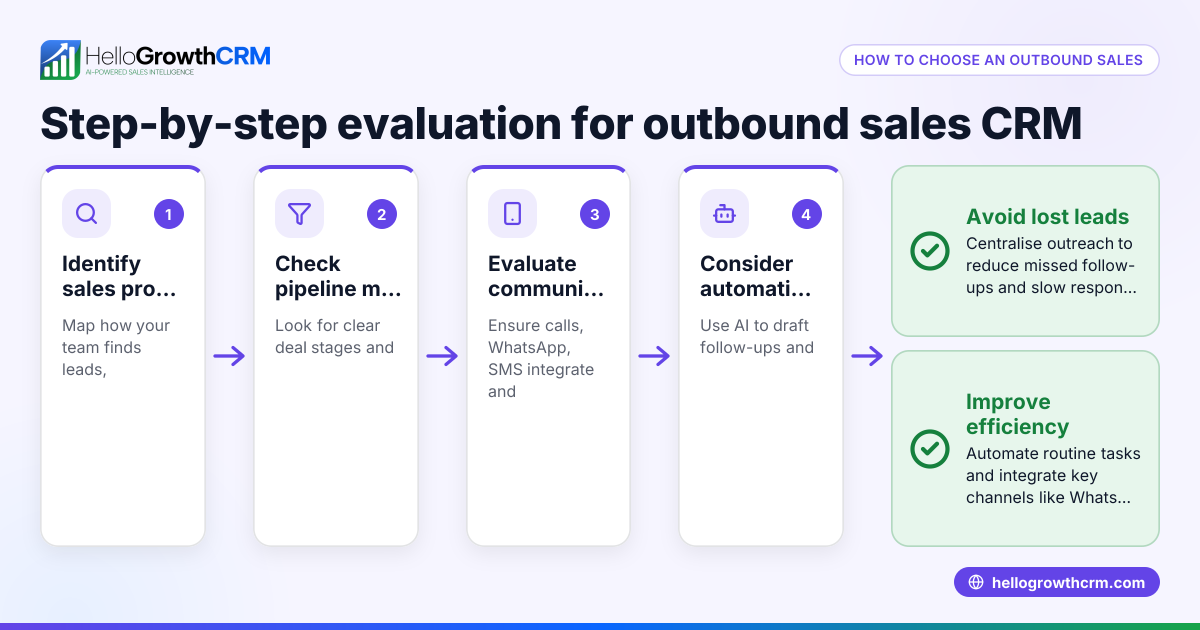
Choosing outbound call center CRM software aims to centralise calling, lead management, and messaging into one system that your sales team will actually use. It should improve call productivity, automate follow-ups, and provide clear reporting for better decision-making.
Step-by-step
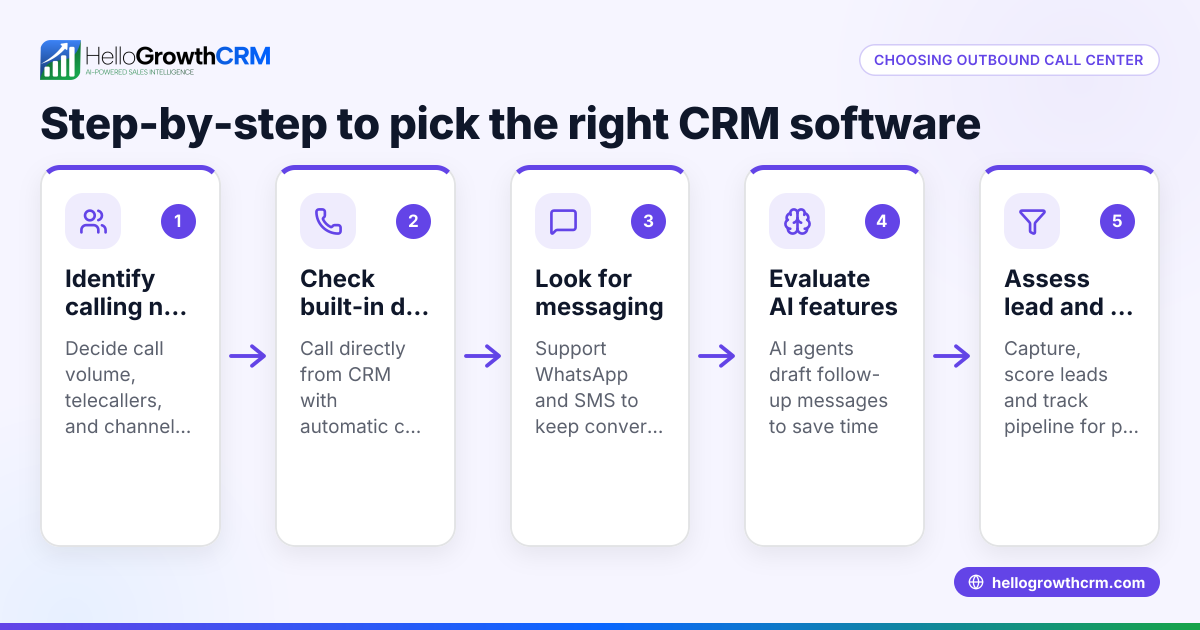
- Identify your outbound calling needs
- How many calls per day does your team make?
- Do you need a local dialer or a power dialer that can call multiple leads automatically?
- Which messaging channels (WhatsApp, SMS, email) do your customers prefer?
- Check CRM integration and lead management
- Ensure the software captures leads from your website or integrations.
- Confirm it logs call outcomes and conversations directly on lead records.
- Evaluate messaging capabilities
- Look for WhatsApp and SMS sequences that let reps send follow-ups without leaving the CRM.
- Check if conversations are logged for context.
- Consider automation and AI features
- Does the CRM offer AI agents to draft follow-up messages or update records?
- Automation can save reps time and improve consistency.
- Review reporting and forecasting tools
- Ensure the software provides pipeline views and sales forecasts.
- These help managers track progress and plan resources.
- Test usability and adoption
- Choose a system your team finds easy to use.
- Adoption is key to getting value from the CRM.
- Check pricing and plan features
- Compare plans for dialer types, messaging limits, and AI availability.
- Avoid overpaying for features you won’t use.
- Request demos and trial periods
- Hands-on testing helps confirm the software fits your workflow.
For more on dialers, see built-in CRM dialer.
Example (fictional figures)
An interior design studio in Tanjong Pagar has 5 sales reps making 40 outbound calls daily. They want to improve follow-up speed and track conversations on WhatsApp.
- Average call time: 3 minutes
- Current manual logging time: 2 minutes per call
- Sales cycle: 30 days
Without CRM:
- Total calling time per day = 5 reps × 40 calls × 3 min = 600 min = 10 hours
- Logging time = 5 reps × 40 calls × 2 min = 400 min = 6.67 hours
- Total daily time = 16.67 hours
With outbound call center CRM software:
- Calls made via built-in dialer with one-click call = 5 reps × 40 calls × 3 min = 600 min = 10 hours
- Logging time reduced to 30 seconds per call due to automation = 5 reps × 40 calls × 0.5 min = 100 min = 1.67 hours
- Total daily time = 11.67 hours
Time saved per day = 16.67 hours - 11.67 hours = 5 hours
Over a month (22 working days):
- Time saved = 5 hours × 22 days = 110 hours
This extra time can be used for more calls or closing deals, improving revenue.
Common mistakes
- Choosing software without a built-in dialer
- Prevent by confirming the CRM includes a dialer that logs calls automatically.
- Ignoring messaging integration
- Prevent by selecting CRM with WhatsApp and SMS support to keep conversations in one place.
- Overlooking user experience
- Prevent by involving sales reps in testing to ensure ease of use.
- Not utilising automation or AI features
- Prevent by exploring AI agents that draft follow-ups, saving time and reducing errors.
- Failing to check reporting capabilities
- Prevent by verifying the CRM offers pipeline views and sales forecasting.
- Underestimating adoption challenges
- Prevent by planning training and support during rollout.
See more on CRM features at CRM features.
Doing this in HelloGrowthCRM
HelloGrowthCRM offers a built-in dialer where telecallers work a list from inside the CRM, and every call outcome is logged on the lead record. WhatsApp and SMS messaging are integrated, allowing follow-ups to be sent as messages that are recorded on the lead. Its AI agents (currently in Beta on Growth plans) draft follow-up messages after calls so sales reps only need to review and send, speeding up workflows and improving consistency. Learn more about these capabilities at HelloGrowthCRM for Singapore.
Frequently asked questions
What is outbound call software? Outbound call software is a tool that helps sales teams make calls to prospects or customers, manage call lists, and log outcomes. It often includes features like auto-dialers, call logging, and integration with messaging channels such as WhatsApp and SMS.
How does an outbound call center dialer CRM differ from regular CRM? An outbound call center dialer CRM combines customer relationship management with a dialer system designed specifically for outbound calls. It streamlines calling, automates follow-ups, and tracks conversations, which regular CRMs may not handle efficiently.
Can I use WhatsApp for outbound sales follow-ups? Yes, many CRMs now integrate WhatsApp messaging so sales reps can send follow-ups directly from the CRM. These conversations are logged on the lead record for context and continuity.
What should I ask when evaluating outbound call center CRM software? Ask about dialer types (local vs power dialer), messaging integrations (WhatsApp, SMS), automation features like AI agents, reporting and forecasting tools, user experience, and pricing plans.
Is AI useful in outbound call center CRM software? AI can draft follow-up messages, update records, and automate routine tasks, freeing reps to focus on selling. While still evolving, AI features can improve efficiency and consistency.
Key takeaways
- Outbound call center CRM software centralises calling, messaging, and lead management.
- A built-in dialer that logs calls automatically saves time and improves accuracy.
- WhatsApp and SMS integration keeps all customer conversations in one place.
- AI agents can draft follow-ups to speed up sales workflows.
- Choose software with good reporting and forecasting to manage your pipeline.
- User adoption and ease of use are critical for success.
Start improving your outbound sales process today with HelloGrowthCRM. You can Start on the Free Forever plan (200 leads, no credit card) to try the built-in dialer, WhatsApp messaging, and AI features.
Ready to put this into practice?
Set up your pipeline, WhatsApp follow-ups, and AI lead scoring in minutes — free, no credit card.
Try HelloGrowthCRM freeGet CRM tips in your inbox
Join thousands of sales professionals who get weekly insights on CRM strategy, AI automation, and pipeline optimization.

The HelloGrowthCRM team publishes guides on CRM strategy, AI sales tools, and revenue operations for small business sales teams.