HelloGrowthCRM software
Built for real small-business sales teams
HelloGrowthCRM helps reps qualify faster, follow up on time, and close more deals—with practical automation in one place.
- AI lead scoring and pipeline visibility
- Built-in dialer, WhatsApp, and email automation
- Sales forecasting and RevOps-ready reporting
Sales call planning software is a tool that helps small and mid-sized businesses organise their sales calls, schedule follow-ups, and track the progress of leads and deals. It ensures that sales teams do not miss calls or forget to follow up, which improves conversion rates and revenue.
Why this comes up / what goes wrong
Many Indian small-business owners manage sales calls manually using WhatsApp, Excel sheets, or notes. This leads to slow follow-up, lost leads, and no clear visibility of sales progress. Telecalling teams may call the same lead multiple times or forget to follow up after sending quotations. Sales leaders struggle to assign territories, track field visits, and measure performance without proper tools. This inefficiency causes missed sales opportunities and lower revenue.
Step-by-step
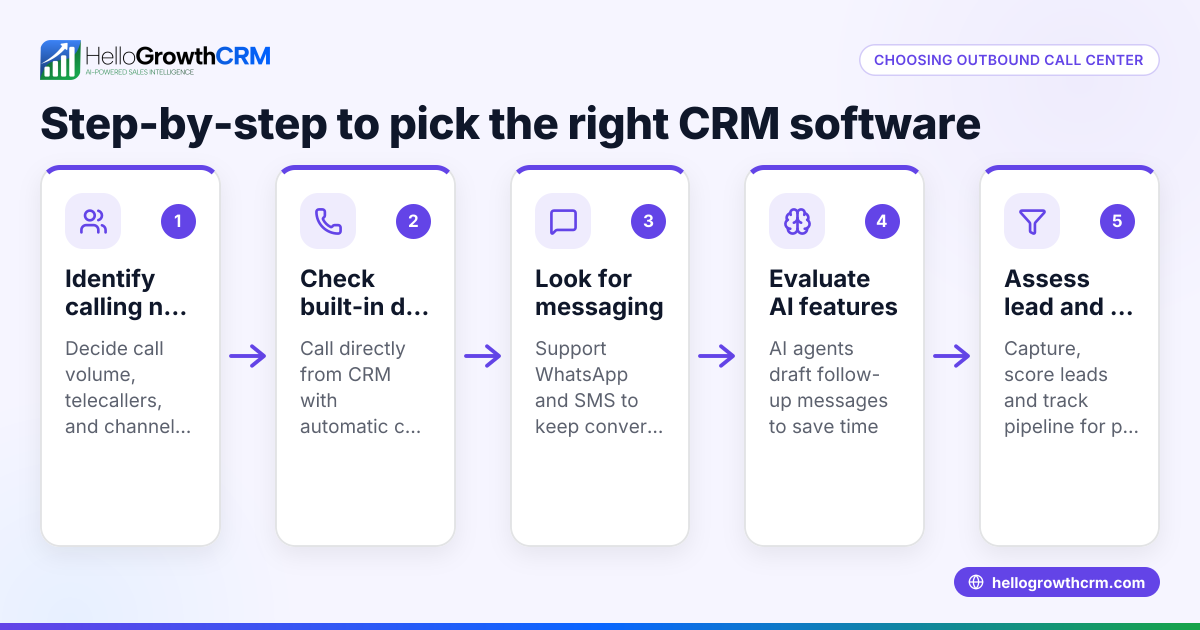
- Identify your business needs: Determine how many salespeople you have, whether you require territory or field sales management, and if you want integrated calling or only scheduling features.
- Check call management features: Look for a built-in dialer that allows calling directly from the software and automatically logs call outcomes.
- Evaluate pipeline tracking: Ensure the software tracks deals by stages, shows follow-up dates, and provides visibility on open opportunities.
- Consider field sales tools: If you have distributors or field reps, check for visit logging, route planning, and commission tracking features.
- Look for multi-channel communication: Some software integrates WhatsApp and SMS sequences to complement calls.
- Assess ease of use: The software should be simple enough for telecallers to adopt without extensive training.
- Check integration options: If you use IndiaMART, JustDial, or web forms, ensure the software can capture leads automatically.
- Review pricing and plans: Compare features available on free and paid plans and verify if the software fits your budget.
- Ask for demos or trials: Test the software with your team to confirm it fits your workflow.
- Check reporting and forecasting: The software should provide reports on call outcomes, deal progress, and sales forecasts.
Example (fictional figures)
A small Indian SME has 5 telecallers and receives 1,000 leads monthly from IndiaMART and JustDial. They aim to follow up within 2 days and track quotations efficiently.
- Leads per month = 1,000
- Working days in a month = 25
- Telecallers = 5
- Average call duration = 5 minutes
Calculations:
Leads per day = 1,000 ÷ 25 = 40 leads per day
Calls per telecaller per day = 40 ÷ 5 = 8 calls
Time spent per telecaller per day = 8 calls × 5 minutes = 40 minutes
If follow-up reminders and deal stages are tracked manually, some leads may be missed due to lack of reminders.
Using sales call planning software with a built-in dialer and deal pipeline helps automate reminders and track quotations at the 'quote sent' stage with follow-up dates, reducing missed leads.
Common mistakes
- Relying on spreadsheets or WhatsApp alone: Leads get lost or follow-ups missed. Prevent this by using software with integrated call logging and reminders.
- Not tracking call outcomes: Without logging call results, it is hard to prioritise leads. Prevent this by using a built-in dialer that logs outcomes automatically.
- Ignoring territory and field operations: Field reps without tracking cause poor coverage. Prevent this by using software with visit logs and territory management.
- Overcomplicating the software: Complex features can reduce adoption. Prevent this by choosing easy-to-use tools suited for your team size.
- Not scheduling follow-ups: Leads go cold without timely calls. Prevent this by using deal pipelines with follow-up dates.
- Failing to review reports: Without insights, sales leaders cannot improve. Prevent this by selecting software with clear sales reporting and forecasting.
Doing this in HelloGrowthCRM
HelloGrowthCRM includes a built-in dialer that lets telecallers call directly from the CRM and automatically logs the outcome on each lead, ensuring no call is missed or unrecorded. Its deals (pipeline) feature tracks open opportunities from first contact to close, with stages such as 'quote sent' showing follow-up dates so quotations are not forgotten. For businesses with field teams, HelloGrowthCRM offers territories, field operations, and commissions tools where distributors’ field reps can log visits from their phones, and managers can monitor the day’s beat. Learn more about the built-in CRM dialer and WhatsApp and SMS CRM features designed for Indian SMBs on HelloGrowthCRM for India.
Frequently asked questions
What is sales call planning software? Sales call planning software helps organise and track sales calls, schedule follow-ups, and manage leads systematically to avoid missed opportunities.
How does a built-in dialer help sales teams? A built-in dialer allows sales reps to call leads directly from the CRM, automatically logging call outcomes and history, which improves efficiency and tracking.
Can sales call planning software manage field sales? Some software includes territory management, visit logging, and commission tracking for field sales teams, helping managers monitor activities and performance.
Is WhatsApp integration important for sales call planning? Yes, many Indian SMBs use WhatsApp for sales. Software that integrates WhatsApp and SMS sequences alongside calls streamlines communication.
How do I choose the right software for my business? Assess your team size, sales process complexity, need for field sales tools, ease of use, integration with lead sources, and budget before selecting software.
Can I try HelloGrowthCRM before buying? HelloGrowthCRM offers a Free Forever plan with 200 leads and no credit card required, allowing you to test features like deals and calling before upgrading.
Key takeaways
- Sales call planning software organises calls, schedules follow-ups, and tracks deals to prevent lost leads.
- Look for features like a built-in dialer, deal pipeline stages, and territory management.
- Avoid relying solely on WhatsApp or spreadsheets for sales calls.
- Choose software that is easy for your telecallers and sales team to adopt.
- Use reporting and forecasting to improve sales performance.
- HelloGrowthCRM supports sales call planning with integrated calling, pipeline tracking, and field sales tools.
Start organising your sales calls and improving follow-ups today by trying HelloGrowthCRM. Start on the Free Forever plan (200 leads, no credit card).
Ready to put this into practice?
Set up your pipeline, WhatsApp follow-ups, and AI lead scoring in minutes — free, no credit card.
Try HelloGrowthCRM freeGet CRM tips in your inbox
Join thousands of sales professionals who get weekly insights on CRM strategy, AI automation, and pipeline optimization.

The HelloGrowthCRM team publishes guides on CRM strategy, AI sales tools, and revenue operations for small business sales teams.