HelloGrowthCRM software
Built for real small-business sales teams
HelloGrowthCRM helps reps qualify faster, follow up on time, and close more deals—with practical automation in one place.
- AI lead scoring and pipeline visibility
- Built-in dialer, WhatsApp, and email automation
- Sales forecasting and RevOps-ready reporting
Outbound call centre CRM software is designed to help small and mid-sized UK businesses manage outbound sales calls more efficiently by combining calling, lead tracking, and follow-up messaging in a single system. This integration improves call management, lead follow-up speed, and sales team productivity.
Why this comes up / what goes wrong
Many UK businesses start outbound sales using basic tools like spreadsheets, WhatsApp, and email. Over time, these methods cause problems: leads get lost, follow-ups are delayed or inconsistent, and sales reps waste time switching between apps. Without a unified system, it is difficult to track call outcomes, conversations, and next steps. Business owners search for outbound call center CRM software to centralise calling and lead management, improve follow-up speed, and increase sales efficiency.
Step-by-step
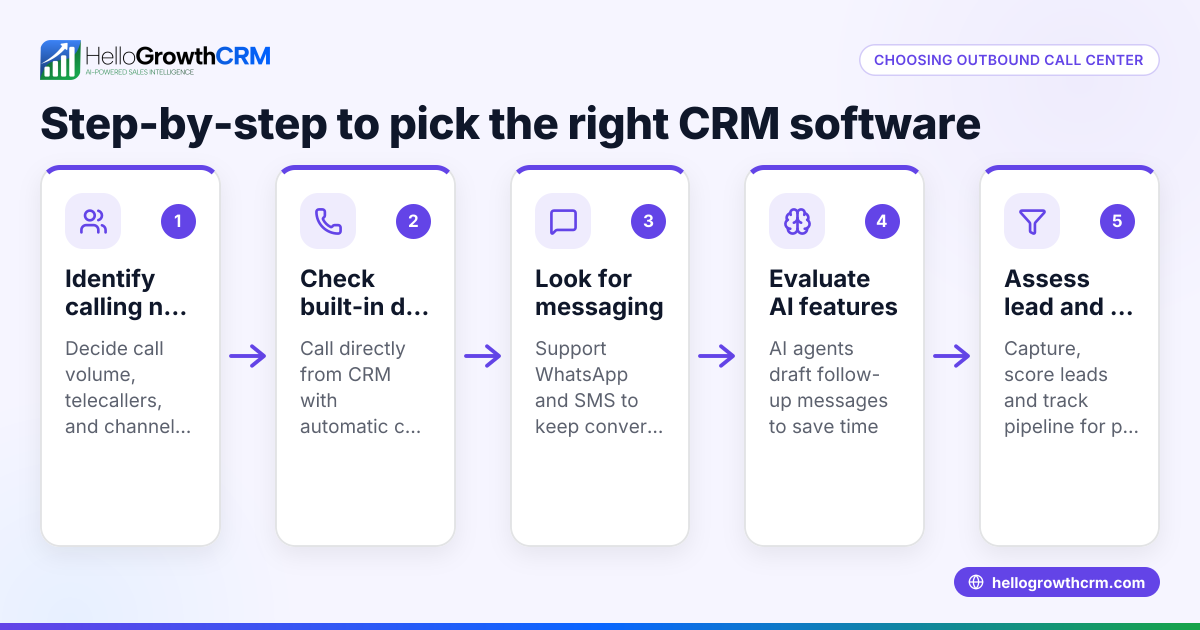
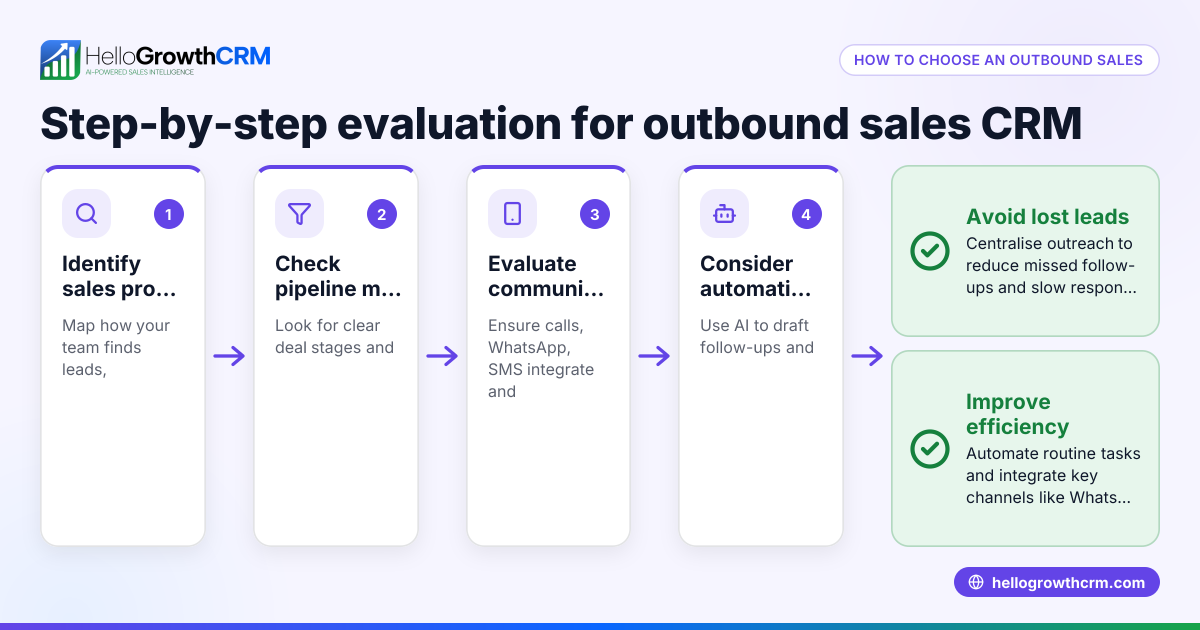
- Identify your business needs: Determine your sales team size, call volume, and communication channels (phone, WhatsApp, SMS). Decide which features you require such as call logging, messaging integration, or AI assistance.
- Check calling capabilities: Confirm the CRM includes an integrated dialer so reps can call leads directly within the system and log call outcomes automatically.
- Look for messaging support: If your team uses WhatsApp or SMS for follow-ups, ensure the CRM supports these channels and logs conversations on lead records.
- Consider automation and AI: Some CRMs offer AI agents that draft follow-up messages after calls to save reps time. Evaluate if this fits your sales process.
- Evaluate ease of use: Choose a CRM with an intuitive interface to encourage team adoption and reduce training time.
- Review reporting and forecasting: Ensure the CRM provides pipeline views, task boards, and forecasting tools to monitor sales performance.
- Test integrations: Make sure the CRM can capture leads from your website forms and integrates with your existing tools.
- Trial the software: Use free trials or demos to test how well the CRM fits your sales workflow before committing.
- Compare costs and plans: Review pricing and check if features like dialer or AI require upgrades.
- Ask about support and training: Good customer support helps your team maximise CRM benefits.
See more on the built-in CRM dialer and explore CRM features.
Example (fictional figures)
A recruitment consultancy in Bristol handles outbound sales calls to potential clients. They currently use spreadsheets and WhatsApp but struggle to track leads and follow-ups.
- They manage 1,200 leads per month.
- Average call duration is 6 minutes.
- They want to log calls and send WhatsApp follow-ups.
They select a CRM with an integrated dialer and WhatsApp messaging.
Total calling time per month:
1,200 leads × 6 minutes = 7,200 minutes
7,200 minutes ÷ 60 = 120 hours
By using the CRM dialer, reps eliminate switching between apps, saving 12 hours per month (an assumed figure).
They also use AI agents to draft WhatsApp follow-ups, saving 3 minutes per lead:
1,200 leads × 3 minutes = 3,600 minutes
3,600 minutes ÷ 60 = 60 hours
Total time saved monthly:
12 hours + 60 hours = 72 hours
This allows the team to make more calls or focus on closing deals.
Common mistakes
- Choosing software without a built-in dialer: Prevent this by confirming calling is integrated so reps don’t switch apps and call outcomes are automatically logged.
- Ignoring messaging channels: Many leads prefer WhatsApp or SMS. Avoid missed follow-ups by selecting a CRM that supports these channels.
- Overlooking AI features: AI can reduce repetitive tasks. Check if the CRM offers AI agents that draft follow-ups to speed workflows.
- Selecting complex software: If the CRM is hard to use, adoption will be low. Choose intuitive tools with clear interfaces.
- Not verifying integrations: Leads should flow automatically from web forms or other tools. Confirm integrations before buying.
- Skipping trials: Always test software with your team to identify issues early.
Learn more at HelloGrowthCRM for the United Kingdom.
Doing this in HelloGrowthCRM
HelloGrowthCRM includes a built-in dialer allowing telecallers to work through lists directly inside the CRM, logging each call outcome on the lead record. WhatsApp conversations are logged on lead records, and follow-up messages can be sent via WhatsApp and SMS. Additionally, AI agents in beta draft follow-up messages after calls so reps only need to review and send. Discover these features at built-in CRM dialer, CRM features, and AI agents.
Frequently asked questions
What is outbound call software? Outbound call software enables sales teams to make calls to prospects and customers, integrating dialling, call logging, and follow-up messaging in one platform.
How does outbound call center dialer CRM differ from regular CRM? An outbound call center dialer CRM includes built-in calling tools that let reps dial leads directly from the CRM and track call outcomes, unlike regular CRMs which may require separate phone systems.
Can I use WhatsApp in outbound call CRM software? Yes, some CRM software supports WhatsApp messaging, allowing you to log conversations and send follow-ups directly from the CRM alongside calls.
Why is AI useful in outbound call center CRM? AI automates repetitive tasks such as drafting follow-up messages after calls, saving sales reps time and ensuring consistent communication.
Is it important to have integrations with web forms? Yes, integrations capture leads automatically into the CRM, reducing manual data entry and speeding up follow-up.
Key takeaways
- Outbound call center CRM software integrates calling, lead tracking, and messaging to improve sales efficiency.
- Look for integrated dialers, WhatsApp/SMS support, and AI features to save time.
- Ease of use and integrations with existing tools are crucial for team adoption.
- Testing software with your team before purchase helps avoid costly mistakes.
- HelloGrowthCRM supports outbound calling with a built-in dialer, WhatsApp and SMS logging, and AI agents for follow-ups.
Start improving your outbound sales process today. Start on the Free Forever plan (200 leads, no credit card).
Ready to put this into practice?
Set up your pipeline, WhatsApp follow-ups, and AI lead scoring in minutes — free, no credit card.
Try HelloGrowthCRM freeGet CRM tips in your inbox
Join thousands of sales professionals who get weekly insights on CRM strategy, AI automation, and pipeline optimization.

The HelloGrowthCRM team publishes guides on CRM strategy, AI sales tools, and revenue operations for small business sales teams.