HelloGrowthCRM software
Built for real small-business sales teams
HelloGrowthCRM helps reps qualify faster, follow up on time, and close more deals—with practical automation in one place.
- AI lead scoring and pipeline visibility
- Built-in dialer, WhatsApp, and email automation
- Sales forecasting and RevOps-ready reporting
Outbound dialing software benefits sales teams by automating calls, improving lead follow-up speed, and increasing connection rates. It helps teams manage leads efficiently, track sales pipelines, and reduce manual dialing errors. This article explains why outbound dialing matters for Indian SMB sales teams, steps to evaluate software, a worked example, common pitfalls, and how HelloGrowthCRM supports outbound sales.
Why this comes up / what goes wrong
Small and mid-sized Indian businesses often rely on manual calling processes using mobile phones or spreadsheets. Sales teams lose leads due to slow follow-up, missed callbacks, and scattered lead information. Running sales on WhatsApp or Excel without a structured dialing system causes inefficiencies and lost revenue. Sales leaders want a tool that helps their telecalling teams dial faster, track progress, and prioritise leads based on potential.
Outbound dialing software addresses these pain points by automating the dialing process, integrating lead data, and providing call management features. This is especially important for businesses with 5-200 employees where dedicated sales managers may be absent, and founders or small teams handle follow-up.
Step-by-step
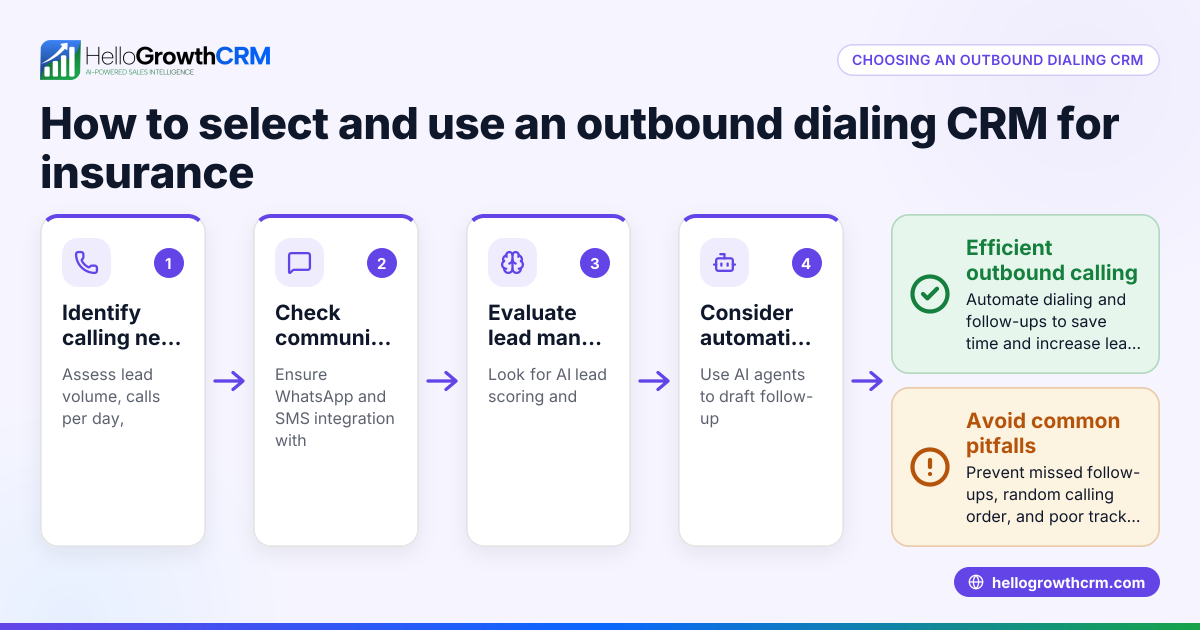
- Identify your sales calling needs: Determine the number of outbound calls per day, team size, and lead sources (e.g., IndiaMART, JustDial, web forms).
- Check for automation features: Look for software that automatically dials numbers from your lead list to reduce manual effort and speed up calls.
- Evaluate lead management and pipeline tracking: Ensure the software tracks deals with stages and follow-up dates to prevent leads from being forgotten.
- Assess integration with communication channels: Confirm if the software supports WhatsApp, SMS, and email sequences to reach prospects through multiple channels.
- Consider territory and field sales management: If your sales team includes field reps, check for features like visit logging and route planning.
- Review reporting and forecasting tools: Accurate sales forecasting helps plan resources and set targets.
- Test user experience and adoption: The software should be easy for telecalling teams to use daily without extra training burdens.
- Explore support and managed services: For founders without sales managers, managed RevOps support can keep the follow-up queue active.
Example (fictional figures)
A small Indian distributor has 3 telecallers making 100 outbound calls daily. They manually dial and track leads in Excel, missing callbacks regularly.
They switch to outbound dialing software with pipeline tracking and automated dialing.
- Calls per day: 3 telecallers × 100 = 300
- Callback success before software: 255 callbacks handled (assumed figure for illustration)
- Callback success after software: 285 callbacks handled (assumed figure for illustration)
Assuming each successful callback leads to ₹5,000 in sales:
Before software: 300 calls × 255 callbacks handled = 255 callbacks handled (used as given) 255 × ₹5,000 = ₹12,75,000 sales
After software: 300 calls × 285 callbacks handled = 285 callbacks handled (used as given) 285 × ₹5,000 = ₹14,25,000 sales
Increase in sales: ₹14,25,000 - ₹12,75,000 = ₹1,50,000 additional sales per day
This example shows how outbound dialing software can improve follow-up and sales revenue.
Common mistakes
- Ignoring lead prioritisation: Without AI lead scoring or prioritisation, teams waste time on low-potential leads. Use software with lead scoring features or regularly review pipeline stages.
- Not tracking follow-ups: Missing follow-up dates leads to lost deals. Use deal pipeline features with reminders to prevent this.
- Overcomplicating user interface: Complex software discourages adoption. Choose tools with simple dialing and lead views.
- Neglecting multi-channel communication: Relying only on calls misses prospects who prefer WhatsApp or SMS. Use software supporting multiple channels.
- Lack of management visibility: Without reporting or field activity logs, managers cannot coach or optimise. Use software with reporting dashboards and visit logs.
- No support for sales operations: Founders without sales managers struggle to keep follow-up active. Managed RevOps services ensure weekly queue cleaning and KPI reporting.
Doing this in HelloGrowthCRM
HelloGrowthCRM supports outbound dialing for Indian SMB sales teams with features like Deals (pipeline) that track quotations and follow-ups so no lead is forgotten. It offers Territories, field operations and commissions tools for field reps to log visits and for managers to monitor daily activities. For founders without sales managers, Managed RevOps provides a dedicated specialist to manage the follow-up queue weekly and deliver KPI reports. Learn more about these features on HelloGrowthCRM for India, the built-in CRM dialer, and the WhatsApp and SMS CRM pages.
Frequently asked questions
What are the main benefits of outbound dialing software? Outbound dialing software automates calls, increases call volume, improves lead follow-up speed, and reduces manual dialing errors. It helps sales teams prioritise leads and track progress through pipelines.
Can outbound dialing software integrate with WhatsApp and SMS? Some outbound dialing software supports communication through WhatsApp and SMS sequences alongside calls to reach prospects on multiple channels. Check the software's feature list for these capabilities.
How does outbound dialing software improve sales team productivity? By automating dialing and managing follow-ups, sales reps spend more time talking to prospects and less time on manual tasks, increasing conversion rates.
Is outbound dialing software suitable for small Indian businesses? Yes, especially for teams of 5-200 employees where manual calling and spreadsheets cause lead loss, outbound dialing software streamlines sales processes and improves team coordination.
What should I look for when choosing outbound dialing software? Look for automation, pipeline management, multi-channel communication, territory management, and support services like Managed RevOps if you lack a sales manager.
Key takeaways
- Outbound dialing software automates calls and improves lead follow-up speed.
- It helps track deals and follow-up dates to prevent missed opportunities.
- Multi-channel support (WhatsApp, SMS) enhances communication reach.
- Territory and field sales features aid management of on-ground teams.
- Managed RevOps services assist founders without sales managers.
- Choosing simple, easy-to-use software boosts team adoption and results.
Start improving your sales outreach with outbound dialing software. Start on the Free Forever plan (200 leads, no credit card) today to see the benefits firsthand.
Ready to put this into practice?
Set up your pipeline, WhatsApp follow-ups, and AI lead scoring in minutes — free, no credit card.
Try HelloGrowthCRM freeGet CRM tips in your inbox
Join thousands of sales professionals who get weekly insights on CRM strategy, AI automation, and pipeline optimization.

The HelloGrowthCRM team publishes guides on CRM strategy, AI sales tools, and revenue operations for small business sales teams.