HelloGrowthCRM software
Built for real small-business sales teams
HelloGrowthCRM helps reps qualify faster, follow up on time, and close more deals—with practical automation in one place.
- AI lead scoring and pipeline visibility
- Built-in dialer, WhatsApp, and email automation
- Sales forecasting and RevOps-ready reporting
Product launch email templates are pre-written email formats that businesses use to announce and promote a new product efficiently to customers and prospects. They help ensure your message is clear, consistent, and timely, while saving you time by avoiding writing each email from scratch. Using templates also allows for automation of follow-ups, increasing your chances of engagement and sales.
Why this comes up / what goes wrong
Many small business owners face challenges when launching a product because they send emails on an ad hoc basis from personal inboxes or spreadsheets. This approach often results in inconsistent messaging, missed follow-ups, and lost sales opportunities. Without a clear and tested email template, the launch announcement may confuse customers or fail to generate excitement. Additionally, slow or uncoordinated follow-up emails cause leads to go cold, reducing the impact of your launch.
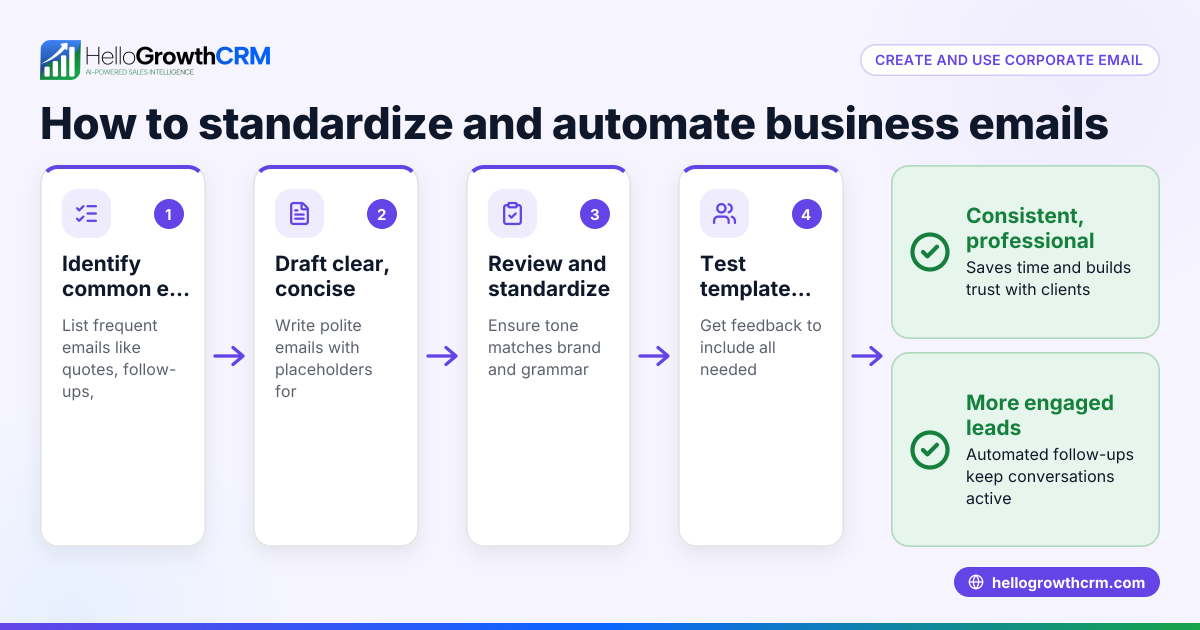
Step-by-step
- Define your launch goal and audience: Decide if your email aims to inform existing customers, attract new leads, or both. Tailor your message to this audience.
- Write a compelling subject line: Create a clear and enticing subject line that grabs attention, for example, "Introducing Our New Eco-Friendly Garden Tools!"
- Craft a concise opening: Start by announcing the product launch clearly and highlight the main benefit or unique selling point.
- Include product details: Provide key information such as features, pricing, availability date, and a clear call to action (CTA) like "Shop Now" or "Learn More."
- Add social proof or incentives: Include customer testimonials, early-bird discounts, or limited-time offers to motivate action.
- Design for readability: Use short paragraphs, bullet points, and images if possible to make the email easy to scan.
- Plan follow-up emails: Create a sequence of follow-ups to remind prospects, answer questions, or offer additional incentives.
- Test your template: Send test emails to check formatting, links, and how it displays on mobile devices.
- Schedule and automate sending: Use email automation tools to send your launch and follow-ups at optimal times without manual effort.
For ready-made examples, see sales templates. To automate follow-ups, explore email automation and sequences.
Example (fictional figures)
GreenLeaf Landscaping, a company in Charlotte, North Carolina, plans to launch a new line of organic fertilizers on 08/15/2026. They prepare a product launch email template as follows:
- Subject line: "Grow Greener with GreenLeaf’s New Organic Fertilizers!"
- Opening: "We’re excited to introduce our new organic fertilizers designed for healthier lawns and gardens."
- Product details: "Available starting 08/15/2026 at $25 per bag. Special launch discount: 10% off through 08/31/2026."
- CTA: "Order yours today and see the difference!"
They schedule the launch email for 08/15/2026 and plan a five-step follow-up over two weeks:
- Step 1: Reminder email on 08/18/2026
- Step 2: Customer testimonial on 08/22/2026
- Step 3: FAQ and benefits on 08/26/2026
- Step 4: Last chance for discount on 08/30/2026
- Step 5: Thank you and feedback request on 09/01/2026
Suppose GreenLeaf expects to sell 1,000 bags in the first month. The revenue before discount is:
$25 × 1,000 = $25,000
The 10% discount reduces the price by:
$25 × 10% = $2.50 per bag
Discounted revenue per bag is:
$25 - $2.50 = $22.50
Estimated discounted total revenue is:
$22.50 × 1,000 = $22,500
This example shows how to communicate pricing clearly and plan follow-ups to maintain customer interest.
Common mistakes
- Sending a generic email to all contacts: Prevent this by segmenting your audience to tailor messages for different groups.
- Overloading the email with information: Keep your email concise and focused; use links for detailed information.
- Ignoring follow-ups: Automate sequences to maintain contact without extra manual effort.
- Failing to test emails: Always send test emails to ensure proper display and functioning links.
- Not including a clear CTA: Make sure every email tells recipients exactly what to do next.
- Using inconsistent branding or tone: Use templates to maintain consistent style and voice.
Avoid these errors by downloading free follow-up cadence or pipeline templates from the free sales tools and calculators page.
Doing this in HelloGrowthCRM
HelloGrowthCRM provides tools to streamline your product launch emails. Use the HelloMail shared inbox so your team can see replies to launch emails on the deal without switching apps. Set up sequences and campaigns to automate a five-step follow-up over two weeks that stops automatically when a prospect replies. You can also download free sales templates and calculators without signing up to help plan your outreach. Learn more about these features at email automation and sequences.
Frequently asked questions
What should a product launch email template include? It should have a clear subject line, an engaging opening announcing the launch, product details like features and pricing, a strong call to action, and optionally social proof or offers. Keep it concise and easy to read.
How many follow-up emails should I send after the launch? A common approach is a sequence of 3 to 5 follow-ups spaced over 1 to 2 weeks. This keeps your product top of mind without overwhelming recipients.
Can I automate product launch emails? Yes, using email automation tools you can schedule your launch email and follow-ups to send automatically. Automation also stops further emails once a prospect replies, saving time.
How do I avoid my launch emails going to spam? Use verified sending domains, avoid spammy words, keep your email list clean, and include an easy unsubscribe option. Testing emails before sending helps identify issues.
Where can I find product launch email templates? You can find free templates and sales resources online or use built-in templates in CRM tools. HelloGrowthCRM offers free sales templates you can download without an account at sales templates.
Key takeaways
- Product launch email templates ensure clear, consistent communication.
- Plan your email content and follow-up sequence carefully.
- Automate sending and follow-ups to save time and improve response.
- Test emails for formatting and deliverability before launch.
- Use free sales templates and tools to support your launch process.
Start your product launch email campaign efficiently by trying HelloGrowthCRM’s free tools and automation. Start on the Free Forever plan (200 leads, no credit card).
Ready to put this into practice?
Set up your pipeline, WhatsApp follow-ups, and AI lead scoring in minutes — free, no credit card.
Try HelloGrowthCRM freeGet CRM tips in your inbox
Join thousands of sales professionals who get weekly insights on CRM strategy, AI automation, and pipeline optimization.

The HelloGrowthCRM team publishes guides on CRM strategy, AI sales tools, and revenue operations for small business sales teams.