HelloGrowthCRM software
Built for real small-business sales teams
HelloGrowthCRM helps reps qualify faster, follow up on time, and close more deals—with practical automation in one place.
- AI lead scoring and pipeline visibility
- Built-in dialer, WhatsApp, and email automation
- Sales forecasting and RevOps-ready reporting
Quotation and proforma invoice templates are essential tools for small and medium-sized businesses to communicate pricing and terms clearly with customers before a sale is finalised. Using templates helps maintain professionalism, reduce errors, and speed up the sales cycle.
Why this comes up / what goes wrong
Many Indian small-business owners struggle with inconsistent or slow follow-up on leads because they rely on WhatsApp chats or spreadsheets to send price quotes and invoices. This leads to lost sales opportunities and confusion over pricing or terms. Without a standard template, quotations may miss critical details like payment terms, delivery timelines, or tax information, causing delays or disputes.
Using quotation and proforma invoice templates ensures all necessary information is included and presented uniformly. This clarity helps customers make quicker decisions and allows sales teams to track and manage quotes systematically.
Step-by-step
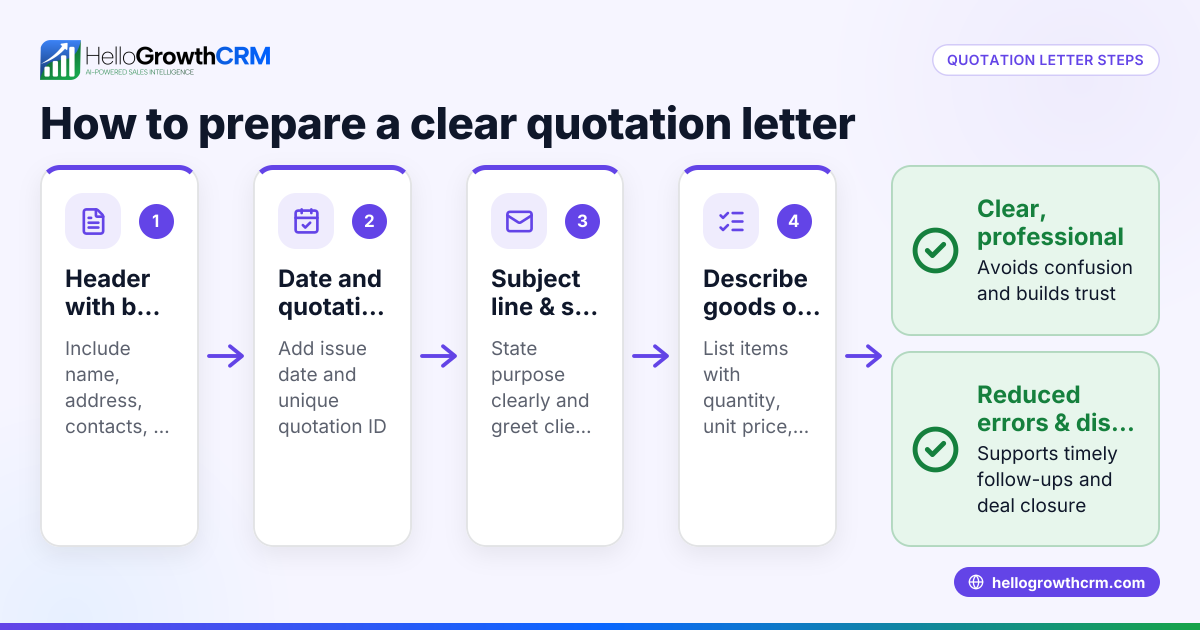
- Choose the right template: Select a quotation or proforma invoice template that suits your business type and product or service. It should have fields for customer details, item descriptions, quantities, rates, taxes, total amount, payment terms, and validity period.
- Fill in your business details: Add your company name, address, GSTIN (if applicable), contact information, and logo for branding and legal clarity.
- Enter customer information: Include the buyer’s name, address, and contact details to personalise the document.
- List products or services: Clearly describe each item or service, including quantity and unit price. Use HSN or SAC codes if required for GST compliance NEEDS EXPERT REVIEW.
- Calculate taxes and totals: Add applicable GST or other taxes. Show subtotals and the grand total clearly.
- Specify terms and conditions: Mention payment terms, delivery schedule, validity of the quotation, and any other relevant conditions.
- Review and send: Double-check all entries for accuracy. Save the document as PDF to prevent edits, and send it via email or WhatsApp.
- Track the status: Follow up with the customer to confirm receipt and acceptance. Maintain a record of sent quotations for future reference.
For ready-to-use formats, you can download free sales templates and pipeline templates from HelloGrowthCRM’s sales templates and free sales tools and calculators pages.
Example (fictional figures)
A supplier provides a quotation to a retailer on 01/07/2024 for 100 units of a product priced at ₹1,500 each with 18% GST.
- Price per unit = ₹1,500
- Quantity = 100
- Total before tax = ₹1,500 × 100 = ₹1,50,000
- GST @ 18% = ₹1,50,000 × 18% = ₹27,000
- Grand total = ₹1,50,000 + ₹27,000 = ₹1,77,000
The quotation states payment terms as 30 days from invoice date and delivery within 7 days of order confirmation. The validity of the quotation is 15 days.
This clear, standard format helps the retailer quickly understand the costs and terms.
Common mistakes
- Incomplete information: Forgetting to include GSTIN, payment terms, or delivery timelines can cause confusion. Prevent this by using comprehensive templates.
- Incorrect calculations: Manual errors in tax or total calculation lead to disputes. Use calculators or spreadsheet formulas to verify.
- No follow-up tracking: Sending quotations without tracking their status results in lost leads. Maintain a follow-up schedule using templates or CRM tools.
- Unclear terms: Vague or missing terms on validity or payment can delay decisions. Always state these explicitly.
- Using inconsistent formats: Different quotation styles confuse customers and complicate record-keeping. Standardise templates across your team.
To help avoid these, HelloGrowthCRM offers free templates and a follow-up cadence you can download without an account from free sales tools and calculators.
Doing this in HelloGrowthCRM
HelloGrowthCRM lets you build, send, and track quotations, proposals, invoices, and payments directly from a deal record. The quotation status (sent, viewed, accepted) appears on the same screen as your follow-up task, making it easy to manage leads and sales progress. You can also download free sales templates and calculators from HelloGrowthCRM’s free sales tools and calculators page to streamline your sales process.
Frequently asked questions
What is the difference between a quotation and a proforma invoice? A quotation is a formal offer stating prices and terms before a sale, while a proforma invoice is a preliminary invoice sent before goods or services are delivered, often used for customs or advance payments. Both serve to inform the buyer but differ in purpose and timing.
Can I use the same template for quotations and proforma invoices? Yes, many businesses use similar templates with minor modifications, such as adding a "Proforma Invoice" header or including payment instructions. Ensure the document clearly states its purpose.
Do I need to include GST details in these templates? If your business is GST-registered, including GSTIN, HSN/SAC codes, and tax calculations is important for legal compliance and transparency. Consult a tax expert if unsure. NEEDS EXPERT REVIEW
How can I track if my quotation was accepted? Using a CRM like HelloGrowthCRM, you can send quotations directly from deals and see their status (sent, viewed, accepted) alongside follow-up tasks, helping you manage leads effectively.
Where can I find free templates for quotations and proforma invoices? HelloGrowthCRM offers free sales templates and pipeline templates accessible without signing up on the sales templates and free sales tools and calculators pages.
Key takeaways
- Quotation and proforma invoice templates standardise pricing communication and speed sales.
- Templates should include business and customer details, itemised products/services, taxes, totals, and clear terms.
- Use templates to avoid common mistakes like missing information or calculation errors.
- Track quotation status and follow up systematically to convert leads.
- HelloGrowthCRM integrates quotation sending and tracking with follow-up tasks for better sales management.
Start organising your sales process by trying HelloGrowthCRM’s free sales templates and tools. Start on the Free Forever plan (200 leads, no credit card) today.
Ready to put this into practice?
Set up your pipeline, WhatsApp follow-ups, and AI lead scoring in minutes — free, no credit card.
Try HelloGrowthCRM freeGet CRM tips in your inbox
Join thousands of sales professionals who get weekly insights on CRM strategy, AI automation, and pipeline optimization.

The HelloGrowthCRM team publishes guides on CRM strategy, AI sales tools, and revenue operations for small business sales teams.