HelloGrowthCRM software
Built for real small-business sales teams
HelloGrowthCRM helps reps qualify faster, follow up on time, and close more deals—with practical automation in one place.
- AI lead scoring and pipeline visibility
- Built-in dialer, WhatsApp, and email automation
- Sales forecasting and RevOps-ready reporting
A route planner with multiple stops helps you organize and optimize the order of visits or deliveries across several locations in one trip. This tool saves time, reduces fuel costs, and improves customer service by minimizing travel distance and duration. This article explains why small businesses need multi-stop route planning, provides a step-by-step guide, a practical example, common mistakes to avoid, and how HelloGrowthCRM supports field operations with route planning.
Why this comes up / what goes wrong
Small business owners, especially those managing delivery, service calls, or sales visits, often struggle with planning routes that cover multiple stops efficiently. Without a clear plan, drivers may backtrack unnecessarily, waste fuel, or miss appointments. Using spreadsheets, texts, or emails to coordinate routes can cause confusion and slow follow-up. The result is lost time, higher costs, and unhappy customers. A route planner with multiple stops solves this by calculating the best sequence to visit all locations, considering distance and time.
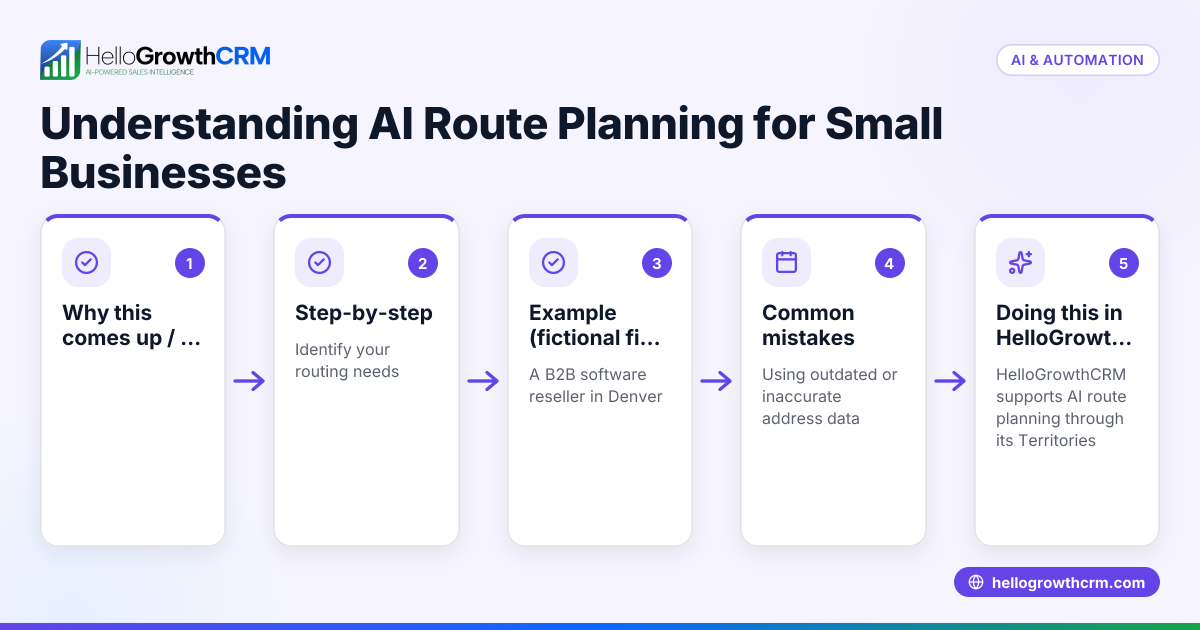
Step-by-step
- List all stops: Collect the addresses or coordinates of every location you need to visit in one trip. Double-check for accuracy.
- Choose your start and end points: Decide where your route begins and ends. This could be your office, warehouse, or the first and last customer.
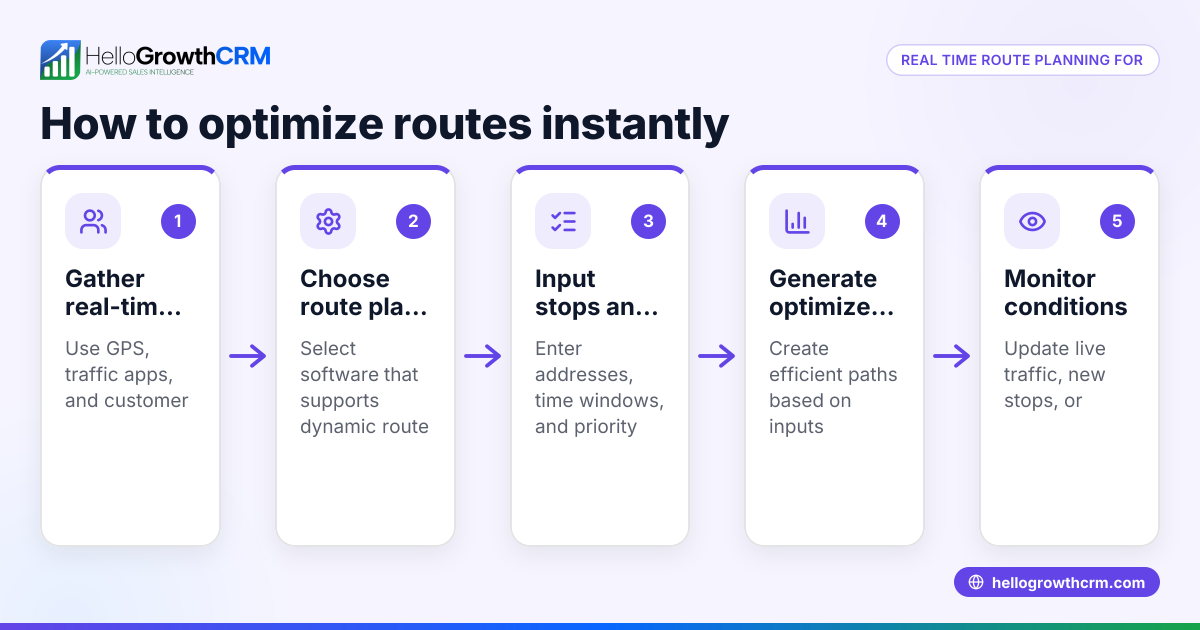
- Input stops into a route planner: Use a digital route planner tool that supports multiple stops. Enter all addresses and specify start/end points.
- Optimize the route: Let the planner calculate the most efficient order to visit each stop, minimizing travel time or distance.
- Review the suggested route: Check the order and estimated travel times. Adjust if you have time windows or priority stops.
- Assign routes to drivers or field reps: Distribute the optimized routes to your team. Ensure they have navigation tools or printed directions.
- Track progress and update as needed: Monitor real-time updates or visit logs to handle delays or changes.
- Analyze results and improve: After completing routes, review timing and costs to refine future planning.
For managing territories and field reps with route planning, learn about territory management.
Example (fictional figures)
A plumbing company in Austin, Texas, has 5 service calls on 07/15/2026. The stops are across the city, and the office is the start and end point.
- Office at 123 Main St
- Stop 1: 456 Oak St
- Stop 2: 789 Pine St
- Stop 3: 321 Maple Ave
- Stop 4: 654 Elm St
- Stop 5: 987 Cedar Rd
Using a route planner, the optimized route is:
Office → Stop 3 → Stop 1 → Stop 4 → Stop 5 → Stop 2 → Office
Assuming travel times:
Office to Stop 3 = 15 min Stop 3 to Stop 1 = 10 min Stop 1 to Stop 4 = 12 min Stop 4 to Stop 5 = 8 min Stop 5 to Stop 2 = 14 min Stop 2 to Office = 20 min
Total travel time = 15 + 10 + 12 + 8 + 14 + 20 = 79 minutes
If the company had planned stops in the order they came in, total travel time would be:
Office to Stop 1 = 18 min Stop 1 to Stop 2 = 22 min Stop 2 to Stop 3 = 25 min Stop 3 to Stop 4 = 20 min Stop 4 to Stop 5 = 15 min Stop 5 to Office = 30 min
Total travel time = 18 + 22 + 25 + 20 + 15 + 30 = 130 minutes
Savings = 130 - 79 = 51 minutes saved, reducing fuel costs and allowing more calls per day.
Common mistakes
- Not verifying stop addresses: Incorrect or incomplete addresses cause delays. Always confirm before planning.
- Ignoring time windows or priorities: Some customers may require visits at specific times. Include these constraints in your plan.
- Using manual methods like spreadsheets or texts: These are prone to errors and slow updates. Use digital tools for accuracy.
- Not updating routes during the day: Traffic or cancellations happen. Adjust routes as needed to maintain efficiency.
- Failing to track field reps’ visits: Without visit logs, it’s hard to measure performance or verify service.
Prevent these by using integrated tools with real-time updates and visit logging, such as HelloGrowthCRM’s field operations features.
Doing this in HelloGrowthCRM
HelloGrowthCRM supports territory definition and ownership, allowing managers to assign areas and routes to field reps. Field sales teams can log visits directly from their phones, and managers see the day's beat with real-time updates. This route planning and visit logging helps ensure reps follow efficient routes and complete their tasks. Learn more about territory management and how HelloGrowthCRM fits your US business needs at HelloGrowthCRM for the United States.
Frequently asked questions
What is the best route planner for multiple stops? The best route planner depends on your business size and needs. Look for tools that allow easy input of multiple stops, optimization for shortest distance or time, and real-time updates. HelloGrowthCRM offers route planning integrated with field operations for small to mid-sized businesses.
Can I plan routes with time windows for each stop? Yes, advanced route planners let you set time constraints for each stop to ensure visits happen within customer availability. Check if your tool supports this feature to avoid missed appointments.
How many stops can a route planner handle? The number varies by software. Many can handle dozens of stops, but performance may degrade with very large lists. For many small businesses, planning multiple stops per route is a common practice.
How does route planning save money? By reducing driving distance and time, route planning cuts fuel consumption and vehicle wear. It also increases the number of stops per day, improving productivity and customer satisfaction.
Can I track my field reps’ visits and routes? Yes, with tools like HelloGrowthCRM, field reps log visits from their phones, and managers monitor routes and activities in real time, helping with accountability and coaching.
Learn more about managing communication with your team using WhatsApp and SMS CRM.
Key takeaways
- A route planner with multiple stops organizes visits to minimize travel time and distance.
- Accurate addresses and consideration of time windows improve route effectiveness.
- Avoid manual planning methods to reduce errors and delays.
- Use real-time tracking and visit logs to monitor field operations.
- HelloGrowthCRM offers territory and field operations tools including route planning and visit logging.
Start planning your efficient routes today. Start on the Free Forever plan (200 leads, no credit card) to try HelloGrowthCRM’s field operations features.
Ready to put this into practice?
Set up your pipeline, WhatsApp follow-ups, and AI lead scoring in minutes — free, no credit card.
Try HelloGrowthCRM freeGet CRM tips in your inbox
Join thousands of sales professionals who get weekly insights on CRM strategy, AI automation, and pipeline optimization.

The HelloGrowthCRM team publishes guides on CRM strategy, AI sales tools, and revenue operations for small business sales teams.