HelloGrowthCRM software
Built for real small-business sales teams
HelloGrowthCRM helps reps qualify faster, follow up on time, and close more deals—with practical automation in one place.
- AI lead scoring and pipeline visibility
- Built-in dialer, WhatsApp, and email automation
- Sales forecasting and RevOps-ready reporting
Sending an email to multiple contacts separately means sending individual emails to each person rather than one email with all addresses visible. This protects privacy and allows personalization, making your communication more professional and effective.
Why this comes up / what goes wrong
Small business owners often need to email many clients or prospects at once, such as sending promotions, updates, or quotes. Using CC to include everyone exposes all email addresses, which can annoy recipients and violate privacy. Using BCC hides addresses but still sends one generic email to all, which reduces personalization and engagement. Many try copying and pasting emails manually but risk errors and waste time. Learning to send emails separately helps you maintain professionalism, protect privacy, and improve responses.
Step-by-step
- Prepare your email content: Write your message in a text editor or email client. Include placeholders like [Name] for personalization.
- Create a contact list: Use a spreadsheet or CRM export with each contact’s email and personalization data (name, company).
- Choose your sending method:
- Manual method: For each contact, open a new email, paste the message, replace placeholders with the contact’s info, and send.
- Mail merge in email clients: Use tools like Outlook or Gmail mail merge add-ons to send personalized emails individually.
- Email automation tools: Use CRM features like sequences or campaigns to send personalized emails automatically to each contact.
- Verify personalization: Double-check each email has the correct name and details before sending.
- Send the emails: Manually send each or start the automated sequence.
- Track replies and follow up: Monitor responses to respond quickly and keep leads engaged.
For more on automating email outreach, see email automation and sequences.
Example (fictional figures)
A residential real-estate team in Phoenix, Arizona, wants to send a property update email to three clients on 06/15/2026.
Contacts:
- Alice (alice@example.com)
- Bob (bob@example.com)
- Carol (carol@example.com)
Email content: "Hi [Name], We have a new listing in your area priced at $450,000. Let me know if you'd like a tour."
Steps:
- Replace [Name] with each recipient’s name:
- To Alice: "Hi Alice, We have a new listing in your area priced at $450,000. Let me know if you'd like a tour."
- To Bob: "Hi Bob, We have a new listing in your area priced at $450,000. Let me know if you'd like a tour."
- To Carol: "Hi Carol, We have a new listing in your area priced at $450,000. Let me know if you'd like a tour."
- Open a new email for Alice, paste the message, and send.
- Repeat for Bob and Carol.
This ensures each client gets a personalized email without seeing others’ addresses.
Common mistakes
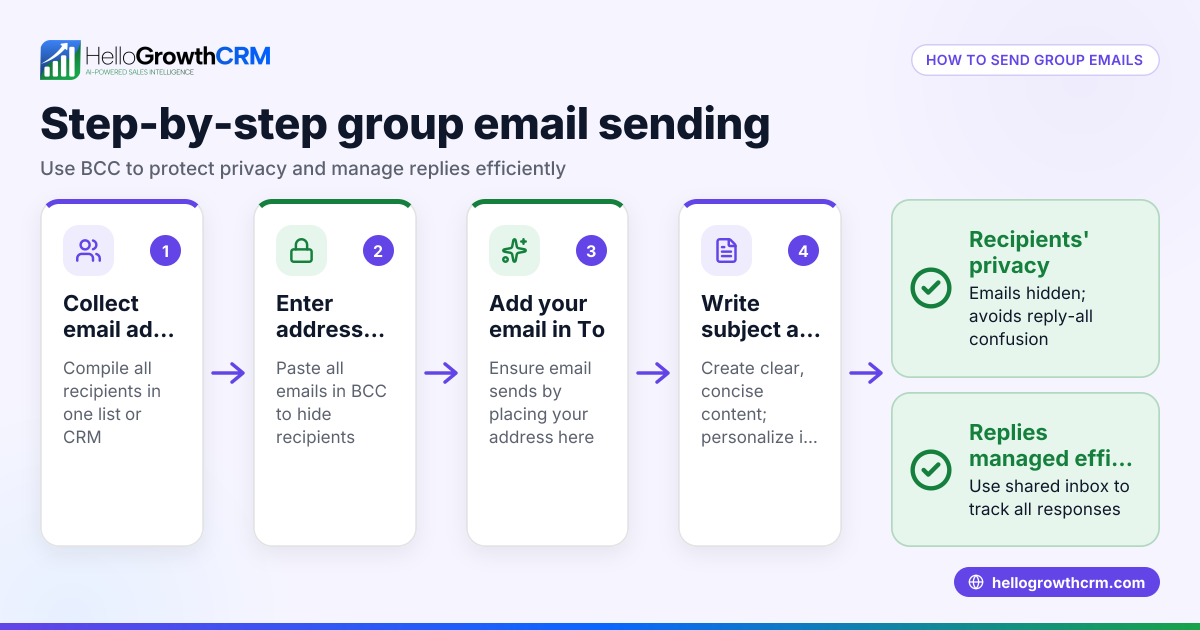
- Using CC instead of BCC or individual emails: This exposes all email addresses. Prevent by always sending separate emails or using BCC if privacy is less critical.
- Not personalizing messages: Generic emails lower engagement. Always use names and relevant details.
- Copy-pasting errors: Sending the wrong message or to the wrong contact. Double-check each email before sending.
- Ignoring replies: Delayed follow-ups lose leads. Track and respond promptly.
- Manual overload: Sending many emails manually wastes time and risks mistakes. Use automation tools for efficiency (see email automation and sequences).
- Failing to track replies centrally: Leads can slip through if replies are scattered. Use a shared inbox or CRM to collect replies.
Doing this in HelloGrowthCRM
HelloGrowthCRM offers tools to streamline sending emails separately. The HelloMail shared inbox lets your team see all replies to quotation emails on deals, so no message is missed. The Sequences and campaigns feature automates multi-step follow-ups over two weeks, sending emails and SMS until the prospect replies, then stopping automatically. This saves time and ensures personalized, separate outreach without manual effort. Learn more about WhatsApp and SMS CRM and email automation and sequences.
Frequently asked questions
Can I send one email to multiple contacts without them seeing each other? Yes, by using the BCC field or sending individual emails. BCC hides addresses but sends the same generic email to all. Individual emails allow personalization and better engagement.
What is the difference between CC and BCC? CC (carbon copy) shows all recipients to each other. BCC (blind carbon copy) hides recipients’ addresses from each other but sends the same email to all.
Is there a way to automate sending personalized emails separately? Yes, CRM platforms like HelloGrowthCRM offer sequences and campaigns that send personalized emails individually and automate follow-ups.
Why not just send one email to all with everyone in To? It reveals all contacts’ email addresses, which is unprofessional and breaches privacy.
How do I track replies when sending emails separately? Use a shared inbox or CRM system like HelloMail in HelloGrowthCRM to collect and view all replies in one place.
Key takeaways
- Send emails individually to protect privacy and improve professionalism.
- Personalize each email with the recipient’s name and details.
- Manual sending is slow and error-prone; automation saves time.
- Avoid CC for multiple recipients; use BCC or individual emails.
- Track replies with shared inboxes or CRM tools.
- HelloGrowthCRM offers features to automate and manage separate email outreach.
Start sending personalized emails efficiently today. Try HelloGrowthCRM and Start on the Free Forever plan (200 leads, no credit card).
Ready to put this into practice?
Set up your pipeline, WhatsApp follow-ups, and AI lead scoring in minutes — free, no credit card.
Try HelloGrowthCRM freeGet CRM tips in your inbox
Join thousands of sales professionals who get weekly insights on CRM strategy, AI automation, and pipeline optimization.

The HelloGrowthCRM team publishes guides on CRM strategy, AI sales tools, and revenue operations for small business sales teams.