HelloGrowthCRM software
Built for real small-business sales teams
HelloGrowthCRM helps reps qualify faster, follow up on time, and close more deals—with practical automation in one place.
- AI lead scoring and pipeline visibility
- Built-in dialer, WhatsApp, and email automation
- Sales forecasting and RevOps-ready reporting
Sales applications are software designed to streamline and manage the sales process for businesses. They help track leads, manage contacts, follow up with prospects, and close deals efficiently. For small and mid-sized businesses, using sales applications can prevent lost leads due to slow follow-up and disorganized data.
Why this comes up / what goes wrong
Small business owners often start sales with simple tools like text messages, email, and spreadsheets. Over time, this approach leads to missed opportunities because it’s hard to track every lead, remember follow-up dates, or see the sales pipeline clearly. Without a centralized system, sales teams lose leads, duplicate efforts, or fail to prioritize prospects effectively. The need for sales applications arises to organize and automate these tasks, ensuring no lead is forgotten and every opportunity is tracked.
Step-by-step
- Identify Your Sales Process Stages
- Define the key steps your sales go through, such as lead capture, qualification, quote sent, negotiation, and close.
- Check that these stages reflect how your team works and help track progress clearly.
- Choose a Sales Application That Fits Your Business Size and Needs
- Look for software that supports your number of users and sales volume.
- Verify it integrates with your communication tools like email, WhatsApp, or SMS.
- Set Up Lead Capture and Contact Management
- Configure the application to capture leads from your website or other sources automatically.
- Organize contacts with relevant details to personalize communications.
- Create and Manage Deals or Opportunities
- Enter or import current sales opportunities.
- Assign stages and set follow-up dates to avoid losing track.
- Automate Follow-Ups and Communication Sequences
- Use email, WhatsApp, or SMS sequences to stay in touch with prospects.
- Schedule reminders for manual follow-ups.
- Track Sales Activities and Performance
- Monitor calls, meetings, and messages logged in the system.
- Review sales forecasts and reports regularly to adjust strategies.
- Train Your Team and Maintain Data Hygiene
- Ensure all salespeople use the application consistently.
- Regularly clean up outdated or duplicate records.
Example (fictional figures)
A B2B software reseller in Denver, Colorado, tracks sales using a sales application.
- On 05/01/2026, they send a quote worth $48,000 to a prospect.
- They log this as a deal at the 'quote sent' stage with a follow-up date on 05/08/2026.
- The sales rep follows up on 05/08/2026 and moves the deal to 'negotiation'.
- The prospect agrees to a 9% discount.
Calculations:
$48,000 × 9% = $4,320 (discount amount) $48,000 - $4,320 = $43,680 (final deal value)
The sales application alerts the rep to follow up on the discount and updates the pipeline forecast automatically.
Common mistakes
- Not Defining Clear Sales Stages
- Prevent by mapping your sales process before setup.
- Ignoring Follow-Up Reminders
- Prevent by setting automatic alerts and assigning responsibility.
- Using Multiple Unconnected Tools
- Prevent by choosing a sales application that integrates email, WhatsApp, and SMS, reducing manual work. See how HelloGrowthCRM supports these channels in its WhatsApp and SMS CRM.
- Failing to Train the Team
- Prevent by regular training sessions and enforcing consistent use.
- Neglecting Data Cleanup
- Prevent by scheduling monthly reviews to delete duplicates and update records.
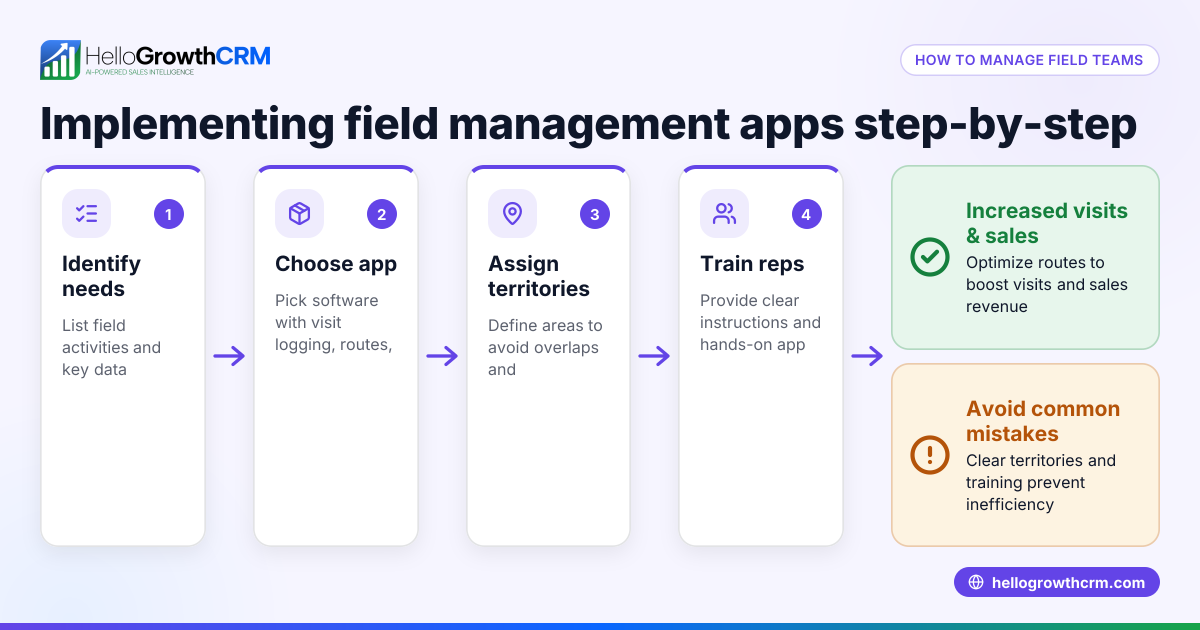
- Overlooking Mobile Field Sales Needs
- Prevent by selecting software with mobile visit logging and route planning if your team works in the field. HelloGrowthCRM offers territories, field operations and commissions features for this.
Doing this in HelloGrowthCRM
HelloGrowthCRM offers Deals (pipeline) to track open opportunities from first contact through close. For example, a quotation sent last week appears as a deal at the 'quote sent' stage with a follow-up date, so it is not forgotten. It supports Territories, field operations, and commissions, allowing field reps to log visits from their phones while managers see the day's activities. For founders without a sales manager, Managed RevOps provides done-for-you revenue operations support, including weekly follow-up execution and pipeline cleanup. Learn more about HelloGrowthCRM for the United States, its WhatsApp and SMS CRM, and built-in CRM dialer.
Frequently asked questions
What are sales applications used for? Sales applications help businesses manage leads, contacts, deals, and communications throughout the sales process. They improve organization, automate follow-ups, and provide insights to increase closing rates.
How do I choose the right sales application for my small business? Consider your business size, sales process complexity, and communication channels. Look for tools that integrate with WhatsApp, SMS, and email and offer pipeline tracking and follow-up reminders.
Can sales applications help with field sales management? Yes, some sales applications provide territory management, visit logging, and route planning to support field sales teams effectively. HelloGrowthCRM includes these features in its territory management tools.
What is pipeline management in sales applications? Pipeline management tracks deals through defined sales stages, showing progress, expected value, and follow-up dates. It helps prioritize actions and forecast revenue.
How can I ensure my sales team uses the sales application consistently? Provide training, enforce usage policies, and choose an intuitive application that integrates with their daily tools like WhatsApp and email.
Key takeaways
- Sales applications organize and automate the sales process to prevent lost leads.
- Defining clear sales stages and follow-up steps is essential.
- Use integrated tools for communication via WhatsApp, SMS, and email.
- Regular training and data hygiene maintain system effectiveness.
- HelloGrowthCRM supports pipeline tracking, field sales, and managed revenue operations.
Start managing your sales efficiently with HelloGrowthCRM. Start on the Free Forever plan (200 leads, no credit card).
Ready to put this into practice?
Set up your pipeline, WhatsApp follow-ups, and AI lead scoring in minutes — free, no credit card.
Try HelloGrowthCRM freeGet CRM tips in your inbox
Join thousands of sales professionals who get weekly insights on CRM strategy, AI automation, and pipeline optimization.

The HelloGrowthCRM team publishes guides on CRM strategy, AI sales tools, and revenue operations for small business sales teams.