HelloGrowthCRM software
Built for real small-business sales teams
HelloGrowthCRM helps reps qualify faster, follow up on time, and close more deals—with practical automation in one place.
- AI lead scoring and pipeline visibility
- Built-in dialer, WhatsApp, and email automation
- Sales forecasting and RevOps-ready reporting
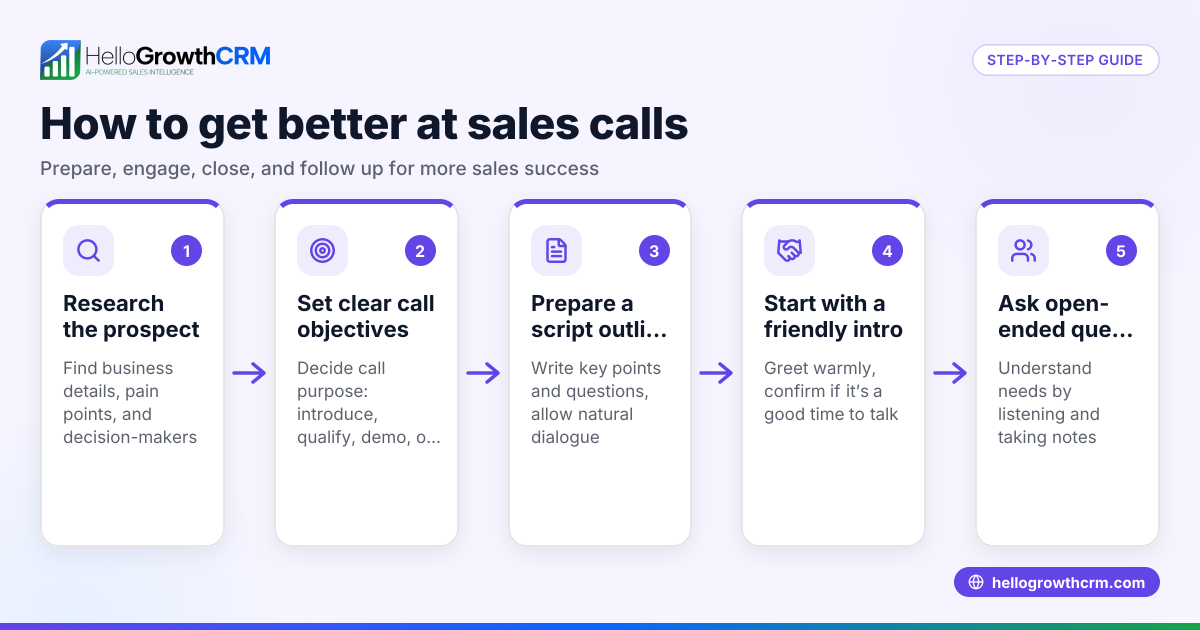
A sales call flow chart is a visual map that guides salespeople through every stage of a sales call, from introduction to closing or scheduling a follow-up. It helps standardize the sales conversation, ensuring important points are covered and no opportunities are missed. This article covers why small business owners need a sales call flow chart, how to create one step-by-step, a practical example with figures, common mistakes to avoid, and how HelloGrowthCRM can assist your sales team.
Why this comes up / what goes wrong
Small-business owners often find their sales calls inconsistent and inefficient. Without a clear plan, sales reps might forget key questions, miss objections, or fail to follow up properly. This leads to lost leads and slower sales cycles. A sales call flow chart helps by providing a repeatable process that anyone on the team can follow, reducing errors and improving conversion rates. It is especially useful when sales calls happen over phone, text, or email without a unified system.
Step-by-step
- Define the call objective: Decide what the goal is—qualify the lead, present a product, close a sale, or schedule a follow-up. Check that this objective aligns with your sales stages.
- Prepare the opening script: Create a clear, friendly greeting that introduces the caller and purpose. Check that it is concise and invites engagement.
- Qualify the lead: List key qualifying questions to understand the prospect’s needs, budget, and decision timeline. Confirm these questions cover all essential criteria.
- Present your solution: Outline how to explain your product or service benefits linked to the prospect’s needs. Check that the script highlights unique selling points.
- Handle objections: Anticipate common objections and prepare responses. Verify these responses sound natural and address concerns directly.
- Close or schedule follow-up: Decide how to ask for the sale or arrange the next step. Ensure the closing lines are clear and action-oriented.
- Log call outcomes: Record the call results and next actions immediately after the call. Confirm that the logging process is simple and consistent.
- Review and improve: Regularly update the flow chart based on feedback and call results. Check that improvements are communicated to the team.
Example (fictional figures)
A landscaping contractor in Charlotte, North Carolina, uses a sales call flow chart to manage incoming inquiries.
- Objective: Schedule a site visit.
- Greeting: “Hi, this is John from GreenScape Landscaping. I’m calling to learn about your lawn care needs.”
- Qualifying questions:
- “What size is your lawn?”
- “Do you currently use a landscaping service?”
- “When would you like the service to start?”
- Present solution: “We offer customized lawn care starting at $150 per month, including weekly mowing and seasonal treatments.”
- Handle objections:
- Objection: “It sounds expensive.”
- Response: “Our packages include all materials and labor, so there are no hidden costs, and many clients find it saves them time and hassle.”
- Close: “Can I schedule a visit this week to provide a free estimate?”
- Log call outcome: Scheduled visit for 04/15/2026.
This flow ensures John covers all points and moves leads efficiently.
Common mistakes
- Skipping qualification questions: Leads may be unfit or unready. Prevent by always following the flow chart.
- Not handling objections: Losing prospects due to unanswered concerns. Prevent by preparing and practicing objection responses.
- Failing to log call outcomes: Leads get forgotten. Prevent by using a CRM or a simple logging system immediately after calls.
- Inconsistent follow-up: Missed sales opportunities. Prevent by scheduling follow-ups with reminders.
- Rigid scripts that sound robotic: Prospects disengage. Prevent by allowing natural conversation within the flow.
Doing this in HelloGrowthCRM
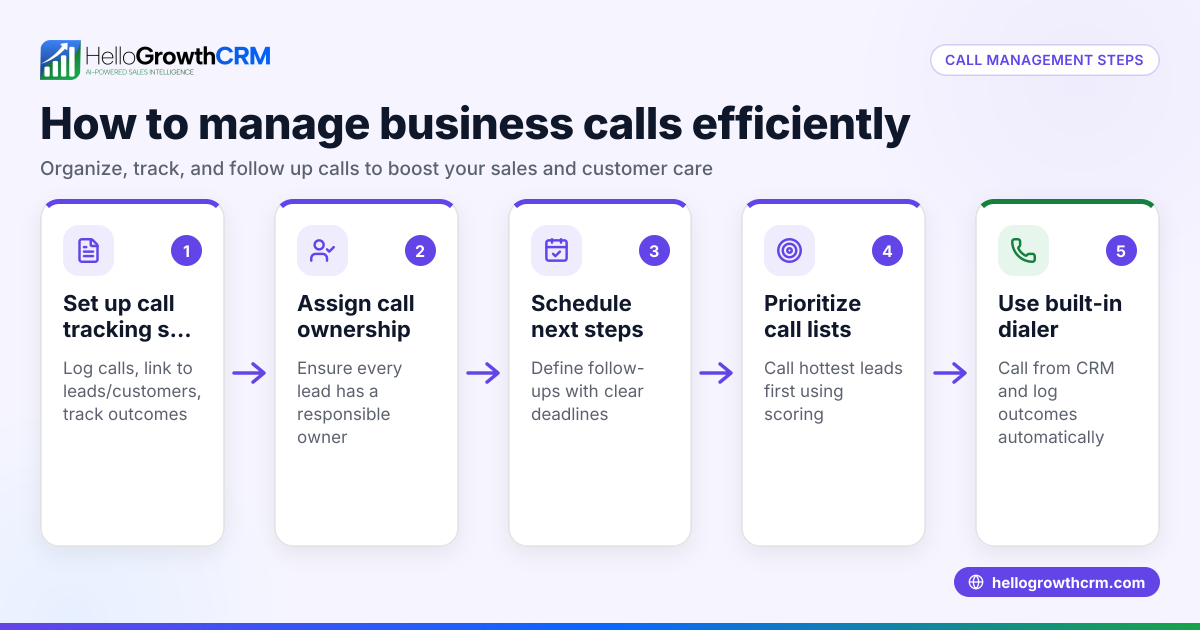
HelloGrowthCRM supports your sales call flow with a built-in dialer, letting reps work a list inside the CRM and log each call’s outcome automatically. Deals appear in a pipeline with stages like 'quote sent' and follow-up dates, so no opportunity is forgotten. For businesses with field sales teams, territories and visit logs help managers track daily activity and commissions. Learn more about the built-in CRM dialer, WhatsApp and SMS CRM, and HelloGrowthCRM for the United States.
Frequently asked questions
What is a sales call flow chart? A sales call flow chart is a step-by-step visual guide for salespeople to follow during calls. It outlines what to say and do at each stage, helping standardize conversations and improve outcomes.
How do I create a sales call flow chart? Start by defining your call objectives, then script the opening, qualifying questions, product presentation, objection handling, and closing steps. Test it with your team and update regularly based on feedback.
Can a sales call flow chart improve closing rates? Yes, by ensuring reps cover all necessary points and handle objections effectively, it increases the chances of moving leads through the sales pipeline.
How does HelloGrowthCRM help with sales calls? HelloGrowthCRM includes a built-in dialer for calling directly from the CRM, automatic logging of call outcomes, and deal tracking with follow-up reminders, making it easier to manage sales calls and pipelines.
Is a sales call flow chart useful for small teams? Absolutely. It provides consistency and a clear process for every team member, which is especially helpful when resources are limited.
Key takeaways
- A sales call flow chart maps each call step to guide sales conversations.
- It helps standardize calls, reduce errors, and improve lead qualification.
- Prepare scripts for opening, qualifying, presenting, objection handling, and closing.
- Log call outcomes and schedule follow-ups to avoid losing leads.
- HelloGrowthCRM’s built-in dialer and deals pipeline help track calls and sales efficiently.
Start improving your sales calls today with a clear flow chart and tools that keep your team organized. You can Start on the Free Forever plan (200 leads, no credit card) to manage your sales calls and pipeline effectively.
Ready to put this into practice?
Set up your pipeline, WhatsApp follow-ups, and AI lead scoring in minutes — free, no credit card.
Try HelloGrowthCRM freeGet CRM tips in your inbox
Join thousands of sales professionals who get weekly insights on CRM strategy, AI automation, and pipeline optimization.

The HelloGrowthCRM team publishes guides on CRM strategy, AI sales tools, and revenue operations for small business sales teams.