HelloGrowthCRM software
Built for real small-business sales teams
HelloGrowthCRM helps reps qualify faster, follow up on time, and close more deals—with practical automation in one place.
- AI lead scoring and pipeline visibility
- Built-in dialer, WhatsApp, and email automation
- Sales forecasting and RevOps-ready reporting
A sales call log template USA is essential for small and mid-sized businesses to keep organized records of their sales calls. It captures key information such as the date of the call, contact details, call purpose, outcome, and follow-up actions. Using a call log helps prevent missed follow-ups and lost leads, improving sales efficiency.
Why this comes up / what goes wrong
Many small business owners and sales teams rely on scattered notes, text messages, or spreadsheets to track calls. This leads to missed follow-ups, lost context, and difficulty measuring sales activity. Without a standardized sales call log template, teams waste time searching for call details or forget to update next steps. A ready-to-use template solves this by providing a consistent structure to log calls and track progress.
Step-by-step
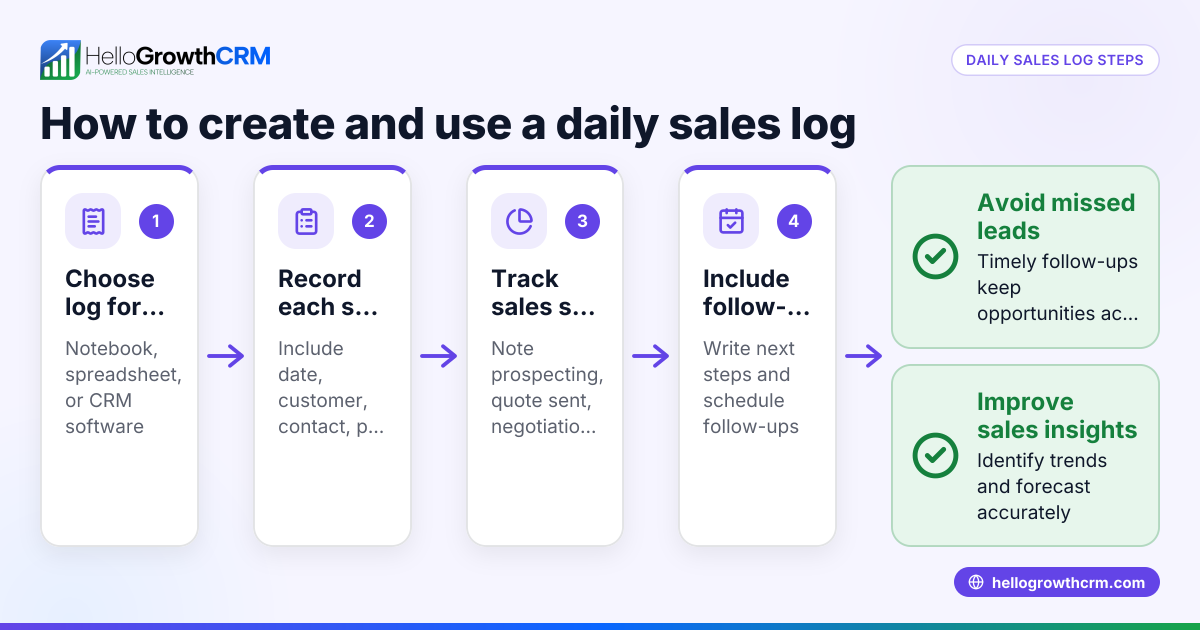
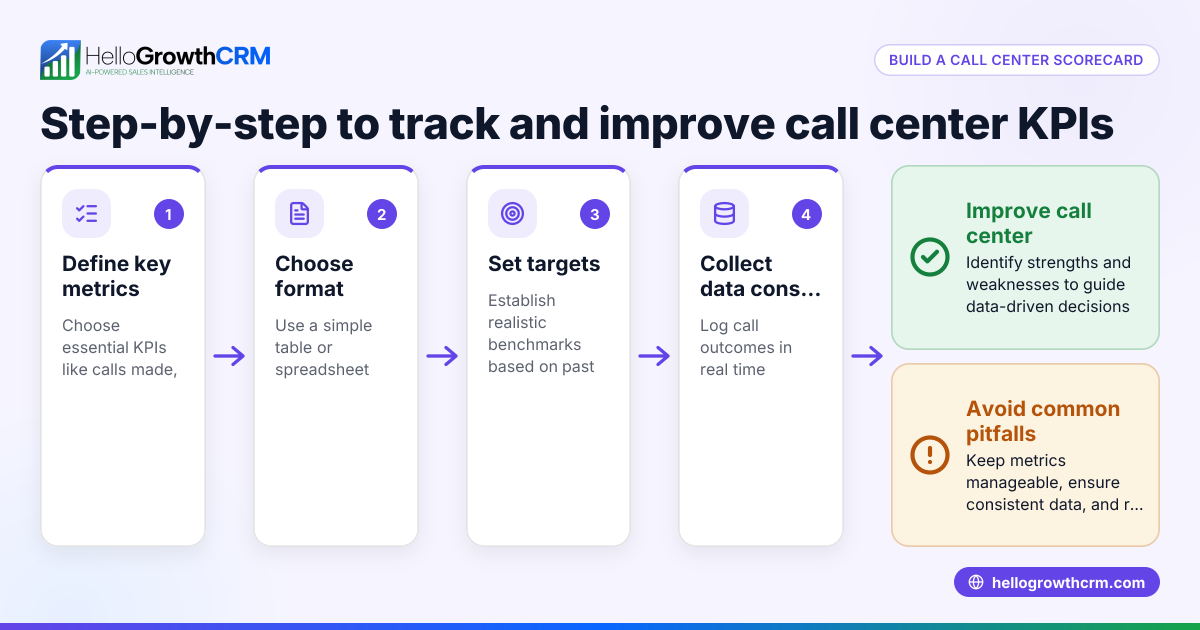
- Choose your format: Decide whether to use Excel, Google Sheets, or a CRM tool. For offline or simple use, Excel or Sheets works well. For integrated sales tracking, a CRM is better.
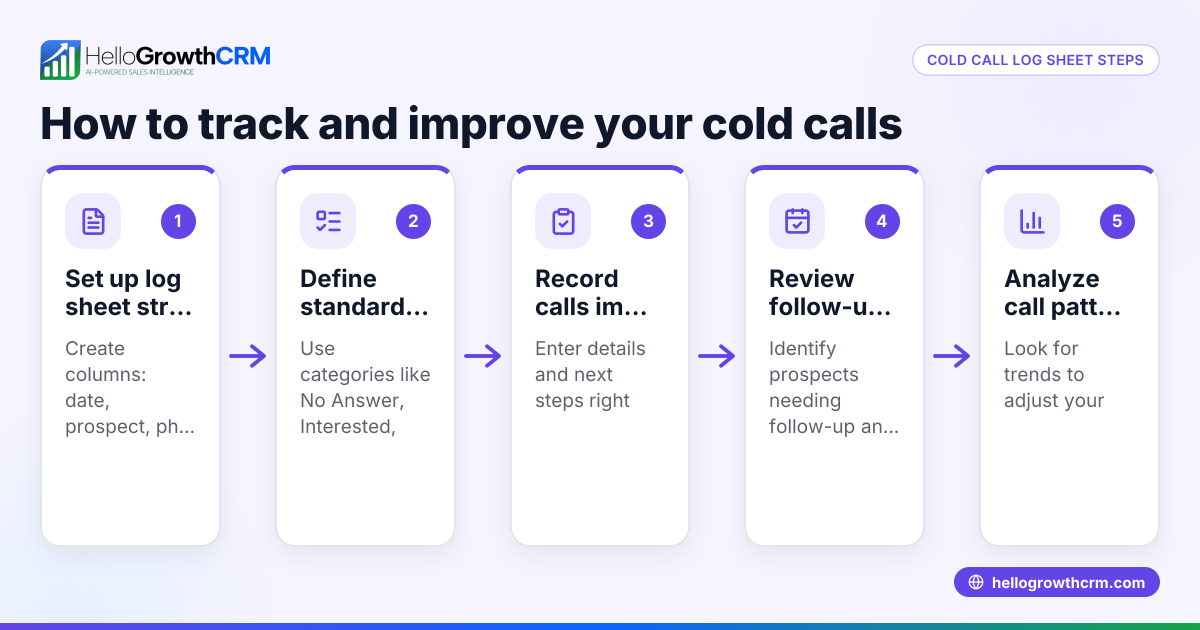
- Set up columns: Include columns for Date, Time, Contact Name, Company, Phone Number, Call Purpose, Outcome, Next Steps, Follow-up Date, and Notes.
- Define call outcomes: Standardize outcomes such as "Connected", "Voicemail", "No Answer", "Follow-up Scheduled", or "Closed Won".
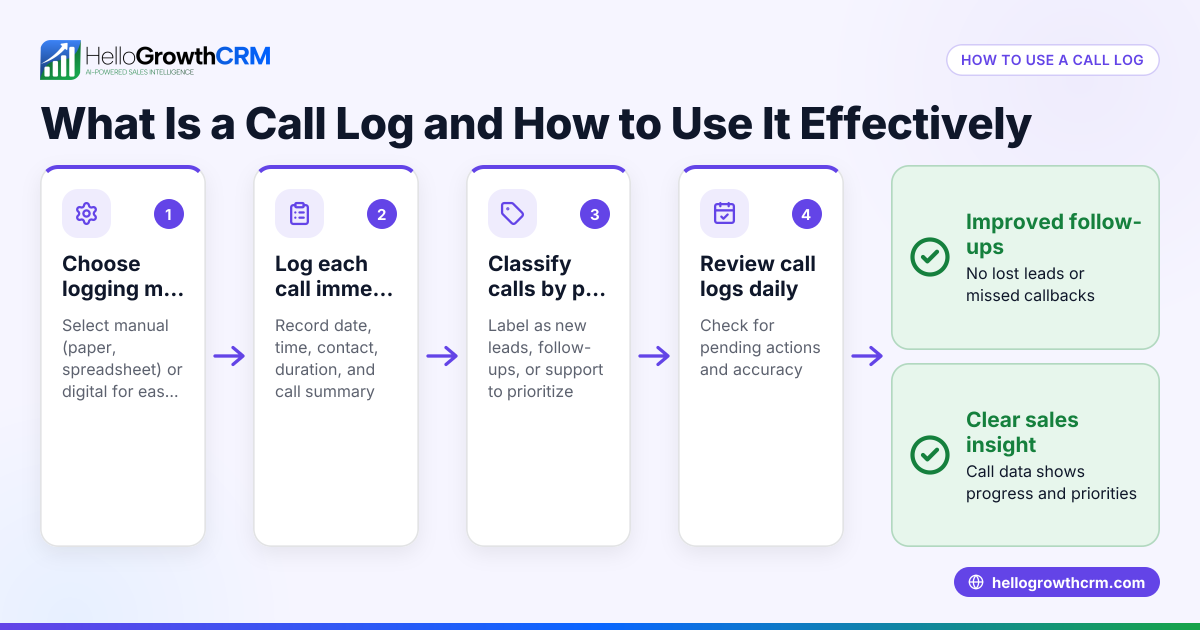
- Record calls immediately: Log each call as soon as it ends to capture accurate details.
- Schedule follow-ups: Use the Next Steps and Follow-up Date columns to plan future calls or emails.
- Review regularly: Check your call log weekly to identify stalled leads or overdue follow-ups.
- Back up your log: Save copies regularly or use cloud storage to avoid data loss.
Check that each call entry has a clear next step and follow-up date to prevent leads from slipping through. Using free sales templates can help standardize your call logs and avoid common errors: sales templates.
Example (fictional figures)
A B2B software reseller in Denver, Colorado, uses a sales call log to track conversations with potential clients.
| Date | Time | Contact Name | Company | Phone Number | Call Purpose | Outcome | Next Steps | Follow-up Date | Notes |
|---|---|---|---|---|---|---|---|---|---|
| 06/10/2024 | 10:00 | John Smith | Acme Corp | 303-555-1234 | Introductory Call | Connected | Send product brochure | 06/15/2024 | Interested in pricing |
| 06/10/2024 | 11:30 | Lisa Johnson | Beta LLC | 720-555-5678 | Follow-up | Voicemail | Call again | 06/12/2024 | Left voicemail |
After the call with John Smith, the reseller expects a potential deal. The estimated deal value is $48,000.
Calculation of potential revenue from John Smith's lead:
$48,000 × 9% commission rate = $4,320 commission
If the deal closes, this amount adds to the sales team's earnings.
This example shows how logging calls with clear next steps and outcomes supports forecasting and follow-up.
Common mistakes
- Not updating the log immediately: Leads to forgotten details. Prevent by logging calls right after completion.
- Skipping follow-up dates: Causes missed opportunities. Always set a next step and date.
- Using inconsistent outcome terms: Confuses reporting. Define and use standard outcome categories.
- Overloading notes with irrelevant info: Makes it hard to find key points. Keep notes concise and relevant.
- Not reviewing the log regularly: Leads to stale leads. Schedule weekly reviews.
Using free sales templates can help standardize your call logs and avoid these errors: sales templates.
Doing this in HelloGrowthCRM
HelloGrowthCRM offers free sales tools, templates, and calculators that include follow-up cadence and pipeline templates you can download without an account: free sales tools and calculators. Its built-in dialer lets your sales team call directly from the CRM, with every call outcome automatically logged on the lead record: built-in CRM dialer. Deals and pipeline features track quotations and follow-ups so no opportunity is forgotten, showing deals at stages like "quote sent" with follow-up dates: HelloGrowthCRM for the United States.
Frequently asked questions
What should a sales call log template include? A sales call log template should include date, time, contact name, company, phone number, call purpose, call outcome, next steps, follow-up date, and notes. This ensures you capture all relevant information to track and progress leads.
Can I use Excel or Google Sheets for a sales call log? Yes, Excel and Google Sheets are common tools for sales call logs, especially for small teams or those not ready for CRM software. They offer flexibility but require manual updates and backups.
How often should I update my sales call log? Ideally, update your sales call log immediately after each call to ensure accuracy. Regular weekly reviews help identify overdue follow-ups and stalled leads.
What are common call outcomes to track? Standard outcomes include Connected, Voicemail, No Answer, Follow-up Scheduled, and Closed Won. Having consistent categories helps with reporting and follow-up planning.
How can HelloGrowthCRM help with sales call logging? HelloGrowthCRM provides a built-in dialer to make calls directly from the CRM, automatically logging call outcomes and history on each lead. It also offers free downloadable sales templates and pipeline tools without requiring an account.
Key takeaways
- Use a structured sales call log template with key columns like date, contact, outcome, and follow-up.
- Log calls immediately and set clear next steps with follow-up dates.
- Standardize call outcomes to improve tracking and reporting.
- Review your call log regularly to avoid missed opportunities.
- Use free sales templates and CRM features to simplify call logging and pipeline management.
Start organizing your sales calls today with a free call log template and tools. To get started with a CRM that helps you log calls and manage deals, start on the Free Forever plan (200 leads, no credit card).
Ready to put this into practice?
Set up your pipeline, WhatsApp follow-ups, and AI lead scoring in minutes — free, no credit card.
Try HelloGrowthCRM freeGet CRM tips in your inbox
Join thousands of sales professionals who get weekly insights on CRM strategy, AI automation, and pipeline optimization.

The HelloGrowthCRM team publishes guides on CRM strategy, AI sales tools, and revenue operations for small business sales teams.