HelloGrowthCRM software
Built for real small-business sales teams
HelloGrowthCRM helps reps qualify faster, follow up on time, and close more deals—with practical automation in one place.
- AI lead scoring and pipeline visibility
- Built-in dialer, WhatsApp, and email automation
- Sales forecasting and RevOps-ready reporting
A cold call log sheet is a simple but essential tool for tracking outbound sales calls. It records each call's details such as the prospect’s name, phone number, date and time of the call, call outcome, notes, and any follow-up actions. Using a log sheet helps sales teams organize their efforts, measure productivity, and ensure no lead is forgotten.
Why this comes up / what goes wrong
Small-business owners often rely on cold calling to generate new leads and sales. Without a clear system to log calls, important details can be lost, leading to missed follow-ups and wasted opportunities. Many businesses use spreadsheets, paper notebooks, or text files as call logs. These methods can be disorganized, error-prone, and difficult to share with sales teams. This results in duplicated calls, inconsistent follow-up, and lost sales. For teams using WhatsApp, SMS, or email alongside calls, keeping track of all outreach without a proper log sheet is even more challenging.
Step-by-step
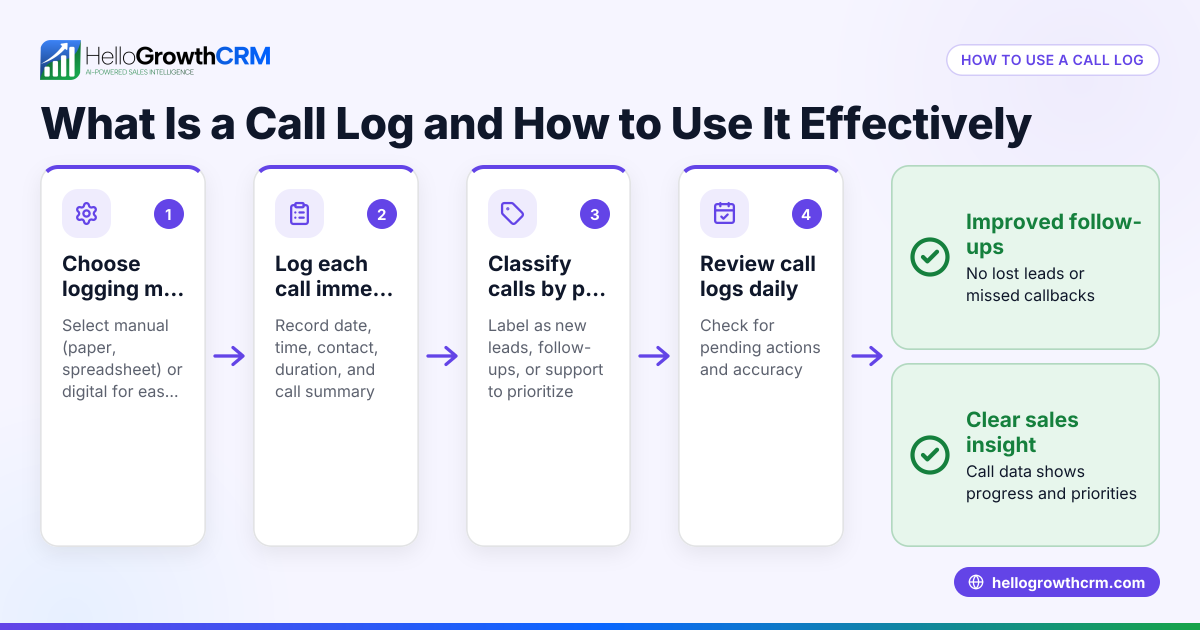
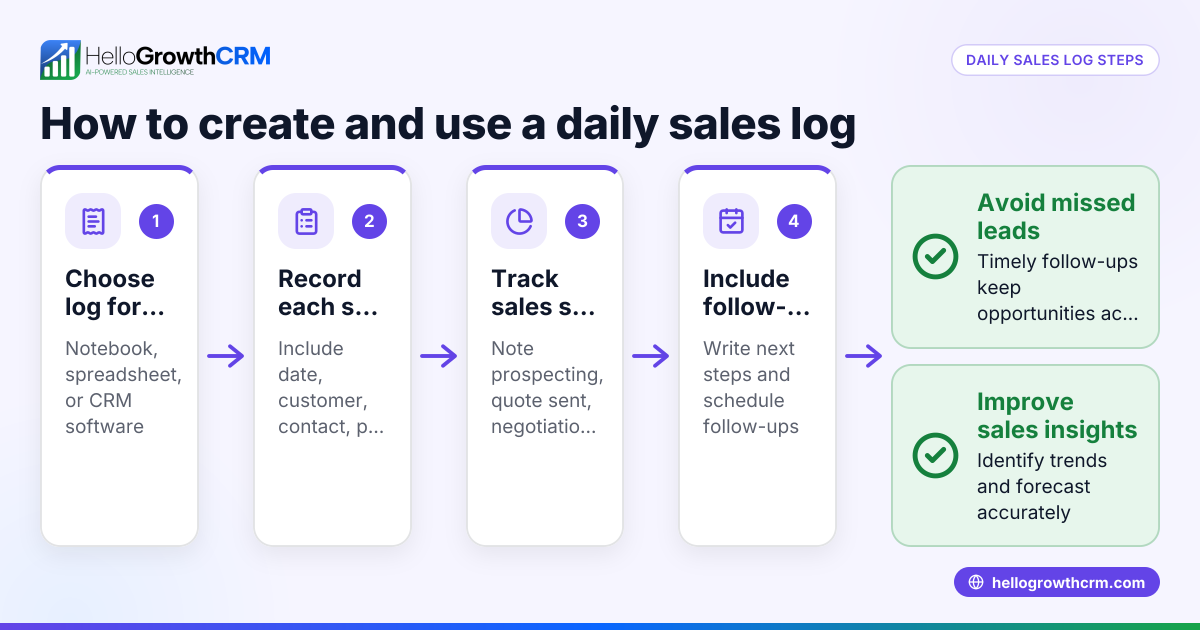
- Set up your log sheet structure: Open a spreadsheet or document and create columns for Date, Prospect Name, Phone Number, Call Time, Call Outcome, Notes, and Follow-up Date.
- Define standard call outcomes: Use categories like “No Answer,” “Left Voicemail,” “Interested,” “Not Interested,” and “Call Back Later.” Consistent categories make tracking and reporting easier.
- Record each call immediately: After every call, enter the details to keep records accurate. Include notes on the conversation and agreed next steps.
- Review follow-ups daily: Check your log sheet daily to identify prospects needing follow-up and prepare for those calls.
- Analyze call patterns weekly: Look for trends such as best calling times, common objections, or success rates. Adjust your approach based on these insights.
- Share the log sheet with your team: Ensure the log is accessible to all relevant team members to avoid duplicate calls and maintain coordination.
- Back up your data regularly: Save copies of your log sheet to prevent data loss.
- Consider using a CRM with a built-in dialer: Tools like the built-in CRM dialer allow you to call directly from the system and automatically log call outcomes, reducing manual work and errors.
Example (fictional figures)
A B2B software reseller in Denver, Colorado, made 50 cold calls on 05/10/2026. They recorded the following outcomes:
- No Answer: 20
- Left Voicemail: 10
- Interested: 15
- Not Interested: 5
They scheduled follow-ups for the 15 interested prospects on 05/15/2026.
To track their results, they calculated their call success rate:
Total calls made = 50
Interested prospects = 15
Call success rate = (15 ÷ 50) × 100 = 30%
They also noted the distribution of call outcomes:
No Answer + Left Voicemail = 20 + 10 = 30
Percentage of no direct contact = (30 ÷ 50) × 100 = 60%
This helped them focus on improving call timing and messaging to reduce no answers and increase interest.
Common mistakes
- Not logging calls immediately: Leads to forgotten details and inaccurate records. Prevent this by updating the log right after each call.
- Inconsistent outcome categories: Makes analysis difficult. Prevent by standardizing call outcomes.
- Failing to schedule follow-ups: Causes lost opportunities. Prevent by setting follow-up dates in the log sheet.
- Keeping the log private: Results in duplicated calls or missed handoffs. Prevent by sharing the log with your team.
- Relying entirely on manual logs: Increases errors and workload. Consider tools with built-in dialers that log calls automatically, such as the built-in CRM dialer.
- Not analyzing call data regularly: Misses chances to improve. Set weekly time to review call outcomes and adjust strategies.
Doing this in HelloGrowthCRM
HelloGrowthCRM includes a built-in dialer that lets reps work through their call lists directly inside the CRM. Each call’s outcome is logged automatically on the lead’s record, keeping full call history organized and accessible. This reduces manual data entry, prevents lost information, and helps sales teams track progress efficiently. Learn more about the built-in CRM dialer and how HelloGrowthCRM supports WhatsApp and SMS CRM communication for small and mid-sized US businesses.
Frequently asked questions
What is a cold call log sheet? A cold call log sheet is a record-keeping tool that tracks details of outbound sales calls. It helps sales teams stay organized by recording who was called, when, the outcome, and next steps.
How often should I update my cold call log sheet? Update the log immediately after each call to ensure details are accurate. Daily reviews help manage follow-ups and keep the process organized.
Can I use a cold call log sheet for other sales activities? Yes. While designed for cold calls, the log sheet format can also track calls from referrals, inbound leads, or follow-ups to keep all outreach organized.
What details should I include in a cold call log sheet? Include the date, prospect name, phone number, call time, call outcome, notes, and follow-up date. These details help track progress and plan next steps.
How can HelloGrowthCRM help with cold call logging? HelloGrowthCRM’s built-in dialer lets you make calls directly from the CRM and automatically logs each call outcome. This saves time, reduces errors, and keeps your sales process organized. Find out more about HelloGrowthCRM for the United States.
Key takeaways
- A cold call log sheet records call details and outcomes to improve follow-up and sales.
- Use consistent outcome categories and update the log immediately after calls.
- Share the log with your team to avoid duplicated efforts and missed opportunities.
- Review and analyze the log regularly to improve calling strategies.
- HelloGrowthCRM’s built-in dialer automates call logging and keeps call history tied to leads.
Start managing your cold calls more effectively today. Start on the Free Forever plan (200 leads, no credit card).
Ready to put this into practice?
Set up your pipeline, WhatsApp follow-ups, and AI lead scoring in minutes — free, no credit card.
Try HelloGrowthCRM freeGet CRM tips in your inbox
Join thousands of sales professionals who get weekly insights on CRM strategy, AI automation, and pipeline optimization.

The HelloGrowthCRM team publishes guides on CRM strategy, AI sales tools, and revenue operations for small business sales teams.