HelloGrowthCRM software
Built for real small-business sales teams
HelloGrowthCRM helps reps qualify faster, follow up on time, and close more deals—with practical automation in one place.
- AI lead scoring and pipeline visibility
- Built-in dialer, WhatsApp, and email automation
- Sales forecasting and RevOps-ready reporting
A sales compensation dashboard is a centralized platform or report that displays sales team compensation data, including commissions, bonuses, and quotas, alongside sales performance metrics. It enables business owners and sales leaders to track how sales compensation aligns with sales results and to identify any discrepancies or trends quickly.
Why this comes up / what goes wrong
Small-business owners often struggle to keep sales compensation transparent and accurate. Sales teams may earn commissions based on deals closed or milestones reached, but tracking these manually with spreadsheets or emails can lead to errors and delays. Without a clear dashboard, owners might miss which sales reps are underperforming or overpaid, causing budgeting issues and low morale. Slow follow-up or forgotten deals can also affect commissions and revenue forecasting. This situation often arises when sales data is scattered across text messages, emails, and spreadsheets, making it hard to get a clear picture of compensation and sales progress.
Step-by-step
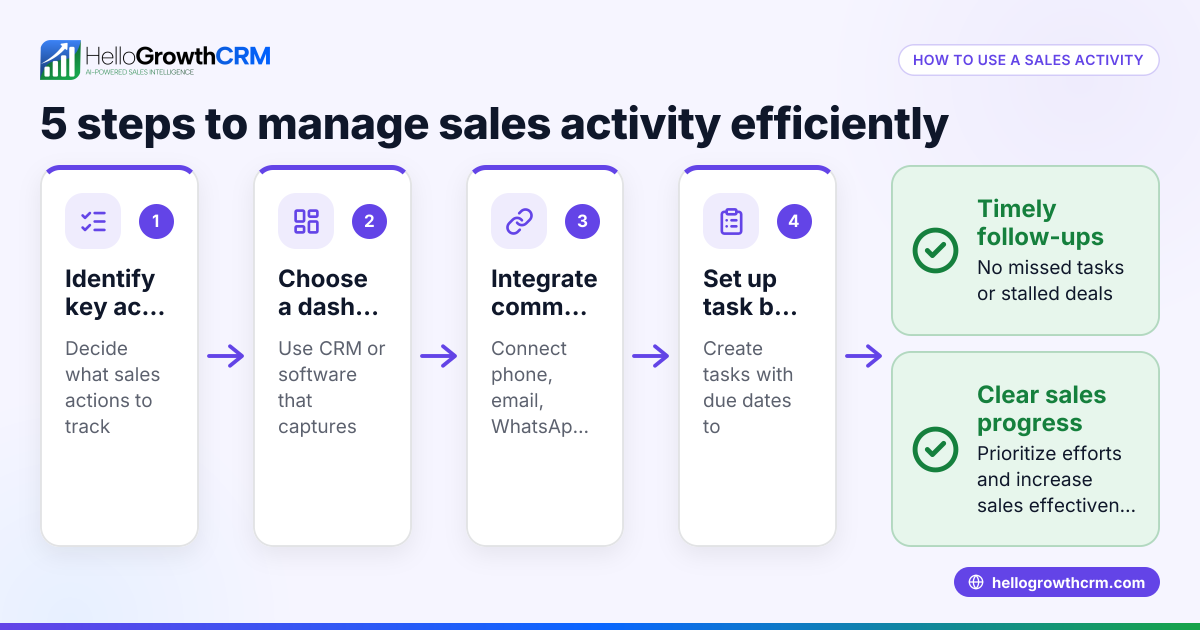
- Define your sales compensation structure: Decide on commission rates, bonuses, and any tiered incentives you pay your sales reps. Write these down clearly to avoid confusion.
- Collect sales data: Gather accurate data on closed deals, deal values, sales stages, and dates. Make sure this information is up to date.
- Choose key metrics to track: Typical metrics include total commissions earned, quota attainment, deal velocity, and pipeline stages.
- Select a dashboard tool: Use spreadsheet software or a CRM with built-in pipeline and commission tracking. Check if it supports real-time updates to avoid outdated data.
- Input or integrate data: Enter sales and compensation data manually or connect your sales system to automate data flow for accuracy and efficiency.
- Set up visualizations: Use charts and tables to display commissions by rep, total payout, and forecasted earnings clearly.
- Review and update regularly: Schedule weekly or monthly reviews to update data and assess sales performance and compensation accuracy.
- Communicate with your sales team: Share the dashboard openly to maintain transparency and motivate your team.
Example (fictional figures)
Phoenix Homes, a residential real-estate team in Phoenix, Arizona, wants to track sales commissions for March 2026. They pay a 5% commission on closed deals.
- Total closed sales in March: $1,200,000
- Commission rate: 5%
Calculations:
$1,200,000 × 5% = $60,000 total commissions
If the team has 4 sales reps, and sales split as:
- Rep A: $400,000
- Rep B: $350,000
- Rep C: $300,000
- Rep D: $150,000
Individual commissions:
Rep A: $400,000 × 5% = $20,000
Rep B: $350,000 × 5% = $17,500
Rep C: $300,000 × 5% = $15,000
Rep D: $150,000 × 5% = $7,500
The dashboard would show each rep’s sales, commission earned, and overall team payout for March.
Common mistakes
- Using outdated or incomplete sales data: Prevent this by integrating your sales tracking system or updating spreadsheets regularly.
- Not aligning compensation with sales stages: Use pipeline management tools to track deals accurately, so commissions reflect real progress (see Deals (pipeline)).
- Ignoring slow follow-ups that delay commission payments: Set follow-up reminders in your CRM to avoid missed commission triggers.
- Lack of transparency with sales reps: Share the dashboard openly to build trust and motivation.
- Overcomplicating the dashboard: Keep it simple with key metrics relevant to your business.
- Not forecasting commissions: Use AI insights and pipeline forecasts to predict future commission payouts and budget accordingly (see Pipeline forecast and AI insights).
Doing this in HelloGrowthCRM
HelloGrowthCRM helps small businesses manage sales compensation with features like pipeline forecast and AI insights that show where deals are stalling without building spreadsheets. Its Deals (pipeline) feature tracks open opportunities from first contact through close, with stage movement and follow-up dates so quotations and commissions are not forgotten. For businesses with field sales, Territories, field operations and commissions tools allow reps to log visits from their phones, and managers can see daily activities and commission status. Learn more about HelloGrowthCRM’s capabilities at WhatsApp and SMS CRM and built-in CRM dialer.
Frequently asked questions
What is the difference between a sales compensation dashboard and a sales dashboard? A sales compensation dashboard focuses specifically on tracking commissions, bonuses, and payouts related to sales performance. A sales dashboard covers broader sales metrics like revenue, leads, and conversion rates.
How often should I update my sales compensation dashboard? Ideally, update it weekly or monthly, depending on your sales cycle. Frequent updates help catch errors early and keep your sales team motivated.
Can I automate sales compensation tracking without complex software? Yes, some CRM systems like HelloGrowthCRM offer pipeline and commission tracking features that reduce manual work and errors.
How does pipeline forecasting help with sales compensation? Pipeline forecasting predicts which deals are likely to close and when, helping you estimate future commissions and manage cash flow.
Is it necessary to share the sales compensation dashboard with my sales team? Sharing promotes transparency and motivation, ensuring reps understand how their efforts translate into earnings.
Key takeaways
- A sales compensation dashboard centralizes commissions and sales performance data.
- Accurate, up-to-date sales data is essential to avoid payment errors.
- Use pipeline and AI forecasting tools to predict commissions and spot stalled deals.
- Keep the dashboard simple and transparent to motivate your sales team.
- HelloGrowthCRM offers pipeline, forecasting, and commission tracking features for small businesses.
Start managing your sales compensation clearly and efficiently. Start on the Free plan (200 leads, no credit card) to see how HelloGrowthCRM can help.
Ready to put this into practice?
Set up your pipeline, WhatsApp follow-ups, and AI lead scoring in minutes — free, no credit card.
Try HelloGrowthCRM freeGet CRM tips in your inbox
Join thousands of sales professionals who get weekly insights on CRM strategy, AI automation, and pipeline optimization.

The HelloGrowthCRM team publishes guides on CRM strategy, AI sales tools, and revenue operations for small business sales teams.