HelloGrowthCRM software
Built for real small-business sales teams
HelloGrowthCRM helps reps qualify faster, follow up on time, and close more deals—with practical automation in one place.
- AI lead scoring and pipeline visibility
- Built-in dialer, WhatsApp, and email automation
- Sales forecasting and RevOps-ready reporting
Sales demo environments are controlled setups of your product or service used to show prospects how it works before purchase. They help sales teams present features clearly, answer questions live, and prove value. This article covers why sales demo environments matter, step-by-step guidance to evaluate them, a practical example, common pitfalls, and how HelloGrowthCRM supports your sales process.
Why this comes up / what goes wrong
Small business owners often face difficulty when evaluating software or services because they need a way to demonstrate the product effectively to prospects. Without a proper sales demo environment, demonstrations can be inconsistent, confusing, or fail to highlight key benefits. This leads to lost sales or longer sales cycles. Many small and mid-sized businesses run sales on text messages, email, and spreadsheets, which makes it hard to organize demos, track follow-ups, and keep leads engaged.
Choosing the right demo environment ensures your sales team can present the product smoothly, respond to questions in real time, and maintain momentum. It also helps avoid technical glitches or delays that frustrate prospects.
Step-by-step
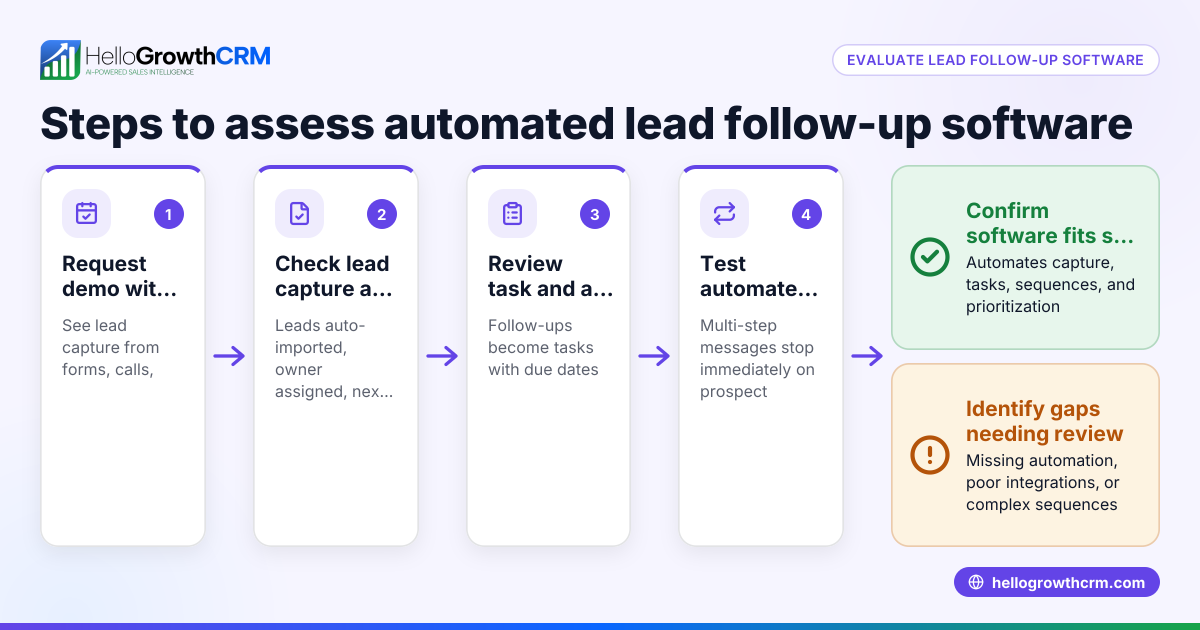
- Identify your demo goals: Decide what you want to show in the demo—product features, workflows, integrations, or results. Check that the demo environment supports these goals without extra setup.
- Evaluate ease of access: Confirm that your sales team and prospects can access the demo environment easily, whether it’s a web app, mobile app, or desktop software. Check if it requires downloads, logins, or special permissions.
- Test functionality and stability: Run through the demo yourself and with your team to ensure all features work as expected. Look for bugs or slow responses that could disrupt the presentation.
- Check customization options: See if you can tailor the demo to different prospect needs or industries, such as preloading data or adjusting settings.
- Plan for follow-up tracking: Ensure the demo environment integrates with your CRM or sales tools to track demo attendance, engagement, and next steps.
- Consider scalability and updates: Make sure the demo environment can grow with your business and be updated easily to reflect product changes.
- Review support and training: Confirm that your team has access to training materials and technical support for the demo environment.
- Compare costs and licensing: Understand any fees or licenses required for demo use, including limits on users or sessions.
Example (fictional figures)
Imagine a B2B software reseller in Denver, Colorado, evaluating a sales demo environment for their new CRM product.
- They want to show lead capture, pipeline tracking, and messaging features.
- The demo environment license costs $500 per year.
- They estimate 100 demos per year.
- Each demo saves 30 minutes compared to manual email follow-ups.
Calculations:
Time saved per demo = 0.5 hours
Value of saved time per demo (assume $50/hour sales rep rate) = 0.5 × $50 = $25
Total value saved annually = 100 demos × $25 = $2,500
Net benefit = $2,500 - $500 (license cost) = $2,000
This shows the demo environment is cost-effective and improves sales efficiency.
Common mistakes
- Using a demo environment that is too complex for prospects: Prevent by simplifying the demo and focusing on key features.
- Failing to test the demo setup before presentations: Prevent by rehearsing demos regularly and troubleshooting issues.
- Not integrating demo data with your CRM: Prevent by choosing demo tools that sync with your sales pipeline to avoid lost follow-ups.
- Ignoring prospect feedback on the demo: Prevent by collecting and acting on feedback to improve the demo experience.
- Overloading demos with too much information: Prevent by tailoring demos to prospect needs and keeping them concise.
- Not scheduling demos efficiently, causing delays: Prevent by using scheduling tools to let prospects pick meeting times.
Doing this in HelloGrowthCRM
HelloGrowthCRM helps small and mid-sized businesses manage sales demos efficiently. Deals (pipeline) let you track quotations and follow-up dates so no demo opportunity is forgotten. Scheduling and booking features allow prospects to pick a convenient slot from a link, eliminating back-and-forth messaging on WhatsApp. For businesses with field sales, Territories, field operations and commissions tools enable reps to log visits from their phones and managers to monitor daily activities. Learn more about HelloGrowthCRM for the United States, WhatsApp and SMS CRM, and the built-in CRM dialer.
Frequently asked questions
What is a sales demo environment? A sales demo environment is a controlled setup of your product or service used to demonstrate its features and benefits to potential customers. It helps sales teams provide live, interactive presentations.
How do I choose the best demo environment for my small business? Focus on your sales goals, ease of access for both your team and prospects, functionality, customization options, and integration with your CRM. Also consider cost and support availability.
Can I use HelloGrowthCRM to manage sales demos? Yes, HelloGrowthCRM offers pipeline management to track deals and follow-ups, scheduling tools to book demo meetings, and field sales features to log visits and monitor activities.
How can scheduling tools improve demo environments? Scheduling tools reduce delays by letting prospects pick available meeting slots directly, avoiding back-and-forth messages and ensuring demos happen promptly.
What are common pitfalls when running sales demos? Common mistakes include overloading the demo with information, not rehearsing, ignoring feedback, and failing to integrate demo results with sales tracking tools.
Key takeaways
- Sales demo environments let you showcase your product clearly and interactively.
- Evaluate demo environments by goals, access, functionality, customization, and integration.
- Testing and scheduling are critical to avoid delays and technical issues.
- Avoid common mistakes like complexity, poor follow-up, and ignoring feedback.
- HelloGrowthCRM supports demo management with deals tracking, scheduling, and field sales tools.
Start improving your sales demos today. Start on the Free Forever plan (200 leads, no credit card).
Ready to put this into practice?
Set up your pipeline, WhatsApp follow-ups, and AI lead scoring in minutes — free, no credit card.
Try HelloGrowthCRM freeGet CRM tips in your inbox
Join thousands of sales professionals who get weekly insights on CRM strategy, AI automation, and pipeline optimization.

The HelloGrowthCRM team publishes guides on CRM strategy, AI sales tools, and revenue operations for small business sales teams.