HelloGrowthCRM software
Built for real small-business sales teams
HelloGrowthCRM helps reps qualify faster, follow up on time, and close more deals—with practical automation in one place.
- AI lead scoring and pipeline visibility
- Built-in dialer, WhatsApp, and email automation
- Sales forecasting and RevOps-ready reporting
A follow up email after a demo is your chance to reinforce your value, address any questions, and guide the prospect toward the next step. It should be sent within 24-48 hours after the demo and include a thank-you note, a brief summary of what was discussed, answers to any raised concerns, and a clear call to action. This email helps prevent leads from going cold and keeps your sales process on track.
Why this comes up / what goes wrong
Small business owners often struggle with timely and effective follow-up after demos because they manage multiple roles and lack a structured system. Leads can slip through the cracks when follow-up emails are delayed or generic. Without a clear follow-up, prospects may forget key points, lose interest, or choose competitors. Many small sales teams rely on email, text messages, and spreadsheets without automation, making consistent follow-up time-consuming and error-prone.
Step-by-step
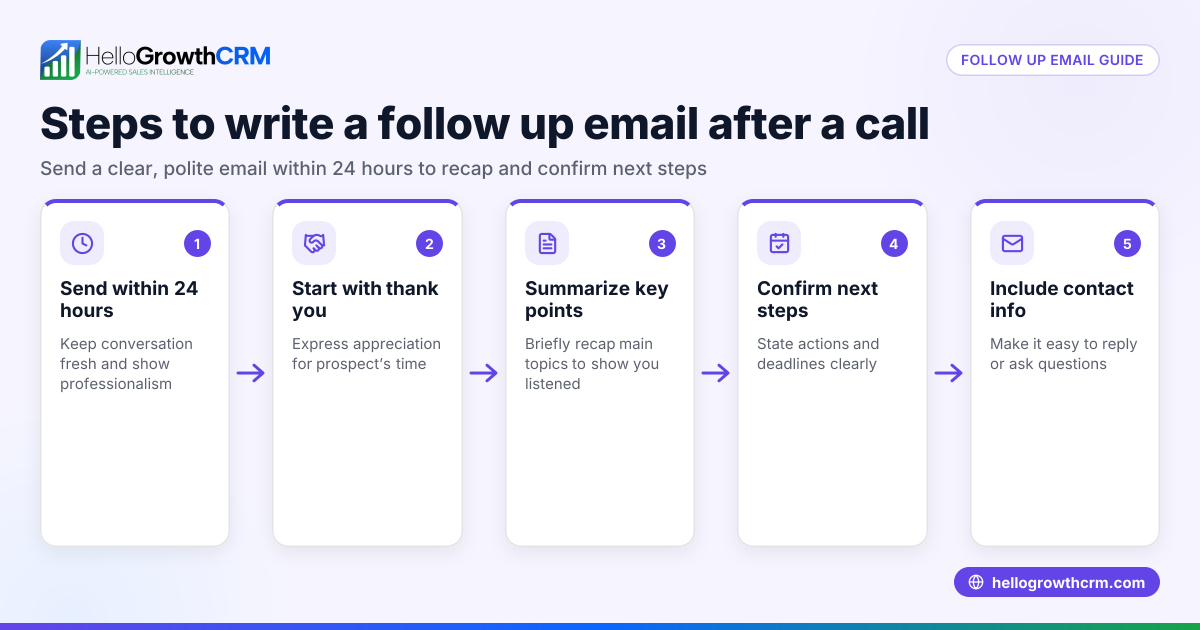
- Send your follow up email within 24-48 hours after the demo. This timing shows professionalism and keeps your solution fresh in the prospect’s mind.
- Start with a thank-you. Express appreciation for their time and attention during the demo.
- Recap key demo highlights. Briefly mention the main benefits or features discussed that address their needs.
- Answer any outstanding questions. If the prospect asked questions during the demo, address them clearly in your email.
- Include relevant resources. Attach or link to brochures, case studies, or a recording of the demo if available.
- State the next steps clearly. Suggest scheduling a follow-up call, provide a proposal, or invite them to try a free trial.
- Invite further questions. Encourage the prospect to reach out if they need more information.
- Use a clear and concise subject line. For example, "Thanks for your time – next steps after our demo."
- Proofread before sending. Check for spelling, grammar, and clarity.
- Track and schedule follow-ups. Use a CRM or task board to remind yourself of when to follow up again if you don’t hear back.
Example (fictional figures)
A B2B software reseller in Denver, Colorado, named "Tech Solutions," demos their product to a prospect on 04/10/2026. The deal value is $48,000 annually.
They send the follow up email on 04/11/2026.
- Deal value = $48,000
- They offer a 9% discount if the contract is signed by 04/25/2026.
- Discount amount = $48,000 × 9% = $4,320
- Discounted price = $48,000 - $4,320 = $43,680
The email includes:
- Thank you for attending the demo.
- Recap of key features that solve the prospect’s pain points.
- Answers to questions about integration and support.
- The discount offer valid until 04/25/2026.
- A call to action to schedule a contract review meeting.
This clear follow-up keeps the deal moving and provides an incentive to close soon.
Common mistakes
- Waiting too long to send the follow up email. Prevent this by scheduling the email immediately after the demo or using email automation. See email automation and sequences.
- Sending a generic or overly long email. Keep it concise and personalized to the prospect’s needs.
- Not clearly stating next steps. Always include a call to action so the prospect knows what to do.
- Failing to track follow-ups and tasks. Use a CRM with task boards to keep follow-ups organized and on schedule. See sales task boards.
- Ignoring replies or questions from prospects. Use a shared inbox so the whole team can see and respond promptly. See HelloGrowthCRM for the United States.
Doing this in HelloGrowthCRM
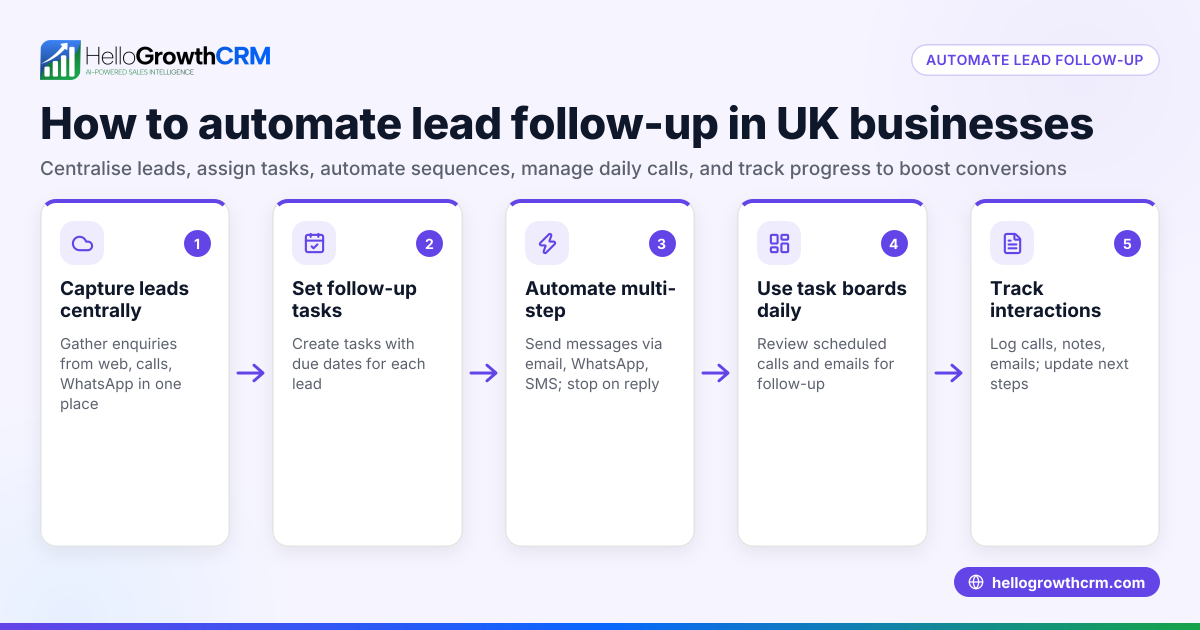
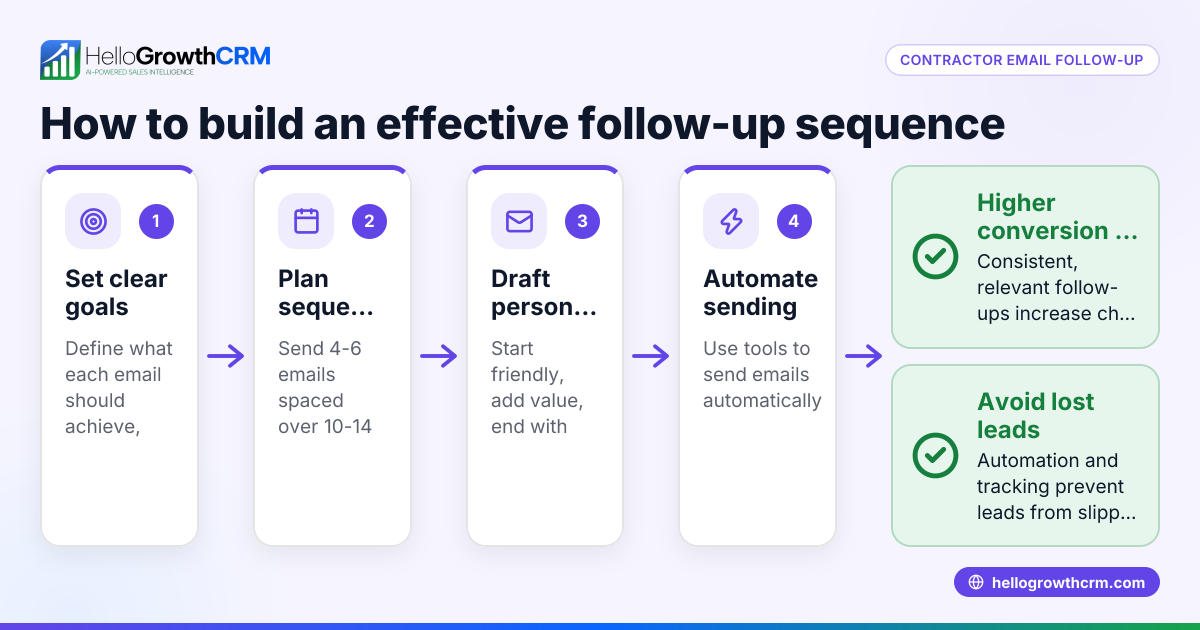
HelloGrowthCRM offers automated sequences that can send a five-step follow-up over two weeks and stop as soon as the prospect replies, saving time and ensuring no lead is forgotten. Each follow-up becomes a task with a due date on the sales task boards, so your team knows exactly what to do each day without relying on memory. Replies to your follow-up emails appear in HelloMail, a shared inbox visible to the whole team, so everyone stays informed and can respond quickly. Learn more about email automation and sequences and sales task boards.
Frequently asked questions
How soon should I send a follow up email after a demo? Send it within 24 to 48 hours after the demo. This timing keeps your solution fresh in the prospect’s mind and shows professionalism.
What should I include in a follow up email after a demo? Include a thank-you, a brief recap of the demo’s key points, answers to any questions, relevant resources, clear next steps, and an invitation for further questions.
How many follow up emails should I send after a demo? Typically, send a series of 3 to 5 follow-ups spaced over two weeks. Stop when the prospect replies or the deal closes. Automation tools can help manage this.
Can I automate follow up emails without losing personalization? Yes. Tools like HelloGrowthCRM allow you to create sequences that send timed, personalized messages and stop when the prospect responds, balancing automation with relevance.
What if the prospect doesn’t reply to my follow up email? Schedule additional follow-ups as tasks to remind yourself or your team. If multiple attempts fail, consider pausing and revisiting later with new information or offers.
Key takeaways
- Send your follow up email within 24-48 hours after the demo.
- Personalize the email with a thank-you, recap, answers, and clear next steps.
- Use a CRM to automate and track follow-ups, preventing missed leads.
- Avoid generic messages and unclear calls to action.
- Use shared inboxes so the whole team can manage replies efficiently.
Start your follow-up process today by trying HelloGrowthCRM’s Free Forever plan with 200 leads and no credit card required at Start on the Free Forever plan (200 leads, no credit card).
Ready to put this into practice?
Set up your pipeline, WhatsApp follow-ups, and AI lead scoring in minutes — free, no credit card.
Try HelloGrowthCRM freeGet CRM tips in your inbox
Join thousands of sales professionals who get weekly insights on CRM strategy, AI automation, and pipeline optimization.

The HelloGrowthCRM team publishes guides on CRM strategy, AI sales tools, and revenue operations for small business sales teams.