HelloGrowthCRM software
Built for real small-business sales teams
HelloGrowthCRM helps reps qualify faster, follow up on time, and close more deals—with practical automation in one place.
- AI lead scoring and pipeline visibility
- Built-in dialer, WhatsApp, and email automation
- Sales forecasting and RevOps-ready reporting
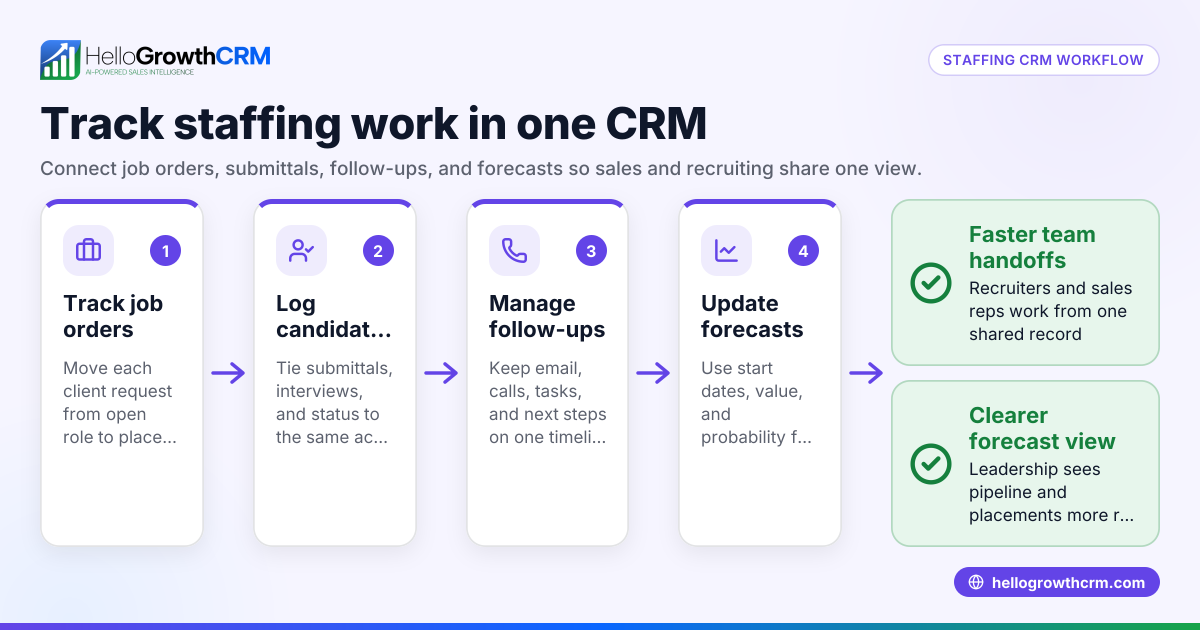
Staffing agencies in India need their CRM systems to work smoothly with payroll software, job portals, and messaging channels to manage candidates and clients efficiently. Integration automates data transfer, reduces manual errors, and speeds up placements.
Why this comes up / what goes wrong
Staffing agency owners or accountants often face challenges managing multiple disconnected tools. They use a CRM to track clients and candidates, payroll software to process salaries, and rely on job portals like IndiaMART or JustDial for leads. Without integration, data must be entered manually across systems, causing delays, errors, and lost opportunities. For example, if candidate status updates from the CRM don’t sync with payroll, salary processing can be delayed or inaccurate. Similarly, missing lead follow-ups because the CRM does not capture job portal enquiries quickly can reduce placements and revenue. Integration solves these problems by automating data flows and consolidating communications.
Step-by-step
- Identify your key systems to integrate: List your CRM, payroll software, job portals (for example, IndiaMART, JustDial), and communication channels such as WhatsApp or SMS.
- Check your CRM’s integration capabilities: Confirm if your CRM supports API connections or built-in connectors for these systems. HelloGrowthCRM, for instance, integrates IndiaMART and JustDial enquiries directly as leads.
- Prioritize integration points: Focus on capturing leads from job portals automatically and syncing candidate data with payroll to avoid duplicate data entry.
- Set up automated communication workflows: Configure your CRM to send follow-ups via WhatsApp or SMS, logging all conversations on the lead record for easy tracking and compliance.
- Test the entire data flow: Verify that leads from job portals appear correctly in the CRM, candidate status updates sync with payroll, and communication logs update as expected.
- Train your team: Make sure sales, telecalling, and payroll staff understand how to use the integrated system to prevent reverting to spreadsheets or WhatsApp outside the CRM.
- Monitor and optimize: Regularly review integration logs and user feedback to fix issues and improve workflows.
Example (fictional figures)
An IT staffing agency in Chennai receives 40 candidate enquiries monthly via IndiaMART. Without integration, updating candidate status in payroll takes 3 hours monthly, costing ₹900 in labour (₹300/hour). Integration automates this, saving ₹900 monthly.
Monthly labour cost saved = 3 hours × ₹300/hour = ₹900
Annual savings = ₹900 × 12 = ₹10,800
The agency also improves lead follow-up speed, increasing placements by 4%, adding ₹15,000 in monthly revenue.
Total monthly benefit = ₹900 + ₹15,000 = ₹15,900
Annual benefit = ₹15,900 × 12 = ₹1,90,800
This example shows how integration reduces costs and increases revenue.
Common mistakes
- Ignoring integration during CRM selection: Choosing a CRM without checking for payroll or job portal integrations leads to manual work. Prevent by listing required integrations upfront. See integrations (WhatsApp, Tally, IndiaMART).
- Overlooking communication logging: Not logging WhatsApp conversations loses important context. Prevent by using a CRM that logs WhatsApp messages automatically.
- Skipping team training: Staff may continue using spreadsheets or WhatsApp outside the CRM. Prevent by training and monitoring usage.
- Not testing workflows before going live: Leads or payroll data may not sync correctly. Prevent by thorough testing.
- Relying on manual data entry for payroll updates: Causes errors and delays. Prevent by automating syncs.
- Ignoring data security concerns: Integration without secure APIs risks data breaches. Prevent by verifying vendor security policies.
Doing this in HelloGrowthCRM
HelloGrowthCRM supports staffing agencies by integrating IndiaMART and JustDial enquiries directly into the CRM as leads. WhatsApp conversations with leads are logged on their records, and follow-ups can be sent as WhatsApp or SMS messages within the CRM. Additionally, AI agents (in beta on Growth plans) draft follow-up messages after calls, so sales reps only review and send, saving time and improving response rates. Learn more about these features and integrations at HelloGrowthCRM for India and integrations (WhatsApp, Tally, IndiaMART).
Frequently asked questions
How does staffing agency CRM integration help with payroll? Integration allows candidate and placement data to flow automatically from the CRM to payroll software, reducing manual data entry and errors. It ensures timely salary processing and accurate records, improving compliance and saving administrative time.
Can I integrate WhatsApp communication with my staffing CRM? Yes, many CRMs, including HelloGrowthCRM, log WhatsApp conversations directly on lead records. This keeps all communication in one place and allows sending follow-ups via WhatsApp or SMS within the CRM, streamlining candidate and client engagement.
What should I ask before choosing a staffing agency CRM? Ask about the CRM’s integration capabilities with payroll systems, job portals like IndiaMART and JustDial, and communication channels. Also inquire about workflow automation, data synchronization frequency, and user training support. See IT and professional services for relevant CRM features.
Does integration affect data security? Properly implemented integrations use secure APIs and comply with data protection standards. Verify the CRM vendor’s security certifications and data handling policies before integration.
Key takeaways
- Staffing agency CRM integration connects payroll, lead sources, and communication channels, reducing manual work and errors.
- Prioritize integration with job portals like IndiaMART and JustDial and payroll software.
- Automate communication follow-ups via WhatsApp and SMS logged in the CRM.
- Train teams to use integrated systems to avoid fallback on spreadsheets or WhatsApp alone.
- Test workflows thoroughly before going live to prevent data errors.
- Verify data security and vendor policies before integration.
Start improving your staffing agency’s lead and payroll management by trying HelloGrowthCRM. You can Start on the Free Forever plan (200 leads, no credit card) today.
Ready to put this into practice?
Set up your pipeline, WhatsApp follow-ups, and AI lead scoring in minutes — free, no credit card.
Try HelloGrowthCRM freeGet CRM tips in your inbox
Join thousands of sales professionals who get weekly insights on CRM strategy, AI automation, and pipeline optimization.

The HelloGrowthCRM team publishes guides on CRM strategy, AI sales tools, and revenue operations for small business sales teams.