HelloGrowthCRM software
Built for real small-business sales teams
HelloGrowthCRM helps reps qualify faster, follow up on time, and close more deals—with practical automation in one place.
- AI lead scoring and pipeline visibility
- Built-in dialer, WhatsApp, and email automation
- Sales forecasting and RevOps-ready reporting
Stripe CRM integration connects your Stripe payment data with your CRM so you can track payments, customer activity, and sales workflows in one place. This article covers why small businesses seek this integration, detailed steps to set it up, common pitfalls to avoid, and how HelloGrowthCRM supports related sales and lead management tasks.
Why this comes up / what goes wrong
Many Indian small businesses use Stripe to accept online payments but face challenges linking payment data with their sales and customer management processes. Without integration, payment details remain isolated from customer records, making timely follow-ups, refunds, and upselling difficult. Often, businesses rely on manual exports or spreadsheets to reconcile payments, which is slow and prone to errors. They want a CRM that automatically captures payment events so sales teams can act faster, improve customer communication, and close deals more efficiently.
Step-by-step
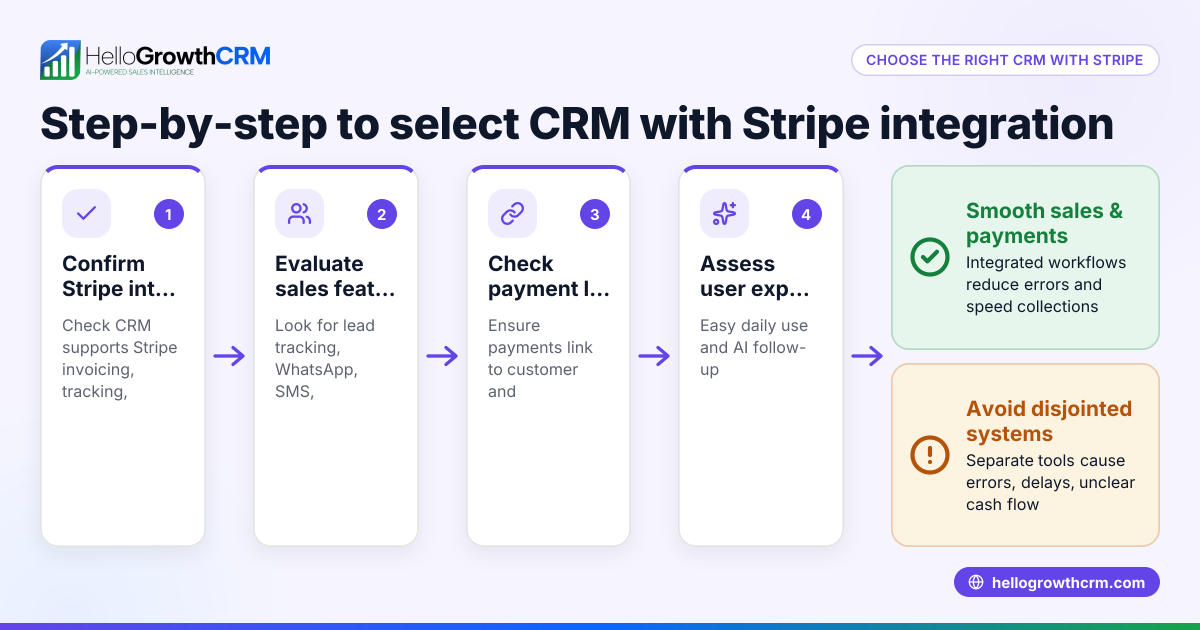
- Choose a CRM that supports Stripe integration or has an API: Verify if the CRM offers built-in Stripe connectors or allows custom API connections to sync payment data.
- Securely connect your Stripe account: Follow the CRM’s instructions to link your Stripe account using OAuth or API keys.
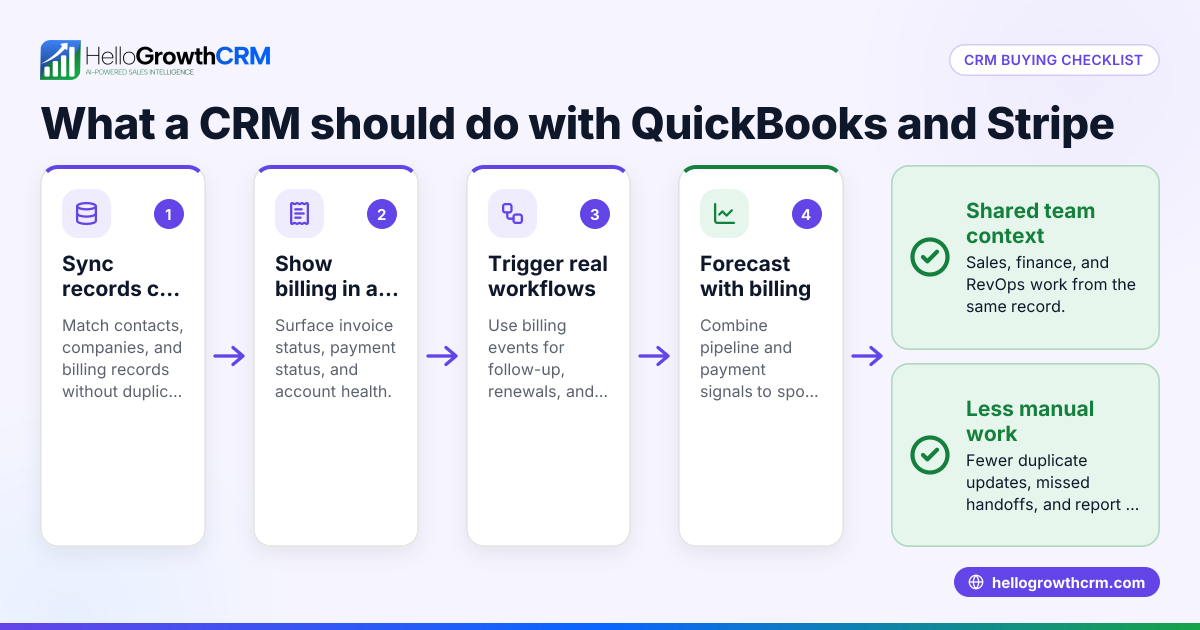
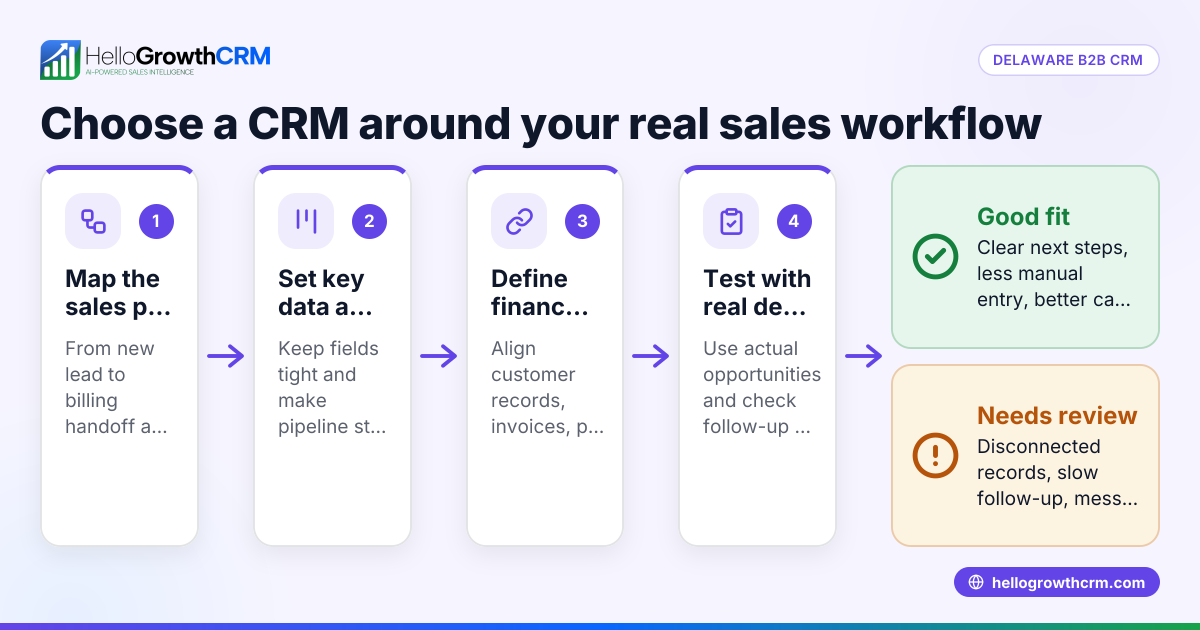
- Map Stripe data to CRM fields: Decide which payment events (charges, refunds, subscriptions) and customer details should appear in the CRM to support your sales process.
- Set up triggers and workflows: Configure notifications or automatic actions in the CRM for payment status changes, such as successful payments or failed charges.
- Test the integration thoroughly: Run test payments to confirm data flows correctly into the CRM and updates customer records accurately.
- Train your sales and telecalling teams: Ensure they understand how payment information appears in the CRM and how to use it for follow-ups.
- Monitor and maintain the integration: Regularly check for sync errors or missing data and update mapping or workflows as needed to keep data accurate.
Example (fictional figures)
A Delhi-based online gift shop started using Stripe for payments in January 2024. They integrated Stripe with their CRM on 15/01/2024.
On 20/01/2024, a customer made a payment of ₹12,500.
₹12,500 × 2.9% = ₹362.50 (Stripe fee)
₹12,500 - ₹362.50 = ₹12,137.50 (net amount recorded in CRM)
The CRM automatically updated the customer record with payment status “Completed” and triggered a WhatsApp follow-up message to confirm delivery.
On 25/01/2024, a refund of ₹2,500 was issued.
The refund was logged in the CRM under the same customer, alerting the sales rep to check the issue.
This integration saved the team hours of manual reconciliation each week and improved customer communication.
Common mistakes
- Not verifying data mapping thoroughly: Prevent by double-checking which Stripe fields sync to CRM fields before going live.
- Ignoring test transactions: Always run test payments to confirm the integration works end-to-end.
- Overlooking team training: Avoid confusion by training sales and telecalling teams on new CRM payment features.
- Relying on manual data export/import: Use automated syncing to reduce errors and delays.
- Not setting up alerts for failed payments or refunds: Configure CRM workflows to notify your team immediately.
- Choosing a CRM without API or integration support: Check integrations like IndiaMART or JustDial in HelloGrowthCRM’s list before committing. See integrations (WhatsApp, Tally, IndiaMART).
Doing this in HelloGrowthCRM
HelloGrowthCRM supports integrations including IndiaMART, JustDial, Razorpay and Tally, allowing enquiries to arrive in the CRM as leads. While Stripe is not listed explicitly, the CRM offers API and integration tools to connect with payment platforms. WhatsApp and SMS workflows help sales teams engage leads on familiar channels with messages logged on lead records. AI agents (in Beta) draft follow-up messages after calls, letting reps review and send quickly. Learn more about these features at integrations (WhatsApp, Tally, IndiaMART) and WhatsApp and SMS CRM.
Frequently asked questions
Can I integrate Stripe with any CRM? Not all CRMs support Stripe integration out of the box. Check if the CRM offers built-in connectors or API access to link Stripe data. Some CRMs require third-party tools or custom development.
What Stripe data is useful in a CRM? Payment status, amount, refunds, subscription details, and customer contact info help sales teams track orders and follow up efficiently.
How does integration improve sales follow-up? With payment info in the CRM, sales reps know when a payment succeeds or fails and can send timely WhatsApp or SMS messages to customers, improving conversion and satisfaction.
Does HelloGrowthCRM support Stripe integration? HelloGrowthCRM offers API and integration capabilities that can connect with payment platforms. It also supports lead capture from IndiaMART and JustDial, WhatsApp and SMS messaging, and AI agents for follow-ups. See HelloGrowthCRM for India for details.
What are common challenges in Stripe CRM integration? Mapping data correctly, handling refunds, syncing subscription changes, and training teams to use new CRM features are common challenges.
How do I maintain data accuracy after integration? Regularly monitor sync logs, test updates after Stripe or CRM changes, and update mapping or workflows if errors appear to ensure data stays accurate.
Key takeaways
- Stripe CRM integration connects payment data with customer and sales workflows.
- Choose a CRM with API or built-in Stripe connectors and verify data mapping.
- Test thoroughly before going live and train your sales team.
- Automate follow-ups using WhatsApp and SMS messaging for faster response.
- Monitor and maintain integration to keep data accurate.
- HelloGrowthCRM offers integrations, WhatsApp and SMS workflows, and AI agents to support sales teams.
Start integrating Stripe with your CRM and improve your sales process today. You can Start on the Free Forever plan (200 leads, no credit card).
Ready to put this into practice?
Set up your pipeline, WhatsApp follow-ups, and AI lead scoring in minutes — free, no credit card.
Try HelloGrowthCRM freeGet CRM tips in your inbox
Join thousands of sales professionals who get weekly insights on CRM strategy, AI automation, and pipeline optimization.

The HelloGrowthCRM team publishes guides on CRM strategy, AI sales tools, and revenue operations for small business sales teams.