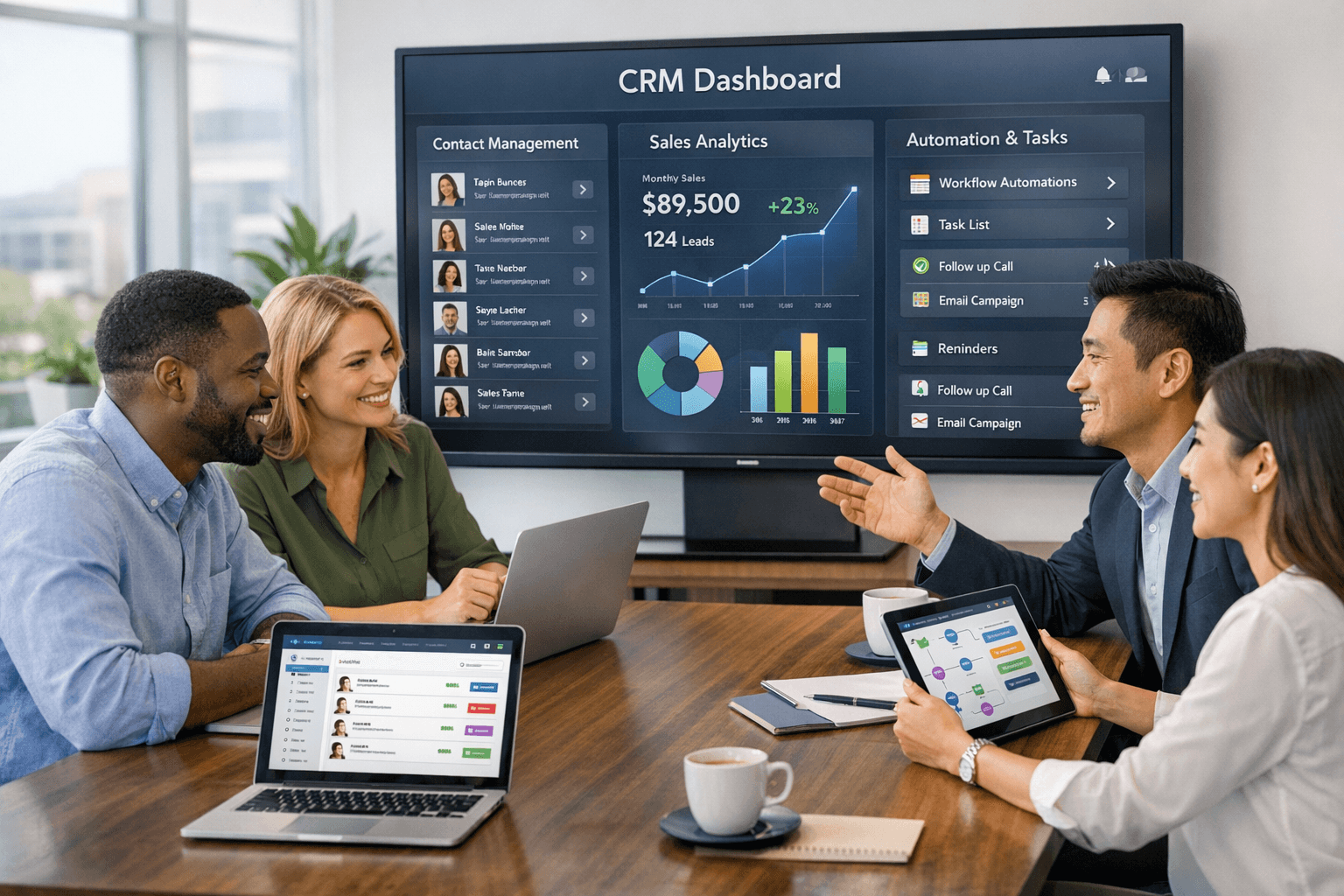
HelloGrowthCRM software
Built for real small-business sales teams
HelloGrowthCRM helps reps qualify faster, follow up on time, and close more deals—with practical automation in one place.
- AI lead scoring and pipeline visibility
- Built-in dialer, WhatsApp, and email automation
- Sales forecasting and RevOps-ready reporting
Choosing the best CRM for small business can be a daunting task, especially with so many options available in the market today. For small businesses, a CRM system isn't just a tool; it's a vital component that can streamline operations, enhance customer relationships, and ultimately drive sales growth. With the right features, a CRM can help you manage your sales pipeline, track customer interactions, and analyze data to make informed decisions. In this article, we will explore the top ten features that every small business should look for in a CRM, ensuring you make the best choice for your team.
User-Friendly Interface
One of the most critical aspects of any CRM is its user interface. A user-friendly interface is essential for ensuring that your sales team can adopt the system quickly and efficiently. If the CRM is complicated or cumbersome to navigate, it can lead to frustration and decreased productivity. Look for a CRM that offers intuitive design, easy navigation, and customizable dashboards. This way, your team can focus on selling rather than struggling with the software.
- Simple navigation
- Customizable views
- Clear data visualization
Automation Capabilities
Automation features can significantly enhance the efficiency of your sales team. The best CRM for small business should automate repetitive tasks such as data entry, follow-up emails, and lead scoring. By automating these processes, your team can save time and focus on building relationships with customers. Look for a CRM that offers workflow automation, which allows you to set up triggers for specific actions without manual intervention. This will not only streamline your operations but also minimize human error.
- Automated follow-ups
- Lead scoring automation
- Task assignment automation
Integration with Other Tools
In today's digital landscape, businesses rely on various tools to manage their operations effectively. Your CRM should seamlessly integrate with other tools your team uses, such as email marketing platforms, project management software, and accounting systems. This integration ensures that all your data is in one place, providing a 360-degree view of your customers. When evaluating a CRM, check its compatibility with popular tools and platforms that your business currently uses or plans to use in the future.
- Email marketing integrations
- Project management tool compatibility
- Accounting software connections
Mobile Accessibility
In an increasingly mobile world, having access to your CRM on the go is essential for sales teams. A CRM that offers mobile accessibility allows your team to manage leads, track customer interactions, and update information from anywhere. This feature is particularly useful for sales representatives who are often out in the field or meeting with clients. Ensure that the CRM you choose has a mobile app that is user-friendly and offers the same functionality as the desktop version.
- Mobile app availability
- Offline access
- Real-time updates
Comprehensive Reporting and Analytics
Data-driven decision-making is crucial for small businesses looking to grow. The best CRM for small business should provide comprehensive reporting and analytics features that allow you to track key performance indicators (KPIs) and understand customer behavior. Look for a CRM that offers customizable reports, real-time data analysis, and visual dashboards. These features enable you to gain insights into your sales process, identify trends, and make informed decisions to optimize your strategy.
- Customizable reporting options
- Real-time analytics
- Visual data representation
Lead Management Features
Effective lead management is critical for any sales team. A CRM should provide robust lead management features that allow you to capture, track, and nurture leads throughout the sales funnel. Look for a CRM that offers lead scoring, segmentation, and tracking capabilities. This will enable your team to prioritize high-potential leads and tailor their approach based on individual customer needs. With effective lead management, you can enhance your chances of closing deals and increasing revenue.
- Lead scoring capabilities
- Segmentation options
- Tracking and follow-up reminders
Customer Support and Training
When investing in a CRM, it's essential to consider the level of customer support and training that the provider offers. A CRM system is only as good as the support behind it. Look for vendors that provide comprehensive training resources, such as webinars, tutorials, and documentation, to help your team get up to speed quickly. Additionally, responsive customer support is crucial for resolving any issues that may arise. Check for support options like live chat, phone support, and community forums.
- Comprehensive training resources
- Responsive customer support
- Community forums for user assistance
Customization Options
Every business is unique, and your CRM should reflect that. Customization options allow you to tailor the CRM to fit your specific needs and processes. Look for a CRM that offers customizable fields, workflows, and reporting options. This flexibility ensures that you can adapt the system to your business model, making it more effective for your team. A customizable CRM can help streamline your processes and improve overall efficiency.
- Customizable fields and tags
- Workflow personalization
- Tailored reporting formats
Affordability and Scalability
Finally, consider the cost and scalability of the CRM. As a small business, you need a solution that fits your budget without compromising on essential features. Look for a CRM that offers flexible pricing plans and the ability to scale as your business grows. This will ensure that you can continue to use the same system as your team expands, avoiding the hassle of migrating to a different platform in the future.
- Flexible pricing models
- Scalable features
- Cost-effective solutions
In conclusion, choosing the best CRM for small business involves evaluating various features that cater to your specific needs. From user-friendly interfaces and automation capabilities to comprehensive reporting and customer support, these ten features can significantly impact your sales team's effectiveness. By investing in a CRM that aligns with your business objectives, you can enhance customer relationships, streamline operations, and ultimately drive growth. If you're looking for a solution that encompasses many of these features, consider HelloGrowthCRM, which is designed specifically for small business sales teams.
HelloGrowthCRM makes it easy to take the next step. You can Explore our features in detail, or Check out our flexible pricing plans and see how it fits your team's workflow within minutes.
You can also explore Learn about our customer support options, Discover automation capabilities, See how our analytics can help your business, View our integration options, Learn about mobile accessibility, Understand our customization features to connect the tools and resources your team already relies on.
Ready to put this into practice?
Set up your pipeline, WhatsApp follow-ups, and AI lead scoring in minutes — free, no credit card.
Try HelloGrowthCRM freeGet CRM tips in your inbox
Join thousands of sales professionals who get weekly insights on CRM strategy, AI automation, and pipeline optimization.

The HelloGrowthCRM team publishes guides on CRM strategy, AI sales tools, and revenue operations for small business sales teams.