HelloGrowthCRM software
Built for real small-business sales teams
HelloGrowthCRM helps reps qualify faster, follow up on time, and close more deals—with practical automation in one place.
- AI lead scoring and pipeline visibility
- Built-in dialer, WhatsApp, and email automation
- Sales forecasting and RevOps-ready reporting
To verify your WhatsApp Business account, you need to confirm your business phone number through WhatsApp's verification process. This ensures your business identity is authentic and trusted by customers. Verification can be done via the WhatsApp Business app or the WhatsApp Business API, depending on your business size and needs. This article covers why verification is important, provides a step-by-step guide, an example with realistic figures, common pitfalls to avoid, and how HelloGrowthCRM can help you manage WhatsApp conversations efficiently.
Why this comes up / what goes wrong
Many small-business owners in the US want to use WhatsApp Business to communicate with customers but face challenges verifying their account. Without verification, your business profile may lack credibility, and you might miss out on features like the green verified badge that reassures customers. Some owners start messaging customers on WhatsApp but get stuck because they don’t know how to complete verification or misunderstand the process. This can slow down sales follow-up and reduce customer trust.
Step-by-step
- Download and install the WhatsApp Business app or apply for WhatsApp Business API depending on your business size and communication needs. The app is suitable for most small businesses; API is for larger or more complex setups.
- Register your business phone number in the app. This number must be able to receive SMS or voice calls for verification.
- Request the verification code. WhatsApp will send a 6-digit code via SMS or voice call to the number you registered.
- Enter the verification code in the app within the given time frame to confirm ownership of the phone number.
- Complete your business profile by adding your business name, description, address, business hours, and website.
- Apply for business verification badge (optional) through WhatsApp Business API if eligible. This requires submitting business documents and can take several days. This step is for businesses that want the green verified badge to appear next to their name.
- Start using WhatsApp for customer communication once verified. Keep your number active and follow WhatsApp policies to maintain verification status.
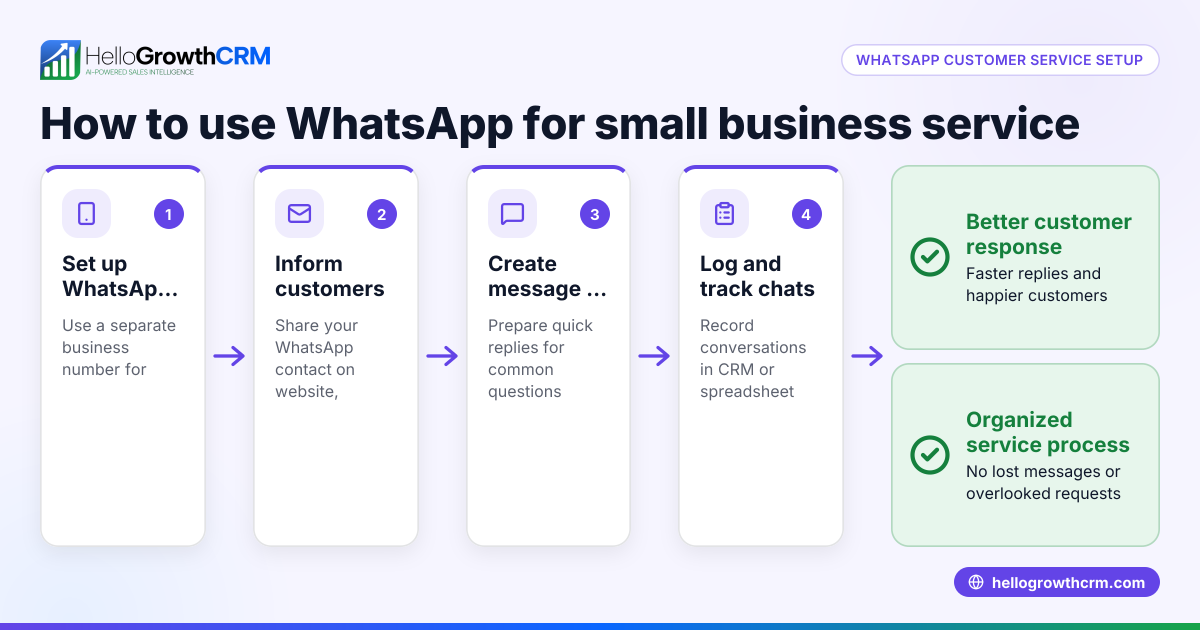
For managing your WhatsApp conversations effectively, consider tools like HelloGrowthCRM that log WhatsApp messages on lead records and enable follow-ups via WhatsApp and SMS. Learn more about our WhatsApp and SMS CRM.
Example (fictional figures)
A landscaping contractor in Charlotte, North Carolina, named GreenScape LLC wants to verify their WhatsApp Business account on 06/01/2026.
- GreenScape registers their business phone number (704-555-1234) in the WhatsApp Business app.
- They receive a verification code via SMS: 123456.
- They enter the code correctly to confirm their number.
- GreenScape completes their profile with business hours, website, and address.
- They start messaging customers about lawn care estimates.
This process took less than 10 minutes and cost nothing beyond their existing phone plan. Verification helped GreenScape build trust with customers contacting them via WhatsApp.
Common mistakes
- Using a number that cannot receive SMS or calls: Always use a phone number capable of receiving SMS or voice calls to get the verification code.
- Entering the wrong verification code: Double-check the code sent by WhatsApp; it expires quickly.
- Trying to verify a number already linked to another WhatsApp account: Each phone number can only be linked to one WhatsApp Business account.
- Skipping profile completion: A complete profile increases customer trust even if you don’t have the green badge.
- Ignoring WhatsApp policies: Violations can lead to losing verification or account suspension.
To avoid these, follow the step-by-step guide carefully and keep your contact details updated.
Doing this in HelloGrowthCRM
HelloGrowthCRM integrates WhatsApp messaging directly into your CRM workflow. WhatsApp conversations with a lead are logged on the lead record, making it easy to track all communications. Your sales team can send follow-ups as WhatsApp messages or SMS without leaving the CRM. This helps small and mid-sized businesses keep leads engaged and avoid losing them due to slow follow-up. Learn more about how HelloGrowthCRM supports WhatsApp communication in the US on our WhatsApp and SMS CRM page.
Frequently asked questions
How long does WhatsApp Business verification take? Verification via the WhatsApp Business app is usually immediate after entering the code. Applying for the green verified badge via the Business API can take several days as WhatsApp reviews your business documents.
Can I verify my WhatsApp Business account with a landline number? Yes, but you must be able to receive the verification code via a voice call. SMS codes cannot be received on a landline.
What if I lose access to my verified phone number? You will need to verify a new phone number by repeating the verification process. Losing access may affect your WhatsApp Business account's verification status.
Does verification guarantee the green badge? No. The green verified badge is only granted through WhatsApp Business API after WhatsApp approves your business documents. Many small businesses remain verified without the badge.
Can I use HelloGrowthCRM to manage WhatsApp messages before verification? Yes, you can start managing WhatsApp messages in HelloGrowthCRM once your WhatsApp Business account is set up and connected.
Learn more about managing calls with our built-in CRM dialer and how HelloGrowthCRM serves US businesses on HelloGrowthCRM for the United States.
Key takeaways
- Verifying your WhatsApp Business account confirms your phone number and builds customer trust.
- Use a phone number that can receive SMS or voice calls to get the verification code.
- Complete your business profile even if you don’t get the green badge.
- Avoid common mistakes like using an already linked number or ignoring WhatsApp policies.
- HelloGrowthCRM logs WhatsApp conversations and enables follow-up messaging within the CRM.
- Verification steps differ for the WhatsApp Business app and the Business API.
Start your WhatsApp Business verification today and improve your customer communication. To manage your leads and WhatsApp messages efficiently, Start on the Free Forever plan (200 leads, no credit card).
Ready to put this into practice?
Set up your pipeline, WhatsApp follow-ups, and AI lead scoring in minutes — free, no credit card.
Try HelloGrowthCRM freeGet CRM tips in your inbox
Join thousands of sales professionals who get weekly insights on CRM strategy, AI automation, and pipeline optimization.

The HelloGrowthCRM team publishes guides on CRM strategy, AI sales tools, and revenue operations for small business sales teams.