HelloGrowthCRM software
Built for real small-business sales teams
HelloGrowthCRM helps reps qualify faster, follow up on time, and close more deals—with practical automation in one place.
- AI lead scoring and pipeline visibility
- Built-in dialer, WhatsApp, and email automation
- Sales forecasting and RevOps-ready reporting
A virtual assistant to answer phones is a remote professional who handles your business calls, providing timely responses to customers and leads without needing a dedicated in-house receptionist. This service helps small businesses manage calls efficiently, improve customer experience, and avoid missed opportunities.
Why this comes up / what goes wrong
Small business owners often juggle many roles, including sales, customer service, and operations. Managing incoming calls can become overwhelming, leading to missed calls or delayed responses. This results in lost leads, unhappy customers, and missed sales opportunities. Hiring a full-time receptionist might be too expensive or unnecessary if call volumes fluctuate. A virtual assistant to answer phones offers a flexible, affordable solution that ensures calls are answered promptly and professionally without the overhead of on-site staff.
Step-by-step
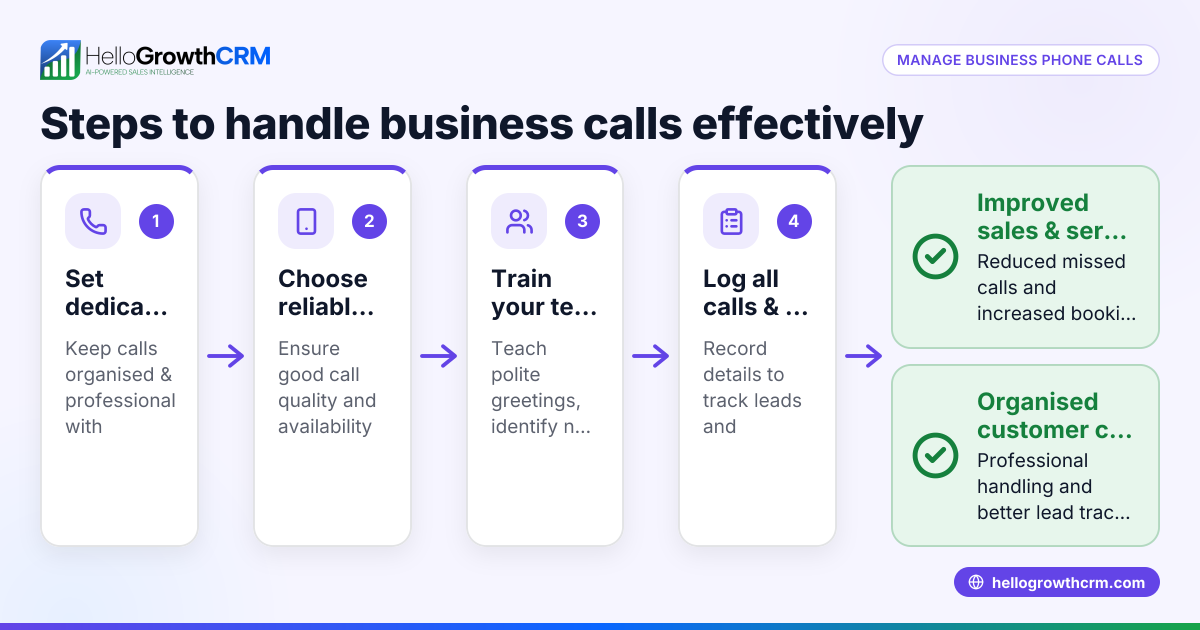
- Identify your call handling needs
- Assess how many calls you typically receive daily or weekly.
- Decide what the virtual assistant should do: take messages, schedule appointments, answer FAQs, or qualify leads.
- Research virtual assistant services
- Look for providers specializing in phone answering for small businesses.
- Read reviews and request references to verify reliability.
- Prepare call scripts and instructions
- Create clear scripts for common questions and call scenarios.
- Define hours of coverage and procedures for urgent calls.
- Set up a trial period
- Test the service with real calls to evaluate professionalism and accuracy.
- Adjust scripts and instructions based on feedback.
- Integrate call handling with your CRM and communication tools
- Ensure call notes and messages are logged in your CRM for follow-up.
- Consider syncing with WhatsApp and SMS sequences to continue conversations (WhatsApp and SMS CRM).
- Monitor and review performance regularly
- Check call logs and customer feedback.
- Provide ongoing training or updates to the assistant as needed.
- Plan for growth and scaling
- Increase coverage hours or add more assistants if call volume rises.
- Use tools like a built-in CRM dialer to streamline inbound and outbound calls (built-in CRM dialer).
Example (fictional figures)
A residential real-estate team in Phoenix, Arizona, receives about 100 calls weekly from potential home buyers and sellers. They hire a virtual assistant to answer phones during business hours (9 AM to 6 PM).
- Monthly cost for the virtual assistant: $1,200
- Estimated leads captured monthly due to timely call answering: 40
- Average commission per closed lead: $5,000
- Conversion rate from lead to sale: 25%
Calculations:
Leads converted per month = 40 × 25% = 10 Monthly commission revenue = 10 × $5,000 = $50,000
Return on investment (ROI) calculation:
ROI = (Monthly commission revenue - Monthly assistant cost) = $50,000 - $1,200 = $48,800
This example shows that hiring a virtual assistant can be a cost-effective way to capture and convert more leads, significantly increasing revenue.
Common mistakes
- Not defining clear call scripts
- Prevent this by preparing detailed scripts and FAQs to ensure consistent and professional messaging.
- Choosing the wrong service provider
- Prevent by thoroughly researching providers, checking reviews, and asking for references.
- Failing to integrate call data with your CRM
- Prevent by linking call notes and messages to your CRM system to track leads and follow-ups effectively (HelloGrowthCRM for the United States).
- Ignoring performance monitoring
- Prevent by regularly reviewing call logs and customer feedback to maintain and improve service quality.
- Underestimating call volume growth
- Prevent by planning ahead to scale your virtual assistant coverage as your business expands.
- Not setting clear escalation procedures
- Prevent by defining when and how urgent or complex calls should be escalated to you or your team.
Frequently asked questions
What does a virtual assistant to answer phones do exactly? They answer incoming calls remotely, take messages, provide basic information, schedule appointments, and sometimes qualify leads. Their role is to ensure no calls go unanswered and customers receive timely responses.
How much does it cost to hire a virtual assistant for phone answering? Costs vary widely based on hours covered and service level; some providers offer flat monthly rates. Evaluate costs against potential revenue from captured leads.
Can a virtual assistant use my CRM to manage calls? Yes, many virtual assistants can update your CRM with call details, ensuring leads and follow-ups are tracked. Integrating phone answering with CRM features like WhatsApp and SMS sequences improves sales efficiency (WhatsApp and SMS CRM).
Is a virtual assistant reliable for professional phone handling? When properly trained and monitored, virtual assistants can provide professional and consistent phone service. Clear scripts and ongoing feedback help maintain quality.
How do I start with a virtual assistant to answer phones? Begin by assessing your call needs, researching providers, and setting up a trial period to evaluate fit. Use CRM tools to track results and adjust as needed (built-in CRM dialer).
Will a virtual assistant handle calls outside business hours? Some services may offer extended hours or around-the-clock coverage; confirm availability and costs with the provider to ensure your business needs are met.
Key takeaways
- A virtual assistant answering phones helps small businesses manage calls without hiring full-time staff.
- Clear instructions and scripts are essential for consistent, professional call handling.
- Integrating call data with your CRM improves lead tracking and follow-up.
- Regular monitoring and feedback maintain service quality.
- Planning for growth ensures your phone answering service scales with your business.
- Setting escalation procedures ensures urgent calls get immediate attention.
Start managing your incoming calls more effectively today. Start on the Free Forever plan (200 leads, no credit card) to organize your leads and sales communications efficiently.
Ready to put this into practice?
Set up your pipeline, WhatsApp follow-ups, and AI lead scoring in minutes — free, no credit card.
Try HelloGrowthCRM freeGet CRM tips in your inbox
Join thousands of sales professionals who get weekly insights on CRM strategy, AI automation, and pipeline optimization.

The HelloGrowthCRM team publishes guides on CRM strategy, AI sales tools, and revenue operations for small business sales teams.