HelloGrowthCRM software
Built for real small-business sales teams
HelloGrowthCRM helps reps qualify faster, follow up on time, and close more deals—with practical automation in one place.
- AI lead scoring and pipeline visibility
- Built-in dialer, WhatsApp, and email automation
- Sales forecasting and RevOps-ready reporting
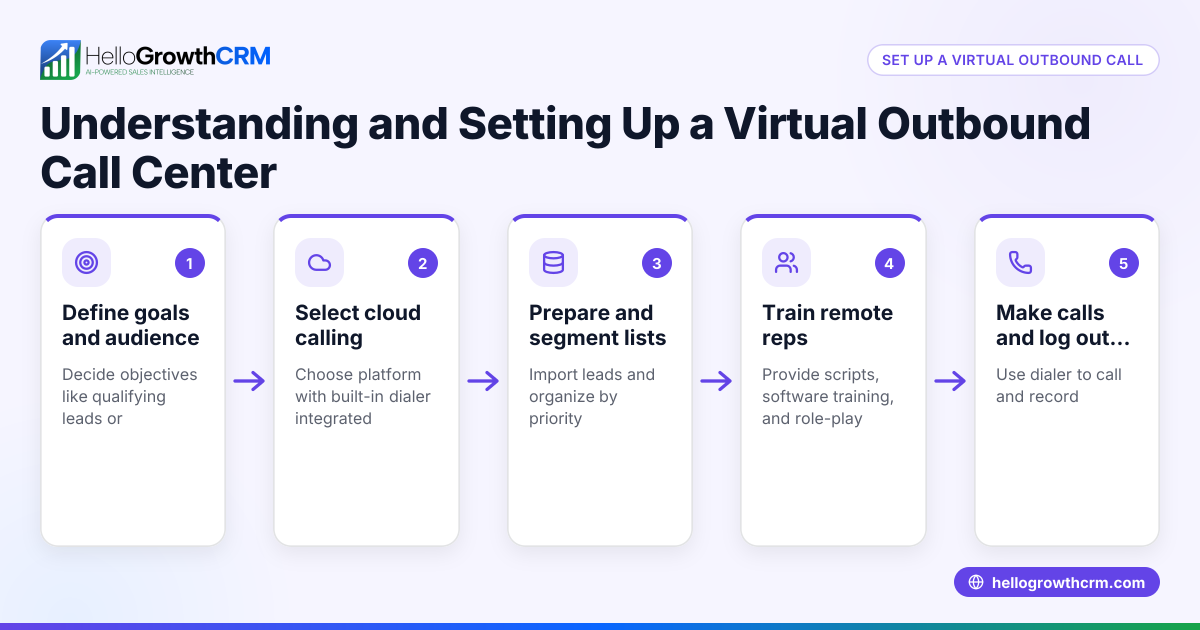
A virtual call centre enables businesses to manage inbound and outbound calls through remote agents connected via internet-based systems. Unlike traditional call centres with physical locations, virtual ones rely on software and cloud technology to route calls to agents working from anywhere. This flexibility can reduce overhead costs and expand access to talent.
Why this comes up / what goes wrong
Small-business owners often encounter the idea of a virtual call centre when they want to scale customer support or sales without investing in office space and hardware. They might be struggling with slow lead follow-up, managing calls through personal phones or spreadsheets, or facing high costs from traditional call centres. Without a clear system, calls get missed, leads slip away, and customer satisfaction drops.
Virtual call centres offer a way to centralize call management and track performance remotely. However, setting one up requires choosing the right technology, training remote agents, and establishing workflows that keep calls organized and outcomes logged.
Step-by-step
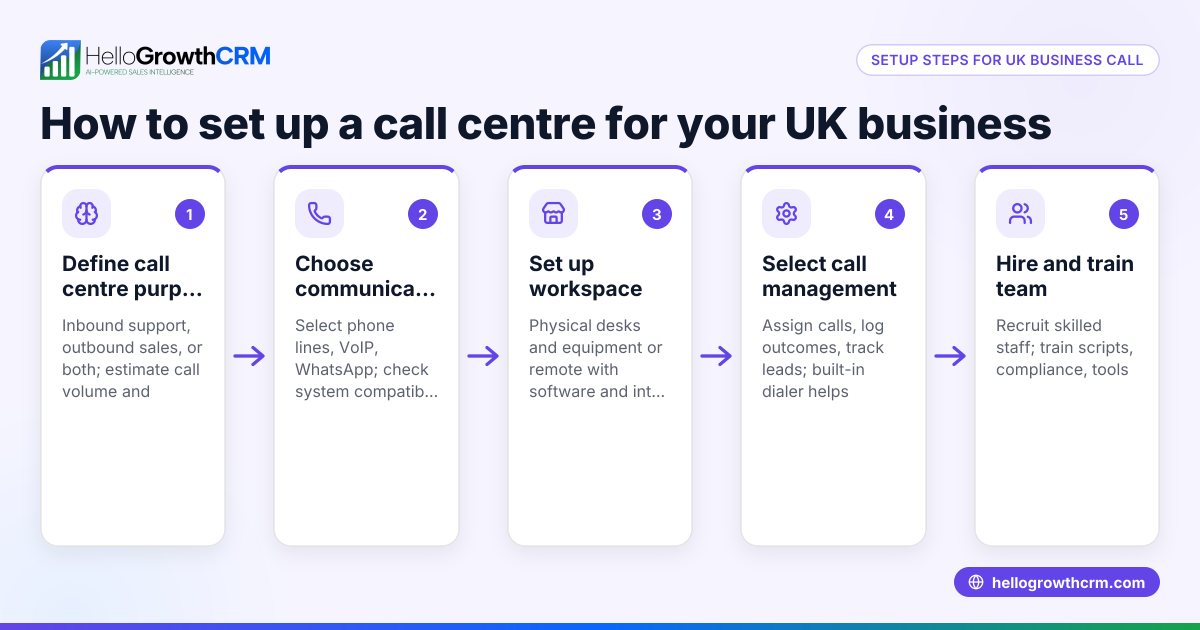
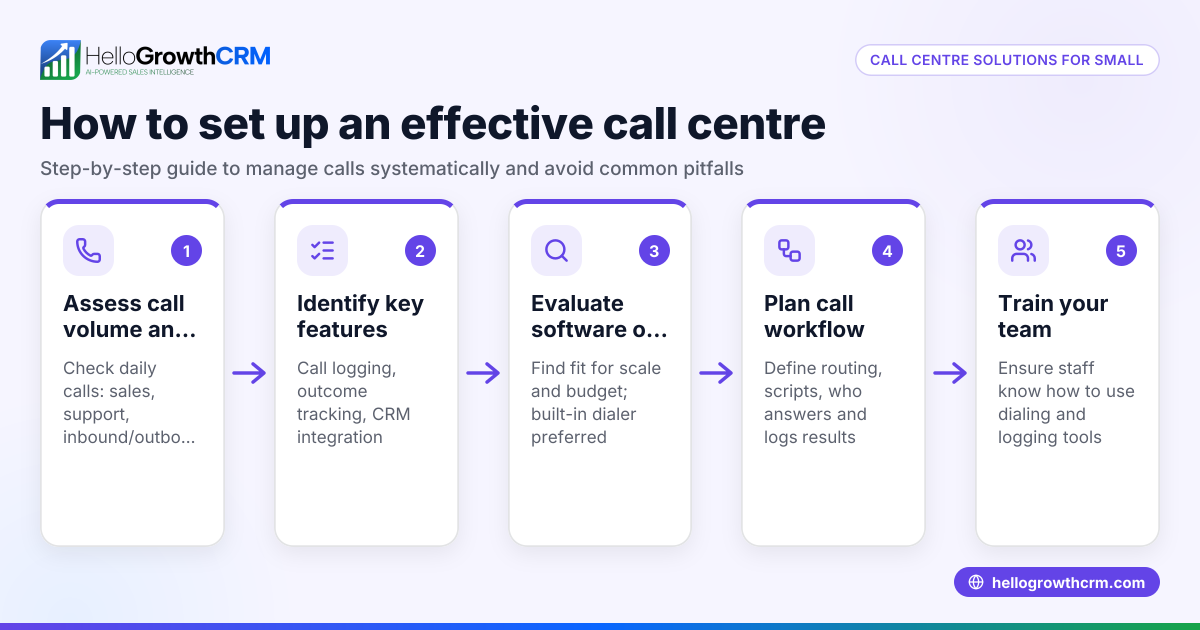
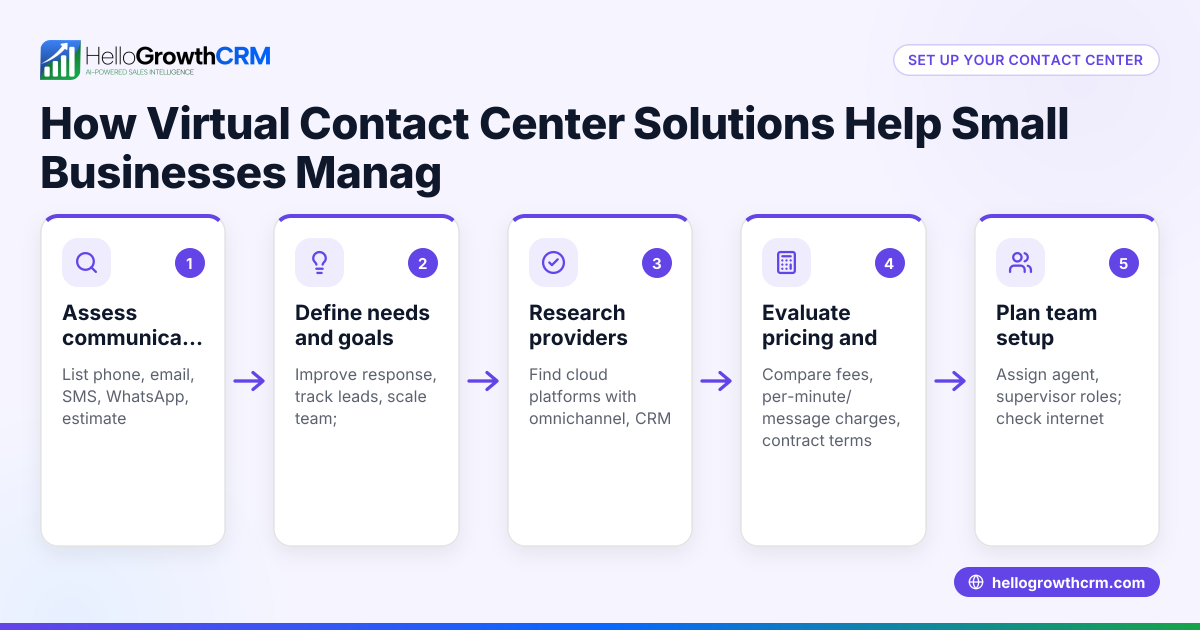
- Define your call centre’s purpose and scope
- Decide if you need inbound support, outbound sales, or both.
- Determine call volume estimates and hours of operation.
- Choose cloud-based call centre software
- Look for tools that support remote agents, call logging, and call outcome tracking.
- Check if the software integrates with your CRM or lead management system.
- Set up remote agent access and equipment
- Ensure agents have reliable internet, headsets, and computers.
- Provide secure login credentials for call centre software.
- Train agents on call scripts and software use
- Prepare clear guidelines for handling calls and logging results.
- Run practice calls to build confidence.
- Implement call routing and scheduling
- Use software features to distribute calls evenly or by skill.
- Schedule shifts to cover your business hours.
- Monitor performance and optimize
- Track key metrics like call volume, duration, and outcomes.
- Gather agent feedback and adjust workflows as needed.
- Integrate with your CRM for lead management
- Link call outcomes to lead records to maintain a single source of truth.
- Automate follow-up tasks based on call results.
Example (fictional figures)
A two-location dental practice in Columbus, Ohio, wants to set up a virtual call centre to handle appointment bookings and follow-up calls.
- They estimate 500 calls per month.
- They hire 3 remote agents, each working 160 hours monthly.
- They subscribe to a cloud call centre software costing $150 per agent monthly.
Monthly software cost = 3 agents × $150 = $450
Agent wages = 3 agents × 160 hours × $15/hour = $7,200
Total monthly virtual call centre cost = $450 + $7,200 = $7,650
By centralizing calls virtually, the practice avoids $3,000 monthly office overhead for a physical call centre space, saving money while improving call handling.
Common mistakes
- Choosing software without CRM integration: Prevent by verifying the call centre software works with your CRM to keep lead data unified.
- Insufficient training for remote agents: Prevent by providing detailed scripts and software tutorials.
- Ignoring call outcome logging: Prevent by enforcing logging each call’s result to track lead progress.
- Poor internet or equipment for agents: Prevent by confirming agents have reliable setups before starting.
- Not monitoring performance metrics: Prevent by regularly reviewing call data to identify issues.
Doing this in HelloGrowthCRM
HelloGrowthCRM offers a built-in dialer that lets reps work a list from inside the CRM. Each call’s outcome is logged directly on the lead record, keeping your call history organized and accessible. This simplifies managing remote sales or support teams by combining calling and lead tracking in one platform. Learn more about the built-in CRM dialer and how HelloGrowthCRM supports WhatsApp and SMS CRM for US businesses on our HelloGrowthCRM for the United States page.
Frequently asked questions
What technology do I need for a virtual call centre? You need cloud-based call centre software that supports remote calling, call logging, and agent management. Agents require reliable internet, a computer, and a headset. Integration with your CRM helps streamline lead tracking.
Can a small business benefit from a virtual call centre? Yes, virtual call centres reduce costs by eliminating physical space needs and allow flexible staffing. Small businesses can improve lead follow-up speed and customer service quality with the right setup.
How do I measure success in a virtual call centre? Track metrics like call volume, average call duration, call outcomes, and lead conversion rates. Regularly review these to optimize agent performance and workflows.
Is it difficult to manage remote agents? Managing remote agents requires clear communication, training, and monitoring tools. Using software that logs calls and outcomes helps maintain accountability and performance.
How does HelloGrowthCRM help with virtual calling? HelloGrowthCRM’s built-in dialer lets your team call leads directly inside the CRM and logs every call outcome automatically. This keeps your sales or support process organized without switching apps.
Key takeaways
- A virtual call centre lets agents handle calls remotely using cloud technology.
- It helps small businesses reduce overhead and improve lead follow-up.
- Choose software that integrates with your CRM and supports call outcome logging.
- Train agents well and ensure reliable equipment and internet.
- Monitor call metrics to optimize performance.
- HelloGrowthCRM’s built-in dialer supports calling and logging within your CRM.
Start your virtual call centre with confidence and keep your leads engaged. You can Start on the Free Forever plan (200 leads, no credit card) to try HelloGrowthCRM’s calling features today.
Ready to put this into practice?
Set up your pipeline, WhatsApp follow-ups, and AI lead scoring in minutes — free, no credit card.
Try HelloGrowthCRM freeGet CRM tips in your inbox
Join thousands of sales professionals who get weekly insights on CRM strategy, AI automation, and pipeline optimization.

The HelloGrowthCRM team publishes guides on CRM strategy, AI sales tools, and revenue operations for small business sales teams.