HelloGrowthCRM software
Built for real small-business sales teams
HelloGrowthCRM helps reps qualify faster, follow up on time, and close more deals—with practical automation in one place.
- AI lead scoring and pipeline visibility
- Built-in dialer, WhatsApp, and email automation
- Sales forecasting and RevOps-ready reporting
A virtual dialer is software that enables sales representatives to place calls directly from their computer or CRM system, eliminating the need for traditional phone hardware. It automates the dialing process, manages call lists, and records call outcomes automatically, making sales outreach faster and more organized.
Why this comes up / what goes wrong
Small business owners often find their sales teams struggling with slow or inconsistent follow-up on leads because they rely on manual dialing using phones, spreadsheets, or disconnected tools. This can cause missed sales opportunities and lost leads. Without a streamlined calling process, managing call lists becomes time-consuming and error-prone. A virtual dialer addresses these challenges by automating dialing, organizing call lists, and logging call results directly linked to each lead.
For example, a small business with a sales team of three may spend hours each day just dialing numbers manually and updating spreadsheets. This wastes time that could be spent on actual selling. Additionally, without call outcome tracking, sales managers cannot easily see which leads need follow-up or which calls resulted in progress.
Step-by-step
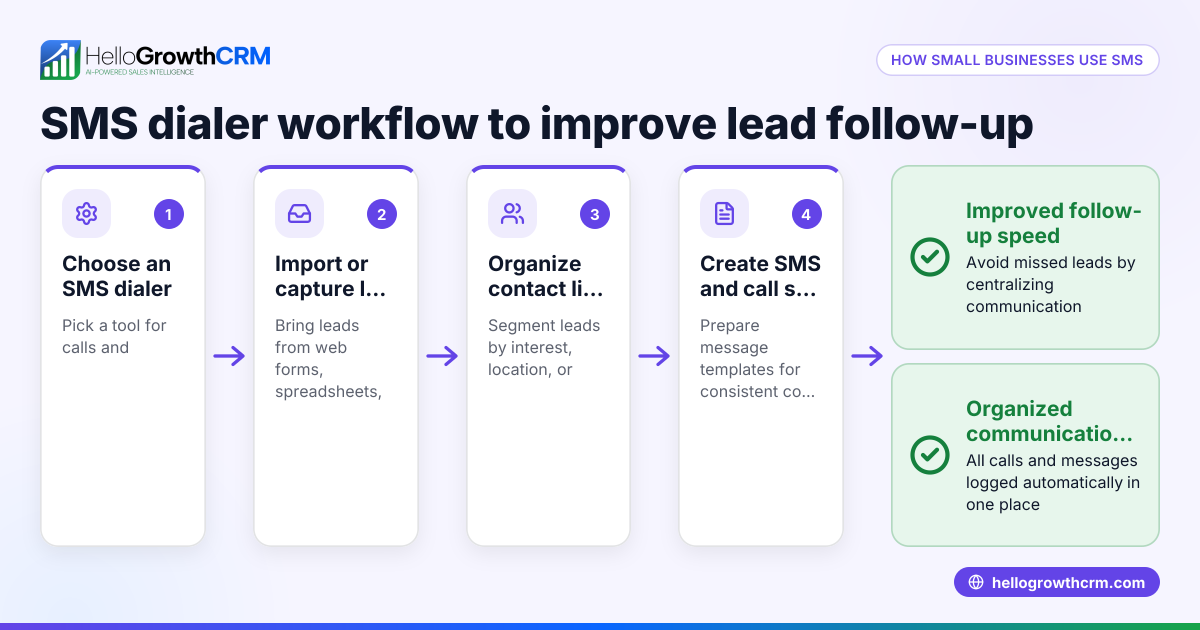
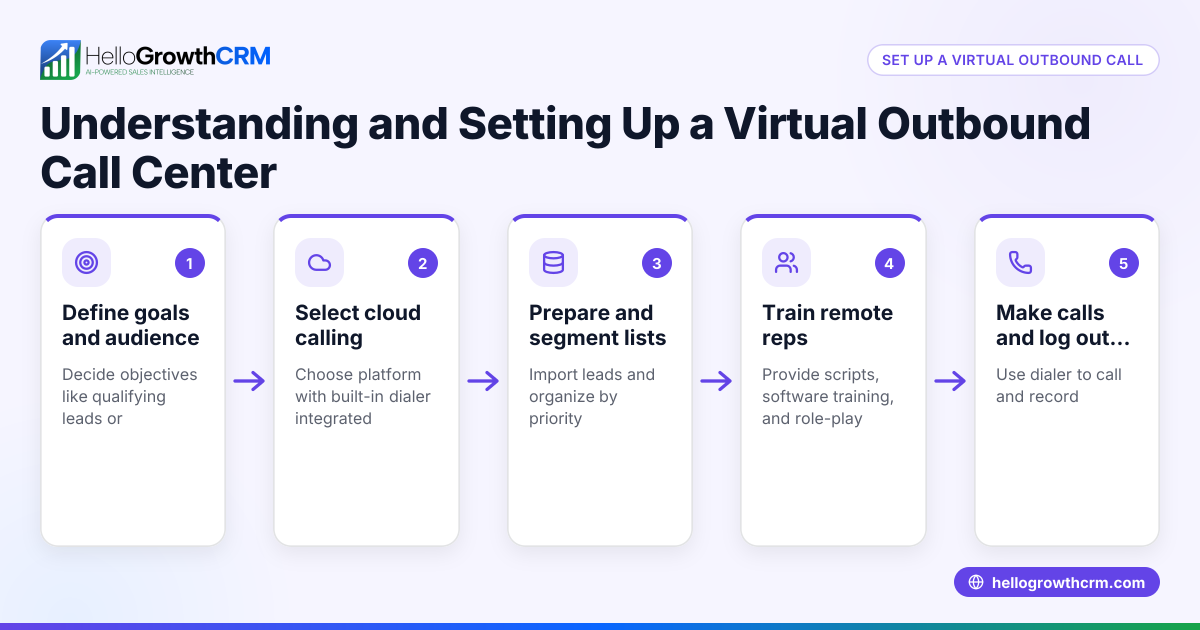
- Choose a virtual dialer that integrates with your CRM. Confirm that the dialer works inside your current CRM or sales software to keep all call data centralized and accessible. This reduces errors and saves time.
- Import or create call lists inside the dialer. Upload your leads or contacts into the dialer so your sales reps have an organized list to work through without switching tools. Check that the list is clean and up to date.
- Train your sales team on using the dialer interface. Make sure they know how to start calls, log call outcomes, and move leads through the sales pipeline efficiently using HelloGrowthCRM tools.
- Set calling goals and schedules. Prioritize call lists by lead score or importance to focus efforts on the most promising prospects first. Define daily or weekly call targets.
- Monitor call activity and results regularly. Use reports or dashboards to track the number of calls made, outcomes logged, and deals progressed. Look for patterns and bottlenecks.
- Adjust calling strategies based on data. Analyze which scripts, times, or approaches produce the best results and refine your process accordingly. Continuous improvement boosts sales effectiveness.
Example (fictional figures)
A B2B software reseller in Denver, Colorado, uses a virtual dialer to increase outbound sales calls. Previously, their sales rep made 40 calls per day manually, converting 5% into demos.
With the virtual dialer, the rep can make 60 calls per day because dialing is automated:
60 calls per day × 5% conversion = 3 demos per day
If the demo-to-sale rate is 50%, sales per day become:
3 demos × 50% = 1.5 sales per day
Assuming each sale is worth $5,000, daily revenue is:
1.5 sales × $5,000 = $7,500
Monthly revenue (20 working days) is:
$7,500 × 20 = $150,000
This example shows how a virtual dialer can increase call volume and sales revenue by improving efficiency.
Common mistakes
- Not integrating the dialer with your CRM: This leads to scattered data and extra work. Prevent it by choosing a dialer built into or connected to your CRM.
- Failing to train sales reps properly: Without training, reps may misuse or underuse the dialer. Schedule hands-on training sessions.
- Ignoring call outcome logging: If call outcomes aren't logged, you lose track of lead status. Make logging mandatory after every call.
- Overloading reps with too many calls: Too many calls can reduce quality. Set realistic daily call goals to maintain effectiveness.
- Not reviewing call data regularly: Without analysis, you miss chances to improve. Establish routine review meetings to assess performance.
- Neglecting to update call lists: Using outdated or incorrect contact information wastes time. Regularly clean and update your call lists.
Doing this in HelloGrowthCRM
HelloGrowthCRM offers a built-in dialer that lets reps work through their call lists directly inside the CRM. Each call’s outcome is logged automatically on the lead, keeping the full call history tied to contact and deal records. This integration helps small businesses streamline calling workflows and maintain organized sales pipelines. Learn more about the built-in CRM dialer.
Frequently asked questions
What is the difference between a virtual dialer and a traditional phone system? A virtual dialer operates through software on your computer or CRM, automating call dialing and tracking, while traditional phone systems rely on physical phone lines and manual dialing.
Can a virtual dialer handle multiple calls at once? Some virtual dialers include features like power dialing, which automates calling multiple contacts in sequence. Capability varies by product and plan.
How does a virtual dialer improve sales follow-up? By automating dialing and logging call results, virtual dialers reduce manual work and speed up lead follow-up, helping sales teams act quickly and stay organized.
Is a virtual dialer suitable for small businesses? Yes, especially for small and mid-sized businesses that want to improve sales efficiency without investing in complex phone hardware.
Can I use a virtual dialer with WhatsApp or SMS? Some CRMs integrate calling with messaging channels like WhatsApp and SMS to support multi-channel outreach. HelloGrowthCRM offers WhatsApp and SMS CRM features alongside its dialer.
What should I look for when choosing a virtual dialer? Look for ease of use, CRM integration, call outcome logging, and features like power dialing if you need to increase call volume. Also consider pricing and support.
Key takeaways
- A virtual dialer automates outbound calling directly from your CRM.
- It helps small businesses speed up follow-up and track call outcomes.
- Integrating the dialer with your CRM is key to organized sales workflows.
- Proper training and call outcome logging improve dialer effectiveness and pipeline management.
- Regularly update call lists to avoid wasted calls.
- HelloGrowthCRM’s built-in dialer supports efficient calling and outcome tracking.
Start improving your sales calls with a virtual dialer today. Start on the Free Forever plan (200 leads, no credit card).
Ready to put this into practice?
Set up your pipeline, WhatsApp follow-ups, and AI lead scoring in minutes — free, no credit card.
Try HelloGrowthCRM freeGet CRM tips in your inbox
Join thousands of sales professionals who get weekly insights on CRM strategy, AI automation, and pipeline optimization.

The HelloGrowthCRM team publishes guides on CRM strategy, AI sales tools, and revenue operations for small business sales teams.