HelloGrowthCRM software
Built for real small-business sales teams
HelloGrowthCRM helps reps qualify faster, follow up on time, and close more deals—with practical automation in one place.
- AI lead scoring and pipeline visibility
- Built-in dialer, WhatsApp, and email automation
- Sales forecasting and RevOps-ready reporting
A wedding planner CRM is software designed to help wedding planners manage leads, client communications, and event details efficiently. This article covers why wedding planners seek CRM solutions, the steps to evaluate and choose one, common mistakes to avoid, and how HelloGrowthCRM can support your business.
Why this comes up / what goes wrong
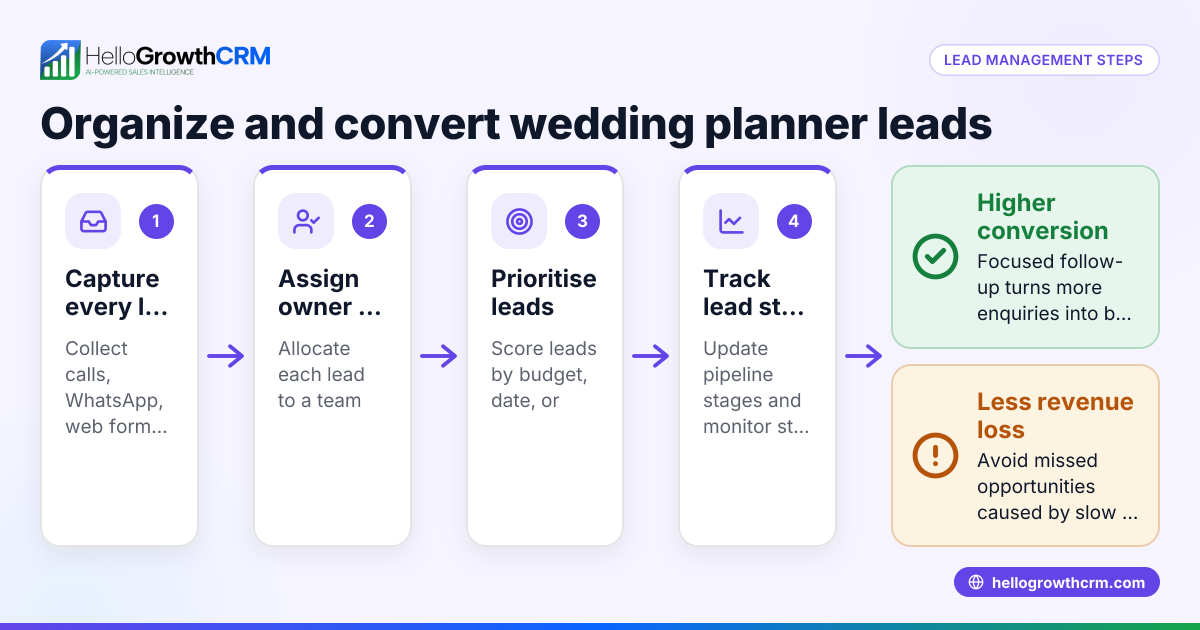
Small wedding planning businesses in Australia often juggle multiple clients, vendors, and schedules using a mix of spreadsheets, emails, and text messages. This scattered approach leads to slow follow-up, lost leads, missed deadlines, and inconsistent communication. Without a central system, sales and planning tasks can fall through the cracks, hurting client satisfaction and revenue.
Wedding planners search for a CRM tailored to their needs to streamline lead capture, automate follow-ups, and keep all client information and communication in one place. They want a tool that fits their team size and workflow without overwhelming complexity or cost.
Step-by-step
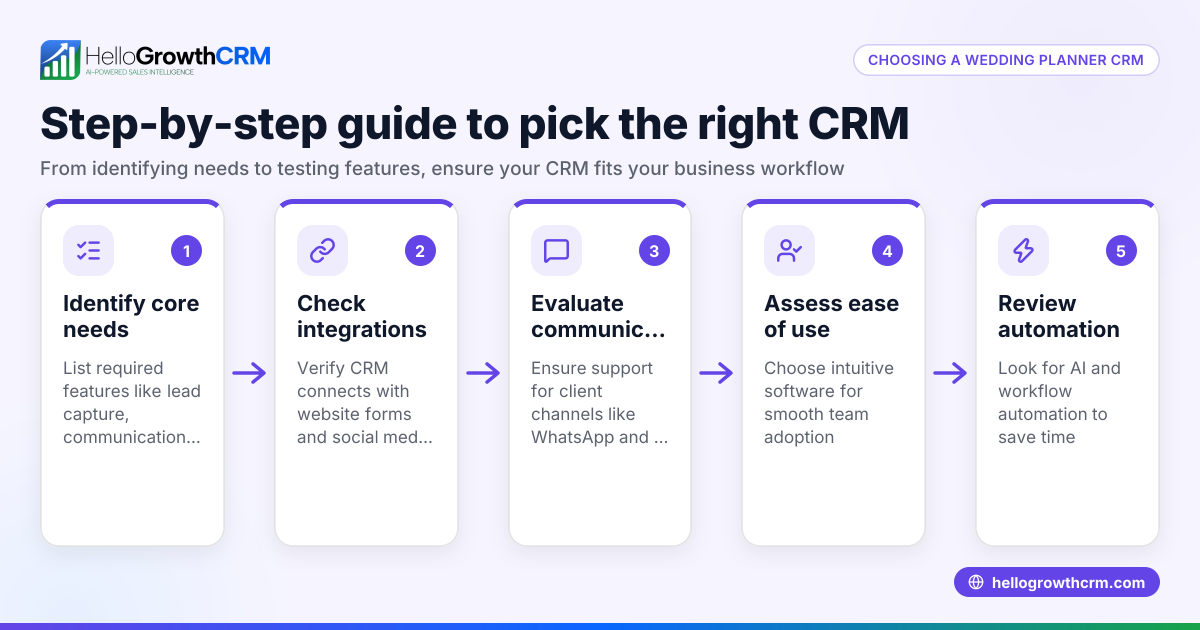
- Identify your key needs
- List what you want from a wedding planner CRM: lead management, communication tracking, task reminders, vendor coordination, etc.
- Check if you need mobile access or integration with tools like email or WhatsApp.
- Check ease of use and adoption
- Choose software with an intuitive interface that your small team can learn quickly.
- Look for features like WhatsApp and SMS integration if your clients prefer messaging.
- Evaluate lead capture and communication features
- Confirm the CRM can capture leads from your website or social media.
- See if it logs conversations automatically and supports follow-up sequences.
- Assess automation and AI support
- Consider if AI agents can assist with drafting follow-ups or updating records, saving you time.
- Check if automation can handle reminders and task assignments.
- Review pricing and scalability
- Start with a free or low-cost plan that fits your current team size.
- Ensure the CRM can grow with your business without costly upgrades.
- Test integrations and reporting
- Confirm the CRM integrates with your existing tools.
- Look for sales forecasting and reporting features to track business health.
- Request demos and trial periods
- Use free trials to test the CRM with your actual workflow.
- Ask questions about support and onboarding.
Example (fictional figures)
Sarah runs a wedding planning business in Brisbane with three staff. She wants to improve lead follow-up and client communication.
- Current monthly leads: 50
- Conversion rate without CRM: 20% (10 bookings)
- Average booking value: A$8,000
Sarah chooses a CRM that improves follow-up speed and automates reminders.
- New conversion rate: 30% (15 bookings)
- Monthly revenue increase: 5 bookings × A$8,000 = A$40,000
Sarah's CRM costs A$150/month.
- Monthly profit increase = A$40,000 - A$150 = A$39,850
This example shows how a CRM can boost revenue by increasing lead conversion through better management and communication.
Common mistakes
- Choosing a complex CRM
- Prevent by selecting software designed for small teams with easy onboarding.
- Ignoring communication channels clients use
- Prevent by ensuring the CRM supports WhatsApp and SMS, popular in Australia.
- Not testing the CRM with your workflow
- Prevent by using free trials and demos before committing.
- Overlooking automation features
- Prevent by evaluating AI agents and task automation to save time.
- Underestimating the importance of mobile access
- Prevent by choosing a CRM accessible on mobile devices for on-the-go updates.
- Failing to plan for growth
- Prevent by selecting a CRM that scales with your business needs.
Doing this in HelloGrowthCRM
HelloGrowthCRM offers WhatsApp and SMS integration where conversations with leads are logged on their records, and follow-ups can be sent directly as messages. Its AI agents (currently in Beta on the Growth plan) draft follow-up messages after calls for quick review and sending. For small teams, the Free Forever plan supports up to two users managing pipelines at no cost until features like calling or WhatsApp automation are needed. Learn more about HelloGrowthCRM for Australia and its WhatsApp and SMS CRM capabilities at HelloGrowthCRM for Australia and WhatsApp and SMS CRM.
Frequently asked questions
What is a wedding planner CRM? A wedding planner CRM is a tool designed to help wedding planners manage leads, client communications, and event details in one place. It streamlines follow-ups and improves organisation.
How can a CRM improve my wedding planning business? A CRM helps you respond faster to leads, keeps client information organised, automates reminders, and tracks your sales pipeline, leading to more bookings and smoother operations.
Does HelloGrowthCRM support messaging apps like WhatsApp? Yes, HelloGrowthCRM integrates WhatsApp and SMS messaging, logging conversations and enabling follow-ups directly through these channels, popular with Australian clients.
Can a small team use HelloGrowthCRM for free? Yes, the Free Forever plan supports a two-person team with a full Kanban pipeline and task management at no cost until advanced calling or WhatsApp automation is needed.
What should I look for in a wedding planner CRM? Look for ease of use, integration with your communication channels, automation features, scalability, and good support for your team size and workflow.
How do AI agents help in a CRM? AI agents can draft follow-up messages and update records automatically, reducing manual work and helping your team stay on top of tasks efficiently.
Key takeaways
- A wedding planner CRM centralises lead and client management, improving follow-up and organisation.
- Choose a CRM with WhatsApp and SMS integration to match client communication preferences.
- Test CRMs with your workflow using free trials before committing.
- Automation and AI agents save time by handling routine follow-ups and record updates.
- Start with a free or low-cost plan that scales as your business grows.
- Mobile access and ease of use are essential for small wedding planning teams.
Start managing your leads and clients more effectively with HelloGrowthCRM. Start on the Free Forever plan (200 leads, no credit card).
Ready to put this into practice?
Set up your pipeline, WhatsApp follow-ups, and AI lead scoring in minutes — free, no credit card.
Try HelloGrowthCRM freeGet CRM tips in your inbox
Join thousands of sales professionals who get weekly insights on CRM strategy, AI automation, and pipeline optimization.

The HelloGrowthCRM team publishes guides on CRM strategy, AI sales tools, and revenue operations for small business sales teams.