HelloGrowthCRM software
Built for real small-business sales teams
HelloGrowthCRM helps reps qualify faster, follow up on time, and close more deals—with practical automation in one place.
- AI lead scoring and pipeline visibility
- Built-in dialer, WhatsApp, and email automation
- Sales forecasting and RevOps-ready reporting
A WhatsApp message template generator helps UK small businesses create ready-to-use message formats that save time and keep communication consistent. This article covers why templates matter, how to create them step-by-step, common mistakes to avoid, a worked example with clear calculations, and how HelloGrowthCRM supports WhatsApp messaging with free sales tools.
Why this comes up / what goes wrong
Many UK small-business owners rely on WhatsApp to communicate quickly with customers because it is familiar and immediate. However, without a simple way to generate message templates, teams often rewrite similar messages repeatedly, leading to inconsistent tone, errors, or forgotten follow-ups. Managing sales conversations across WhatsApp chats, email, and spreadsheets can cause leads to be lost due to slow or missed responses. A WhatsApp message template generator helps businesses create, store, and reuse approved message formats that speed up outreach, maintain consistency, and reduce errors.
Step-by-step
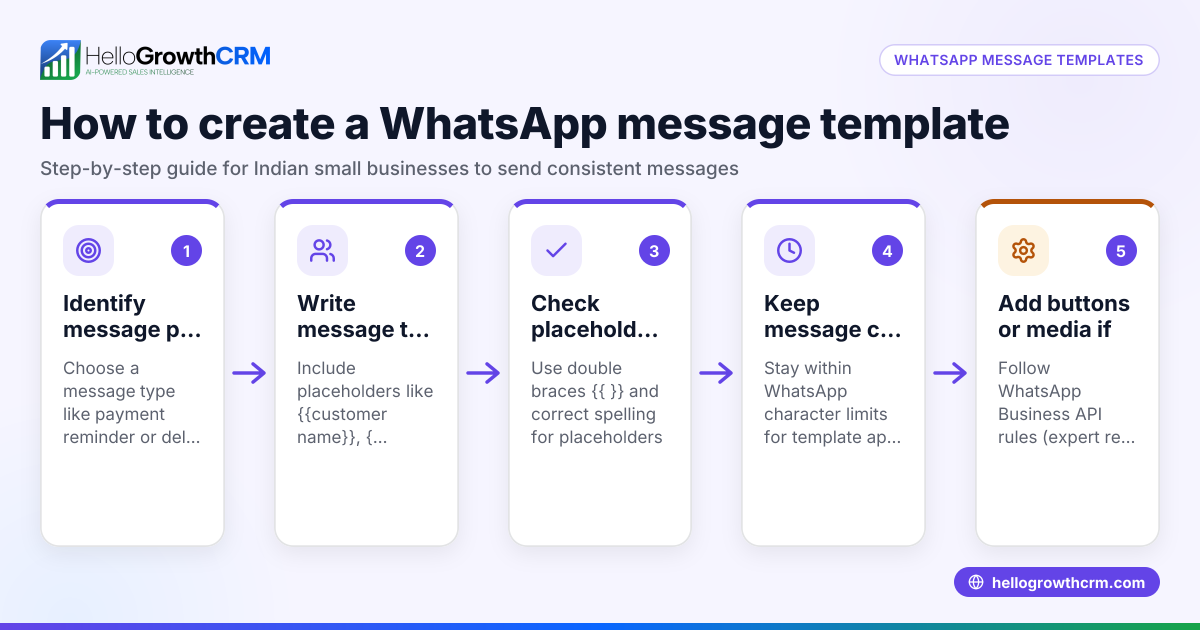
- Identify frequent message types: List the common WhatsApp messages your business sends, such as initial greetings, follow-ups, appointment reminders, or payment requests. Knowing these helps focus your templates.
- Draft clear templates: Write each message clearly and concisely. Use plain language and keep messages brief. Insert placeholders like {CustomerName} or {AppointmentDate} to personalise messages automatically.
- Check compliance and tone: Ensure your messages follow WhatsApp policies (NEEDS EXPERT REVIEW) and reflect your brand’s voice—friendly yet professional.
- Test templates internally: Share templates with your team for feedback on clarity and appropriateness before finalising.
- Use a template generator or spreadsheet: Store your final templates in a dedicated tool or an organised spreadsheet for easy access and updates.
- Train your team: Teach staff how to select and personalise templates correctly for each customer or lead.
- Review and update regularly: Schedule periodic reviews to improve templates and adjust messaging to stay relevant.
You can download free sales message templates and pipeline tools without an account at free sales tools and calculators and sales templates.
Example (fictional figures)
A recruitment consultancy based in Bristol uses WhatsApp to confirm interview appointments with candidates.
- Template: “Hello {CandidateName}, this is {RecruiterName} from Bristol Recruiters. Your interview is scheduled for {Date} at {Time}. Please reply to confirm.”
- The consultancy schedules 50 interviews weekly.
- They estimate that using this template reduces no-shows by 20%, saving lost fees.
- Average lost fee per no-show: £100.
Calculation:
Number of interviews × no-show reduction = fewer no-shows 50 × 20% = 10 fewer no-shows
Fewer no-shows × lost fee = weekly savings 10 × £100 = £1,000 saved weekly
This shows the template helps standardise communication, saves time, and improves revenue.
Common mistakes
- Writing overly long messages: Long messages can overwhelm customers. Keep messages short and to the point to respect their time.
- Forgetting placeholders: Missing personalisation fields like {Name} makes messages generic. Always include placeholders to personalise.
- Ignoring WhatsApp policies: Sending unsolicited or promotional content risks your number being blocked. Regularly check WhatsApp rules (NEEDS EXPERT REVIEW).
- Not updating templates: Using outdated information or tone can confuse customers. Review templates at least quarterly to keep them current.
- Failing to train staff: Without clear instructions, employees may misuse templates. Provide training on correct usage.
- Scattered template storage: Keeping templates in random files or WhatsApp chats causes inconsistency. Centralise storage in one place.
Doing this in HelloGrowthCRM
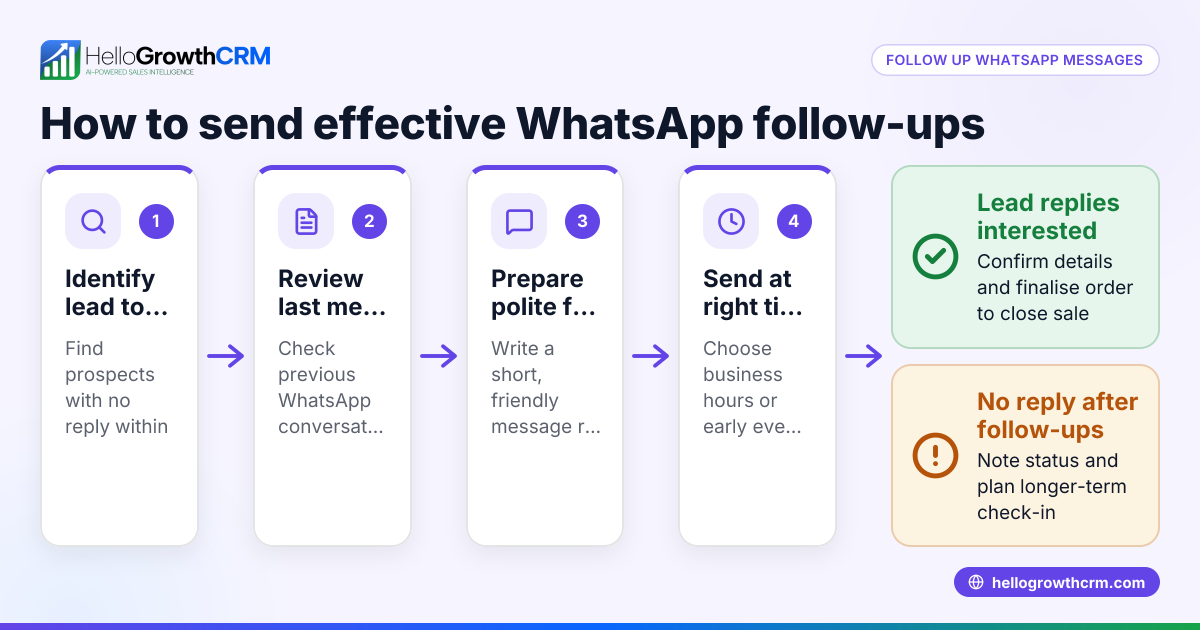
HelloGrowthCRM supports WhatsApp messaging by logging conversations on each lead record, making follow-ups easy and trackable. Teams can send follow-up messages directly through WhatsApp or SMS using saved templates to maintain consistency. You can also download free sales tools and templates without an account at free sales tools and calculators. Learn more about these features at WhatsApp and SMS CRM.
Frequently asked questions
What is a WhatsApp message template? A WhatsApp message template is a pre-written message format that businesses use to communicate quickly and consistently. Templates include placeholders for personal details to make each message feel personalised.
Can I create WhatsApp templates without special software? Yes, you can draft templates in a spreadsheet or text document and copy them into WhatsApp. However, using a dedicated template generator or CRM that supports WhatsApp messaging helps keep templates organised and tracks conversations.
Are WhatsApp message templates free to use? Creating your own templates is free, but WhatsApp Business API has rules and restrictions on template approval (NEEDS EXPERT REVIEW). Many small businesses use the WhatsApp Business App or CRM tools that integrate WhatsApp messaging without extra template fees.
How do I avoid spamming customers with WhatsApp messages? Only message customers who have opted in or expect communication. Use personalised templates and limit how often you send messages. Always comply with WhatsApp policies and UK data protection laws (NEEDS EXPERT REVIEW).
Where can I find ready-made WhatsApp message templates? You can find free sales message templates and follow-up cadences at sales templates and free sales tools and calculators, which you can adapt for WhatsApp.
Key takeaways
- Use a WhatsApp message template generator or organised tool to create reusable templates.
- Keep templates clear, concise, and personalised with placeholders.
- Regularly review templates to stay compliant and relevant.
- Train your team on correct template use for consistency.
- Avoid mistakes like long messages, missing personalisation, and scattered storage.
- HelloGrowthCRM logs WhatsApp conversations and supports sending follow-up messages with templates.
Start streamlining your WhatsApp communication today. Start on the Free Forever plan (200 leads, no credit card) to manage WhatsApp messaging and access free sales tools.
Ready to put this into practice?
Set up your pipeline, WhatsApp follow-ups, and AI lead scoring in minutes — free, no credit card.
Try HelloGrowthCRM freeGet CRM tips in your inbox
Join thousands of sales professionals who get weekly insights on CRM strategy, AI automation, and pipeline optimization.

The HelloGrowthCRM team publishes guides on CRM strategy, AI sales tools, and revenue operations for small business sales teams.