Lead Management
Core lead operations tools for capturing, organizing, routing, cleaning, and progressing pipeline work across your CRM.
16
Lead Management features
Featured workspace
Leads Table View
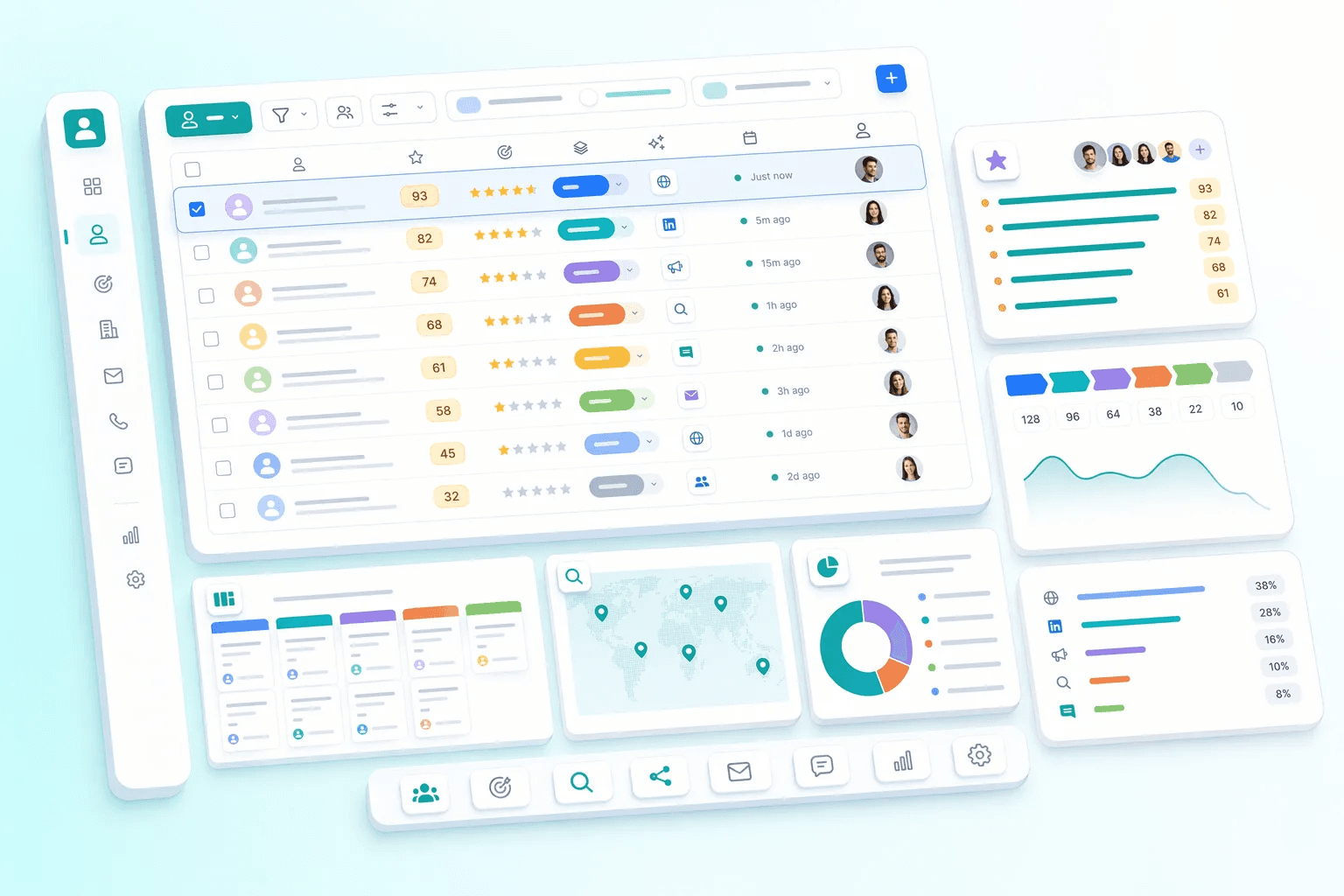


No lead left behind.
Sources
- Website & landing pages
- WhatsApp enquiries
- Facebook & Google ads
- Inbound calls
- CSV & event lists
Lead inbox
Inside HelloGrowthCRM
- Duplicates merged
- Source tagged
- AI lead score
- Routing rules applied
Then
- Owner assignedBy territory, score or round-robin
- Follow-up task createdWith a due time
- Deal in the pipelineStage, value, next step
From first enquiry to assigned owner in seconds, not days.
How teams use lead management
Teams usually review lead management when they want to improve a specific operating motion, not just add another isolated feature. In practice, that means turning related capabilities such as Leads Table View, Leads Kanban View, Lead Finder, Lead Source Attribution into one clearer workflow that reps, managers, and operators can actually use every day.
For most buyers, the real question is how this category changes execution. Common evaluation paths include work every new lead quickly, manage pipeline by stage, improve territory coverage, where the value comes from cleaner ownership, faster next steps, and better visibility into what should happen after each customer interaction.
A strong rollout usually starts with one high-value use case, then expands into reporting, automation, and team inspection once adoption is consistent. That is why this category page groups related modules together first and then links into deeper feature pages for more specific evaluation.
Lead management is the highest-leverage discipline in any sales operation because everything downstream depends on it. A team with 500 weekly leads and 95-percent routing accuracy generates dramatically more pipeline than the same team with 500 weekly leads and 70-percent routing accuracy — the difference being captured in deals that never happened because nobody got the lead to the right rep in time. HelloGrowthCRM's lead-management category exists to make this routing discipline operationally automatic rather than dependent on manual triage.
Lead-source attribution is the analytical layer that converts lead-management discipline into business-strategy decisions. When a team can answer 'which sources produce closed-won revenue, not just closed-lost leads?' the marketing budget conversation shifts from gross lead volume to qualified-lead economics. Most teams discover, on first looking at this data honestly, that one or two channels deserve 2-3x the spend they currently get while two or three channels deserve to be cut entirely.
Deduplication, enrichment, and routing accuracy are the three operational primitives that determine lead-management quality. Deduplication prevents the same buyer being contacted by multiple reps; enrichment ensures each lead arrives with enough context for an informed first call; routing accuracy puts each lead in front of the rep most likely to close it. HelloGrowthCRM's lead-management features make all three primitives reliable enough that the team can trust the system rather than continuously second-guessing it.
Explore modules
Lead Management features
Pick a module to see details, workflows, and how it fits into the CRM.




Common use cases
Where teams use lead management
Practical workflows built from the features in this category, grouped around the outcomes teams usually care about first.
Use these examples to decide whether you need one focused capability or a broader category rollout. In most teams, adoption improves when the first workflow is concrete and tied to a measurable operational problem rather than a broad feature wish list.
Work every new lead quickly
Capture, filter, assign, and review incoming leads without losing source or owner context.
See workflowManage pipeline by stage
Use kanban and activity views to move leads forward and spot neglected work.
See workflowImprove territory coverage
Assign opportunities by geography or segment so ownership is fair and clear.
See workflowKeep data clean
Detect duplicates, preserve attribution, and make reporting trustworthy.
See workflowSuggested workflow
Turn features into a working motion
Start with a focused setup, connect the next action, and expand once the team has a repeatable rhythm.
Step 1
Start with the core workflow
Use Leads Table View as the first workspace so the team has one clear place to begin.
Step 2
Connect the next action
Layer in Leads Kanban View to turn the workflow into repeatable daily execution.
Step 3
Scale what works
Use Lead Finder to refine adoption, coaching, and team visibility as usage grows.
Quick answer
What does HelloGrowthCRM's lead management software do?
Key facts
- Capture from web forms, WhatsApp, missed calls, marketplace enquiries, and spreadsheet import, deduplicated by phone and email on the way in.
- Territory rules route a new lead by geography, industry, company size, product interest, or a custom field — no manager step in between.
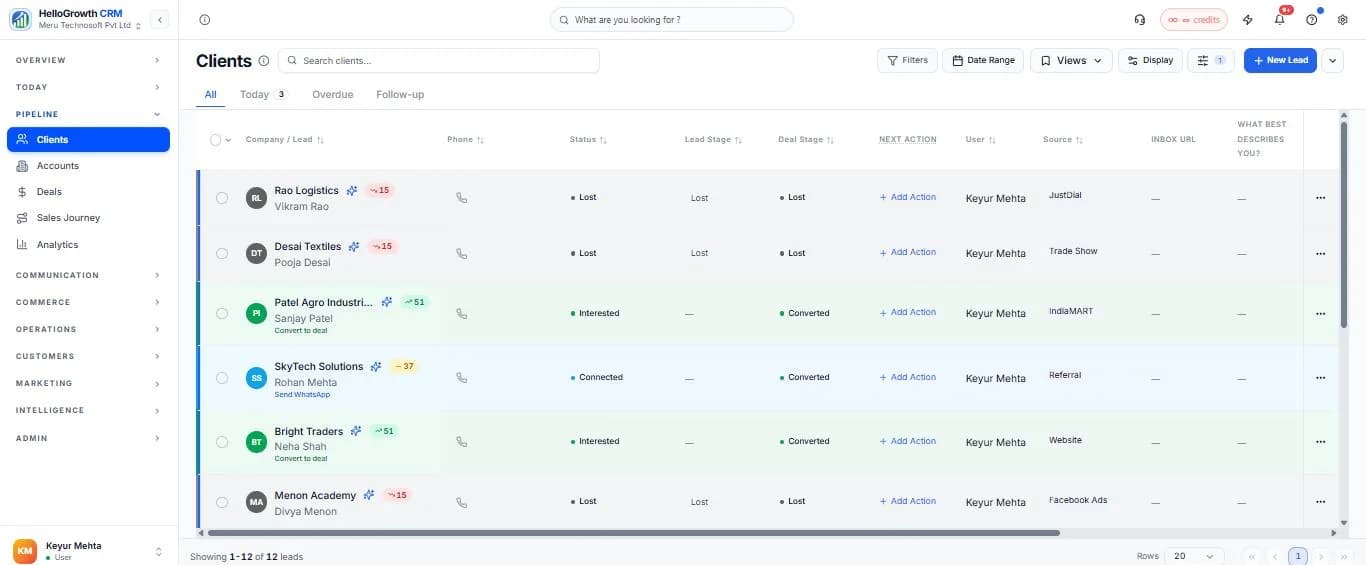
- AI lead scoring reads source, response speed, engagement, company attributes, and activity recency to order the day's call list.
- Part of the core CRM: free plan available, paid plans $10/user/month billed annually.
Every lead, scored and sourced, in one list
Bulk Actions — Work Faster Across Hundreds of Records
Select any filtered list of leads or deals and apply changes in one operation — no clicking record by record.
Reassign hundreds of contacts to a new rep or territory in one click.
Apply or remove tags across a filtered contact list — segment in seconds.
Move multiple deals to a new pipeline stage simultaneously.
Enrol an entire smart list into an email or WhatsApp sequence.
Convert multiple leads to deals at once after a qualifying event.
Export any filtered contact or deal list to CSV with one click.
Clean up dead leads or archive closed deals in batch.
Set a custom field value across hundreds of records simultaneously.
Quick Notes — Capture Context Without Breaking Flow
Log what matters in seconds. Notes are searchable, timeline-linked, and visible to every rep working the account.
Add a note to any contact, deal, or company without opening a separate form — click the note icon and type.
Tag a rep or manager in a note to notify them instantly. They see the note in context, not just a generic notification.
Pin a critical note to the top of a contact or deal record so every rep sees the most important context immediately.
Every note is logged with timestamp and author in the full activity timeline — building a searchable conversation history.
Create note templates for common scenarios — post-call debriefs, discovery summaries, objection logs — and fill them in seconds.
Global search returns note content, not just record names. Find any client insight, commitment, or decision across your entire CRM.
What lead management means for a 2–10 person sales team
For a small sales team, lead management software isn't about dashboards for a VP — it's about answering three questions every morning: which new enquiries came in, who needs a follow-up today, and which leads are worth the next hour of calling. When those answers live in a spreadsheet, an inbox, and two personal WhatsApp accounts, leads slip. When they live in one system, a 3-person team can work like a 10-person team.
HelloGrowthCRM's lead management is built around that daily reality: every lead gets an owner, a stage, and a next step the moment it arrives. Reps open one task list instead of reconstructing the day from memory, and the owner sees the whole funnel — from first enquiry to closed deal — without asking anyone for a status update. It's the natural next step for teams outgrowing the setups described on our CRM for small business guide.
Capture leads from every source — before they go cold
Lead management starts at capture, and small businesses lose most leads in the first hour. HelloGrowthCRM creates a lead record automatically from every channel your buyers actually use:
- Website forms:enquiries land as leads with source attribution — no more "contact form emails" sitting unread.
- WhatsApp: a first-time message to your business number creates a lead with the conversation attached. See the WhatsApp CRM page for the full workflow.
- Missed calls:a missed call to your sales line becomes a lead with a call-back task, so an unanswered phone isn't a lost customer.
- IndiaMART and marketplaces: B2B enquiries flow into the same pipeline as your website leads, deduplicated by phone and email.
- Manual and bulk entry: import spreadsheets from exhibitions or purchased lists with field mapping and duplicate detection on the way in.
AI lead scoring: work the right leads first
When 40 leads arrive in a week and you have two salespeople, order matters more than effort. HelloGrowthCRM's AI lead scoring ranks every lead by how closely it resembles the leads you've actually converted — looking at signals like source, response speed, engagement with your emails and WhatsApp messages, company attributes, and activity recency.
The score shows up directly on the lead list, so the morning routine becomes simple: sort by score, start dialing from the top with the built-in power dialer, and let lower-scored leads warm up in an automated sequence instead of consuming call time. Scoring is included in paid plans at $10/user/month — see pricing for details.
Routing and follow-up sequences that run themselves
Capturing a lead is worthless if nobody owns it. HelloGrowthCRM routes each new lead to the right rep automatically — round-robin for fairness, or rule-based by territory, industry, deal size, or product interest. The rep gets notified instantly, and the clock on first response starts with a clear owner.
From there, follow-up sequences take over the repetitive work: a welcome email in the first minute, a WhatsApp template message if there's no reply in a day, a call task on day three. Sequences pause automatically the moment the lead replies, so automation never talks over a real conversation. Every touch is logged to the lead's timeline — the same unified history described on our contact management software page.
Before and after: one enquiry, two very different outcomes
Before:A prospect fills your website form on Friday at 6 pm. The email lands in a shared inbox. Monday morning it's below 40 other messages. Someone forwards it to a rep on Tuesday; the rep calls Wednesday and hears "we already went with someone who called us back the same evening."
After:The same form submission creates a lead at 6:01 pm, routed to the on-duty rep, with an automatic WhatsApp acknowledgement sent immediately. AI scoring flags it as high-fit. The rep's Saturday task list opens with this lead on top; one tap starts the call from the built-in dialer, and the quote goes out before lunch — with a follow-up sequence scheduled in case the prospect goes quiet.
Nothing in the second version required more discipline or headcount — just a system that refuses to let a lead sit unowned. That's the practical difference lead management software makes for a small team. If you're comparing tools, see how HelloGrowthCRM stacks up against LeadSquared for lead-heavy sales teams.
Lead management software FAQ
Lead Management by industry
The same capability, written for the fields, follow-ups and reports each vertical actually runs on.