HelloGrowthCRM software
Built for real small-business sales teams
HelloGrowthCRM helps reps qualify faster, follow up on time, and close more deals—with practical automation in one place.
- AI lead scoring and pipeline visibility
- Built-in dialer, WhatsApp, and email automation
- Sales forecasting and RevOps-ready reporting
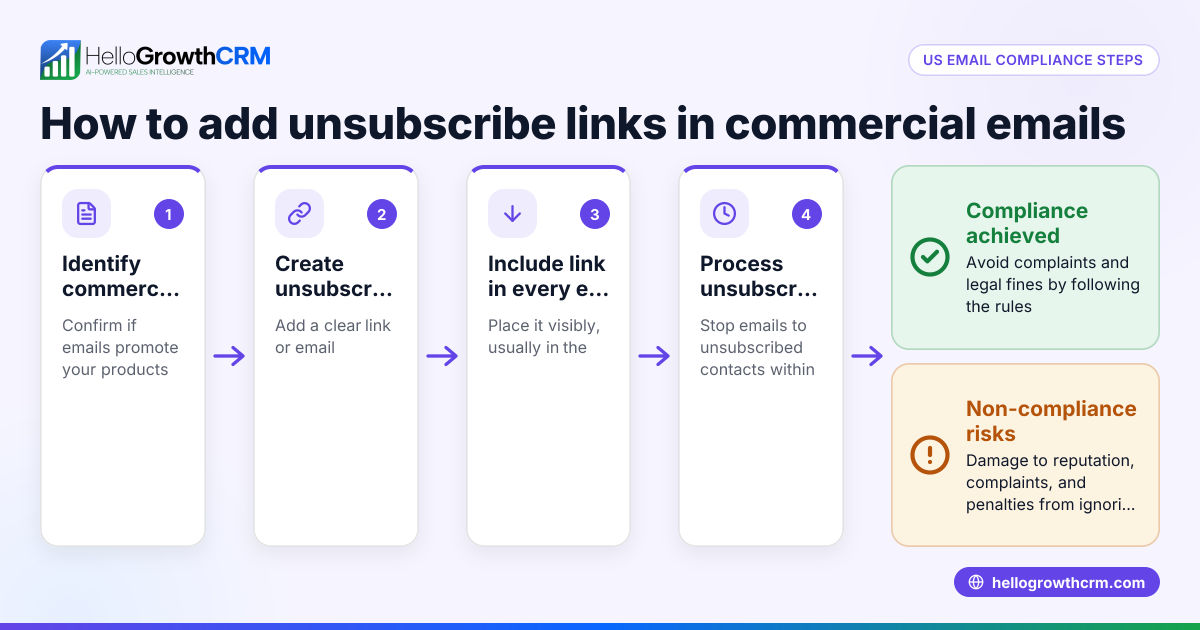
Adding an unsubscribe link to your email is essential for respecting your recipients’ preferences and staying compliant with email regulations. The unsubscribe link should be placed clearly, usually in the footer, so recipients can easily opt out of future communications. This article covers why you need it, how to add it step-by-step, a realistic example for a US small business, common mistakes, and how HelloGrowthCRM supports email automation with built-in follow-ups.
Why this comes up / what goes wrong
Small business owners often send marketing or sales emails to prospects and customers. Without an unsubscribe link, recipients who no longer want your emails may mark them as spam or get frustrated, damaging your sender reputation and reducing your email effectiveness. Some owners might not realize the legal importance of providing an unsubscribe option or how to technically add the link. This can lead to lost trust, lower engagement, and potential compliance issues. Adding a clear unsubscribe link helps maintain good relationships and keeps your email lists healthy.
Step-by-step
- Choose an unsubscribe landing page or email address: Decide where the unsubscribe link will direct recipients. It can be a webpage confirming the unsubscribe or an email address that processes unsubscribe requests.
- Create or obtain the unsubscribe URL: If using a webpage, make sure the URL is active and confirms the recipient's removal. If using an email address, format the link to open a new email to that address.
- Add the unsubscribe link to your email template: Insert a short phrase like “Unsubscribe here” or “Click here to unsubscribe” in the email footer. Hyperlink this text with the unsubscribe URL.
- Make the link visible and accessible: Use a font size and color that is readable but unobtrusive. Avoid hiding the link in small text or hard-to-find places.
- Test the unsubscribe link: Send a test email to yourself or a colleague and click the link to ensure it works correctly and leads to the designated unsubscribe confirmation.
- Update your email list accordingly: When someone unsubscribes, promptly remove or suppress their email address from future mailings to respect their choice.
- Document your unsubscribe process: Keep records of unsubscribe requests and how you handle them to maintain good list hygiene and for potential audits.
For more on automating this process, see our guide on email automation and sequences.
Example (fictional figures)
A plumbing company in Austin, Texas, "Austin Flow Plumbing," sends monthly promotional emails to 5,000 subscribers. They want to add an unsubscribe link to reduce spam complaints.
- The company creates a simple unsubscribe webpage at https://austinflowplumbing.com/unsubscribe.
- They add the text “Unsubscribe here” at the bottom of their email template and link it to this page.
- They test the link by sending a test email to their marketing manager on 06/01/2026.
- Upon clicking, the manager sees a confirmation message: “You have been unsubscribed.”
- The company tracks unsubscribes weekly and removes those emails from the mailing list.
This process helps Austin Flow Plumbing maintain a clean list and avoid spam filters, improving deliverability.
Common mistakes
- Hiding the unsubscribe link: Placing it in tiny font or at the very bottom where it’s hard to find. Prevent by putting it clearly in the footer with readable size.
- Using confusing language: Phrases like “Manage preferences” without a clear unsubscribe option confuse recipients. Prevent by using straightforward terms like “Unsubscribe here.”
- Not testing the link: Sending emails with broken or incorrect links frustrates users. Prevent by testing every email variation.
- Delaying removal from the list: Ignoring unsubscribe requests or taking too long to process them. Prevent by updating your list immediately.
- Not including an unsubscribe link at all: This risks legal issues and spam complaints. Always include it.
For tips on managing follow-ups and sequences that stop when a prospect replies, see email automation and sequences.
Doing this in HelloGrowthCRM
HelloGrowthCRM supports email outreach with features that help manage communication efficiently. Its HelloMail shared inbox allows your team to see all replies to quotation emails on the deal, ensuring no unsubscribe requests or replies are missed. Additionally, sequences and campaigns automate follow-up emails over a set period, stopping automatically once a prospect replies, which helps maintain respectful communication without overwhelming contacts. Learn more about these features at email automation and sequences.
Frequently asked questions
Do I have to include an unsubscribe link in every email? Yes, it’s best practice and often legally required to include an unsubscribe option in all marketing or promotional emails so recipients can easily opt out.
Can I use a simple email address instead of a webpage for unsubscribes? Yes, you can link the unsubscribe text to an email address that processes unsubscribe requests, but a webpage with confirmation is more user-friendly and professional.
What happens if someone clicks unsubscribe? They should be removed promptly from your mailing list or marked to no longer receive emails, respecting their choice.
Can I force recipients to confirm unsubscribing? It’s better to unsubscribe immediately upon request to avoid frustration. Confirmation pages can be used to inform them they have been unsubscribed.
How does HelloGrowthCRM help with unsubscribe management? While HelloGrowthCRM automates email sequences and manages replies in a shared inbox, you need to set up the unsubscribe link and list removal process yourself. The platform makes tracking replies easier.
For more on managing multi-channel outreach, see WhatsApp and SMS CRM.
Key takeaways
- Always include a clear, clickable unsubscribe link in your email footer.
- Use simple, direct language like “Unsubscribe here.”
- Test the unsubscribe link before sending to your full list.
- Remove unsubscribed contacts promptly to respect their preferences.
- Avoid hiding or confusing the unsubscribe option to maintain trust.
- HelloGrowthCRM supports email follow-ups and shared inbox visibility to manage replies efficiently.
Adding an unsubscribe link is a straightforward step that protects your reputation and improves email engagement. To start managing your leads and email outreach with tools that help your team stay organized and responsive, start on the Free Forever plan (200 leads, no credit card).
Ready to put this into practice?
Set up your pipeline, WhatsApp follow-ups, and AI lead scoring in minutes — free, no credit card.
Try HelloGrowthCRM freeGet CRM tips in your inbox
Join thousands of sales professionals who get weekly insights on CRM strategy, AI automation, and pipeline optimization.

The HelloGrowthCRM team publishes guides on CRM strategy, AI sales tools, and revenue operations for small business sales teams.